由于next主题经过了几次更新,查阅了许多资料都说要修改 custom.styl 这个配置文件,但是我的主题内没有此文件,经过翻阅大量的资料,终于找到了侧边栏的配置文件位置。
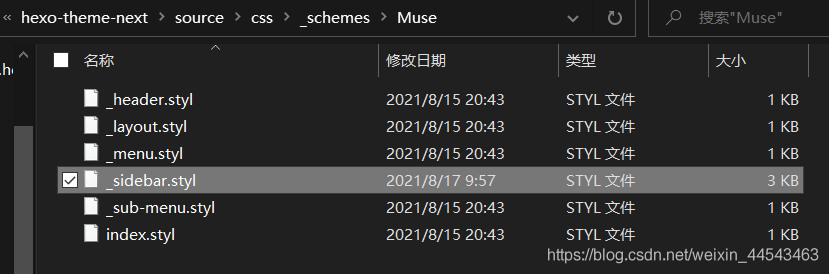
对于 Muse 和 Mist主题,其侧边栏的配置文件为Hexo\themes\hexo-theme-next\source\css\_schemes\Muse\_sidebar.styl。
对于 Pisces和 Gemini主题,其侧边栏的配置文件为Hexo\themes\hexo-theme-next\source\css\_schemes\Pisces\_sidebar.styl。
在此配置文件中,可以找到 .sidebar,修改其内部的属性参数即可实现设置侧边栏背景图片和字体颜色的功能
.sidebar {
  //设置背景图片,图片放在Hexo\themes\hexo-theme-next\source\images目录下
  background:url(/images/sidebar-bg.jpg);
  background-size: cover;
  background-position:center;
  background-repeat:no-repeat;
  bottom: 0;
  if (not hexo-config('back2top.sidebar')) {
    box-shadow: inset 0 2px 6px black;
  }
  position: fixed;
  top: 0;
  transition: all $transition-ease-out;
  width: $sidebar-desktop;
  z-index: $zindex-2;

  a {
    //设置文字颜色
	border-bottom-color: #FFFFFF;
	color: #FFFFFF;
    &:hover {
	  border-bottom-color: $FFFFFF;
	  color: #FFFFFF;
    }
  }
}
另外,侧边栏中头像下方的作者姓名和描述的字体颜色,可以在根目录下的站点配置文件中_config.yml中修改。
# Site
title: Half_A Studio
subtitle: Huffie's Blog
# 例如设置白色字体的description
description: <font color="#FFFFFF">Done is better than perfect.</font>
keywords: Control Robot Programming
author: Huffie
language: zh-CN
timezone: ''
设置完成后效果如下:
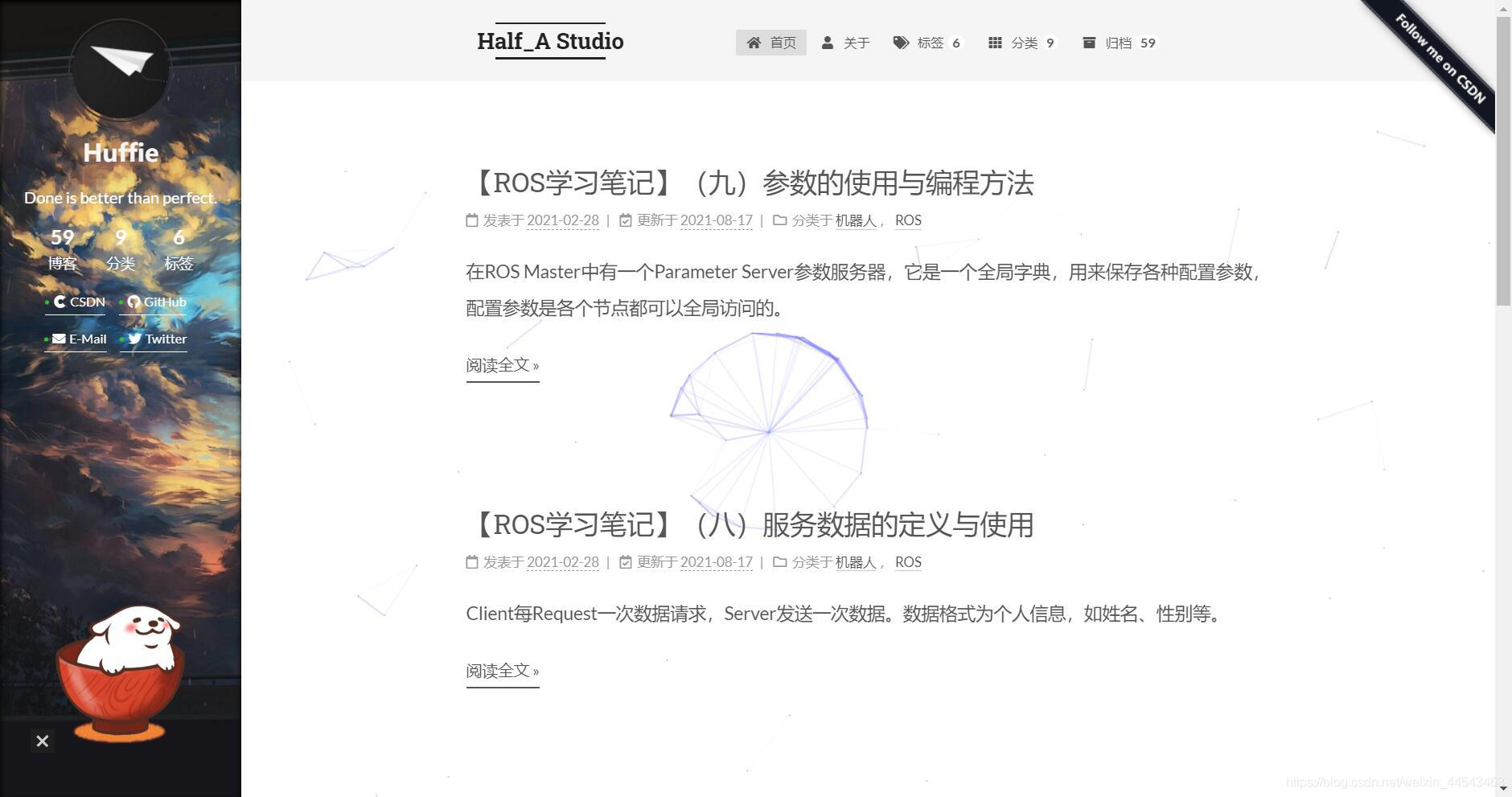
http://huffie.cn/这是我的博客,可以在此查看效果。
评论