Since the NexT theme has been updated several times, many resources said to modify the custom.styl configuration file. However, my theme did not contain this file. After consulting a great deal of material, I finally found the location of the sidebar configuration file.
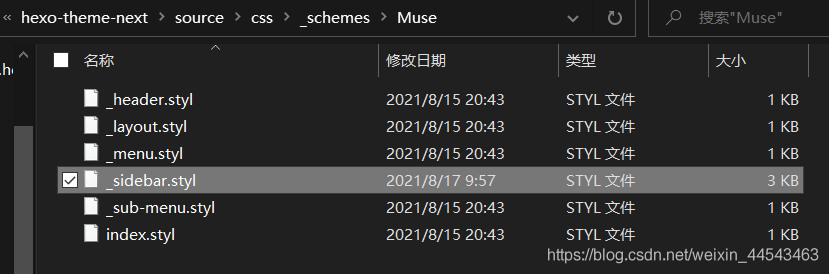
For the Muse and Mist themes, the sidebar configuration file is Hexo\themes\hexo-theme-next\source\css\_schemes\Muse\_sidebar.styl.
For the Pisces and Gemini themes, the sidebar configuration file is Hexo\themes\hexo-theme-next\source\css\_schemes\Pisces\_sidebar.styl.
In this configuration file, locate .sidebar and modify its properties to set the sidebar background image and font color. In the code below, the first Chinese comment says to place the background image in the theme’s source images directory, and the second marks the text color settings.
.sidebar {
  //设置背景图片,图片放在Hexo\themes\hexo-theme-next\source\images目录下
  background:url(/images/sidebar-bg.jpg);
  background-size: cover;
  background-position:center;
  background-repeat:no-repeat;
  bottom: 0;
  if (not hexo-config('back2top.sidebar')) {
    box-shadow: inset 0 2px 6px black;
  }
  position: fixed;
  top: 0;
  transition: all $transition-ease-out;
  width: $sidebar-desktop;
  z-index: $zindex-2;

  a {
    //设置文字颜色
	border-bottom-color: #FFFFFF;
	color: #FFFFFF;
    &:hover {
	  border-bottom-color: $FFFFFF;
	  color: #FFFFFF;
    }
  }
}
In addition, the font color of the author’s name and description below the avatar in the sidebar can be changed in the site’s _config.yml configuration file in the root directory. The Chinese comment in the example indicates a white font for the description.
# Site
title: Half_A Studio
subtitle: Huffie's Blog
# 例如设置白色字体的description
description: <font color="#FFFFFF">Done is better than perfect.</font>
keywords: Control Robot Programming
author: Huffie
language: zh-CN
timezone: ''
After completing the setup, the result is shown below:
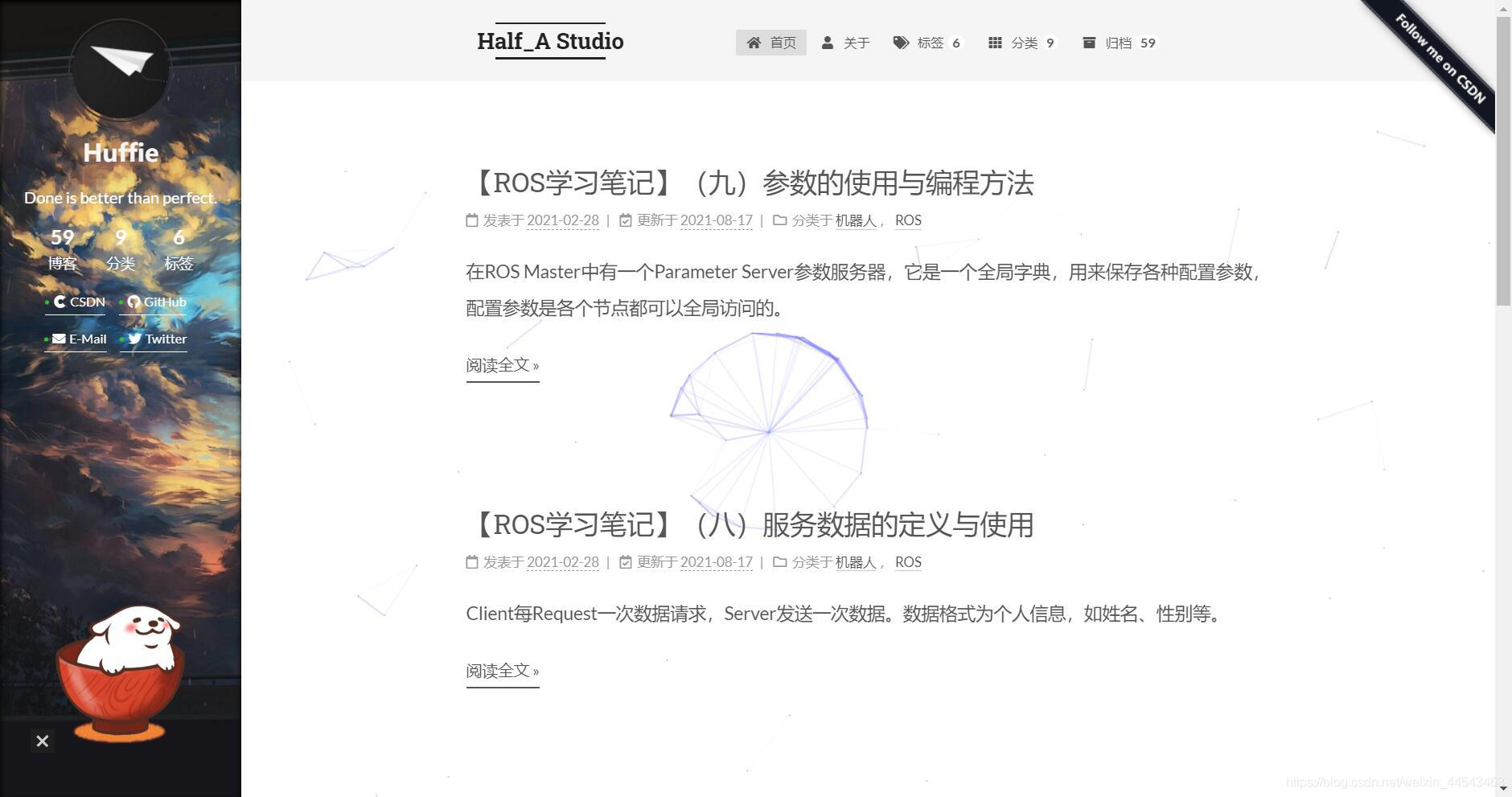
http://huffie.cn/ is my blog, where you can see the result.
Comments