Contents
http://huffie.cn/ is my blog; you can see the effect there.
Introduction
The result is shown below (in the upper-right corner):

Most examples online show a Fork me on GitHub ribbon. The principle for implementing a Follow me on CSDN ribbon is actually the same.
Just download and edit the image for the effect you want, then upload it to an image host (or CSDN). You can then obtain the image URL and replace the URL in the code. Below are two images I made; feel free to use them. (See the source code at the end of the article.)

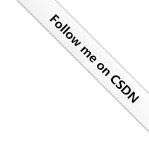 More ribbon images can be downloaded from the project page. If you want a different design, just edit one yourself.
Implementation
Copy and paste the following code into themes\hexo-theme-next\layout\_layout.njk (place it below <div class="headband"></div>, as shown), and change href to point to your CSDN profile.
Black version:
  <!--Follow me on CSDN-->
  <a href="https://blog.csdn.net/weixin_44543463"><img loading="lazy" width="149" height="149" style="position: absolute; top: 0; right: 0; border: 0;" src="https://img-blog.csdnimg.cn/abe3797b7d77419b81ecc02dd1bf8c34.png" class="attachment-full size-full" alt="Fork me on GitHub" data-recalc-dims="1"></a>
White version
  <!--Follow me on CSDN-->
  <a href="https://blog.csdn.net/weixin_44543463"><img loading="lazy" width="149" height="149" style="position: absolute; top: 0; right: 0; border: 0;" src="https://img-blog.csdnimg.cn/1f8e1ef9be9f4f7db01fe3a2d57829de.png" class="attachment-full size-full" alt="Fork me on GitHub" data-recalc-dims="1"></a>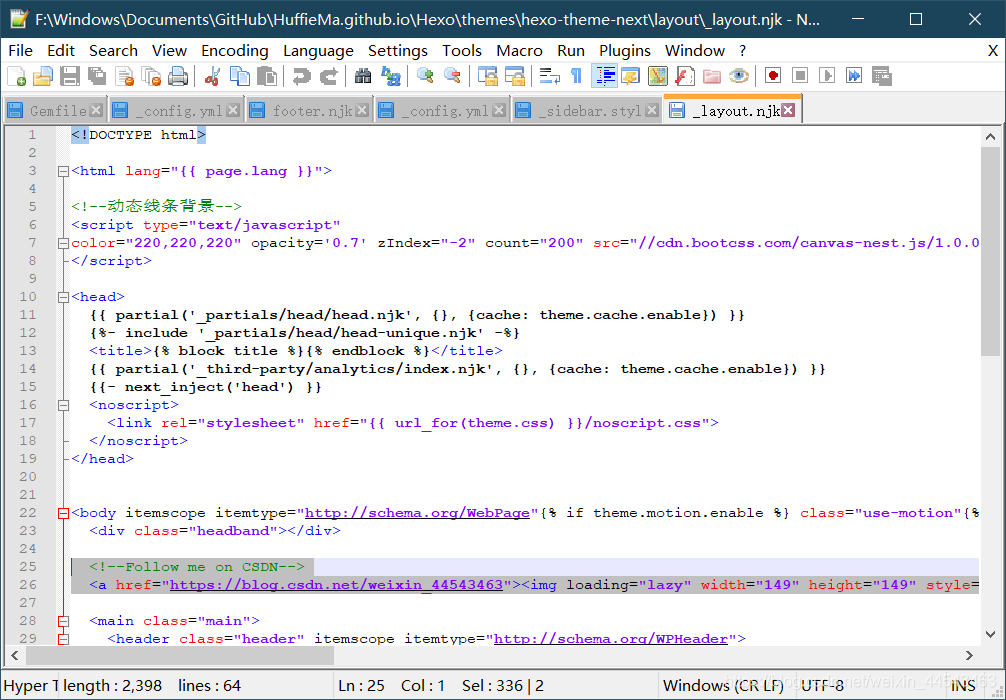
Comments