Contents
I previously used Alibaba Cloud OSS for personal image hosting, but as the number of posts and images grew and site traffic increased, image-hosting bandwidth also rose and costs kept climbing. So I looked for another platform and found that Cloudflare R2 can provide 10 GB of storage and 10 million free read requests per month.
1. Cloudflare R2 Bucket
1.1 Create an R2 Bucket
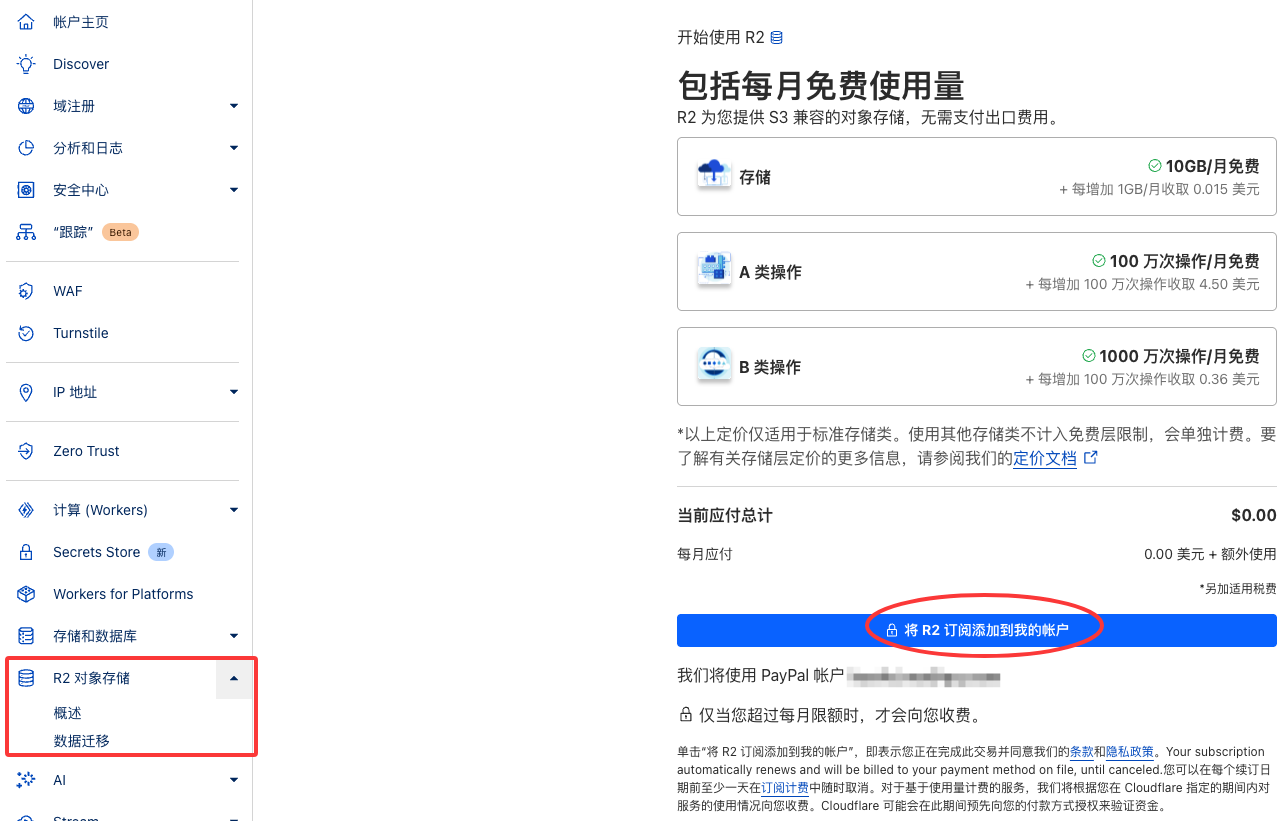
Open the Cloudflare dashboard and find R2 Object Storage on the left. On the right you can see the monthly free usage information, then add the R2 subscription to your account.
Then create a bucket. The bucket name can be anything you like; if your audience is mainly in mainland China, choose the Asia-Pacific region Asia-Pacfic (APAC).
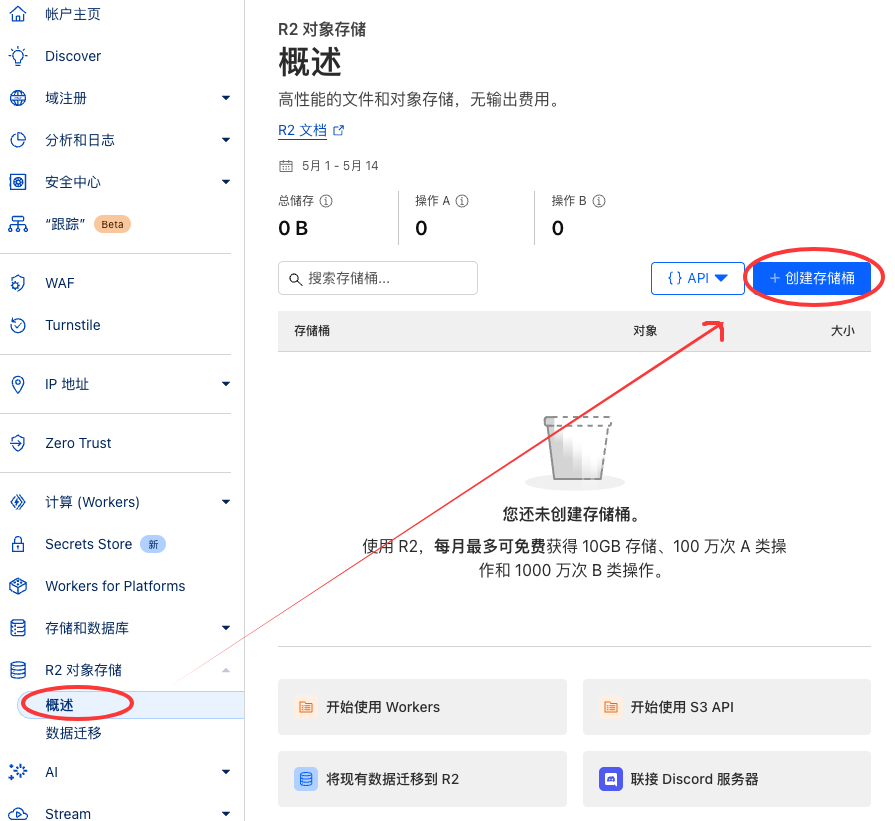
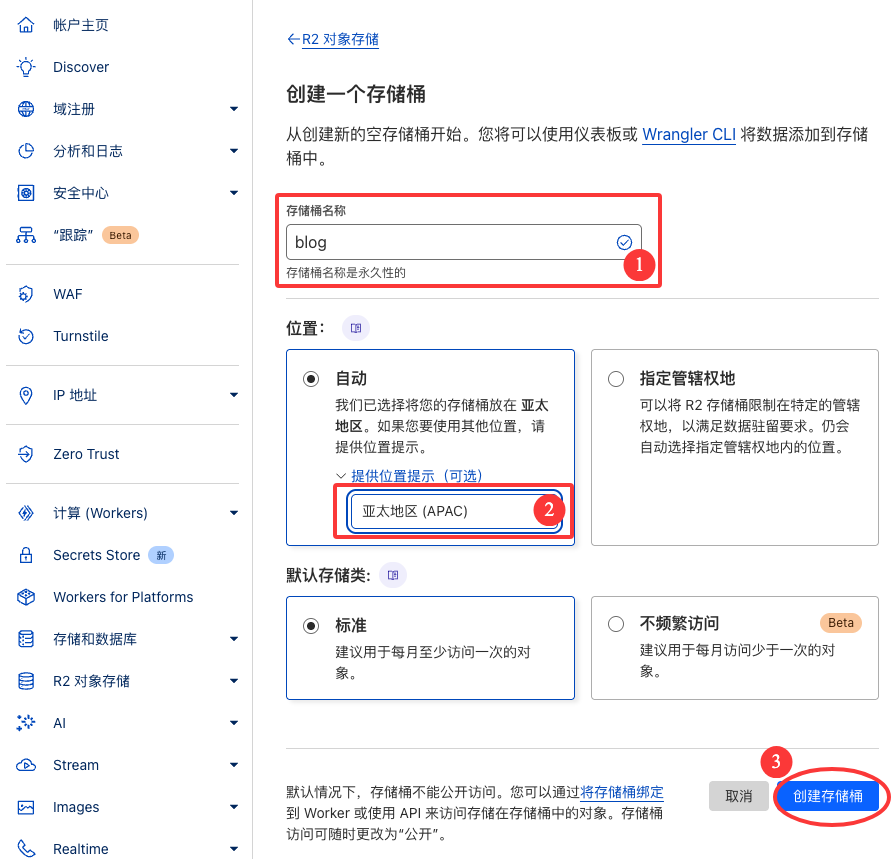
1.2 Bind a Personal Domain to R2
Then click Settings → Add Custom Domain and add your subdomain (I could add it directly because I have used a domain hosted on Cloudflare; otherwise you need to set up DNS verification manually).
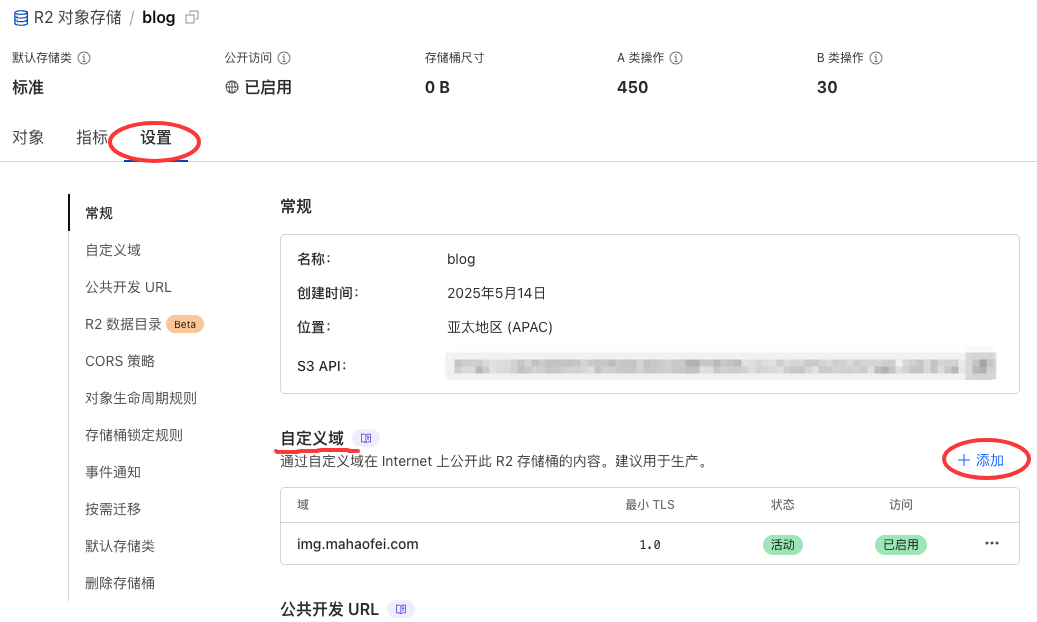
Manually refresh the page; when both Status and Access turn green, the domain has been added successfully.
1.3 Create an R2 API Token
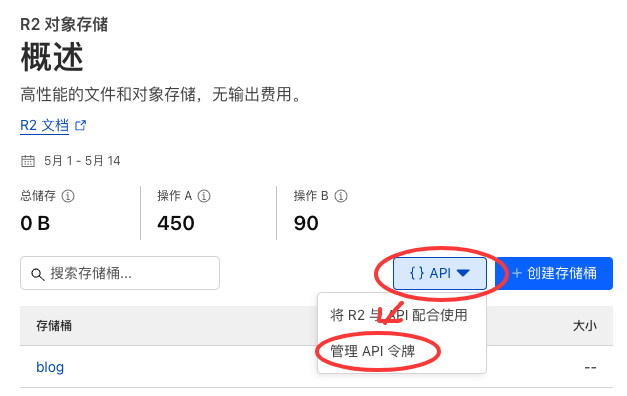
Go back to the R2 Object Storage overview page, find the API button on the right, and choose Manage API tokens.
Then create Account API tokens.
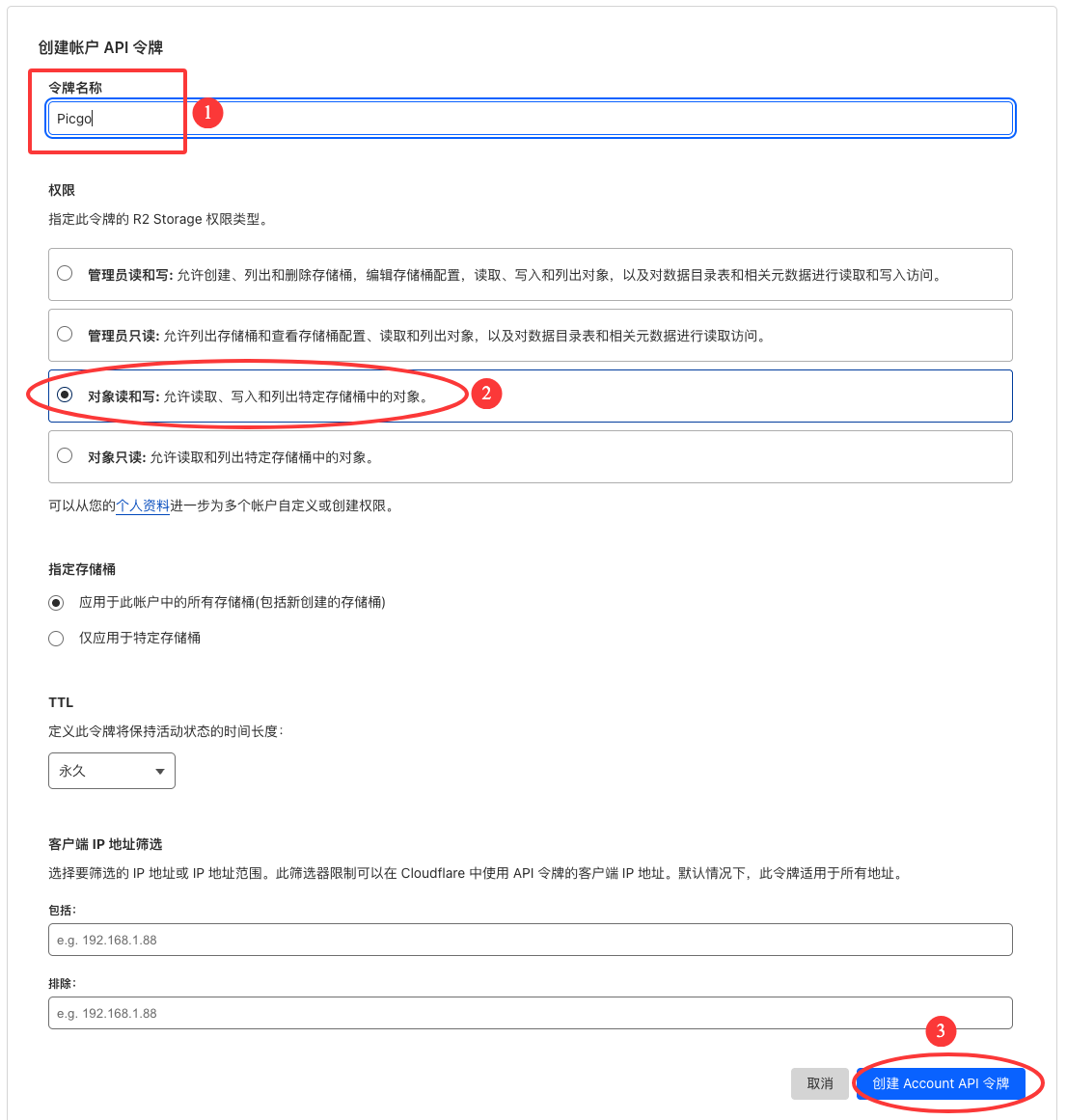
After creation, record all of the data (these IDs and secrets are shown only once; after you close the page they will not appear again, and you can only create new ones). Never make them public either.
2. PicGo Configuration
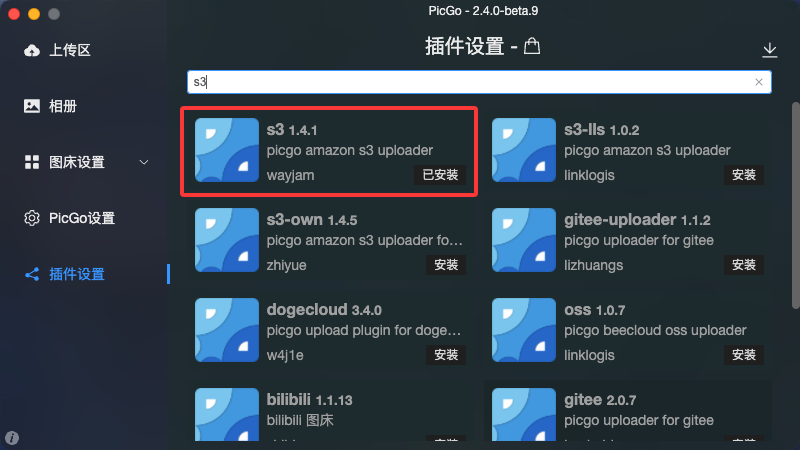
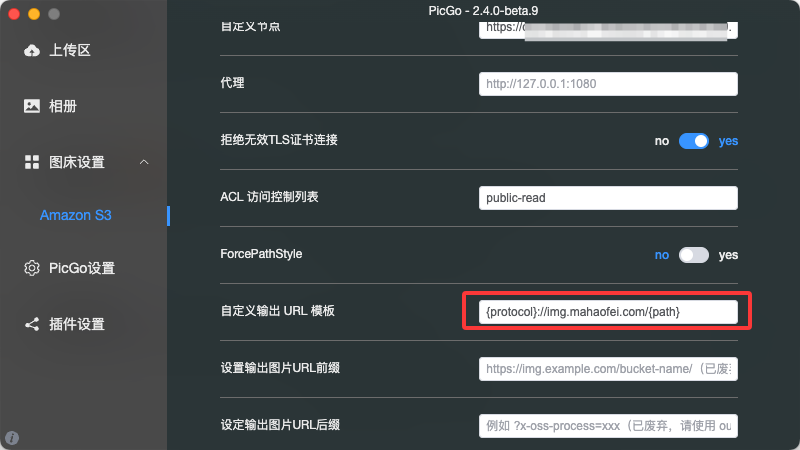
In PicGo, search for and install the S3 plugin.
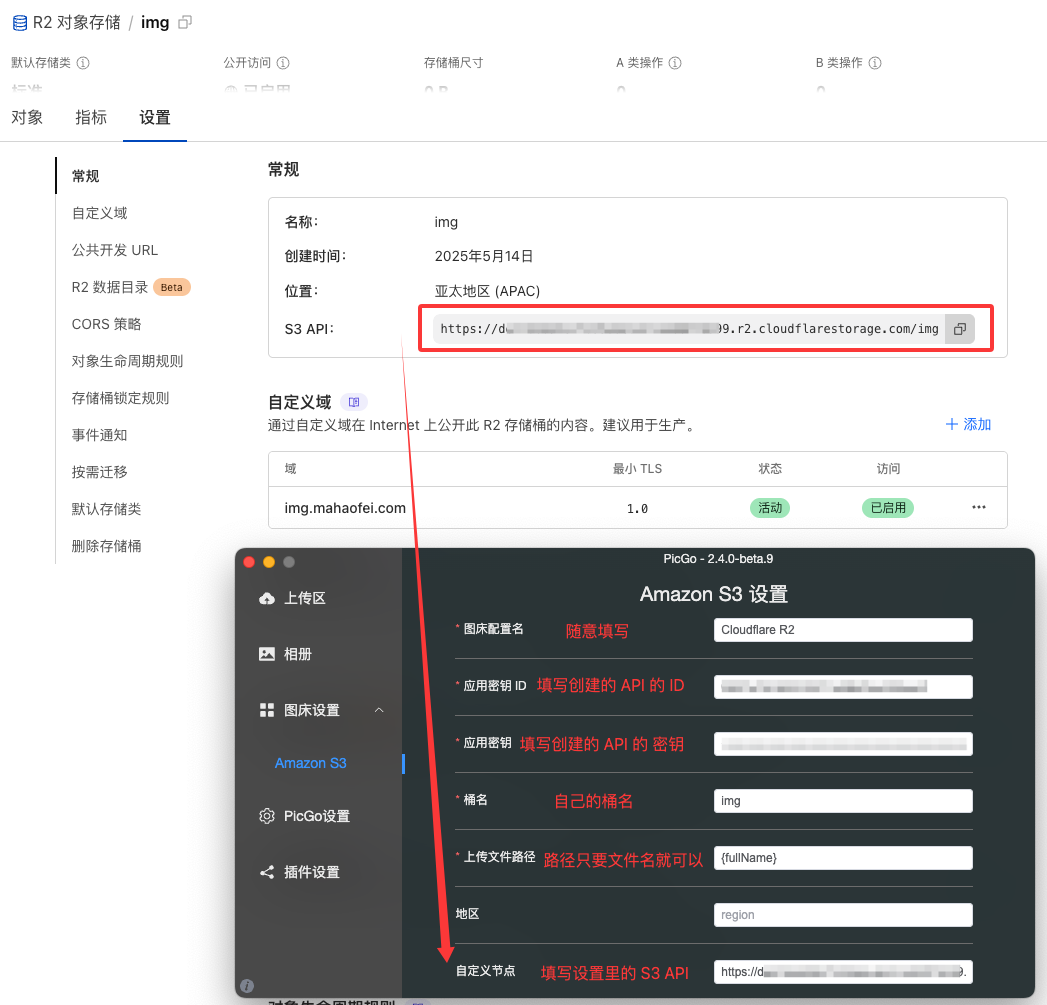
Then fill in the fields following the examples in the figures below.
References:
Comments