Contents
- I. Common Theme Configuration
- 1. Switching Themes (Scheme Setting)
- 2. Menu Settings (Menu Settings)
- 3. Sidebar Settings (Sidebar Settings)
- 4. Sidebar Avatar (Sidebar Avatar)
- 5. Social Links (Social Links)
- II. Site Configuration
- 1. Basic Site Configuration (Site Name, Author Name, Chinese/English Switching)
- 2. Number of Posts Shown on the Homepage
- III. Translation Settings
There are many tutorials online on how to install Hexo and the NexT theme, so I won’t repeat them here. Let’s go straight to configuring the NexT theme. In Hexo, there are generally two _config.yml files—one in the root directory, which I call the site configuration file, and one in the theme directory, which I call the theme configuration file.
I. Common Theme Configuration
NexT theme configuration generally means modifying the theme configuration file Hexo\themes\hexo-theme-next_config.yml . Many common settings can be changed in _config.yml.
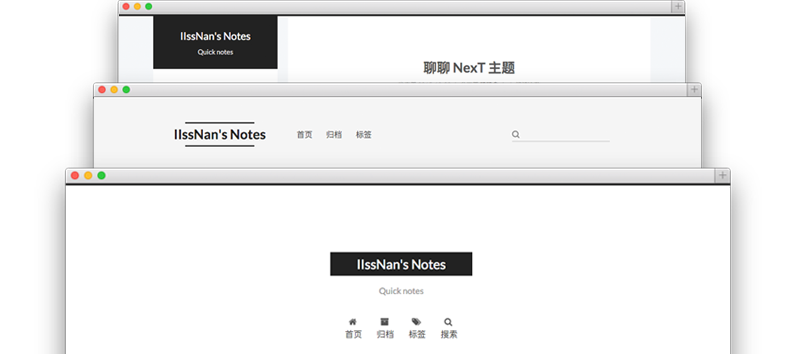
1. Switching Themes (Scheme Setting)
# 主题
#scheme: Muse
scheme: Mist
#scheme: Pisces
#scheme: Gemini

# 黑暗模式
darkmode: false
2. Menu Settings (Menu Settings)
menu:
  home: / || fa fa-home
  about: /about/ || fa fa-user
  tags: /tags/ || fa fa-tags
  categories: /categories/ || fa fa-th
  archives: /archives/ || fa fa-archive
  #schedule: /schedule/ || fa fa-calendar
  #sitemap: /sitemap.xml || fa fa-sitemap
  #commonweal: /404/ || fa fa-heartbeat

# 启用/禁用:菜单图标和项目徽章
menu_settings:
  icons: true
  badges: true
3. Sidebar Settings (Sidebar Settings)
# 侧边栏位置
sidebar:
  # Sidebar Position.
  position: left
  #position: right

  # 手动定义侧边栏宽度。如果注释,将默认为
  # Muse | Mist: 320
  # Pisces | Gemini: 240
  width: 240

  # 侧边栏显示 (只对 Muse | Mist 主题生效), 可用的变量有:
  #  - post    自动展开(默认值)
  #  - always  在所有页面显示侧边栏
  #  - hide    仅在单击侧边栏切换图标时展开
  #  - remove  完全删除侧边栏,包括侧边栏切换
  display: always

  # 侧边栏填充像素
  padding: 18
  # 侧边栏与顶部菜单栏的偏移量(像素) (只对 Pisces | Gemini 主题生效).
  offset: 12

  b2t: true #是否提供一键置顶
  scrollpercent: true #是否显示当前阅读进度
4. Sidebar Avatar (Sidebar Avatar)
# 侧边栏头像
avatar:
  # 替换默认图像并在这里设置头像的url
  url: /images/avatar.jpg
  # 如果为true,头像将以圆圈显示
  rounded: true
  opacity: 1
  # 如果为true,鼠标悬停在头像上时,头像将会旋转
  rotated: false
5. Social Links (Social Links)
social:
  CSDN: https://blog.csdn.net/weixin_44543463 || fab fa-cuttlefish
  GitHub: https://github.com/HuffieMa || fab fa-github
  E-Mail: mailto:haofei_ma@163.com || fa fa-envelope
  #Weibo: https://weibo.com/yourname || fab fa-weibo
  #Google: https://plus.google.com/yourname || fab fa-google
  Twitter: https://twitter.com/huffie65380272 || fab fa-twitter
  #FB Page: https://www.facebook.com/yourname || fab fa-facebook
  #StackOverflow: https://stackoverflow.com/yourname || fab fa-stack-overflow
  #YouTube: https://youtube.com/yourname || fab fa-youtube
  #Instagram: https://instagram.com/yourname || fab fa-instagram
  #Skype: skype:yourname?call|chat || fab fa-skype
You may need custom icons here. You can search for the icon you want on the fontawesome website, then use
fa fa-图标名称orfab fa-图标名称to load the icon you need. (For example,fab fa-cuttlefish,fa fa-grip-lines-vertical)
II. Site Configuration
Site configuration generally means modifying the configuration file Hexo_config.yml . Many common settings can be changed in _config.yml.
1. Basic Site Configuration (Site Name, Author Name, Chinese/English Switching)
title: Half_A Studio  #浏览器顶部标签栏的显示
subtitle: ''
description: ''
keywords:
author: Huffie	#侧边栏中的作者名字
language: zh-CN	 #讲此处修改为zh-CN即可切换中文
timezone: ''
2. Number of Posts Shown on the Homepage
index_generator:
  path: ''
  per_page: 5
  order_by: -date
III. Translation Settings
After switching the site to Chinese, we find some translations don’t quite meet my requirements. For example, it uses 日志 for every blog post. If you want to change this, open the translation configuration file Hexo\themes\hexo-theme-next\languages\zh-CN.yml and edit it.
Comments