Problem Description:
When creating a target using Create Target under Paths and Targets in RobotStudio, you may sometimes be unable to jump to the target, with the error No valid configuration found.
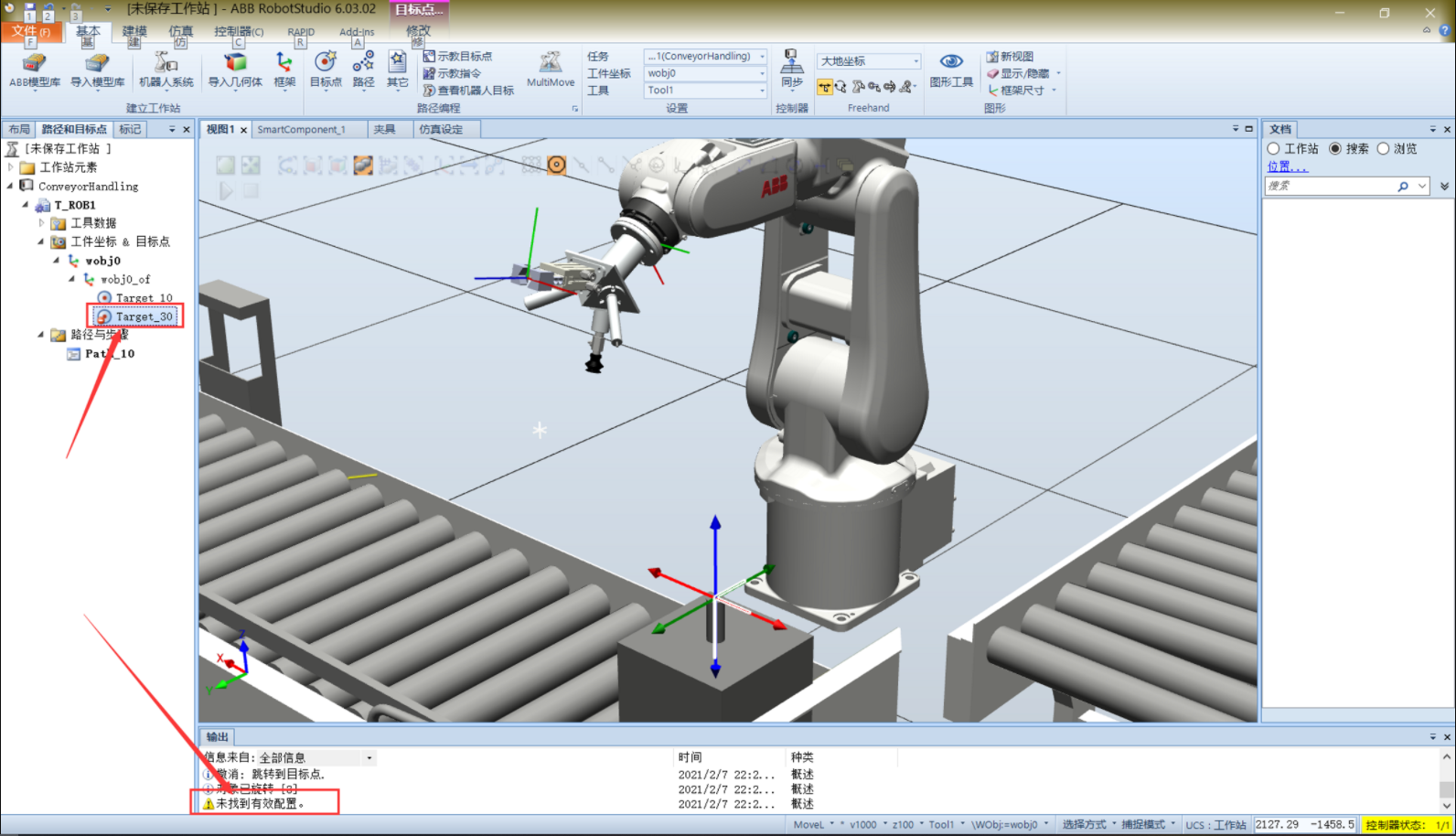
Cause Analysis:
- The correct tool coordinate system is not being used
- The target coordinates do not correspond to the tool coordinates, so the robot cannot move to the specified position and align the two coordinate systems.
Solutions:
- Solution 1: Under Basic - Settings, select the correct tool coordinate system, such as the gripper’s tool coordinate system.
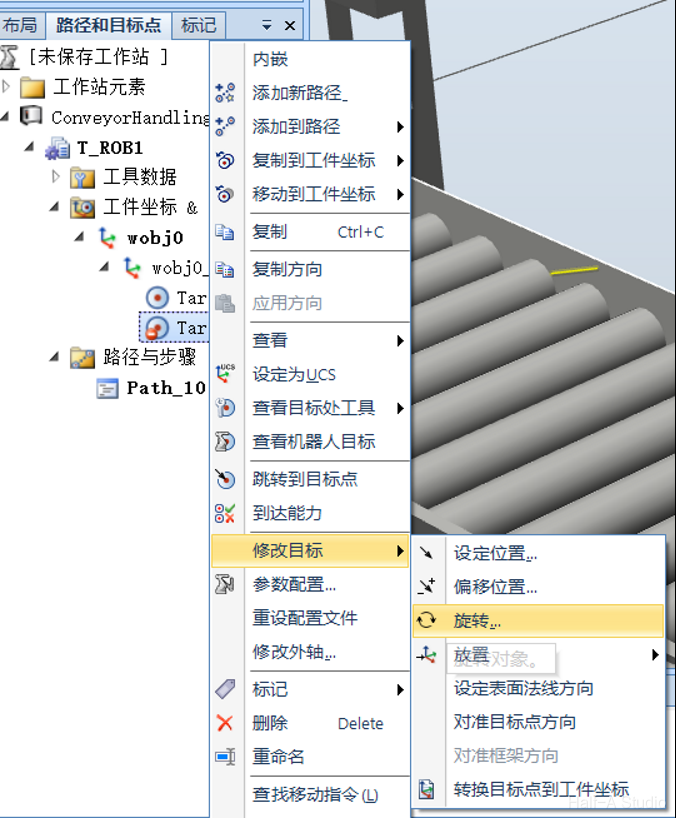
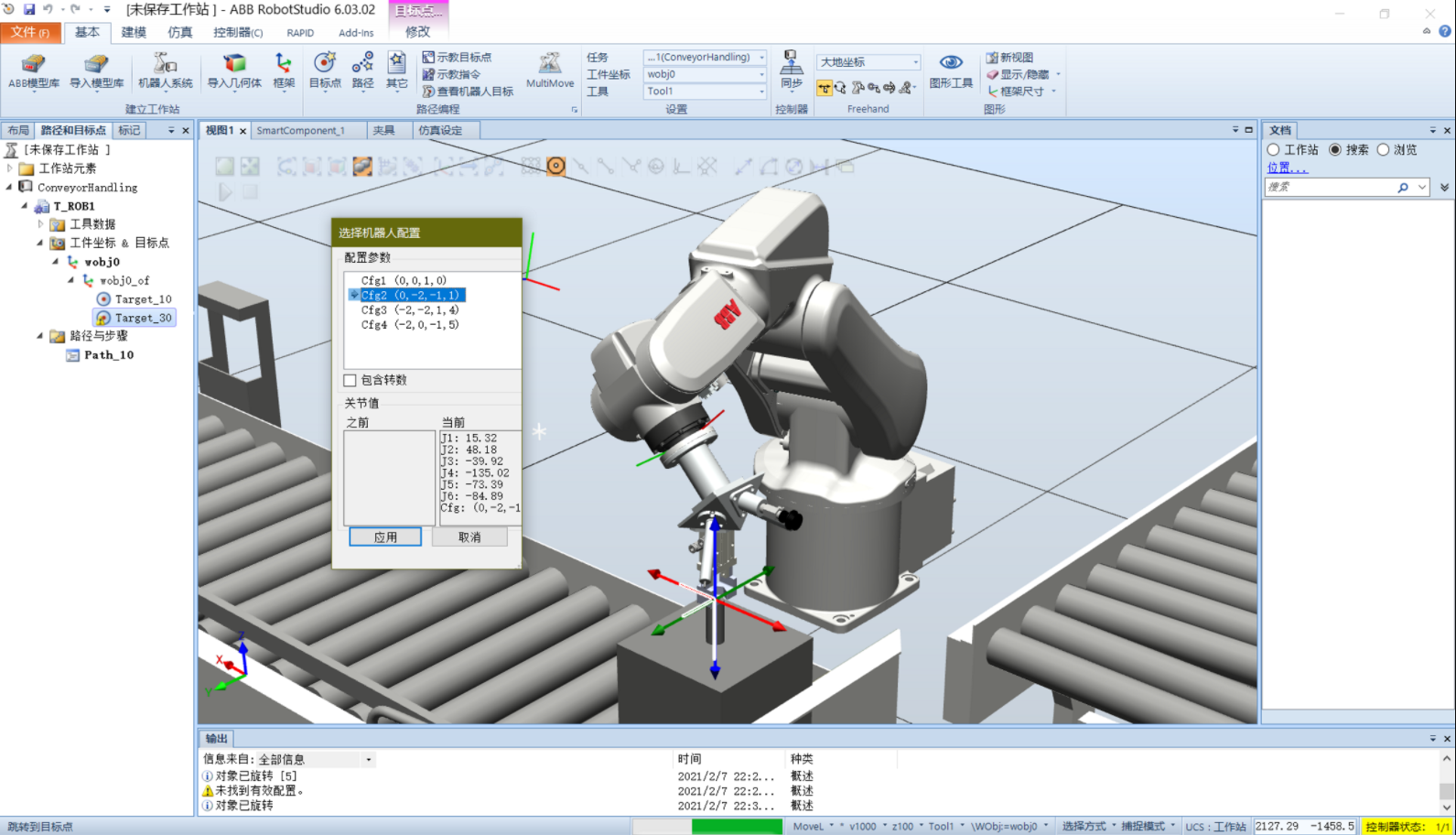
- Solution 2: Right-click the target and select Modify Target - Rotate. Rotate the coordinate system until it coincides with the tool coordinate system when the tool moves to this position. If the problem persists, try a few different orientations. Generally, more than one orientation will allow the robot to jump to the target.
Comments