Contents
Task Overview
Import a CAD model with complex curved surfaces, such as a car body, into RobotStudio. Use RobotStudio for path planning to enable a robotic arm to paint the car body.
Environment
This implementation uses the ABB Machining PowerPac add-on package published by ABB. This package supports operations including grinding products (regular cuboids), adhesive dispensing, flame cutting, polishing sanitary ware, grinding complex large curved surfaces, and edge grinding.
Download link: https://robotapps.blob.core.windows.net/apps/d2d4e3fc-1810-4c05-937d-8154d31fca13machiningpowerpac6.04.zip
If the link no longer works, download the add-on as shown below: find it on the add-on page, then click the link on the right to download it. (Because the add-on page cannot scroll up or down, if the download link at the bottom is not visible on your screen, you will need to increase the screen resolution or change the scaling to 100%. You can restore the original setting after the download.)
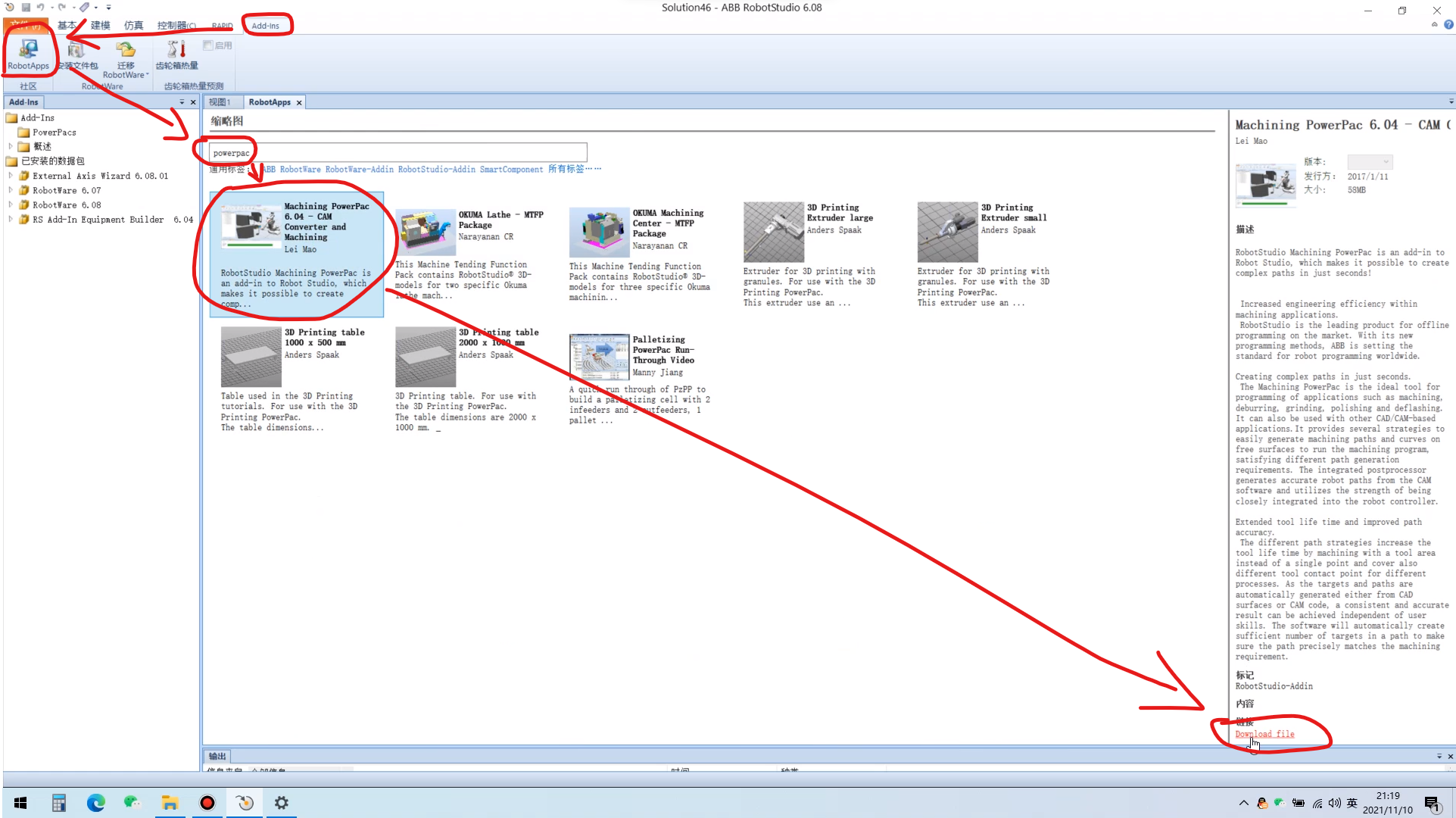
The download is a compressed archive. Extract it, then run the exe inside to extract it again. For this second extraction, do not choose a path containing Chinese characters. Locate and run the extracted exe to install the add-on.
This add-on is version 6.04 and supports
Robotstudio6.04and later versions. Compatibility issues may occur when using it with an earlier version. RobotStudio 6.08 is recommended because it offers good compatibility with most add-ons. Double-click the add-on to load it. Once it has loaded successfully, theAdd-Instab will show theMachining 6.04add-on.
Procedure
1. Create the Workobject Coordinate System and Tool
(1) First, create the workobject coordinate system.
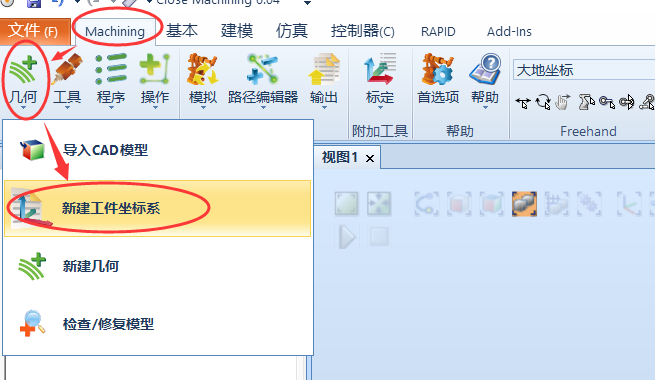
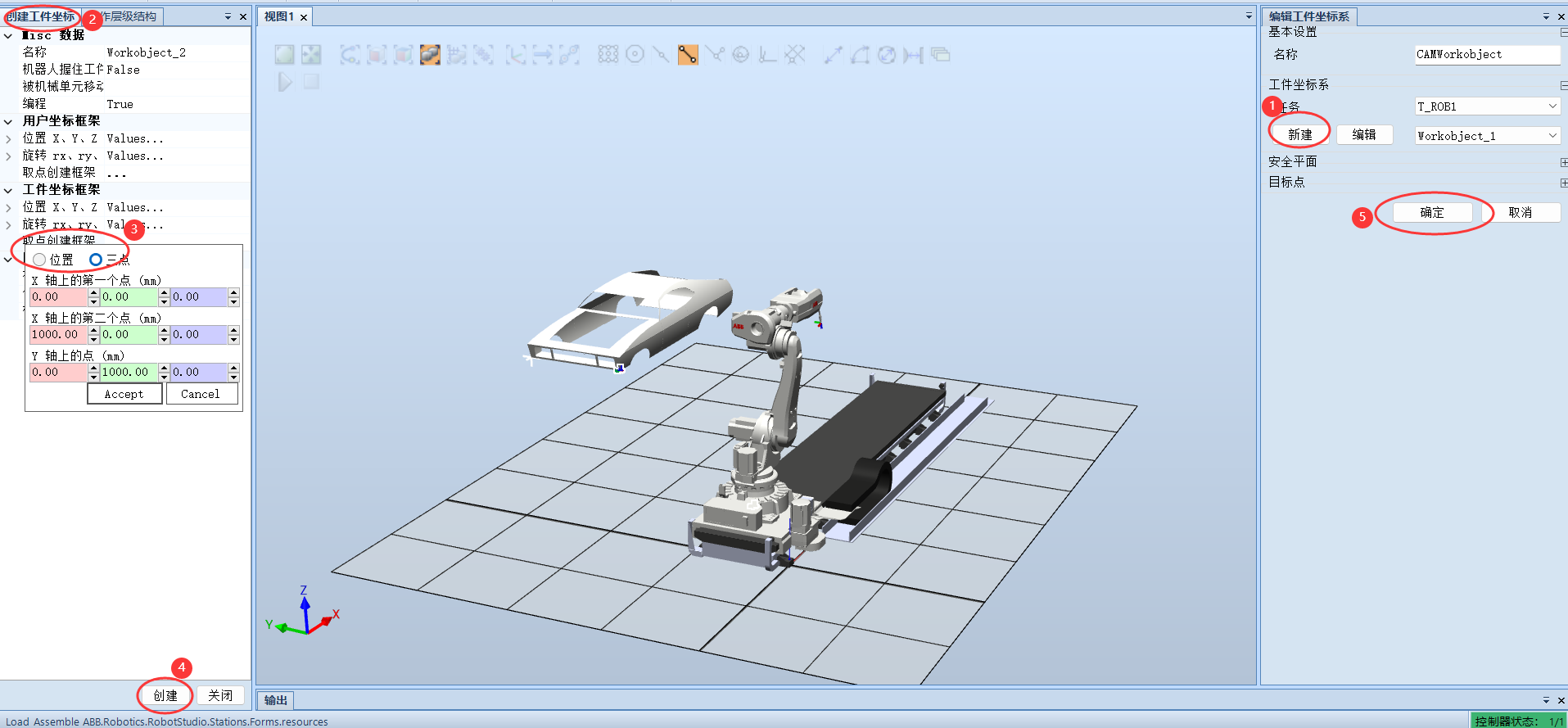
(2) Then create the tool.

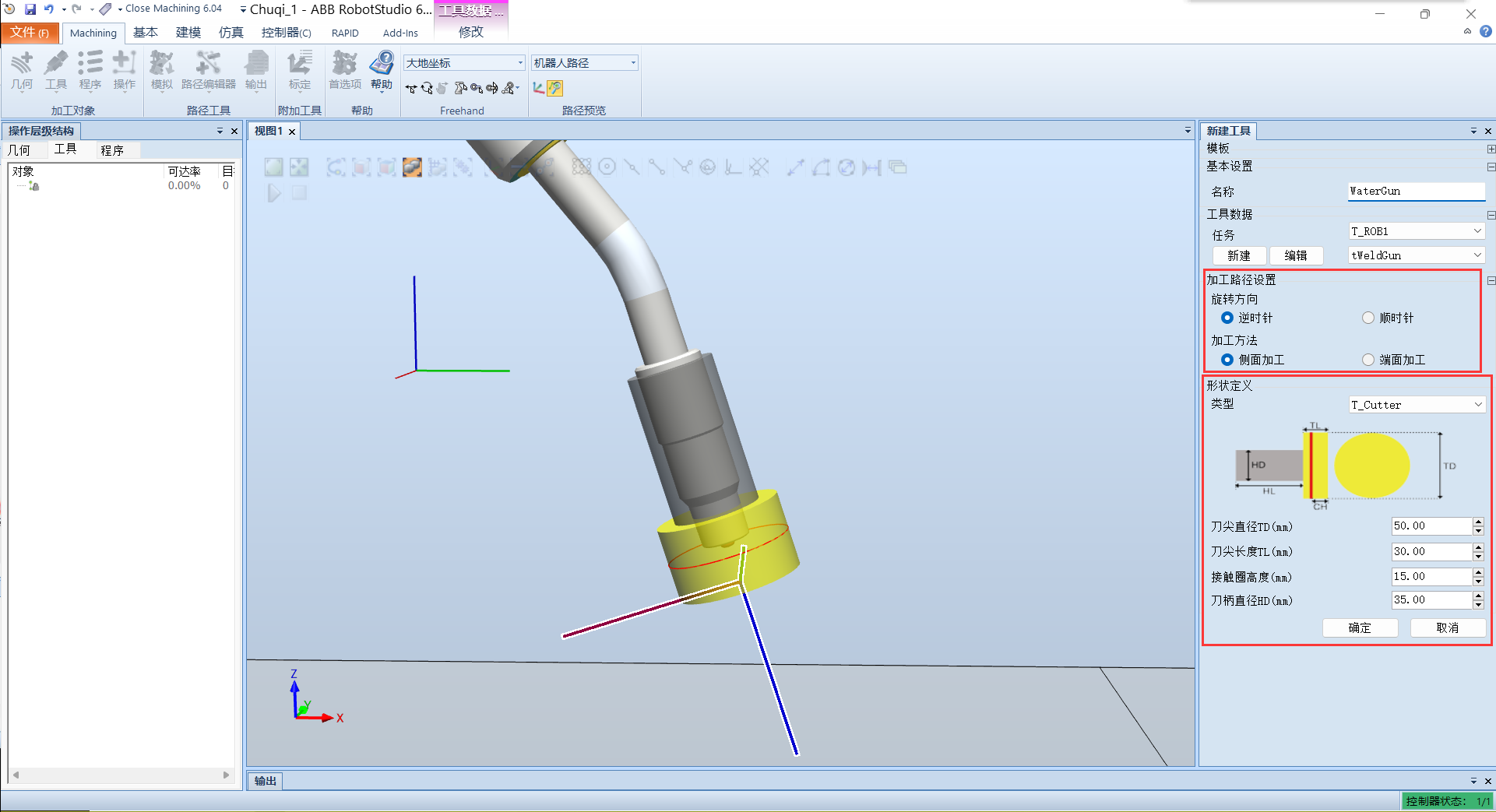
Side machining and end machining can be understood intuitively from the figure as machining with the side and bottom end face of the cylinder, respectively.
The tool types are:
- T_Cutter: T-shaped cutter
- Chamfger_Cutter: chamfering cutter
- Flame_Cutter: flame cutting torch
- Swallow_Cutter: dovetail cutter
- Ball_Cutter: ball-end cutter
- None: no shape
For painting operations, select end machining; use a T-shaped cutter and set the contact ring height to the distance from the spray nozzle to the workpiece.
(3) Create a new empty program group
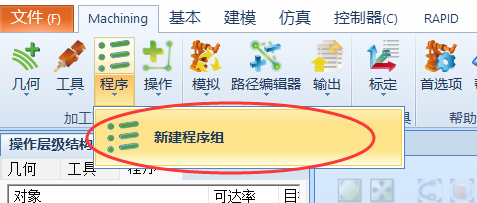
2. Extract the Machining Surface
(1) Create new geometry
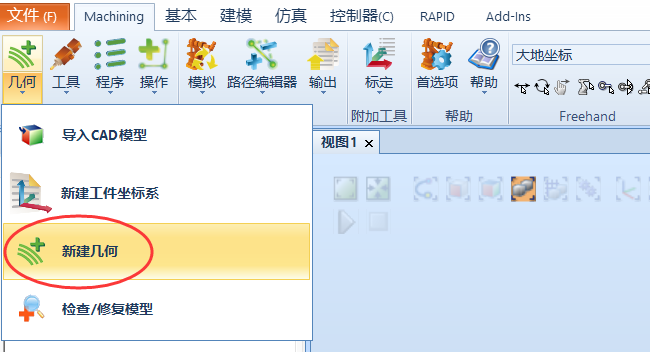
(2) Set the curve type
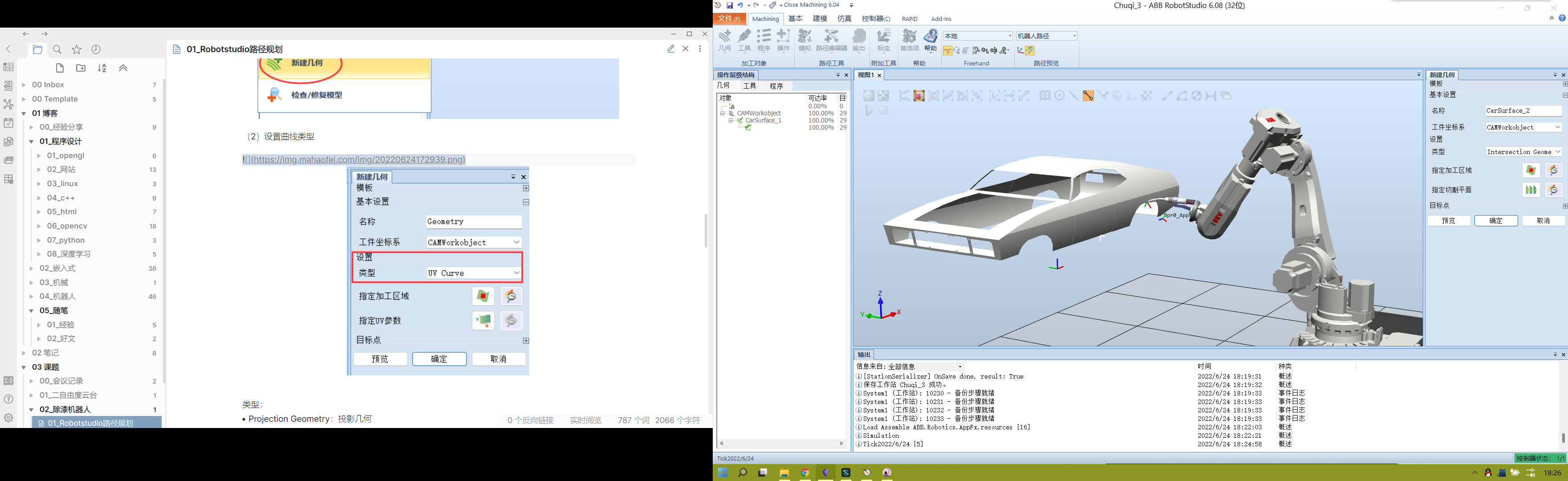
Types:
- Projection Geometry: projection geometry
- Intersection Geometry: intersection geometry
- UV Curve: UV curve
- Edge Curve: edge curve
- Customized Curve: customized curve
For painting, select Intersection Geometry for complex curves.
(3) Select the machining area

(4) Specify the cutting plane
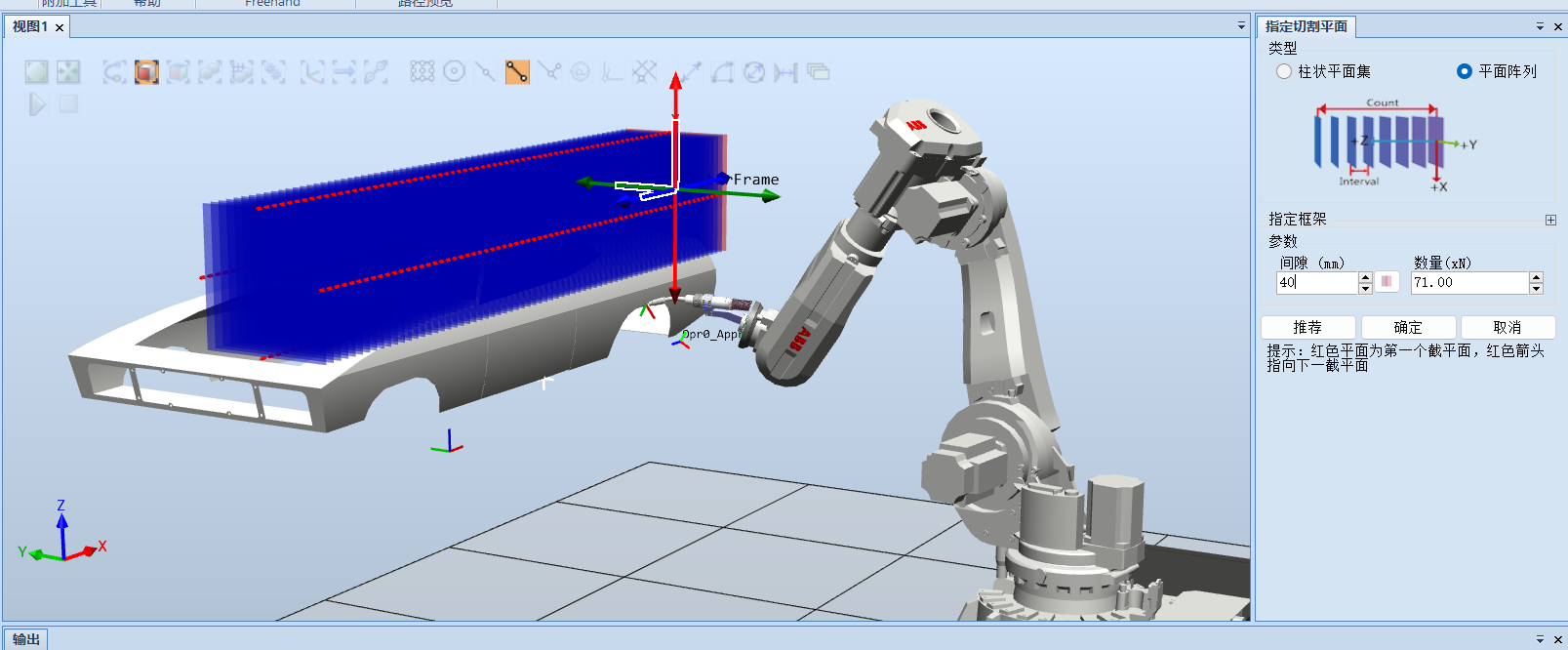
4. Create a New Operation
(1) Create a new operation
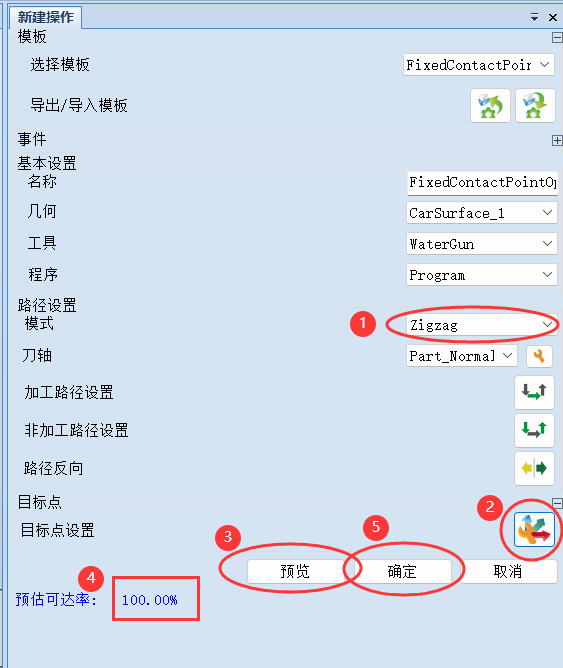
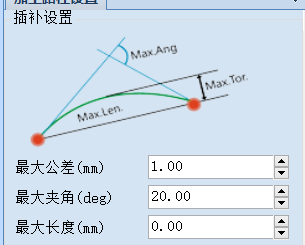
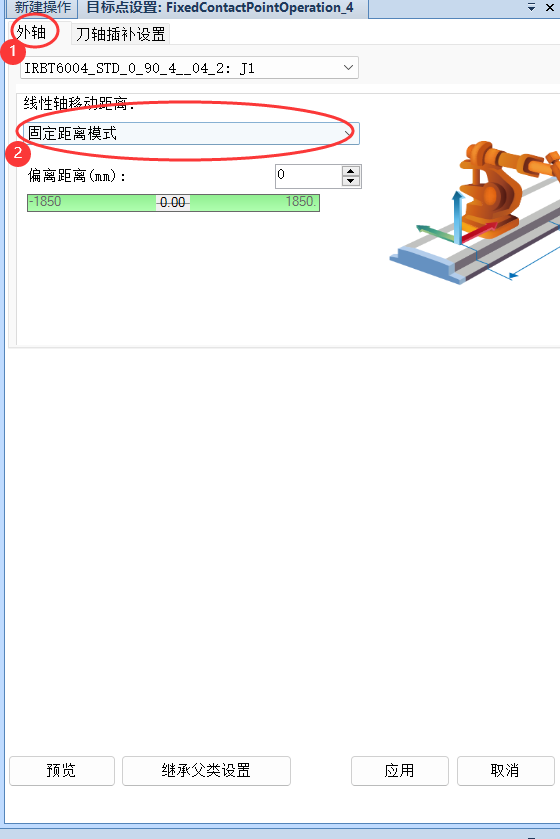
(2) Set the external-axis movement mode to Fixed Distance Mode
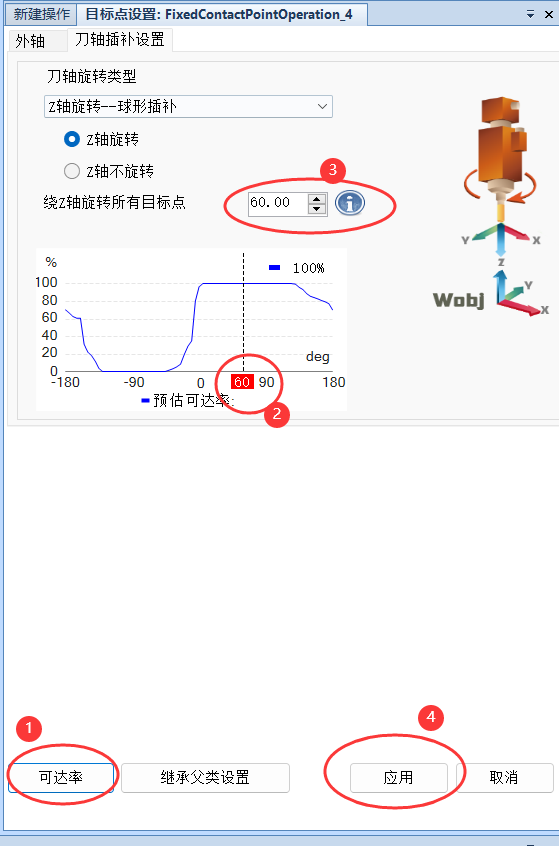
(3) Click Tool Interpolation Settings, then click Reachability. Select an angle with 100% reachability in the chart, then click Apply.
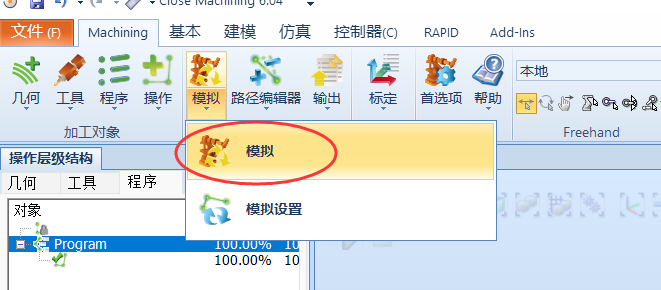
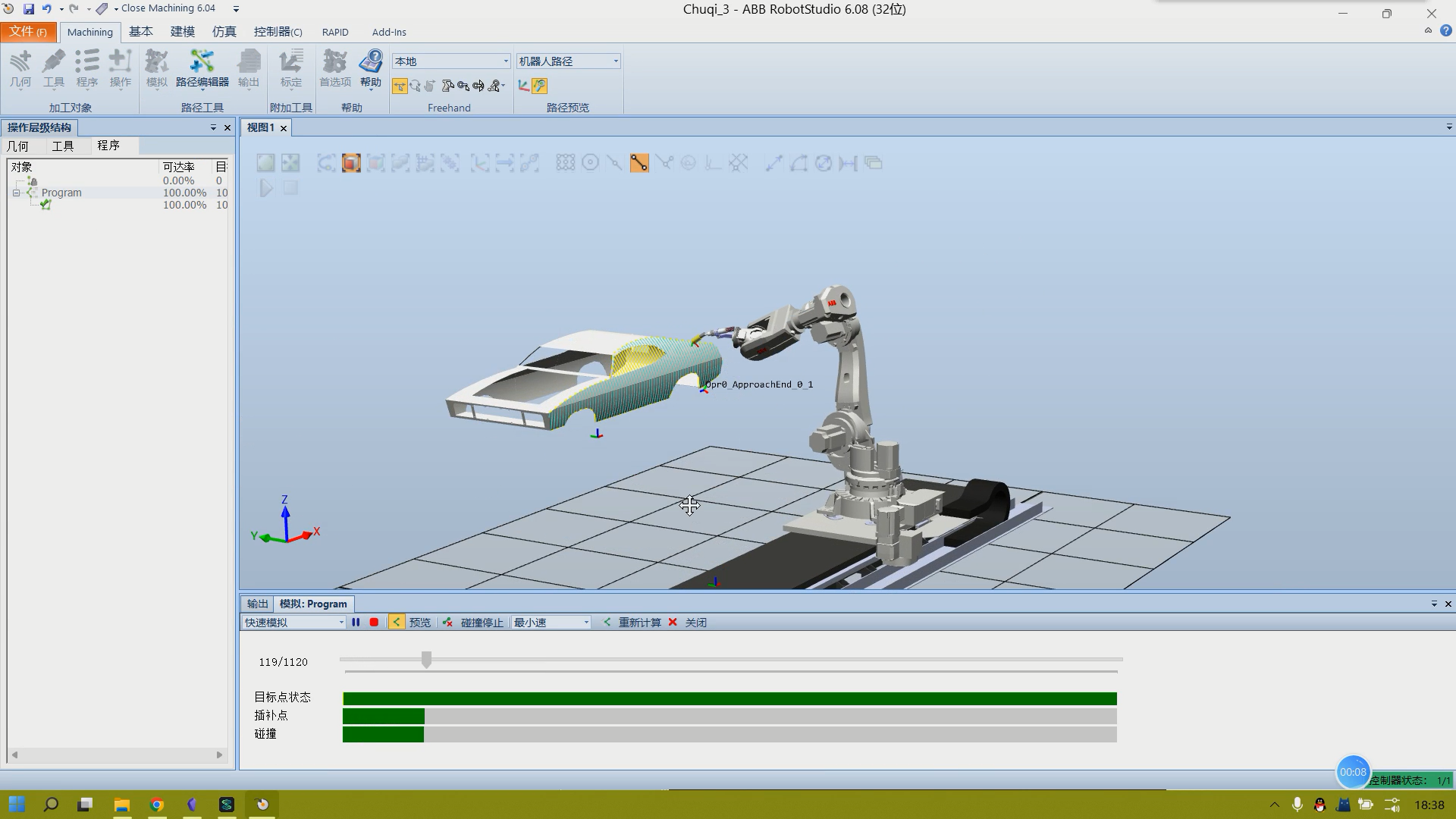
5. Run the Simulation
Comments