Contents
I. Install the Tampermonkey Extension
You need to use Edge or Chrome.
1.1 How to Install Tampermonkey in Edge
Installing Tampermonkey in Edge is very simple. Just open the Extensions Store and install it.
1.2 How to Install Tampermonkey in Chrome
-
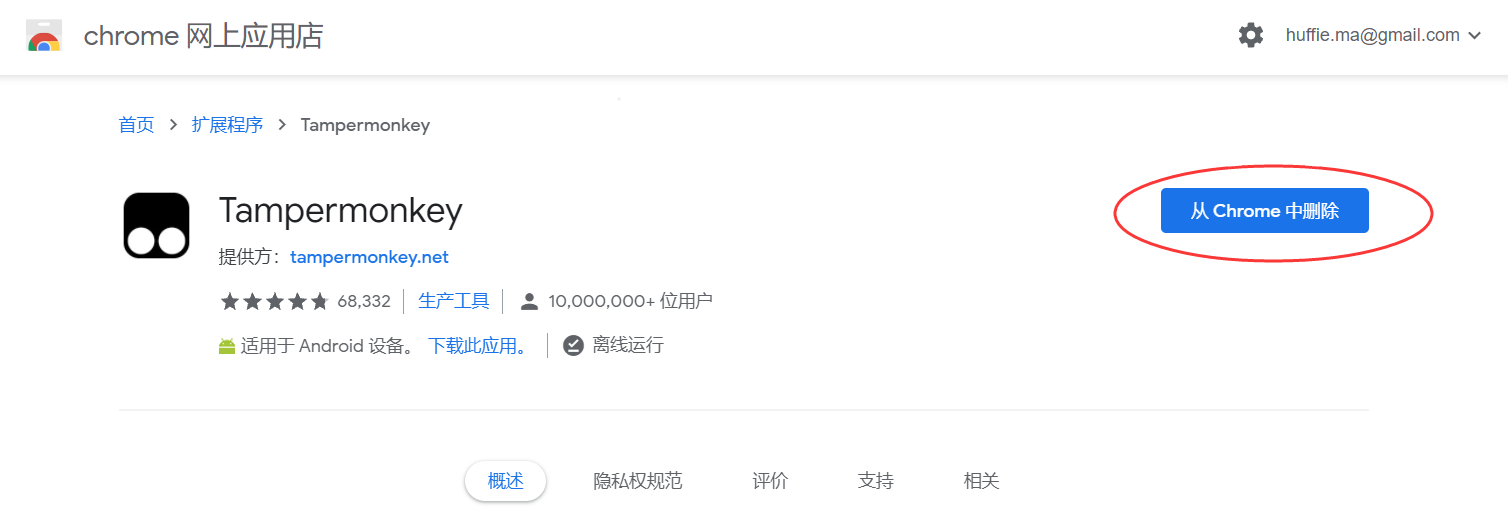
If you can access the global internet, open the Chrome Web Store and click Add to Chrome on the right. P.S. You will often need access to the global internet when searching for foreign-language literature and information.
-
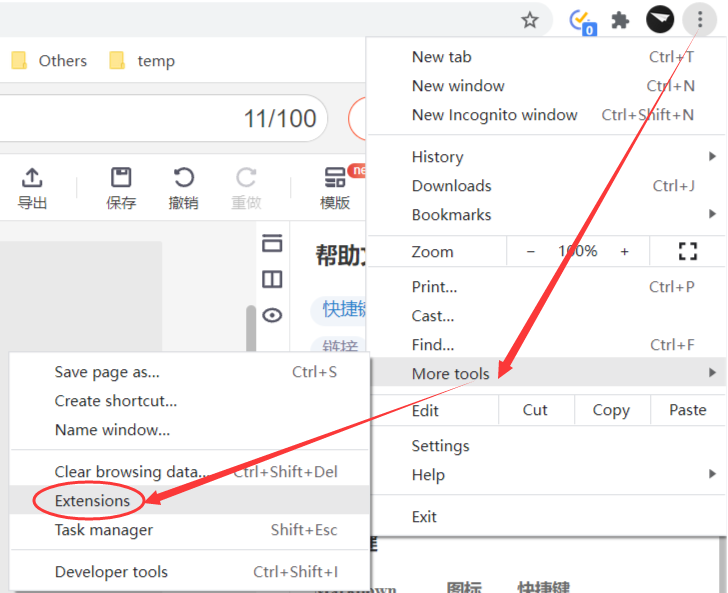
If you cannot open the page above, click here to download the offline package. ① Extract the downloaded archive; ② open the browser’s extension management page; ③ enable Developer mode in the upper-right corner; ④ drag the extracted 【TamperMonkey.crx】 file onto this page.

II. Install the Tampermonkey Script
This step is the same in every browser. Open this page and install the script.
P.S. Tampermonkey is a very useful extension, and Greasy Fork has many useful scripts for you to explore, including but not limited to bypassing VIP video restrictions on Youku, iQIYI, and Tencent Video, downloading documents from Baidu Wenku, and more.
III. Start Downloading
3.1 Download Method
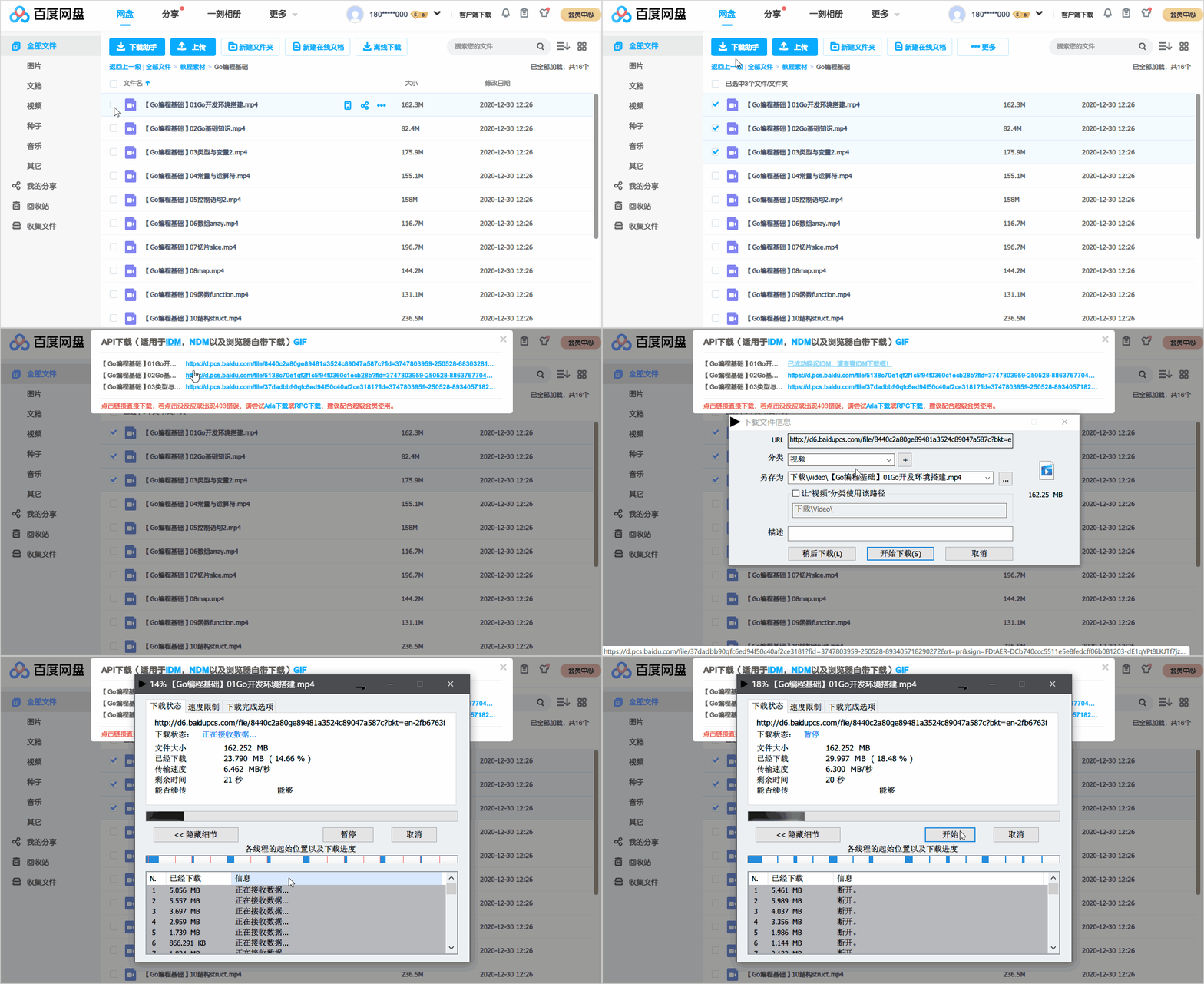
Open the Baidu Netdisk web app, select the file you want to download, then click Download Assistant - API Download in the upper-left corner to download it directly.
3.2 Faster Downloads
Web downloads are single-threaded by default. For faster downloads, you can use a multi-threaded download manager such as IDM.
If you already use IDM, you can skip this step.
If not, you can use the portable version of IDM in the folder extracted from the offline package.
- After extracting the archive, run 【绿化.bat】;
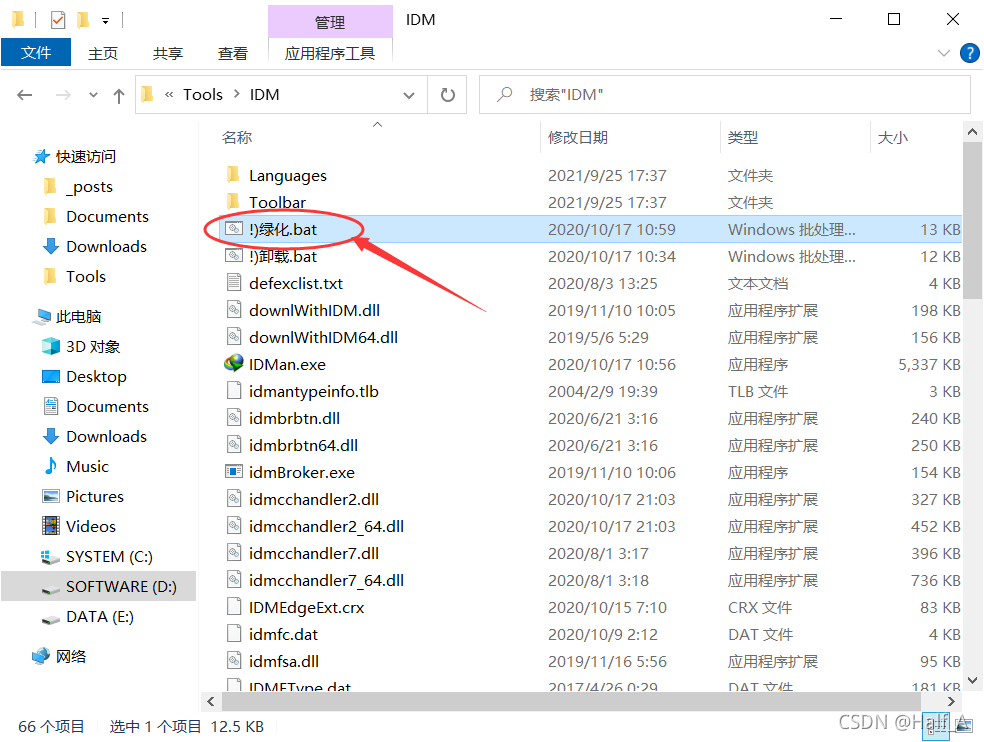
- Run 【IDMan.exe】
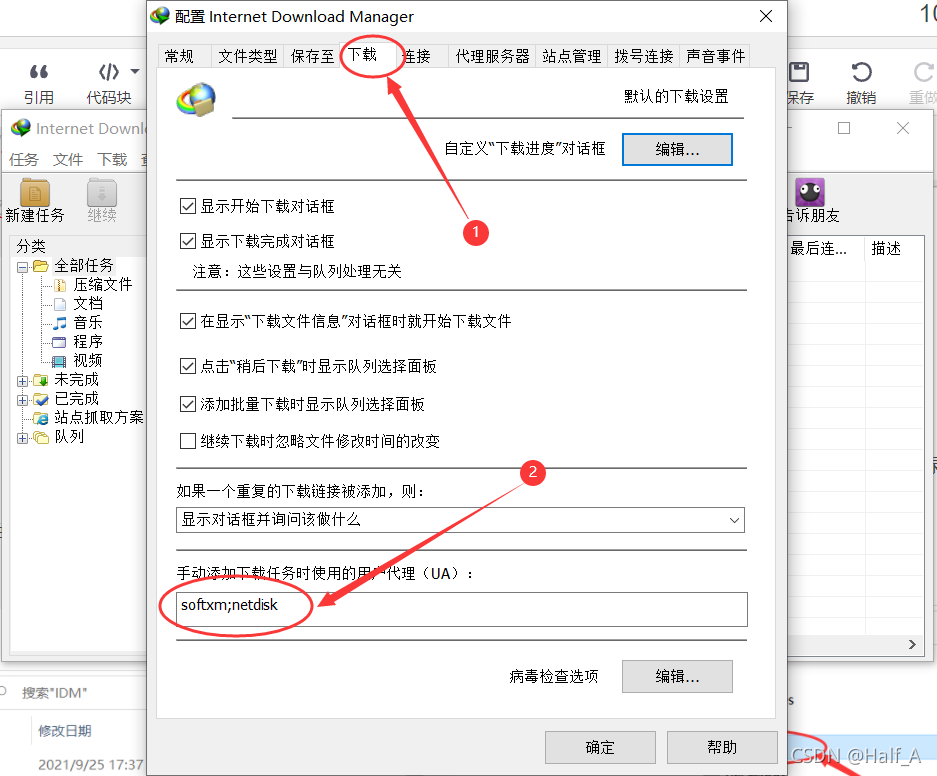
- Open the 【Options】 menu, click the 【Downloads】 tab, and change the user agent UA to: softxm;netdisk
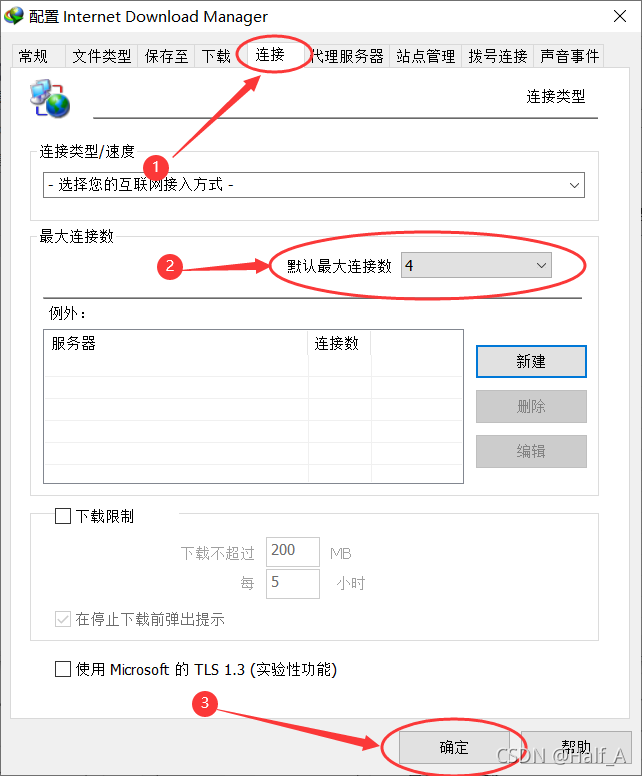
- Click the 【Connection】 tab, set the maximum number of connections to 4, and click 【OK】
3.3 Select a File to Download
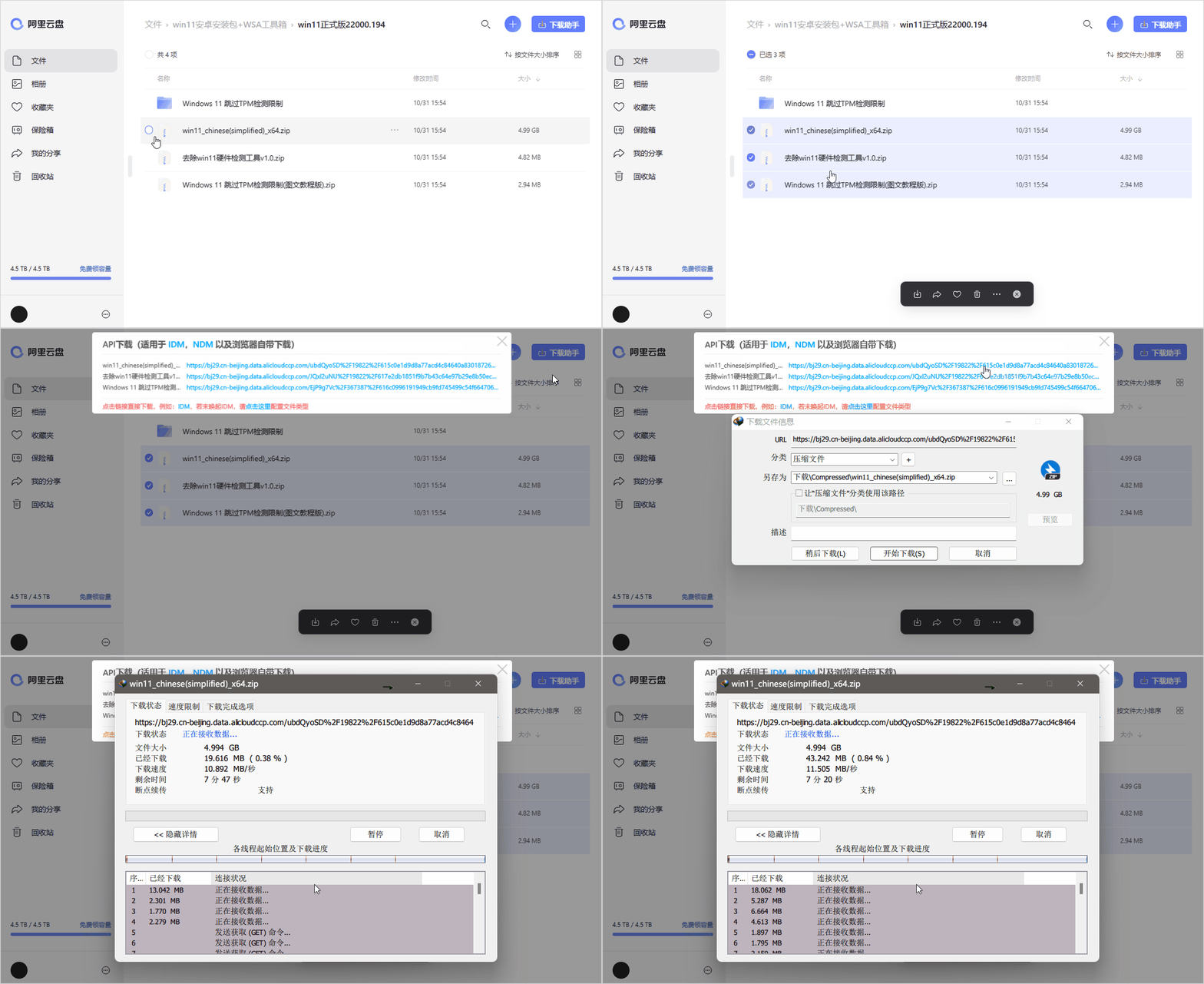
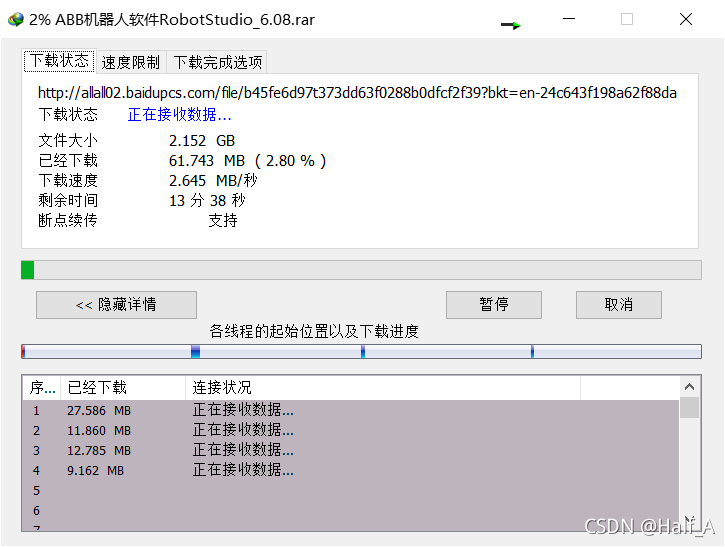
Use the same method described above to download the file.
Download speed depends on current network conditions. Campus networks generally reach 5MB/s~10MB/s
All modification patches, key generators, registration information, and software discussed in articles published on this blog are intended solely for study and research. Do not use the above content for commercial or illegal purposes; otherwise, you are solely responsible for all consequences. The information on this site comes from the internet, and this site is not involved in any copyright disputes. You must completely delete the above content from your computer within 24 hours after downloading it. By accessing and downloading content from this site, you agree to the above terms.
Comments