I. Image Scaling (Resize)
1.1 Basics
Image scaling uses many interpolation methods. Common interpolation algorithms include linear interpolation, cubic interpolation, bicubic interpolation, sampling scaling algorithms, and more.
The API used is resize(), defined as follows:
void resize(
InputArray src,	//输入图像
OutputArray dst,//输出图像
Size dsize,		//输出尺寸
double fx=0,	//水平缩放比例
double fy=0,	//垂直缩放比例
int interpolation=INTER_LINEAR	//插值方式
)
- When dsize is 0, neither fx nor fy may be zero; when fx and fy are 0, the output image follows dsize.
- The interpolation methods include the following four:
- CV_INTER_NEAREST nearest-neighbor interpolation
- CV_INTER_LINEAR bilinear interpolation
- CV_INTER_AREA area-based resampling
- CV_INTER_CUBIC bicubic interpolation, 4*4 neighborhood
1.2 Example Program
void MyDemo::resize_Demo(Mat& image) {
	Mat zoomin, zoomout;	//定义输出图像
	int h = image.rows;		//获取原图像的宽高
	int w = image.cols;
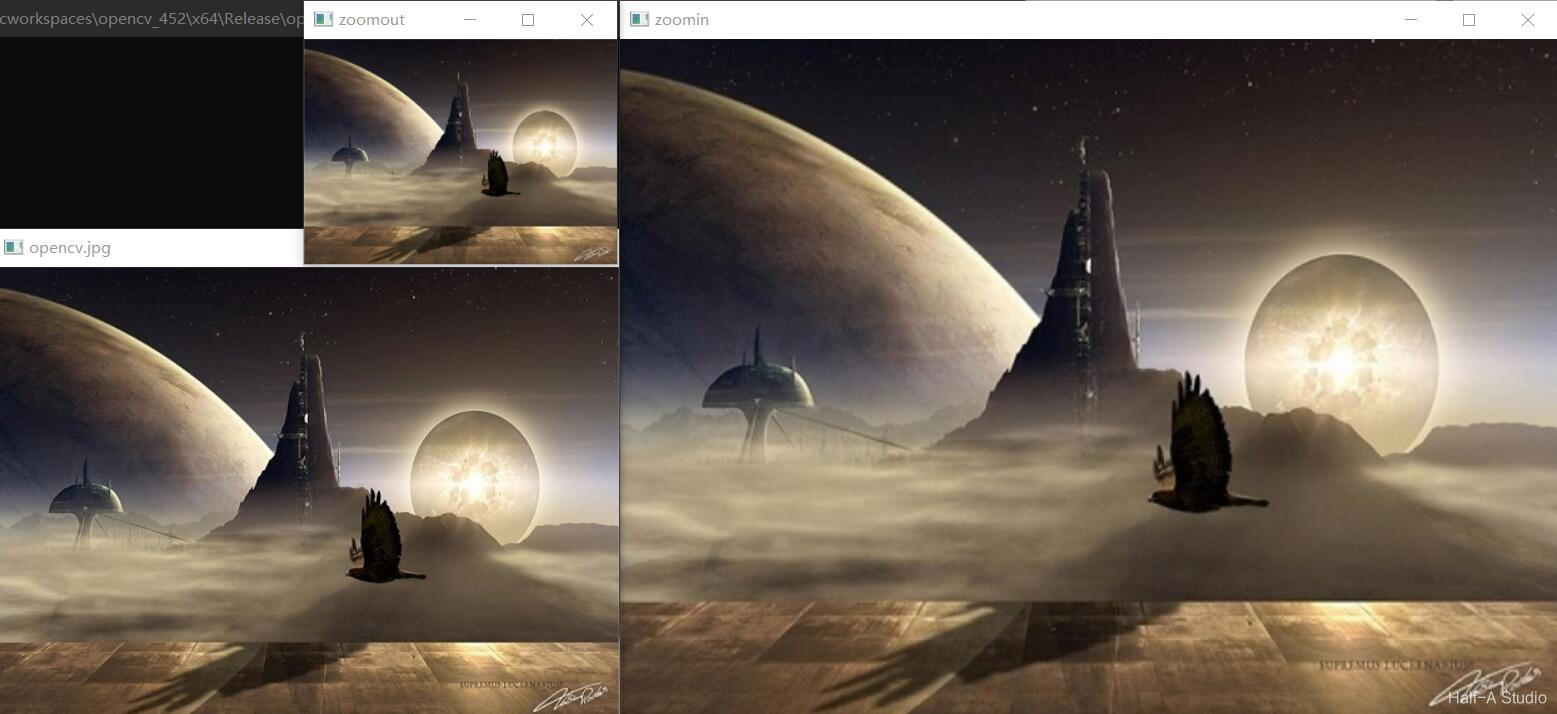
	resize(image, zoomin, Size(w * 1.5, h * 1.5), 0, 0, INTER_LINEAR);	//图像放大1.5倍
	imshow("zoomin", zoomin);
	resize(image, zoomout, Size(w / 2, h / 2), 0, 0, INTER_LINEAR);		//图像缩小2倍
	imshow("zoomout", zoomout);
}
II. Image Flipping (flip)
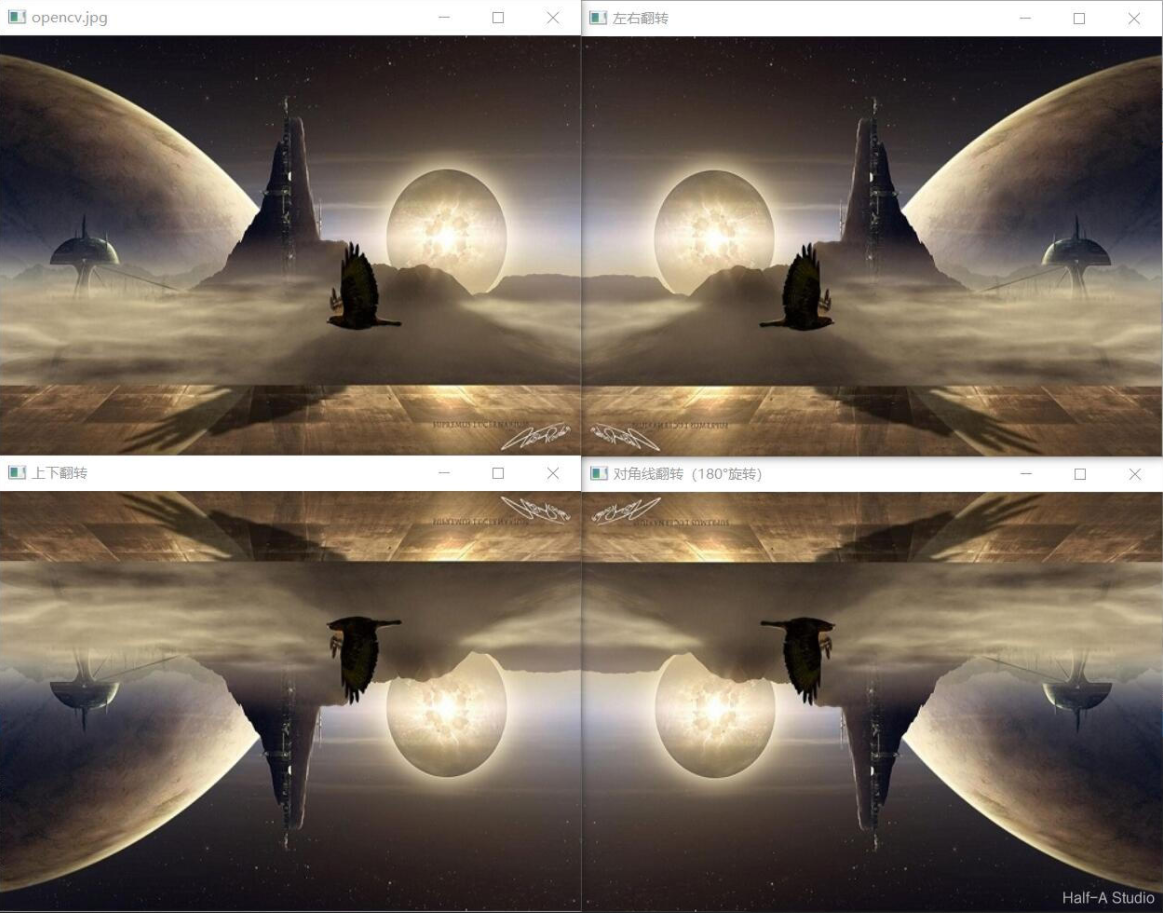
Image flipping mirrors the image horizontally or vertically. The function used is flip(), defined as follows.
	void cv::flip(
		cv::InputArray 	src, 			// 输入图像
		cv::OutputArray dst, 			// 输出图像
		int 			flipCode = 0	// >0: 沿y轴翻转, 0: 沿x轴翻转, <0: x、y轴同时翻转
	);
The test program is as follows:
void MyDemo::flip_Demo(Mat& image) {
	Mat dst;
	flip(image, dst, 0);	//上下翻转
	imshow("上下翻转", dst);
	flip(image, dst, 1);	//左右翻转
	imshow("左右翻转", dst);
	flip(image, dst, -1);	//对角线翻转(180°旋转)
	imshow("对角线翻转(180°旋转)", dst);
}
III. Image Rotation (warpAffine)
void cv::warpAffine (
	InputArray 		src,	//输入图像
	OutputArray 	dst,	//输出图像
	InputArray 		M,		//变换矩阵
	Size			dsize,	//输出图像大小
	int				flags = INTER_LINEAR,			//插值方式
	int 			borderMode = BORDER_CONSTANT,	//图像边缘像素模式
	const Scalar&	borderValue = Scalar()			//边界填充值
The transformation matrix M can be obtained with the following function; the rotation matrix takes the form shown below:
M=cv2.getRotationMatrix2D(center, angle, scale)
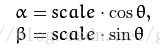
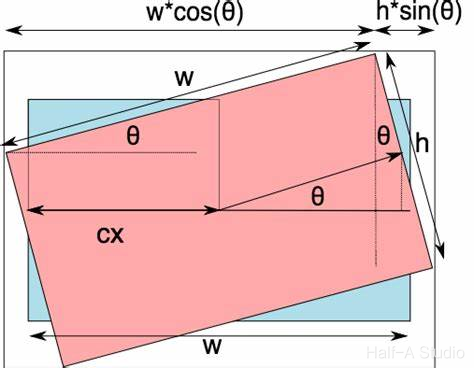
Because rotation changes the image size, you need to recalculate the width and height. The calculation method is shown in the figure below:
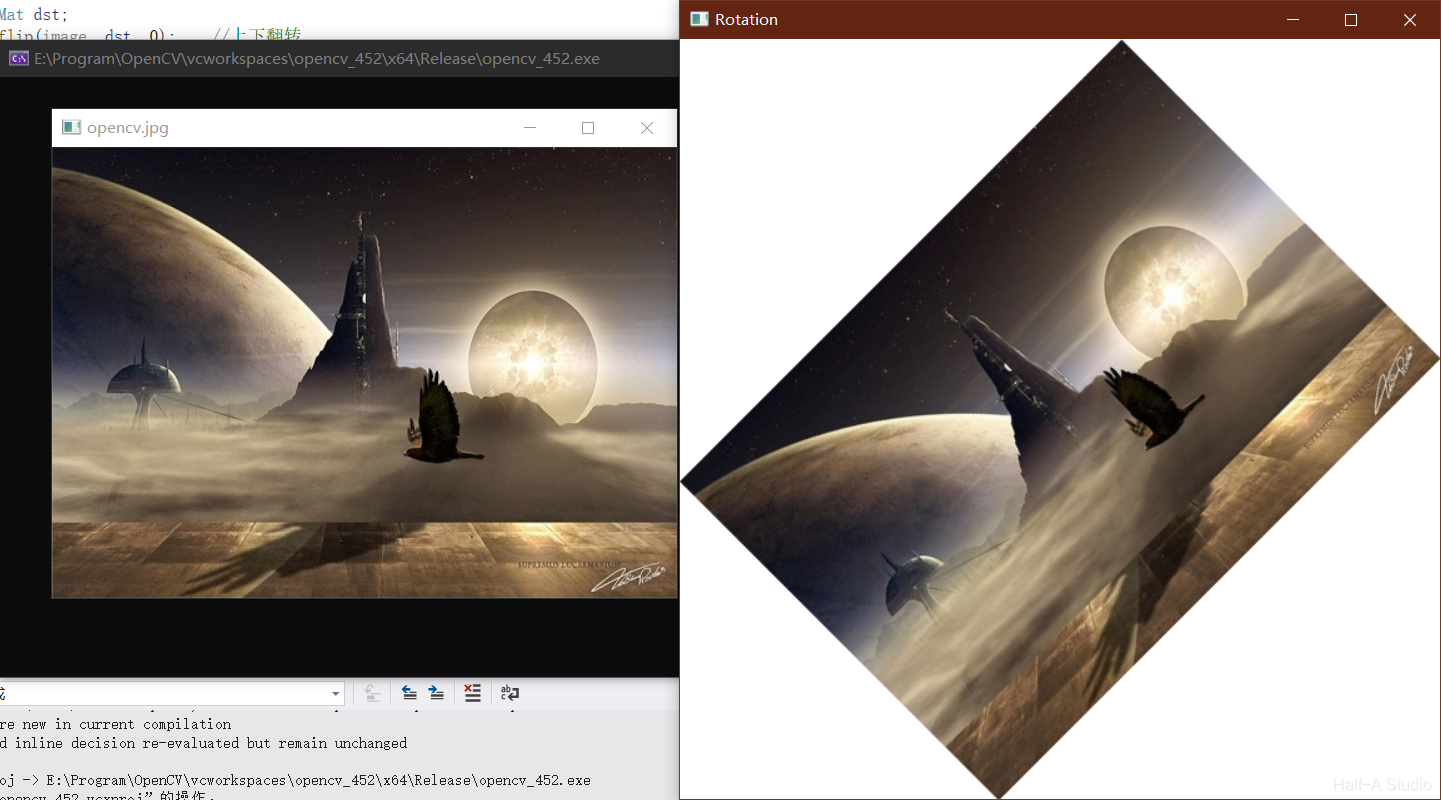
The example program for image rotation is as follows:
void MyDemo::rotate_Demo(Mat& image) {
	Mat dst, M;
	int h = image.rows;
	int w = image.cols;
	M = getRotationMatrix2D(Point2f(w / 2, h / 2), 45, 1.0);	//定义变换矩阵M
	double cos = abs(M.at<double>(0, 0));	//求cos值
	double sin = abs(M.at<double>(0, 1));	//求sin值
	int nw = cos * w + sin * h;		//计算新的长、宽
	int nh = sin * w + cos * h;
	M.at<double>(0, 2) += (nw / 2 - w / 2);		//计算新的中心
	M.at<double>(1, 2) += (nh / 2 - h / 2);
	warpAffine(image, dst, M, Size(nw,nh), INTER_LINEAR,0,Scalar(255,255,255));
	imshow("Rotation", dst);
}
Comments