I. Splitting Image Channels
void split(
	const cv::Mat& image, //输入图像
	vector<Mat>& mv // 输出的多通道序列(n个单通道序列)
);
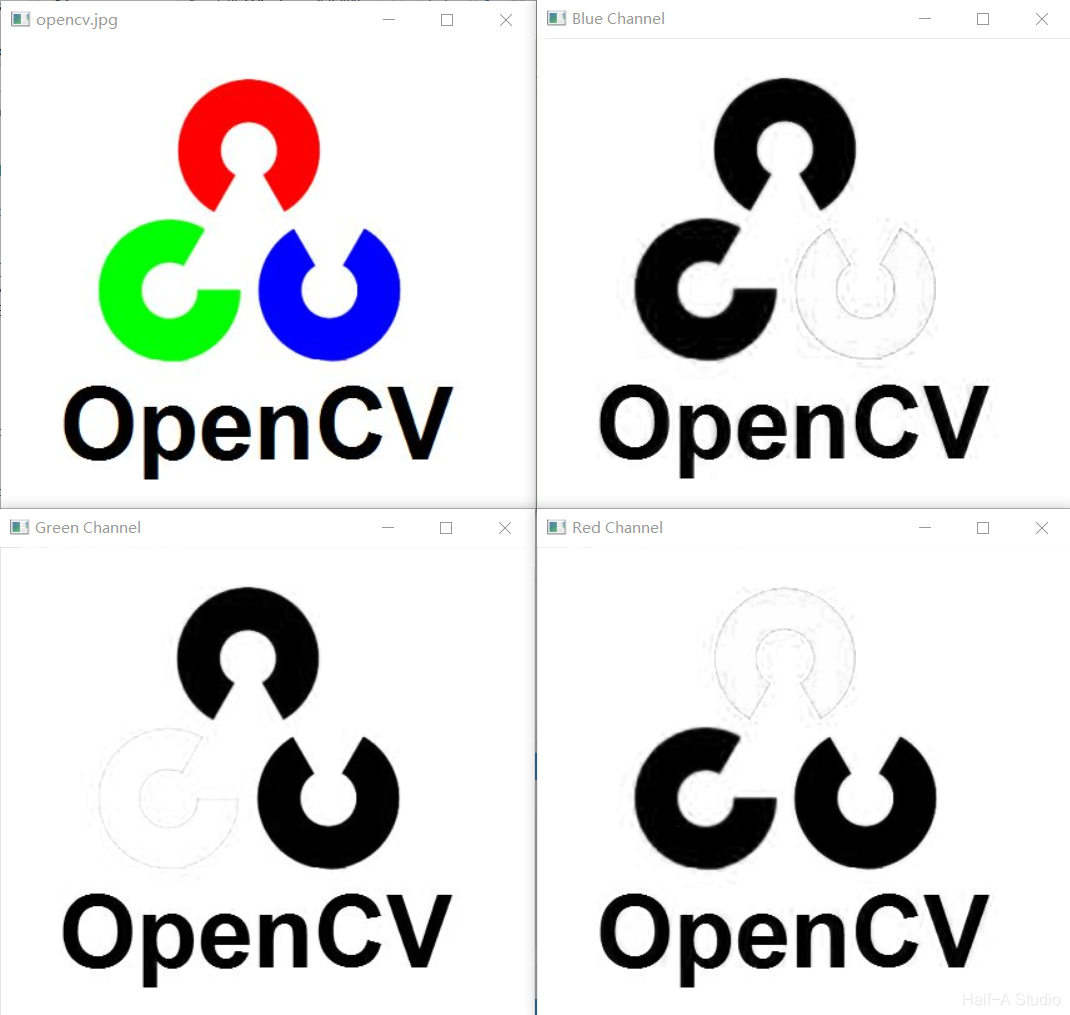
The output multi-channel sequence is typically stored using std::vector<Mat> mv;, where mv[0] , mv[1], mv[2], correspond to the three BGR channels respectively.
Example code:
void MyDemo::channels_Demo(Mat& image) {
	std::vector<Mat> mv;
	split(image, mv);
	imshow("Blue Channel", mv[0]);
	imshow("Green Channel", mv[1]);
	imshow("Red Channel", mv[2]);
}
II. Merging Channels
However, what is displayed now is essentially three single-channel images—in other words, three grayscale images. To restore intuitive color to the three images, you need to use the channel merging method described below.
Channel merging uses the merge() function.
void merge(
	const vector<cv::Mat>& mv, // 输入的多通道序列(n个单通道序列)
	cv::OutputArray dst // 输出图像,包含mv
);
According to the definition of merge(), we only need to control the three values in the input multi-channel array mv[] to merge the channels.
Example code:
void MyDemo::channels_Demo(Mat& image) {
	std::vector<Mat> mv;
	split(image, mv);

	Mat m1,m2,m3;
	mv[1] = 0;
	mv[2] = 0;
	merge(mv, m1);
	imshow("Blue Channel", m1);

	split(image, mv);
	mv[0] = 0;
	mv[2] = 0;
	merge(mv, m2);
	imshow("Green Channel", m2);

	split(image, mv);
	mv[0] = 0;
	mv[1] = 0;
	merge(mv, m3);
	imshow("Red Channel", m3);
}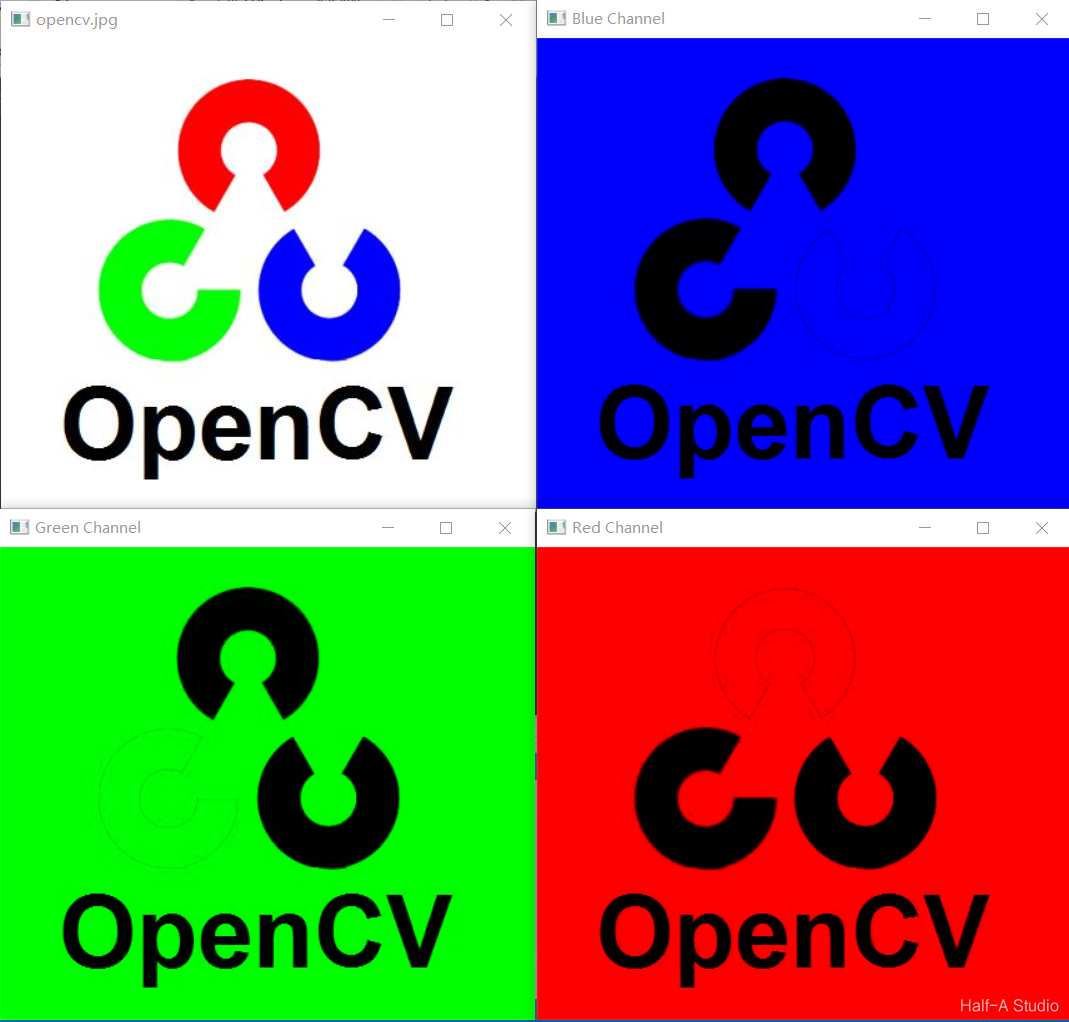
We already know how to extract the three channels of an image, so we can combine them in any way we want and merge them into the image we need.
III. Mixing Channels
Channel mixing also rearranges the three channels in any order
C++: void mixChannels(const Mat*src, size_t nsrcs, Mat* dst, size_t ndsts, const int* fromTo, size_t npairs)| Parameter | Role |
|---|---|
| src | Input matrix |
| nsrcs | Number of input matrices |
| dst | Output matrix |
| ndsts | Number of output matrices |
| fromTo | Index pair vector |
void MyDemo::channels_Demo(Mat& image) {
	Mat dst = Mat::zeros(image.size(), image.type());
	int ft[] = { 0,2,1,1,2,0 };//互换1、3通道
	mixChannels(&image,1, &dst,1, ft,3);
	imshow("Mix", dst);
}
Comments