Contents
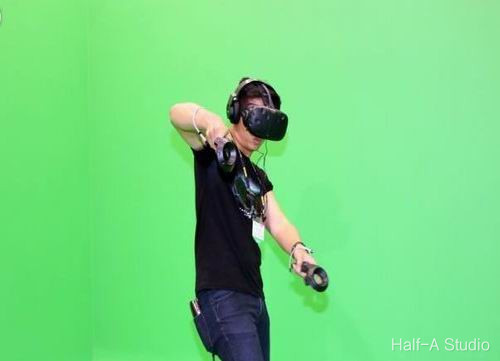
Replacing the background of a green-screen image involves ① color-space conversion, ② extracting the green-screen region, ③ inverting the green-screen region, and ④ copying the image. The various functions and code encountered along the way are also covered in detail in this article.
I. Color-Space Conversion
To remove the green screen from a green-screen image, you first need to convert the image to the HSV color space, which makes subsequent image processing easier. You can perform color-space conversion with the cvtcolor() function.
void cv::cvtColor(
	InputArray 	src,		//输入图像矩阵
	OutputArray dst,		//输出图像矩阵
	int 		code,		//转换方式
	int 		dstCn = 0	//目标图像通道数
)
A typical usage is shown below—an example program that converts an image to the HSV color space:
void MyDemo::inRange_Demo(Mat& image) {
	Mat hsv;	//存储转换后的hsv图像
	cvtColor(image, hsv, COLOR_BGR2HSV);//进行色彩空间转换
	imshow("hsv_image", hsv);
}
II. Extracting the Green-Screen Region
After the image is converted to the HSV color space, you can extract a color region. The function used here is inRange().
void inRange(
	InputArray 	src,	//输入图像
	InputArray	lowerb,	//下边界数组阈值
	InputArray	upperb,	//上边界数组阈值
	OutputArray dst		//输出图像
);
Since the HSV value ranges are H (0-180), S (0-255), and V (0-255), the lower and upper bound array thresholds can be obtained from the table below.
| Black | Gray | White | Red | Orange | Yellow | Green | Cyan | Blue | Purple | |
|---|---|---|---|---|---|---|---|---|---|---|
| hmin | 0 | 0 | 0 | 0/156 | 11 | 26 | 35 | 78 | 100 | 125 |
| hmax | 180 | 180 | 180 | 10/180 | 25 | 34 | 77 | 99 | 124 | 155 |
| smin | 0 | 0 | 0 | 43 | 43 | 43 | 43 | 43 | 43 | 43 |
| smax | 255 | 43 | 30 | 255 | 255 | 255 | 255 | 255 | 255 | 255 |
| vmin | 0 | 46 | 221 | 46 | 46 | 46 | 46 | 46 | 46 | 46 |
| vmax | 46 | 220 | 255 | 255 | 255 | 255 | 255 | 255 | 255 | 255 |
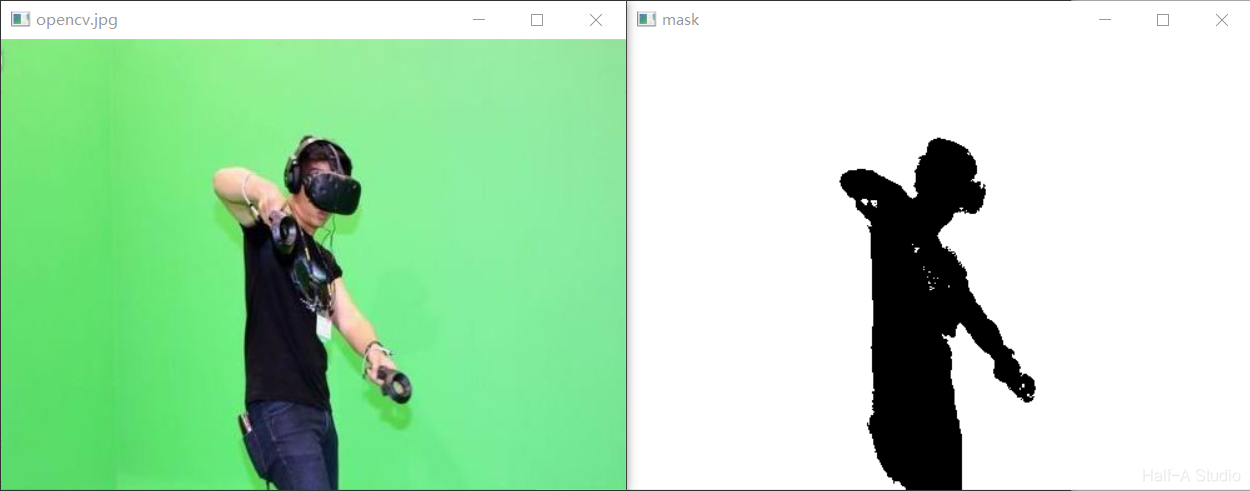
Because this article replaces a green screen, we use the green thresholds: hmin=35, hmax=77, smin=43, smax=255, vmin=46, and vmax=255. That gives a lower bound array of Scalar(35, 43, 46) and an upper bound array of Scalar(77, 255, 255).
The program for extracting the green-screen region is therefore:
void MyDemo::inRange_Demo(Mat& image) {
   Mat hsv;	//存储转换后的hsv图像
   cvtColor(image, hsv, COLOR_BGR2HSV);//进行色彩空间转换
   Mat mask;	//存储提取绿幕区域后的图像
   inRange(hsv, Scalar(35, 43, 46), Scalar(77, 255, 255), mask);
   imshow("mask", mask);
}
III. Replacing the Background
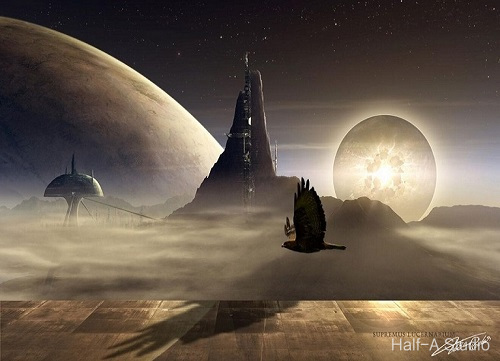
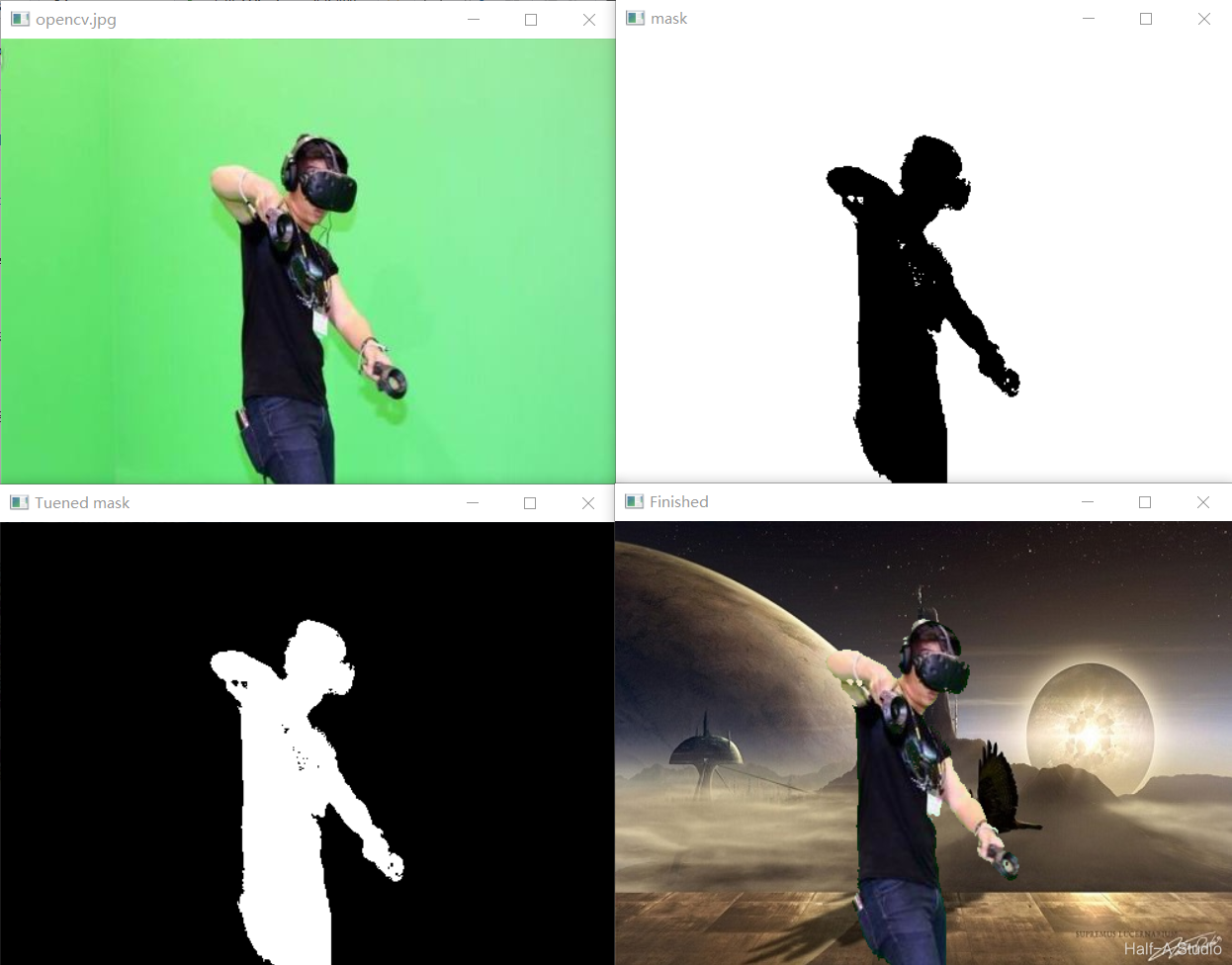
We have already extracted the green-screen region. Next, invert the extracted region to select the person, then copy the person onto the new background.
Inverting the selected region uses the bitwise_not() function.
Copying the image uses the image.copyTo(newimage,mask) method. It overlays mask on image, makes the points in image that correspond to pixels with value 0 (black) in mask transparent, keeps the other points, and copies the retained points into newimage.
void MyDemo::inRange_Demo(Mat& image) {

	//转换色彩空间
	Mat hsv;
	cvtColor(image, hsv, COLOR_BGR2HSV);

	//提取绿幕区域
	Mat mask;
	inRange(hsv, Scalar(35, 43, 46), Scalar(77, 255, 255), mask);
	imshow("mask", mask);

	//反转提取人物区域
	bitwise_not(mask, mask);

	//人物复制到新背景中
	Mat bg = imread("E:/Program/OpenCV/vcworkspaces/opencv_452/img/plantbg.jpg");//背景图片
	image.copyTo(bg, mask);
	imshow("Finished", bg);
}
Comments