Contents
I. Modal and Non-Modal Dialogs
In the previous section, we built a simple window and added elements such as a menu bar and toolbar.
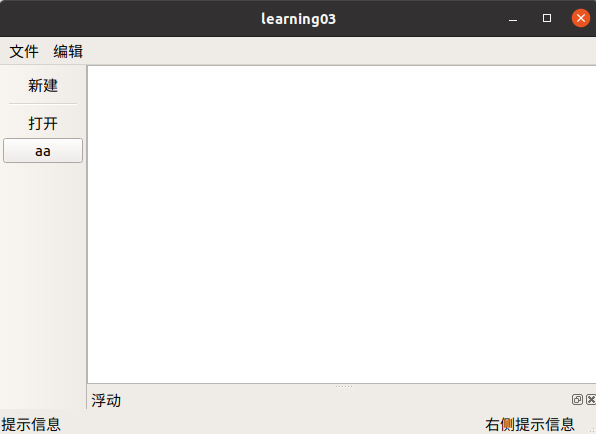
However, the current window is only a shell, and none of its internal functionality has been implemented yet.
In this section, we will implement a feature that opens a dialog when a button is clicked.
1.1 Introduction
Dialogs fall into two categories:
- Modal dialog: After it opens, you can interact with other windows
- Non-modal dialog: After it opens, you cannot click anywhere outside the dialog (code execution is blocked)
1.2 Creating the Dialog in Code
Include the header file
#include <QDialog>`Create the dialog
connect(ui->actionNew,&QAction::triggered,[=](){
//模态对话框 (不可以对其他窗口进行操作) 非模态对话框 (可以对其他窗口进行操作)
//模态创建 阻塞
    QDialog dlg(this);
    dlg.resize(200,100);
    dlg.exec();
    qDebug() << "模态对话框弹出了";   //需要引入#include <QDebug>


//非模态对话框
    QDialog * dlg2 = new QDialog (this);
    dlg2->resize(200,100);
    dlg2->show();
    dlg2->setAttribute(Qt::WA_DeleteOnClose);
    qDebug() << "非模态对话框弹出了";
}
II. Standard Dialogs
Qt provides many built-in dialogs:
| Built-in Qt Dialog | Function |
|---|---|
| QColorDialog | Selects a color |
| QFileDialog | Selects a file or directory |
| QFontDialog | Selects a font |
| QInputDialog | Allows the user to enter a value and returns that value |
| QMessageBox | A modal dialog used to display information, ask questions, etc. |
| QPageSetupDialog | Provides paper-related options for a printer |
| QPrintDialog | Configures a printer |
| QPrintPreviewDialog | Displays a print preview |
| QProgressDialog | Displays the progress of an operation |
The following example uses a message dialog.
Comments