Preparation
(1) Install the RealSense environment
See the official documentation: librealsense/distribution_linux.md at master · IntelRealSense/librealsense · GitHub
Register the server’s public key
sudo apt-key adv --keyserver keyserver.ubuntu.com --recv-key F6E65AC044F831AC80A06380C8B3A55A6F3EFCDE || sudo apt-key adv --keyserver hkp://keyserver.ubuntu.com:80 --recv-key F6E65AC044F831AC80A06380C8B3A55A6F3EFCDEIf you still cannot retrieve the public key, check and set the proxy: export http_proxy="http://<proxy>:<port>"
Add the server to the repository list
sudo add-apt-repository "deb https://librealsense.intel.com/Debian/apt-repo $(lsb_release -cs) main" -uInstall the libraries
sudo apt-get install librealsense2-dkms
sudo apt-get install librealsense2-utils
sudo apt-get install librealsense2-dev
sudo apt-get install librealsense2-dbg
Verify the installation by running realsense-viewer to confirm the drivers are installed.
mkdir -p ~/catkin_ws/src
cd ~/catkin_ws/src
git clone -b ros1-legacy https://github.com/IntelRealSense/realsense-ros.git
cd ~/catkin_ws && catkin_make
Be careful which branch you clone. The default is ROS 2; for a ROS 1 environment, specify the branch.
(2) Install aruco_ros
First create a workspace, go to the workspace’s src directory, and download the aruco_ros package. Choose the repository branch for your ROS version; I use noetic-devel.
cd 【工作空间】/src
git clone -b noetic-devel https://github.com/pal-robotics/aruco_ros.git
cd ..
catkin_make
source devel/setup.bash
Configure Parameters
Mainly edit the single.launch file.
- Change the ID and size of the ArUco marker to detect.
- Edit
<remap from="/camera_infoand<remap from="/image"and<param name="camera_frame".
After editing, it should look like this:
<launch>

    <arg name="markerId"        default="66"/>
    <arg name="markerSize"      default="0.07"/>    <!-- in m -->
    <arg name="eye"             default="left"/>
    <arg name="marker_frame"    default="aruco_marker_frame"/>
    <arg name="ref_frame"       default=""/>  <!-- leave empty and the pose will be published wrt param parent_name -->
    <arg name="corner_refinement" default="LINES" /> <!-- NONE, HARRIS, LINES, SUBPIX -->


    <node pkg="aruco_ros" type="single" name="aruco_single">
        <remap from="/camera_info" to="/camera/color/camera_info" />
        <remap from="/image" to="/camera/color/image_raw" />
        <param name="image_is_rectified" value="True"/>
        <param name="marker_size"        value="$(arg markerSize)"/>
        <param name="marker_id"          value="$(arg markerId)"/>
        <param name="reference_frame"    value="$(arg ref_frame)"/>   <!-- frame in which the marker pose will be refered -->
        <param name="camera_frame"       value="/camera_link"/>
        <param name="marker_frame"       value="$(arg marker_frame)" />
        <param name="corner_refinement"  value="$(arg corner_refinement)" />
    </node>

</launch>
Testing
(1) Start the camera
roslaunch realsense2_camera rs_aligned_depth.launch(2) Start aruco_ros
roslaunch aruco_ros single.launch
roslaunch aruco_ros single.launch markerId:=582 markerSize:=0.057
(3) Visualization
rosrun image_view image_view image:=/aruco_single/result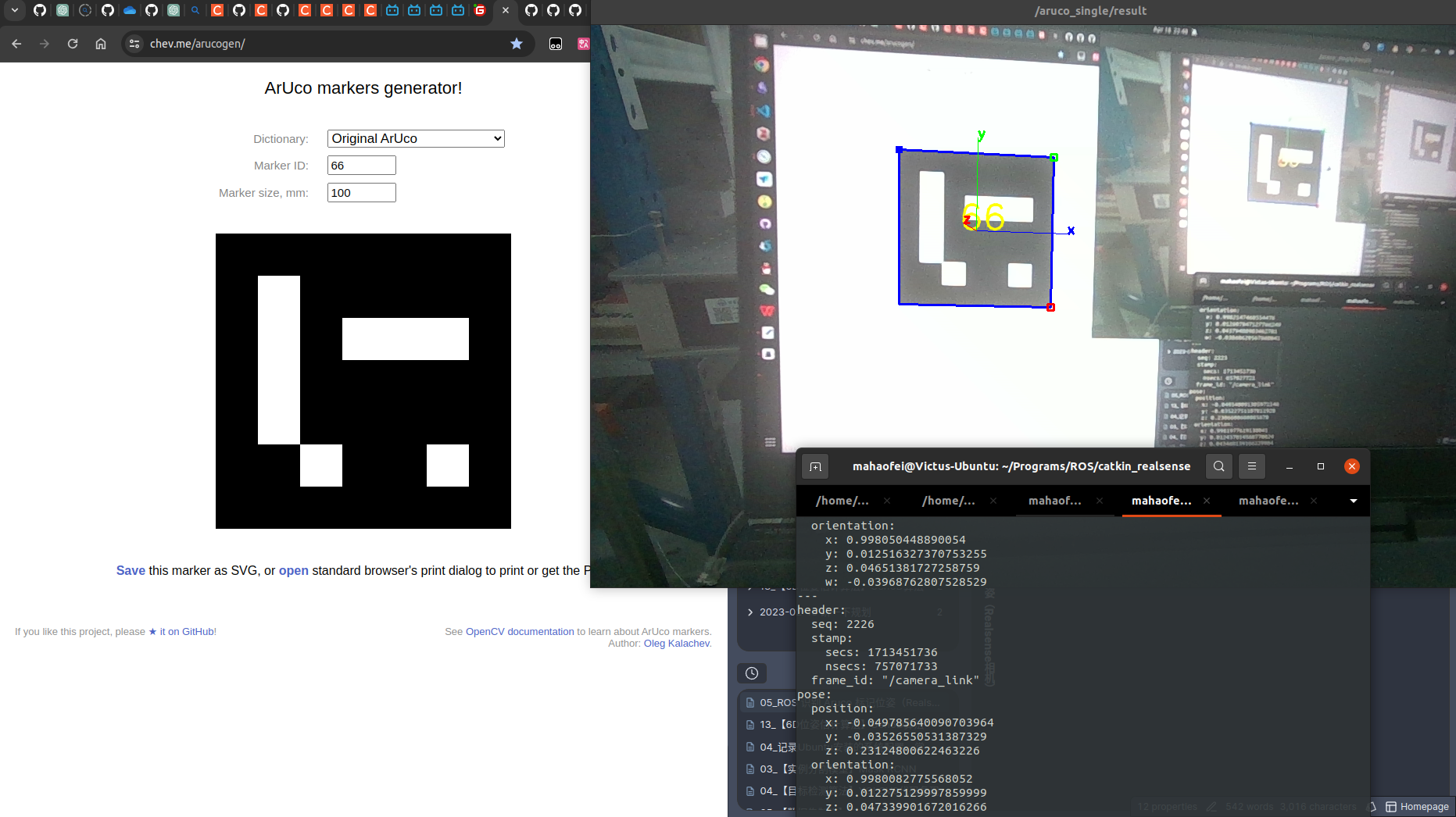
(4) View the pose
rostopic echo /aruco_single/pose
Comments