Contents
Updated on 2022.4.8: Just run the commands below:
sudo apt-get install python3-pip
sudo pip3 install rosdepc
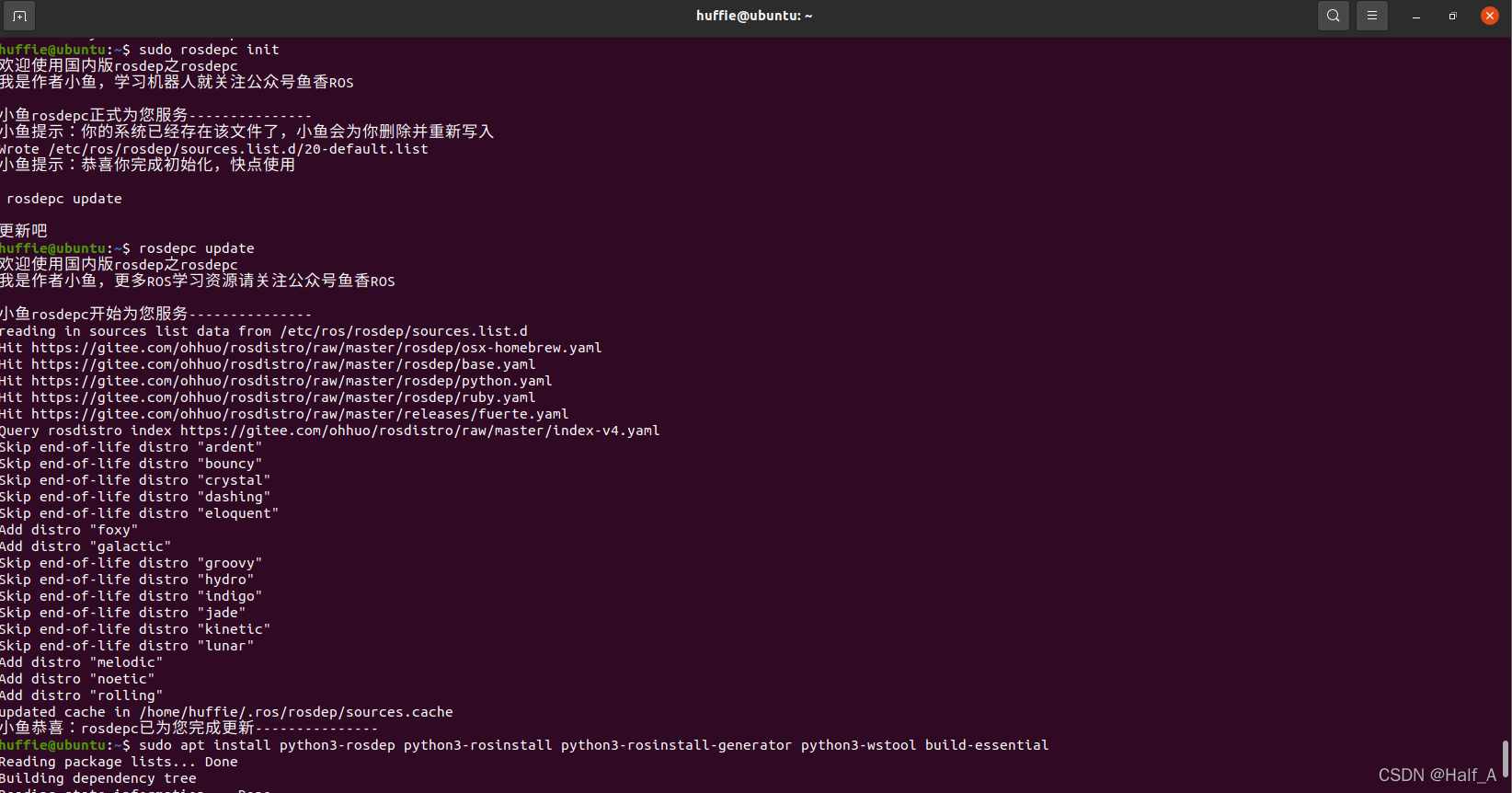
sudo rosdepc init
rosdepc update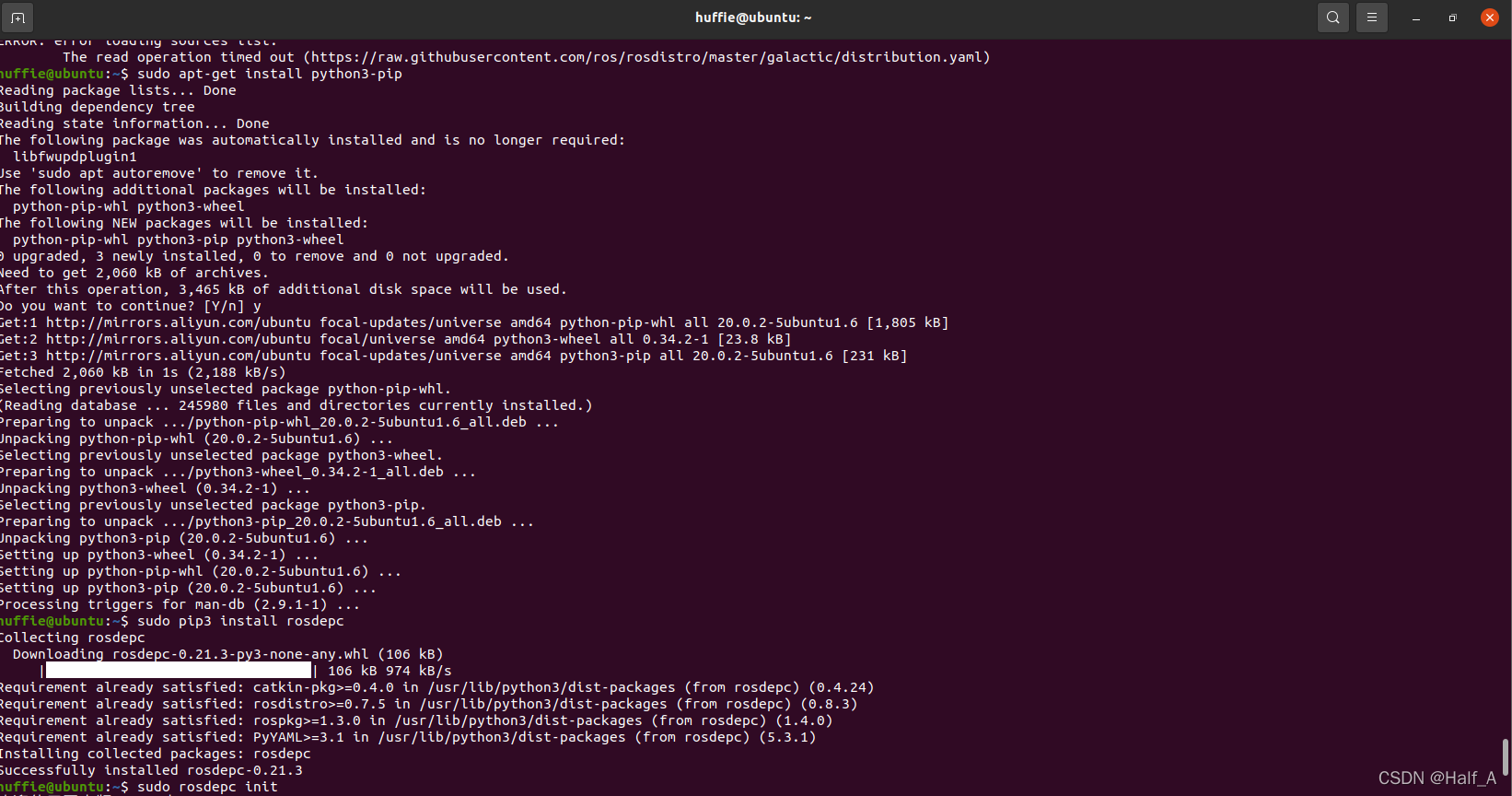
The following methods are all outdated:
Updated on 2021.9.19:
The most reliable solution is still to find a proxy service or node, then download an “acceleration” tool such as ssr or clash. If the terminal still reports an error while the browser can access the corresponding resource URL, the terminal proxy is not configured properly. Enter the following in the terminal window:
export http_proxy="http://127.0.0.1:12333"
export http_proxy="https://127.0.0.1:12333"
Run rosdep update again and it should work.
Original article:
For the ROS installation process, see my previous blog post, Installing ROS Noetic on Ubuntu20.04
During installation, rosdep init reports 【ERROR: cannot download default sources list from:…Website may be down.】 rosdep update always encounters a timeout and cannot update. I finally found a reliable solution that works.
Both problems are related to the network connection, and the solution is the same: modify the host entries.
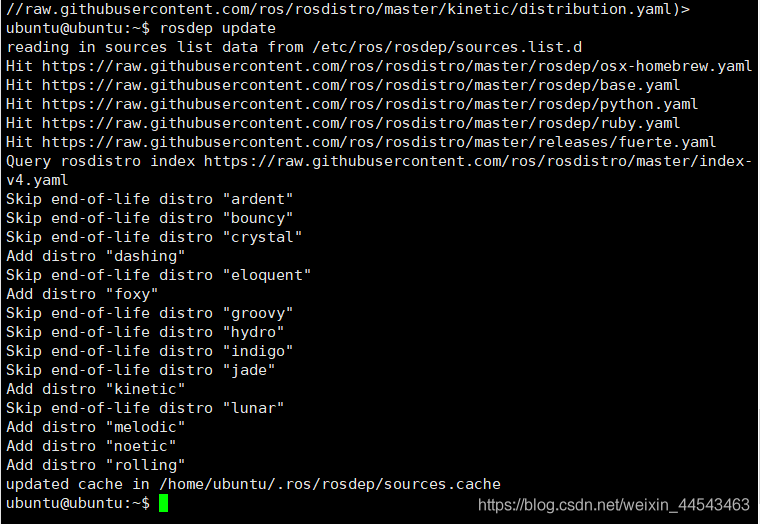
After the change, rosdep init succeeds immediately. However, rosdep update still requires a reliable network connection. If update still fails, try a few more times, or try switching to a mobile hotspot network.
1. Open the IP lookup website
2. Enter raw.githubusercontent.com to look up its IP addresses
raw.githubusercontent.com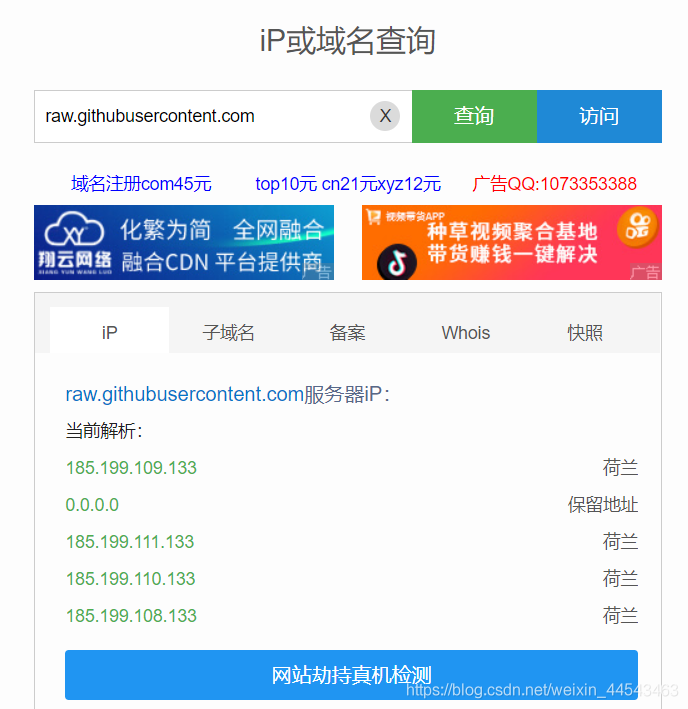
3. Add all resolved IP addresses to the end of the /etc/hosts file in this format: 185.199.109.133 raw.githubusercontent.com
sudo gedit /etc/hosts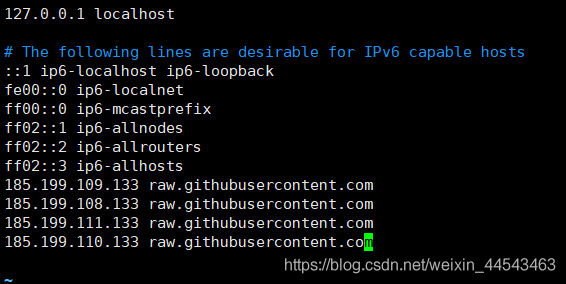
127.0.0.1 localhost

# The following lines are desirable for IPv6 capable hosts
::1 ip6-localhost ip6-loopback
fe00::0 ip6-localnet
ff00::0 ip6-mcastprefix
ff02::1 ip6-allnodes
ff02::2 ip6-allrouters
ff02::3 ip6-allhosts
185.199.109.133 raw.githubusercontent.com
185.199.108.133 raw.githubusercontent.com
185.199.111.133 raw.githubusercontent.com
185.199.110.133 raw.githubusercontent.com
Save the file and return to the command line.
5. Run rosdep update again
Comments