Contents
Before starting the main text, first note that the (0, 0) coordinate point on the screen is at the upper-left corner, and the maximum coordinates are at the lower-right corner.
I. Drawing Basic Shapes
1. Rectangle
In OpenCV, the function for drawing a rectangle is rectangle() .
void rectangle(InputOutputArray img, Rect rec, const Scalar& color, int thickness = 1, int lineType = LINE_8, int shift = 0);| Parameter | Purpose |
|---|---|
| InputOutputArray img | Target image to draw on |
| Rect rec | Rect class object |
| const Scalar& color | Line color |
| int thickness = 1 | Positive values mean line width; -1 means fill the rectangle |
| int lineType = LINE_8 | Line type |
| int shift = 0 | Number of fractional bits in the coordinates |
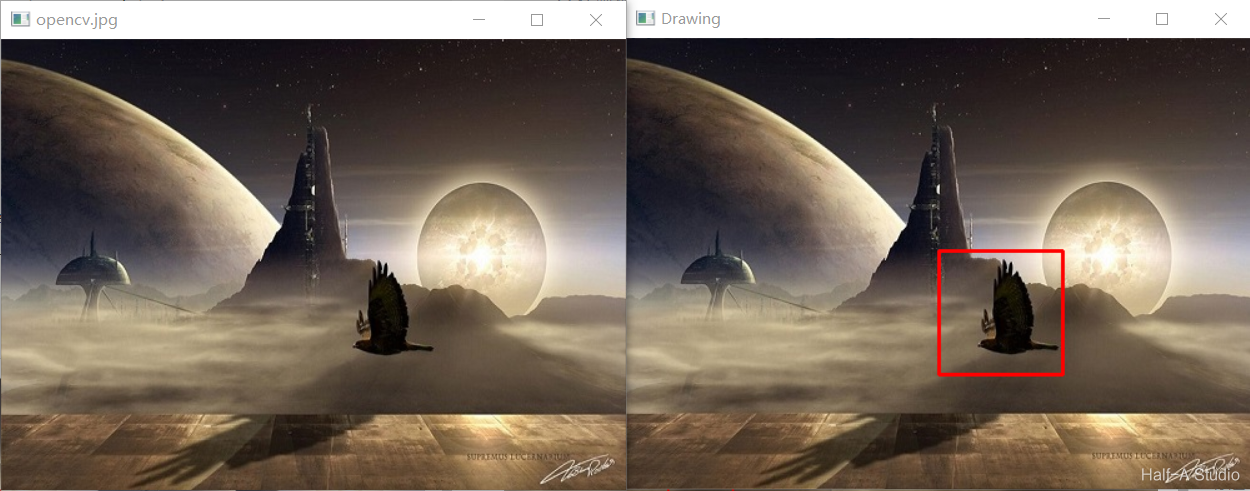
Example program for drawing a rectangle:
void MyDemo::drawing_Demo(Mat& image) {
	//绘制矩形
	Rect rect;
	rect.x = 250;	//左上端点x坐标
	rect.y = 170;	//左上端点x坐标
	rect.width = 100;	//宽度
	rect.height = 100;	//高度
	rectangle(image, rect, Scalar(0, 0, 255), 2, 8, 0);
	imshow("Drawing", image);
}
2. Circle
In OpenCV, the function for drawing a circle is rectangle() .
void cv::circle (InputOutputArray img, Point center, int radius, const Scalar &color, int thickness=1, int lineType=LINE_8, int shift=0);| Parameter | Purpose |
|---|---|
| InputOutputArray img | Target image to draw on |
| Point center | Center coordinates of the circle |
| int radius | Radius of the circle |
| const Scalar &color | Color of the circle |
| int thickness=1 | Positive values mean line width; -1 means fill the circle |
| int lineType = LINE_8 | Line type |
| int shift = 0 | Number of fractional bits in the coordinates |
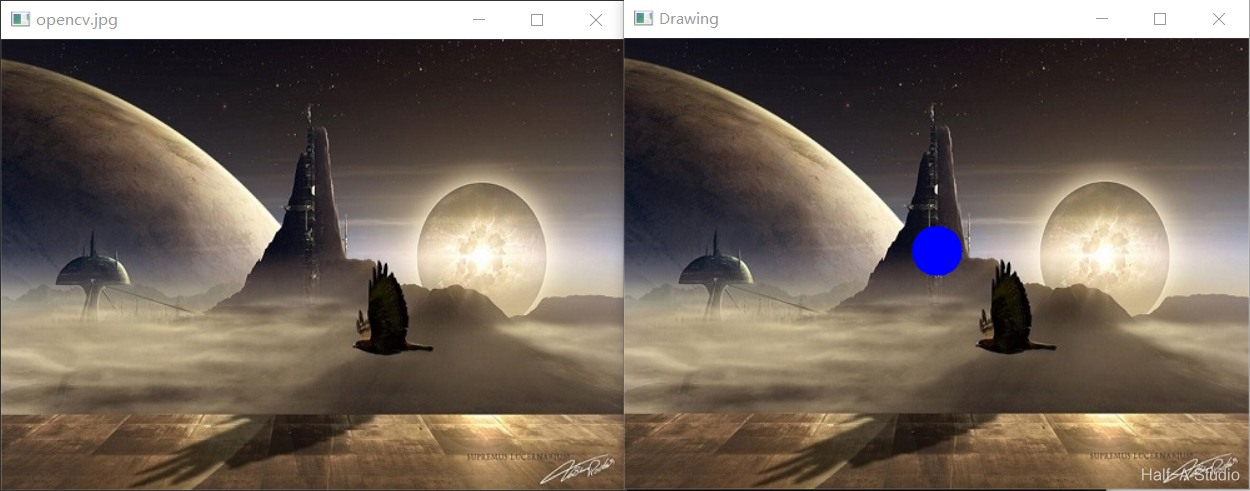
Example program for drawing a circle:
void MyDemo::drawing_Demo(Mat& image) {
	//绘制圆
	circle(image, Point(250, 170), 20, Scalar(255, 0, 0), -1, 8, 0);
	imshow("Drawing", image);
}
3. Line
In OpenCV, the function for drawing a line is rectangle() .
void cv::line(InputOutputArray img, Point pt1, Point pt2, const Scalar &color, int thickness=1, int lineType=LINE_8, int shift=0);| Parameter | Purpose |
|---|---|
| InputOutputArray img | Target image to draw on |
| Point pt1r | Coordinates of endpoint 1 |
| Point pt2 | Coordinates of endpoint 2 |
| const Scalar &color | Line color |
| int thickness=1 | Line width |
| int lineType = LINE_8 | Line type |
| int shift = 0 | Number of fractional bits in the coordinates |
Example program for drawing a circle:
void MyDemo::drawing_Demo(Mat& image) {
	//绘制直线
	line(image, Point(250, 170), Point(350, 270), Scalar(0, 255, 0), 2, LINE_AA, 0);
	imshow("Drawing", image);
}
4. Ellipse
In OpenCV, the function for drawing an ellipse is ellipse() .
void ellipse(Mat&img, const RotatedRect&box, const Scalar& color, int thickness=1, int lineType=8);| Parameter | Purpose |
|---|---|
| Mat&img | Target image to draw on |
| const RotatedRect&box | Ellipse class |
| const Scalar &color | Color of the ellipse |
| int thickness=1 | Positive values mean line width; -1 means fill the circle |
| int lineType = LINE_8 | Line type |
The properties of the ellipse class RotatedRect are as follows (example):
RotatedRect rrt;	//创建对象
rrt.center = Point(100, 200);	//椭圆中心点
rrt.size = Size(100, 200);		//椭圆大小(横轴,纵轴长度)
rrt.angle = 0;		//旋转角度
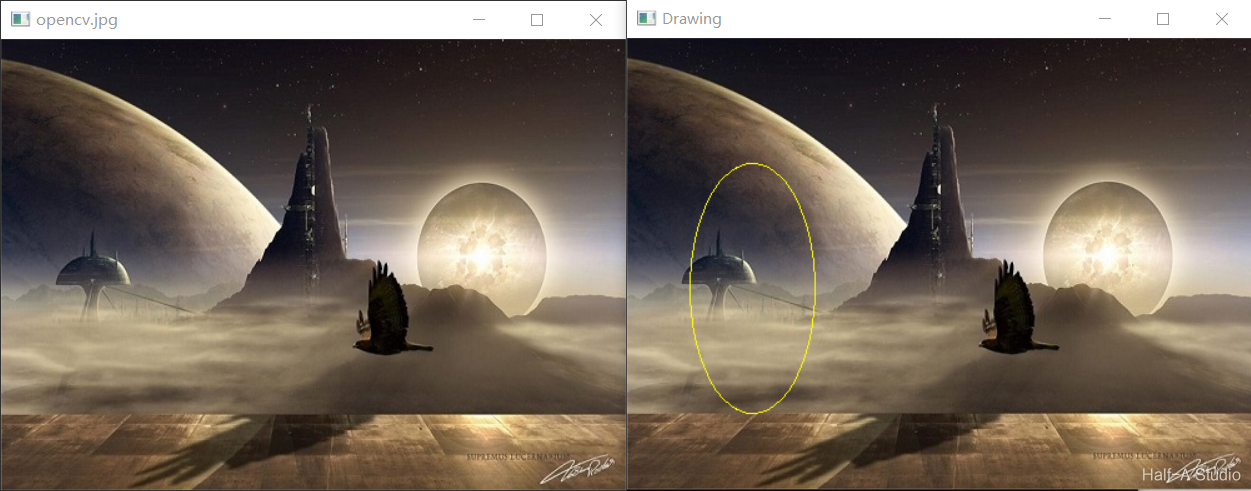
Example program for drawing a circle:
void MyDemo::drawing_Demo(Mat& image) {
	//绘制椭圆
	RotatedRect rrt;
	rrt.center = Point(100, 200);
	rrt.size = Size(100, 200);
	rrt.angle = 0;
	ellipse(image, rrt, Scalar(0, 255, 255), 1, 8);
	imshow("Drawing", image);
}
II. Methods for Drawing Polygons
The essence of drawing a polygon is to define a point set composed of multiple points, then connect the points in that set to form a polygon.
2.1 Polygon Border
The function used to draw a polygon border is ploylines() .
void cv::polylines(
		InputOutputArray	img,
		InputArrayOfArrays	pts,
		bool	isClosed,
		const Scalar & color,
		int		thickness = 1,
		int		lineType = LINE_8,
		int		shift = 0
)| Parameter | Purpose |
|---|---|
| img | Target image to draw on |
| pts | Point set constructed in advance |
| isClosed | Whether the polygon is a closed shape |
| color | Color of the polygon border |
| thickness | Line width (must be a positive number) |
| lineType | Line type |
| shift | Number of fractional bits in the coordinates |
Example program: drawing a pentagon
void MyDemo::polyDrawing_Demo() {
	//创建画布
	Mat bg = Mat::zeros(Size(512, 512), CV_8UC3);

	//创建五个点,作为多边形五个顶点
	Point p1(100, 100);
	Point p2(350, 100);
	Point p3(450, 300);
	Point p4(250, 450);
	Point p5(80, 200);

	//将五个点依次添加到点集中
	std::vector<Point> pts;
	pts.push_back(p1);
	pts.push_back(p2);
	pts.push_back(p3);
	pts.push_back(p4);
	pts.push_back(p5);

	//绘制多边形边框
	polylines(bg, pts, true, Scalar(0, 255, 255), 3, LINE_AA, 0);
	imshow("Poly Drawing!", bg);
}
Here
pts.push_backis used to add points to the point-set array, for cases where the number of points is unknown. This program already knows there are five points in total, so you can also create the point set with the following code:
	std::vector<Point> pts(5);
	pts[0] = p1;
	pts[1] = p2;
	pts[2] = p3;
	pts[3] = p4;
	pts[4] = p5;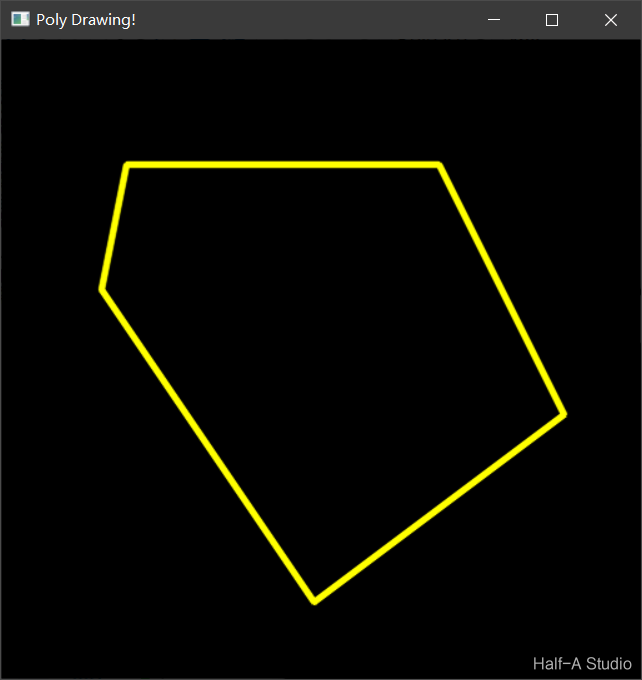
2.2 Filling Polygons
The function used to draw a filled polygon is fillPoly() .
void cv::fillPoly(
		InputOutputArray	img,
		InputArrayOfArrays	pts,
		const Scalar & color,
		int		lineType = LINE_8,
		int		shift = 0
)| Parameter | Purpose |
|---|---|
| img | Target image to draw on |
| pts | Point set constructed in advance |
| color | Color of the polygon border |
| lineType | Line type |
| shift | Number of fractional bits in the coordinates |
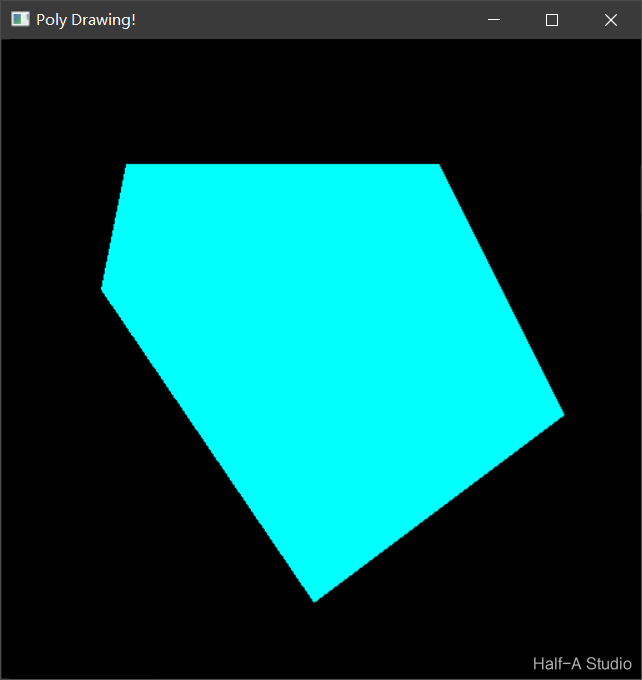
Example program: drawing a filled pentagon
void MyDemo::polyDrawing_Demo() {
	//创建画布
	Mat bg = Mat::zeros(Size(512, 512), CV_8UC3);

	//创建五个点,作为多边形五个顶点
	Point p1(100, 100);
	Point p2(350, 100);
	Point p3(450, 300);
	Point p4(250, 450);
	Point p5(80, 200);

	//将五个点依次添加到点集中
	std::vector<Point> pts;
	pts.push_back(p1);
	pts.push_back(p2);
	pts.push_back(p3);
	pts.push_back(p4);
	pts.push_back(p5);

	//绘制封闭的五边形
	fillPoly(bg, pts, Scalar(255, 255, 0), 8, 0);
	imshow("Poly Drawing!", bg);
}
2.3 Drawing Multiple Polygons
The function used to draw multiple polygons is drawContours() .
void drawContours(
	InputOutputArray 	image,
	InputArrayOfArrays 	contours,
	int 	contourIdx,
	const Scalar& color,
	int 	thickness=1,
	int 	lineType=8,
	InputArray 	hierarchy=noArray(),
	int 		maxLevel=INT_MAX,
Point offset=Point() )| Parameter | Purpose |
|---|---|
| img | Target image to draw on |
| contours | Input contour groups; each contour group consists of a point vector |
| contourIdx | Which contour to draw; if this parameter is negative, draw all contours |
| color | Line color |
| thickness | Line width; a negative value or CV_FILLED means fill the interior of the contour |
| lineType | Line type |
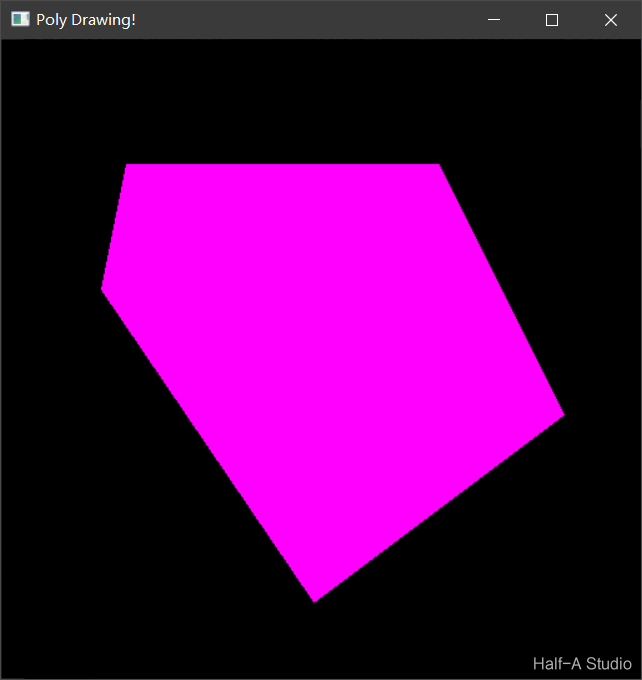
Example program: drawing a pentagon
void MyDemo::polyDrawing_Demo() {
	//创建画布
	Mat bg = Mat::zeros(Size(512, 512), CV_8UC3);

	//创建五个点,作为多边形五个顶点
	Point p1(100, 100);
	Point p2(350, 100);
	Point p3(450, 300);
	Point p4(250, 450);
	Point p5(80, 200);

	//将五个点依次添加到点集中
	std::vector<Point> pts;
	pts.push_back(p1);
	pts.push_back(p2);
	pts.push_back(p3);
	pts.push_back(p4);
	pts.push_back(p5);

	//添加点集到contours
	//(相当于contours是点集的集合)
	std::vector<std::vector<Point>> contours;
	contours.push_back(pts);

	//绘制多边形
	drawContours(bg, contours, -1, Scalar(255, 0, 255), -1);
	imshow("Poly Drawing!", bg);
}
Comments