When a program is relatively complex, or when repeated sections appear within a program, modular program design is often a viable approach. In RobotStudio, you can call different routines from the main program to keep the code logic clear.
Save the workpiece handling action as a routine
- Go to Routines and create a new routine
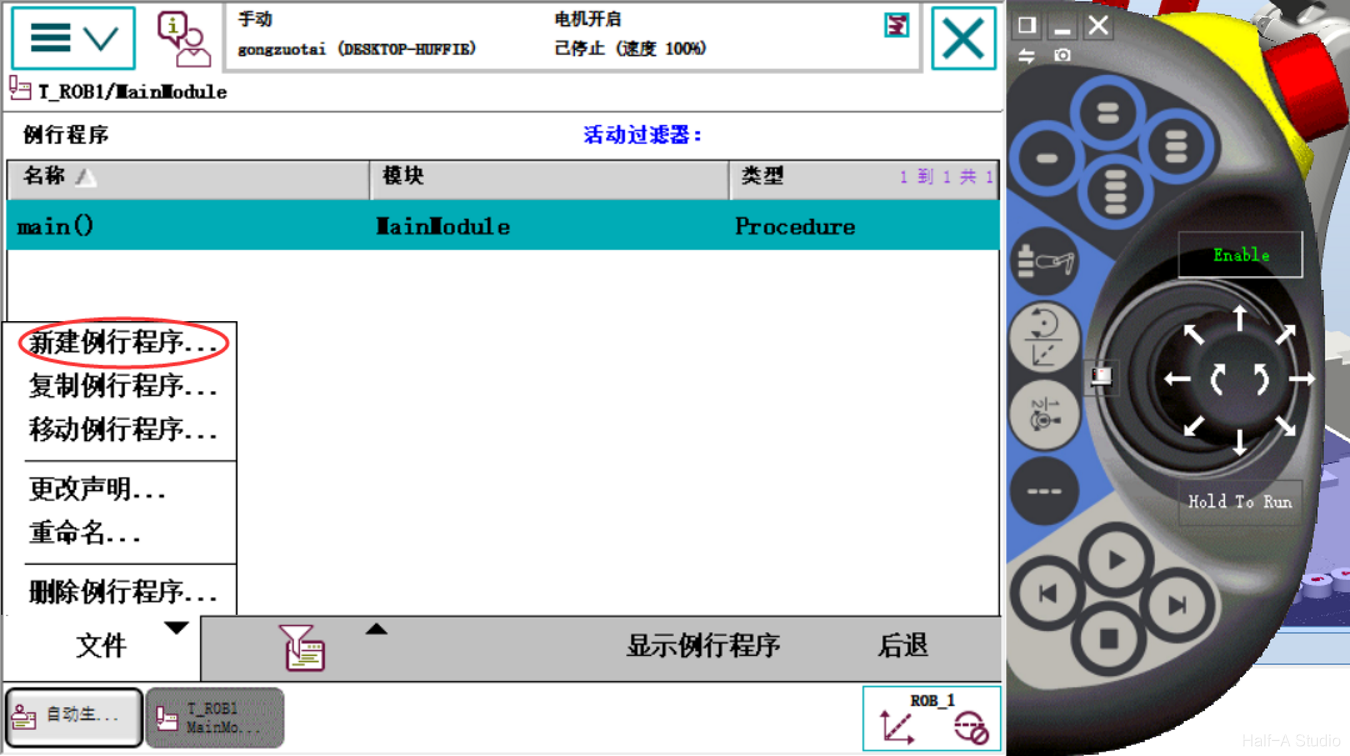
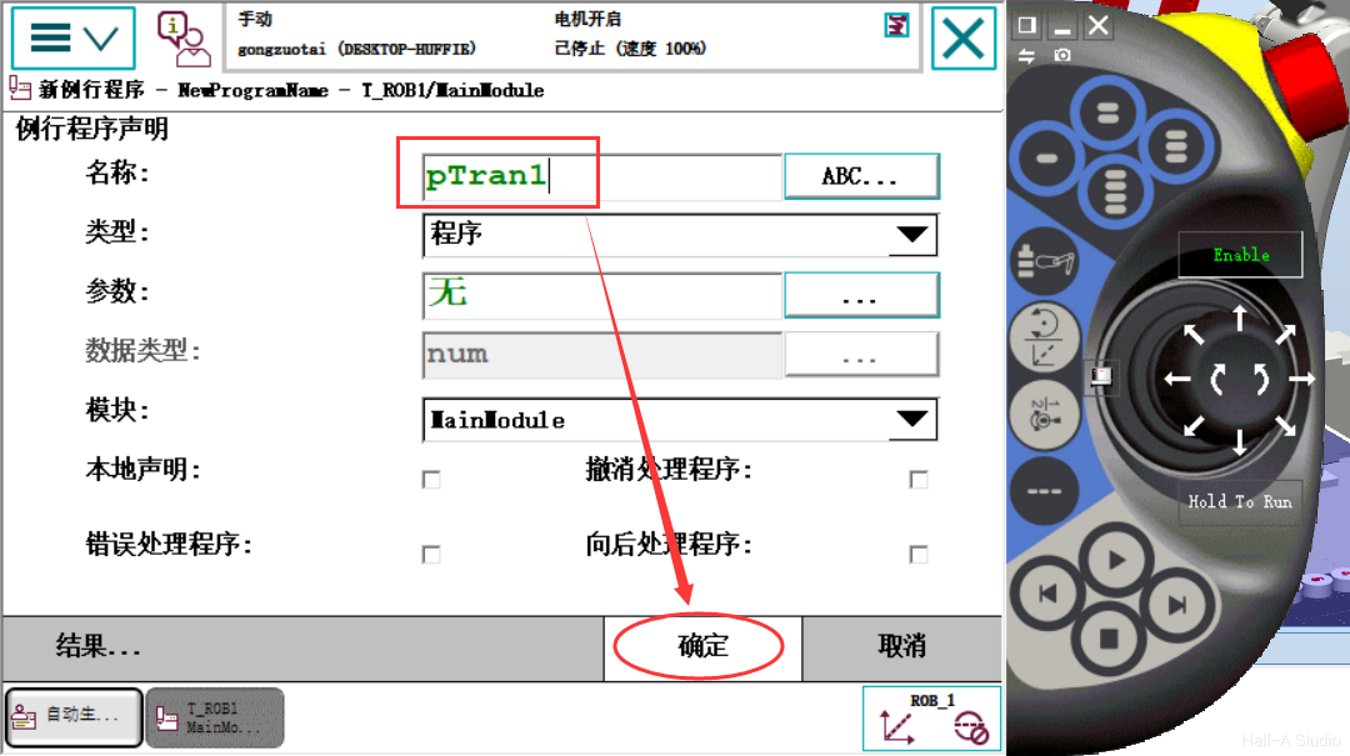
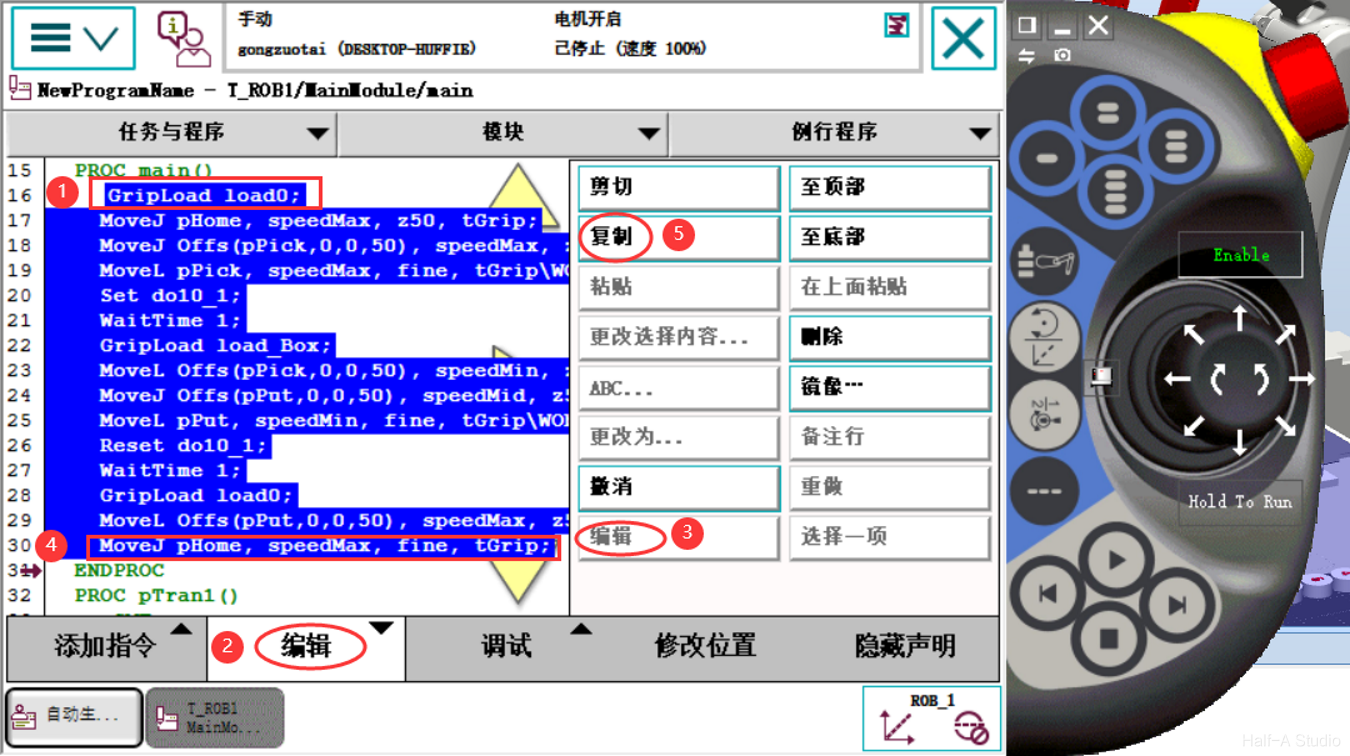
- Return to the main program, select the first line with the mouse, click Edit > Edit, and copy the code inside the main procedure into the newly created routine
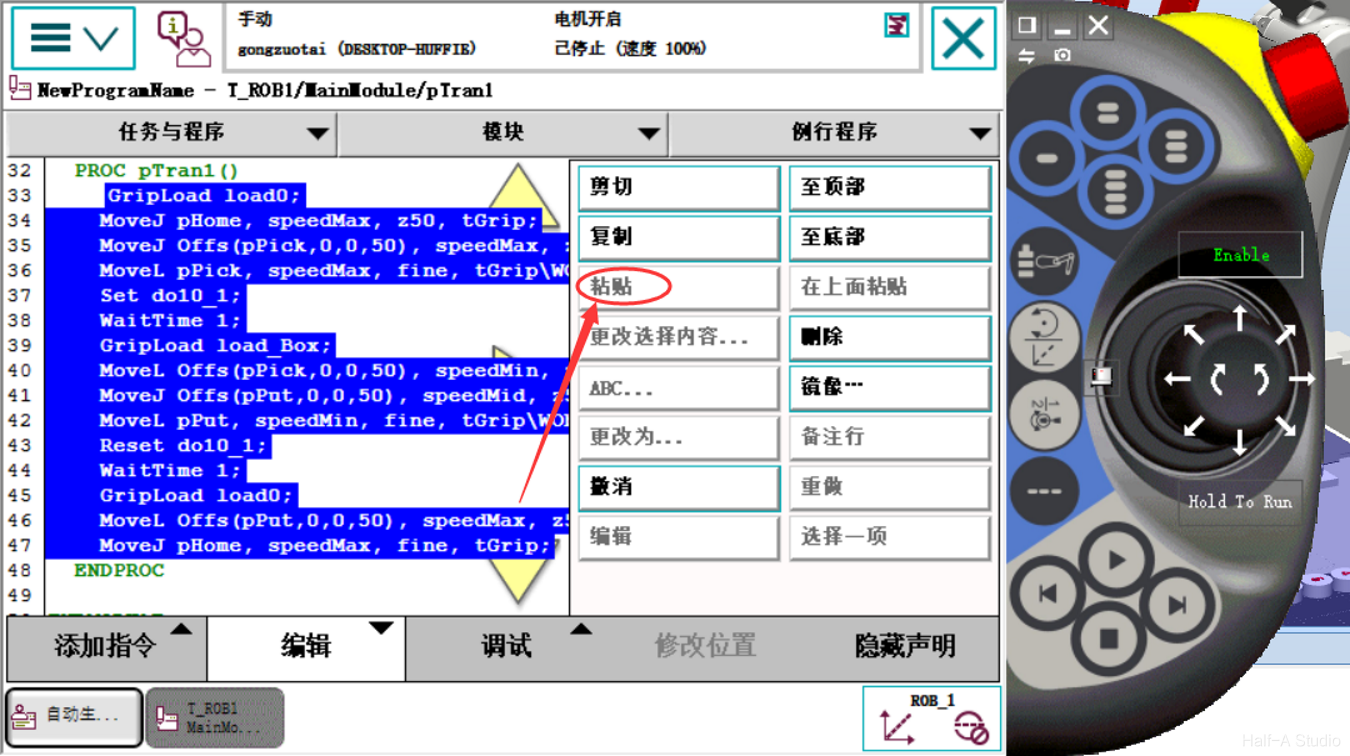
- Return to the newly created routine and paste in the main procedure code.
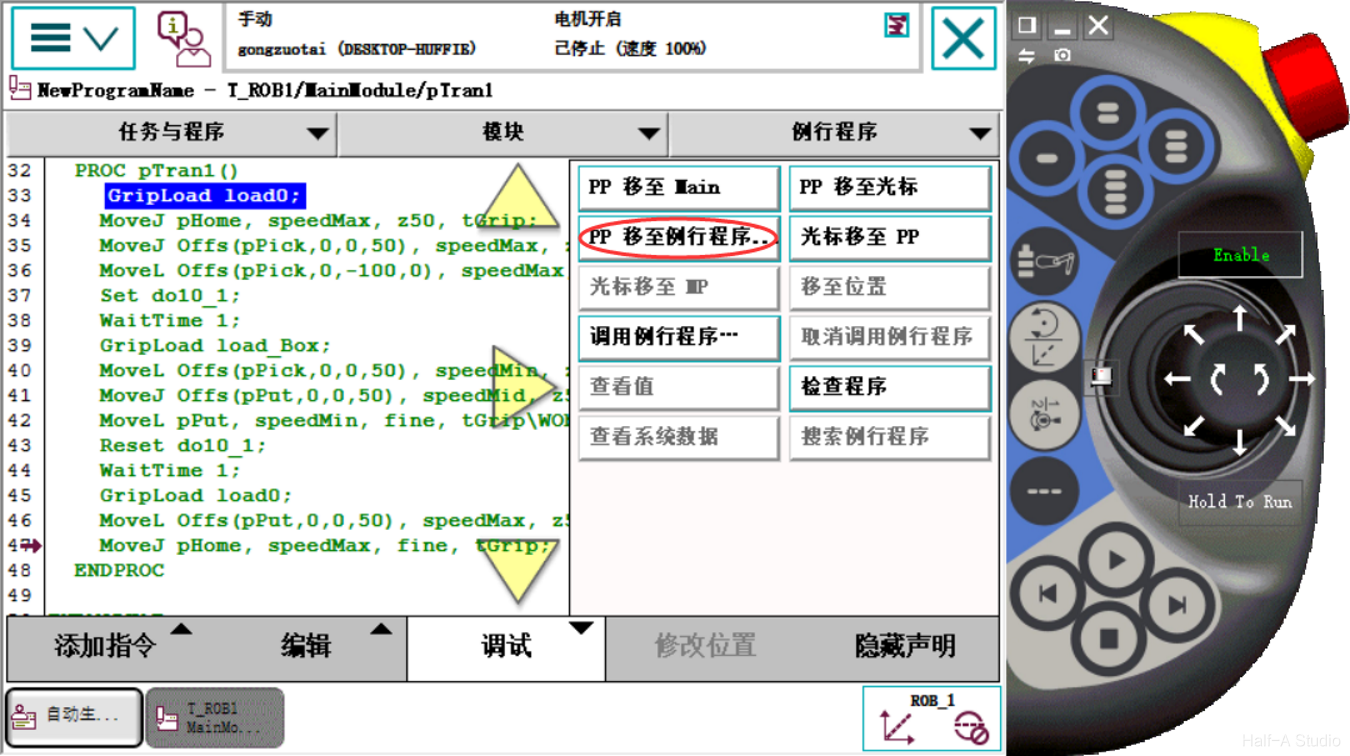
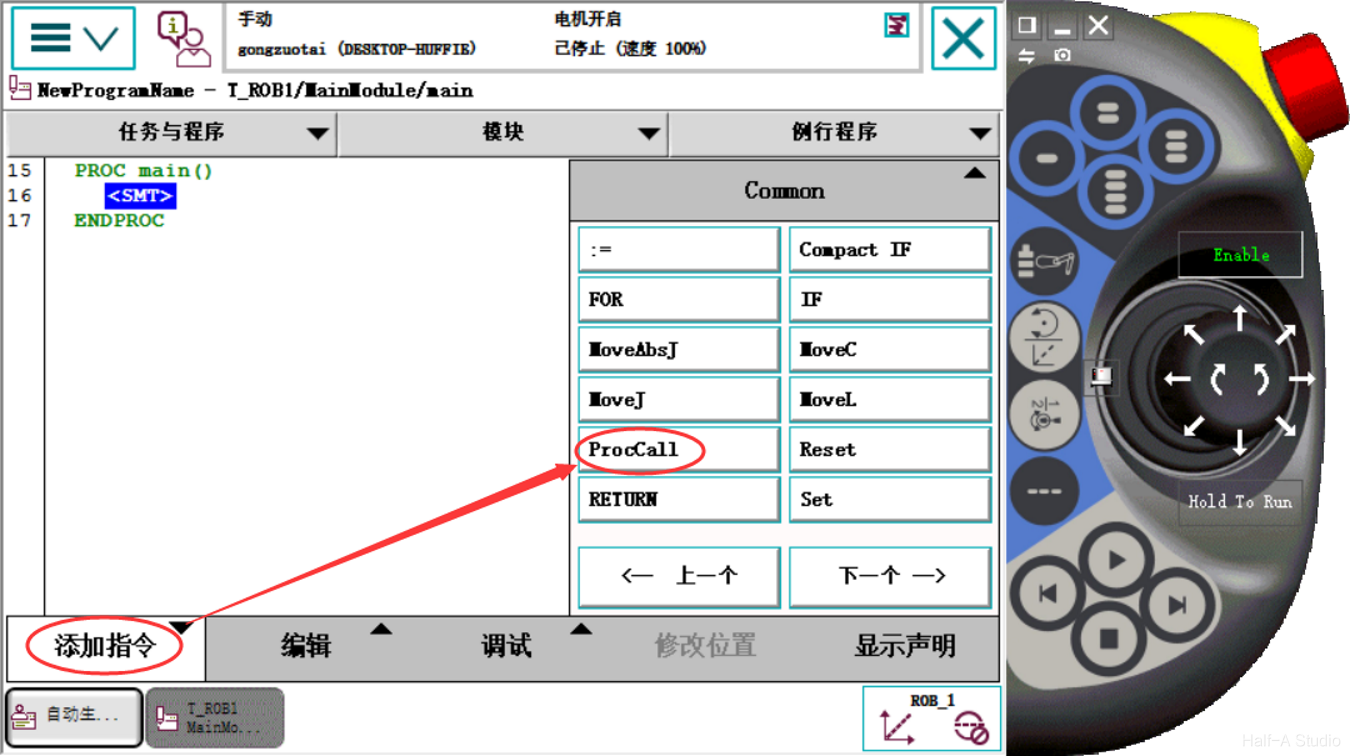
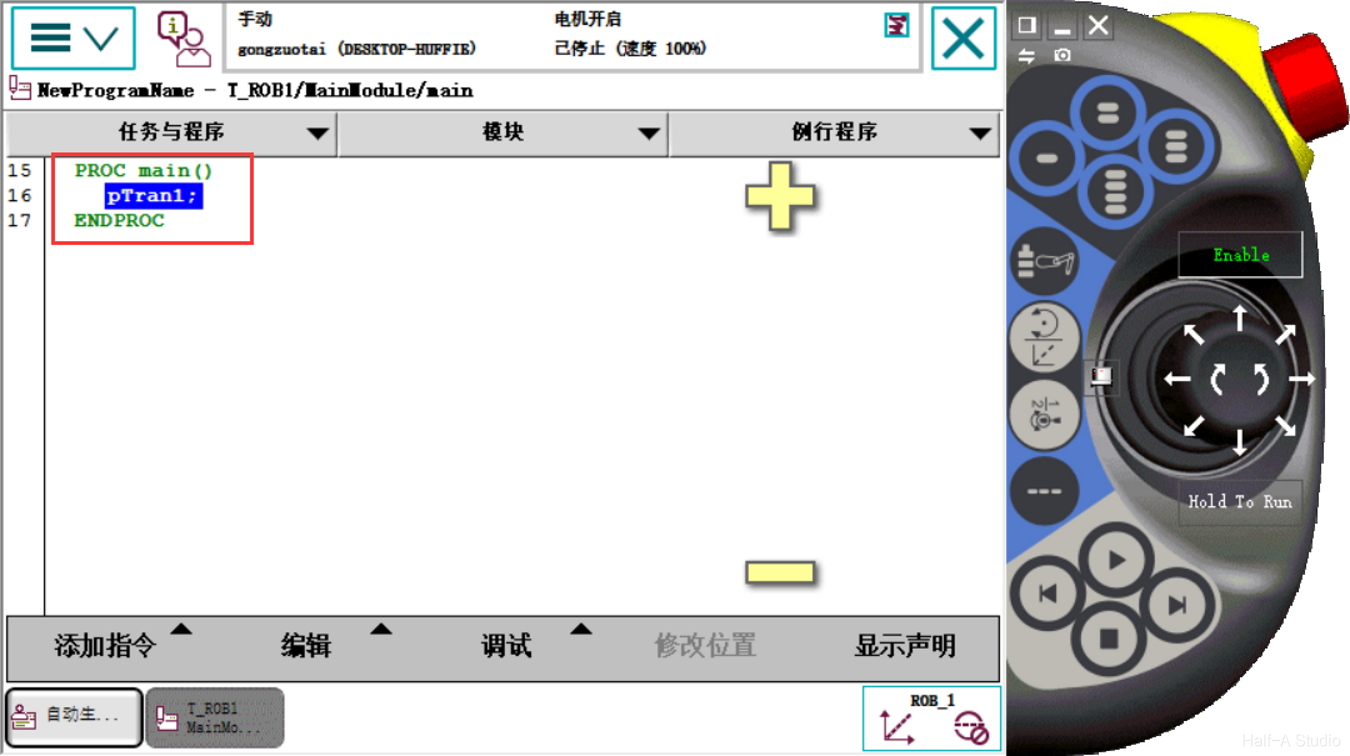
- Use Debug > PP to Routine to test whether the routine works correctly. If everything looks good, replace the main procedure content with a ProcCall instruction.
Quickly handle a second workpiece
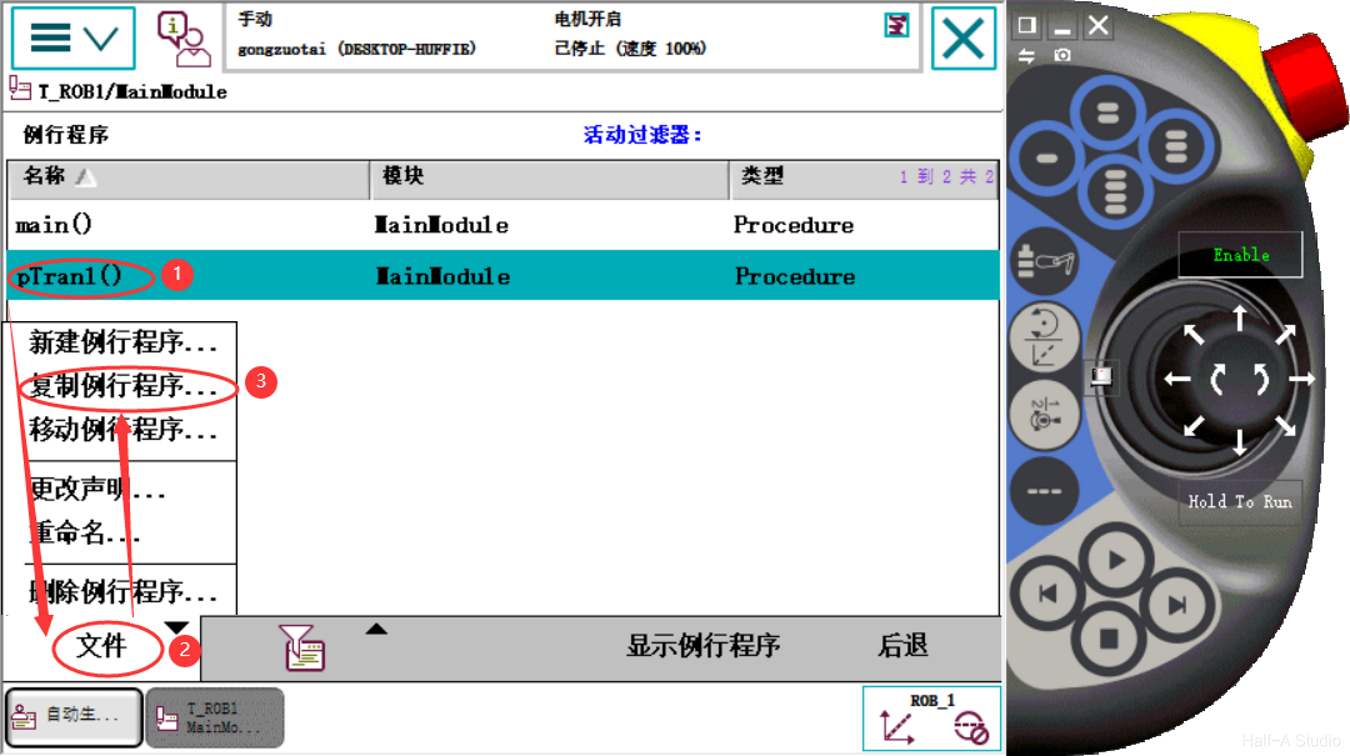
- First, duplicate the workpiece-handling routine
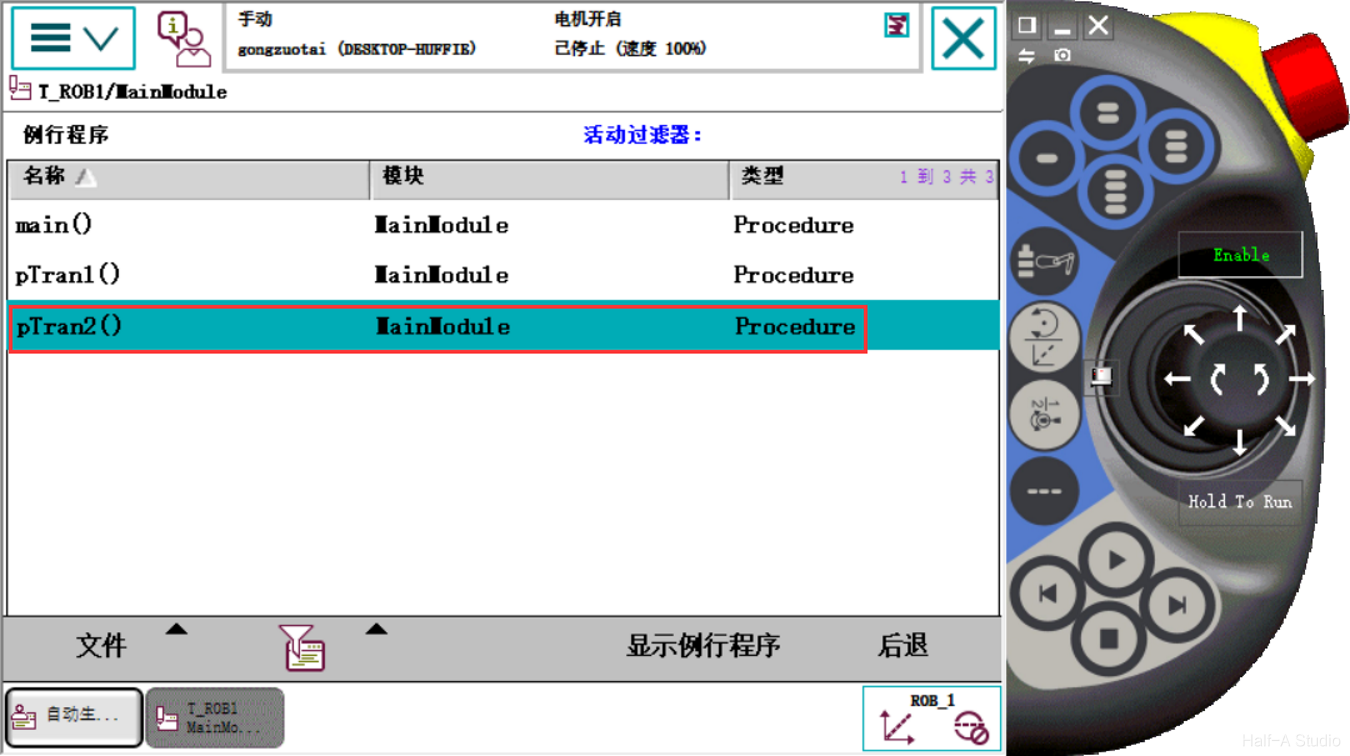
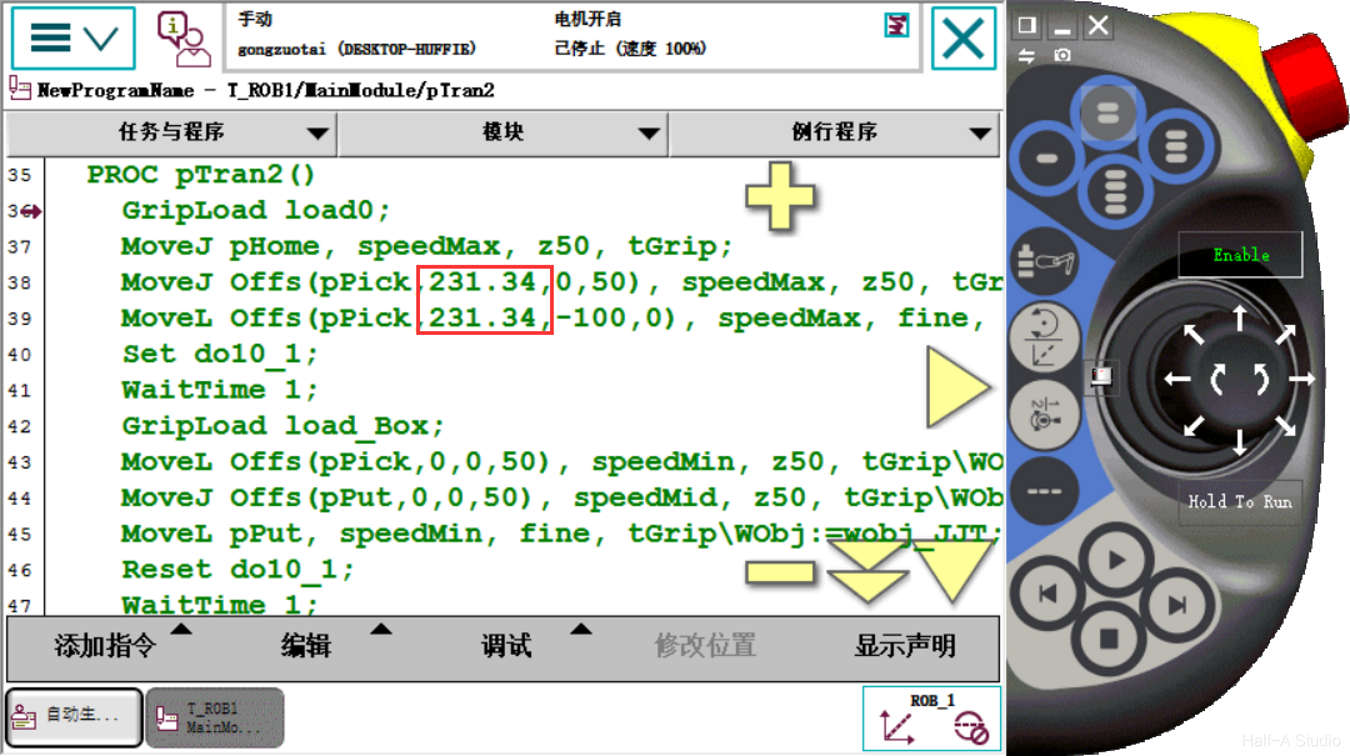
- Because the workpiece position is determined by offsetting from the warehouse workpiece coordinate system, you only need to modify the Offs function parameters to set the pick position for the second workpiece.
Comments