After the gripper picks up a workpiece, the system load changes. This difference may not be obvious in a simulation, but it must be taken into account in a real system.
- Open Manual Operation - Payload
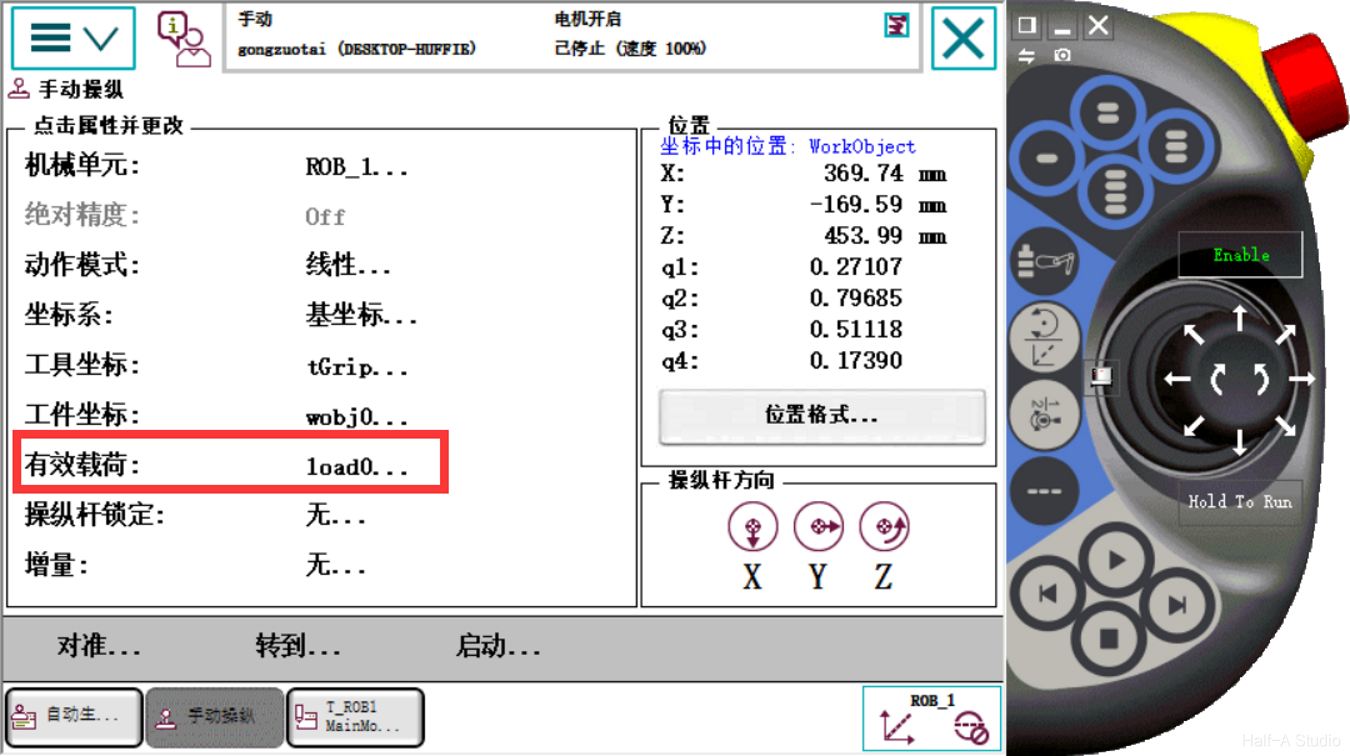
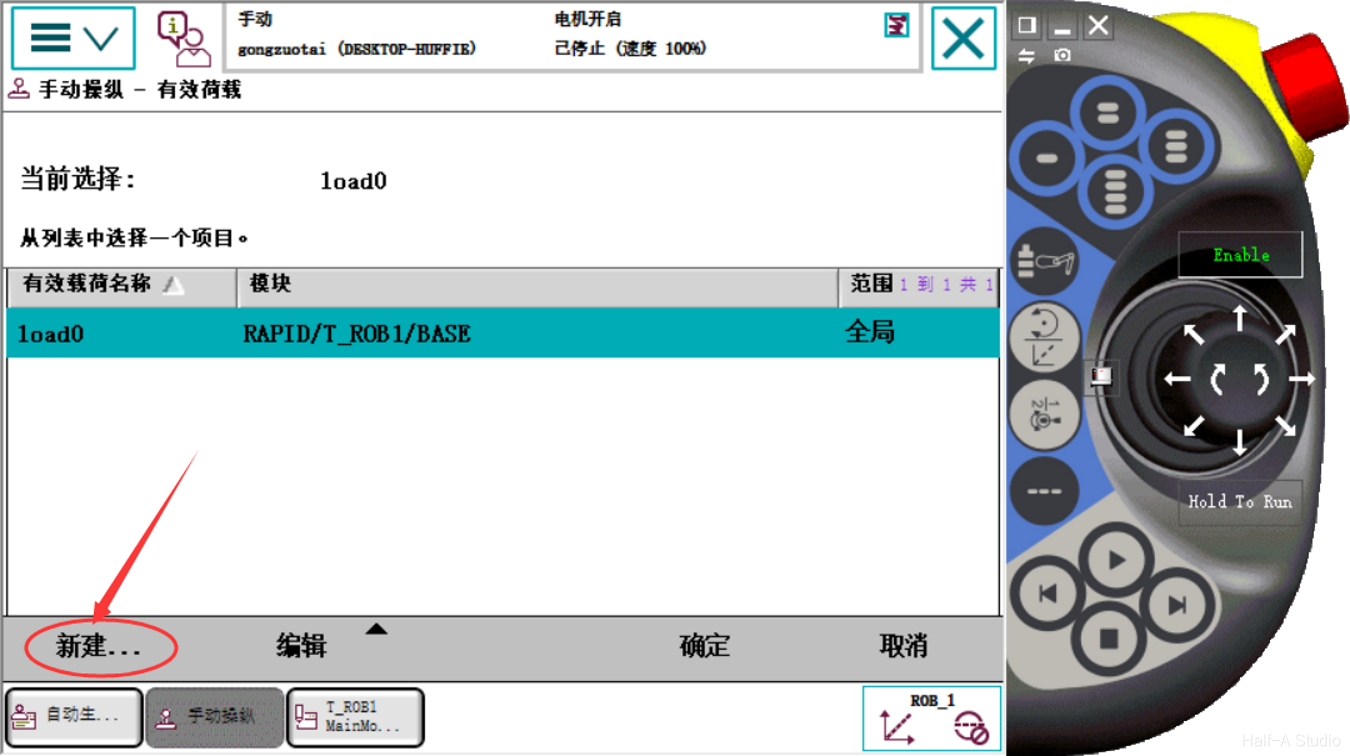
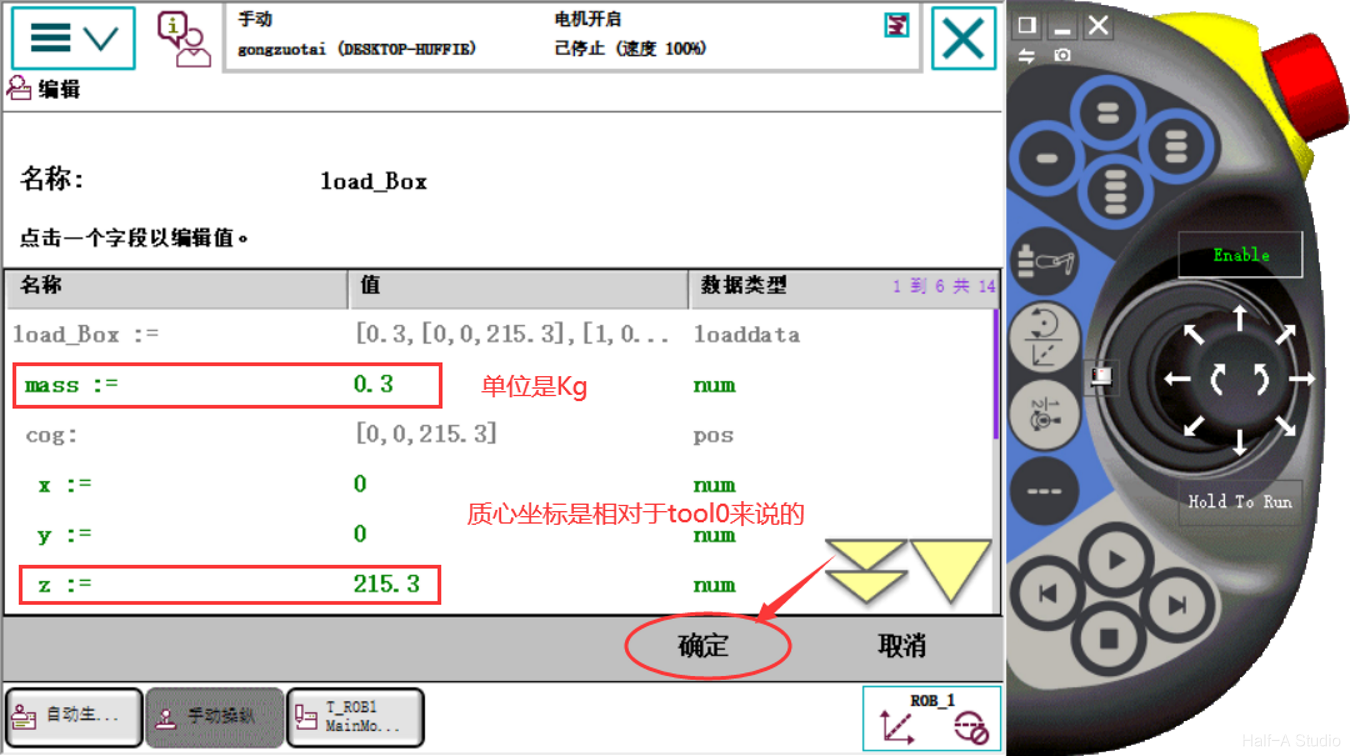
- Create a new payload
- Modify the program. At the beginning of the program, add the instruction under Settings - gripload
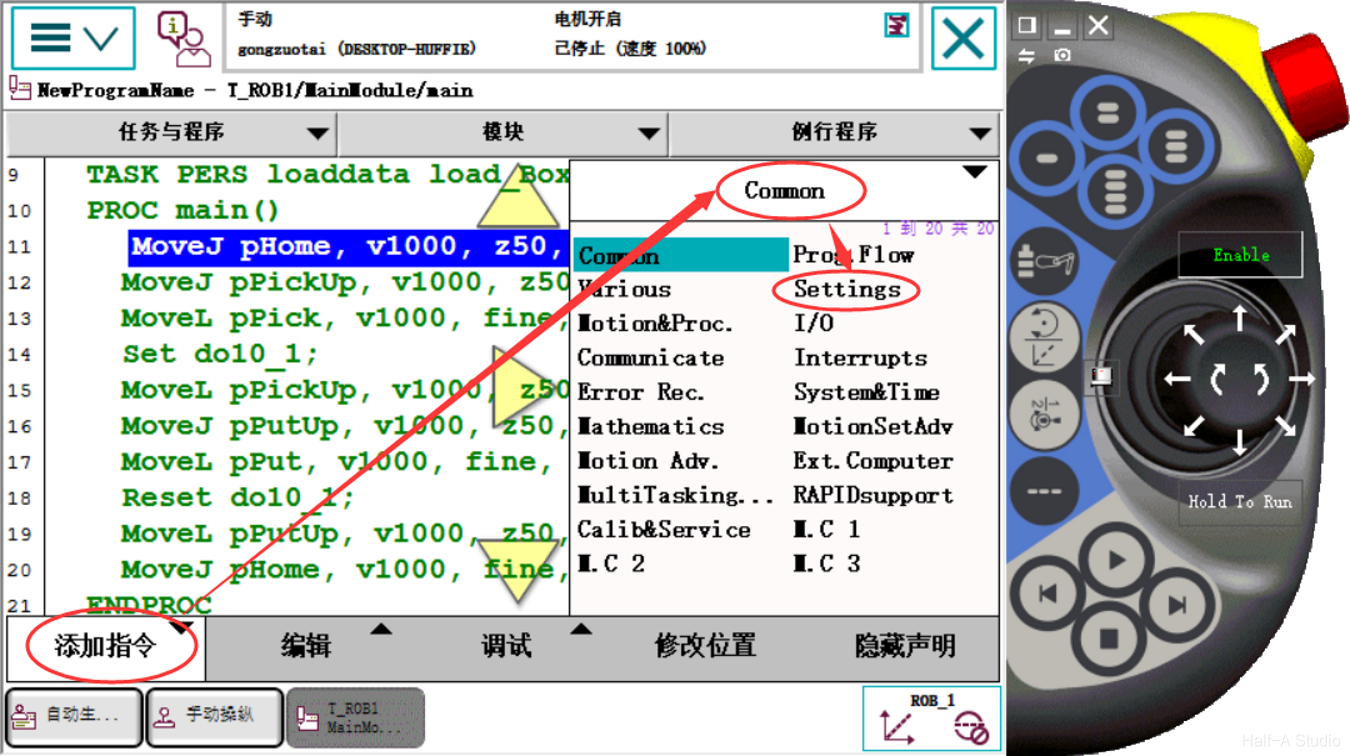
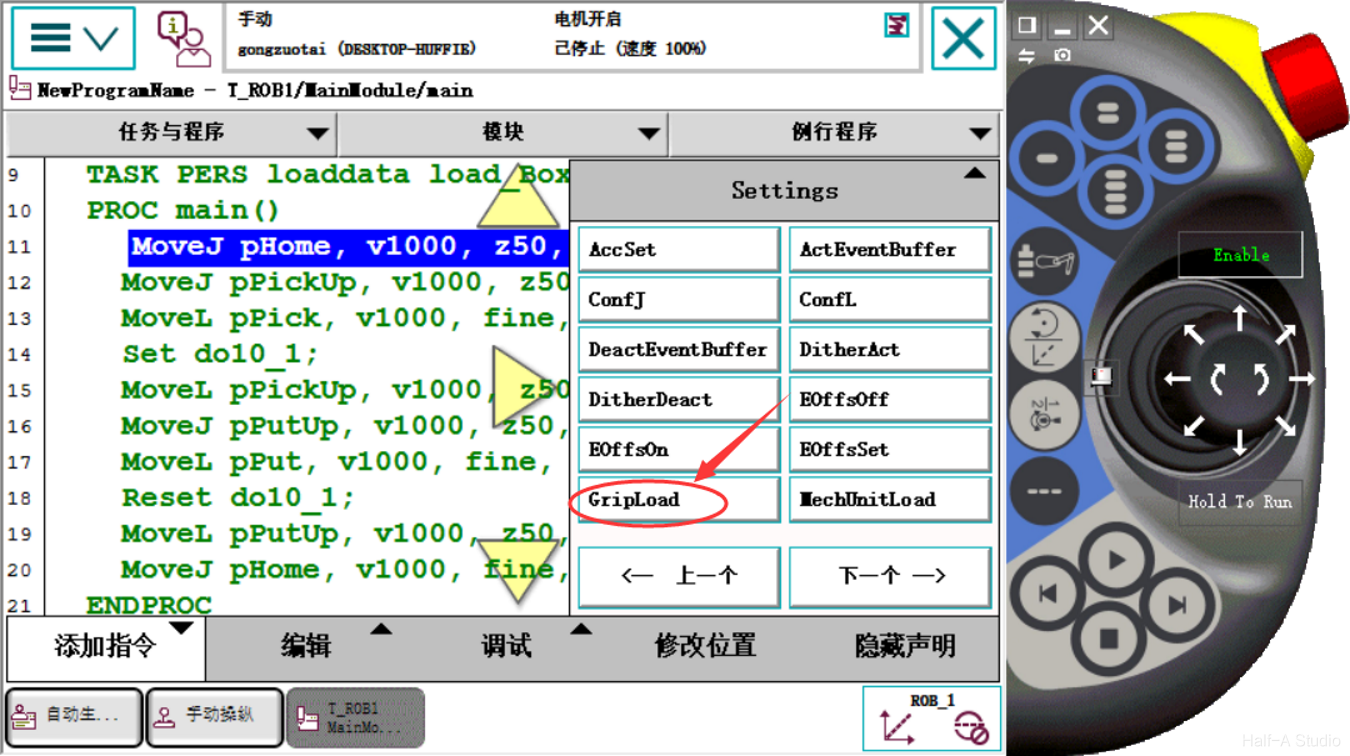
- Add it above and set the payload to load0
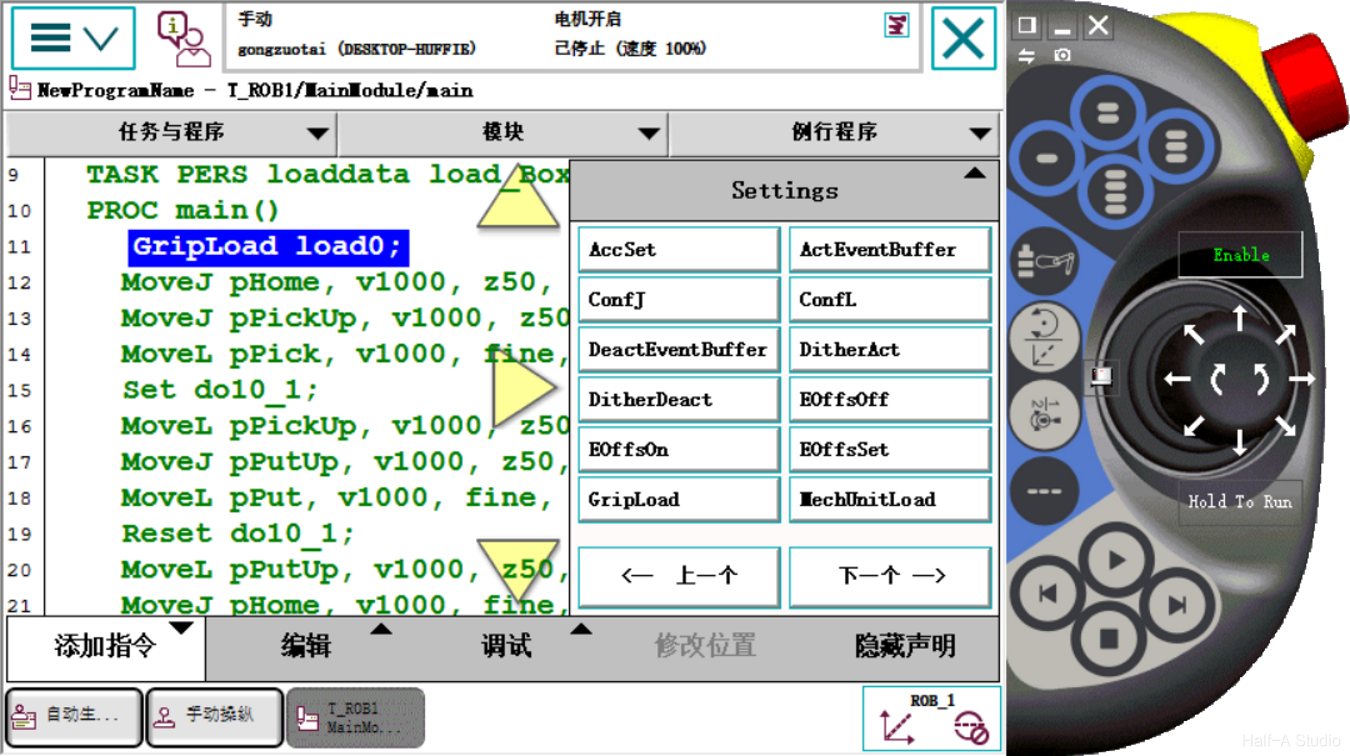
- After the gripper picks up the workpiece—that is, below the set dol0_1 statement—add another gripload statement and set the payload to load_Box. Similarly, after the gripper releases the workpiece, add another gripload statement and set the payload to load0.

Comments