1. Hierarchy
Open the main menu > Program to see the program name on the top line: T_ROB1/MainModule/main.
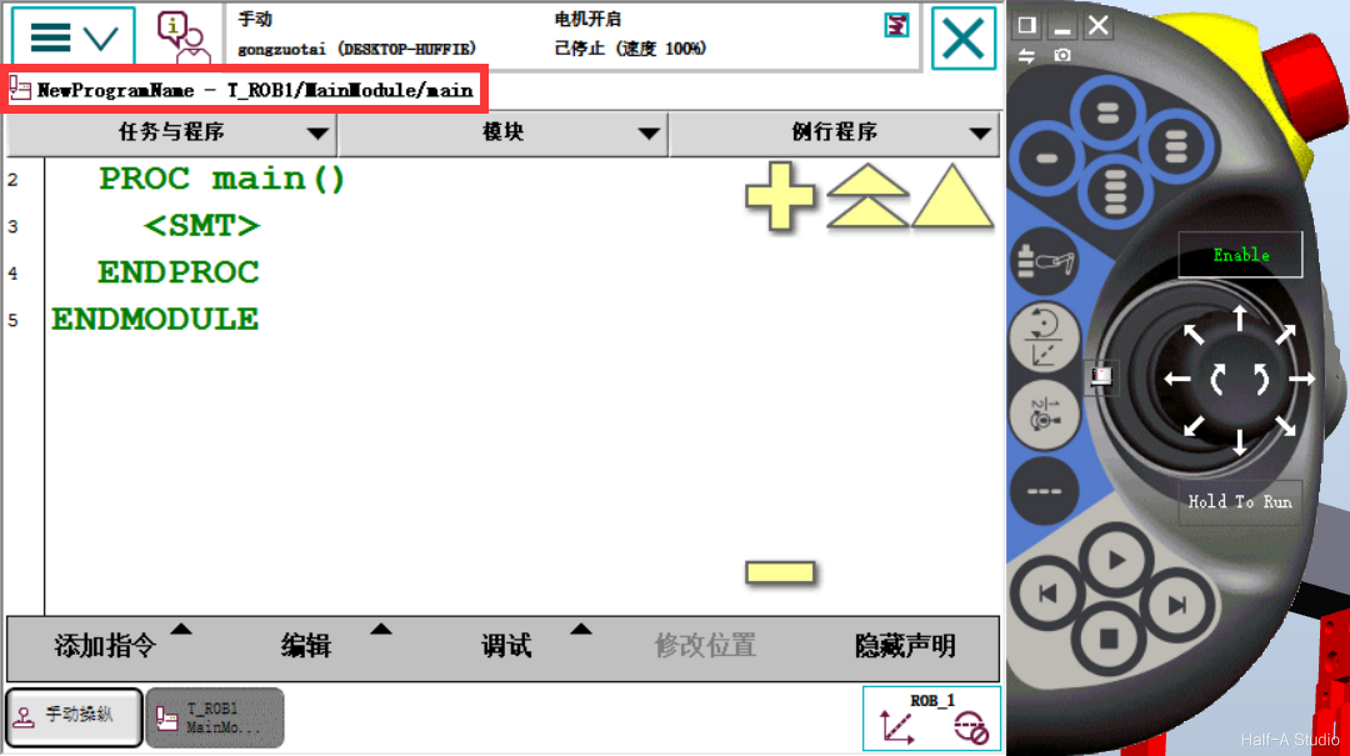 T_ROB1 is a task. You can choose one task for each mechanical unit—for example, if two robotic arms work together, ROB2 and others will appear.
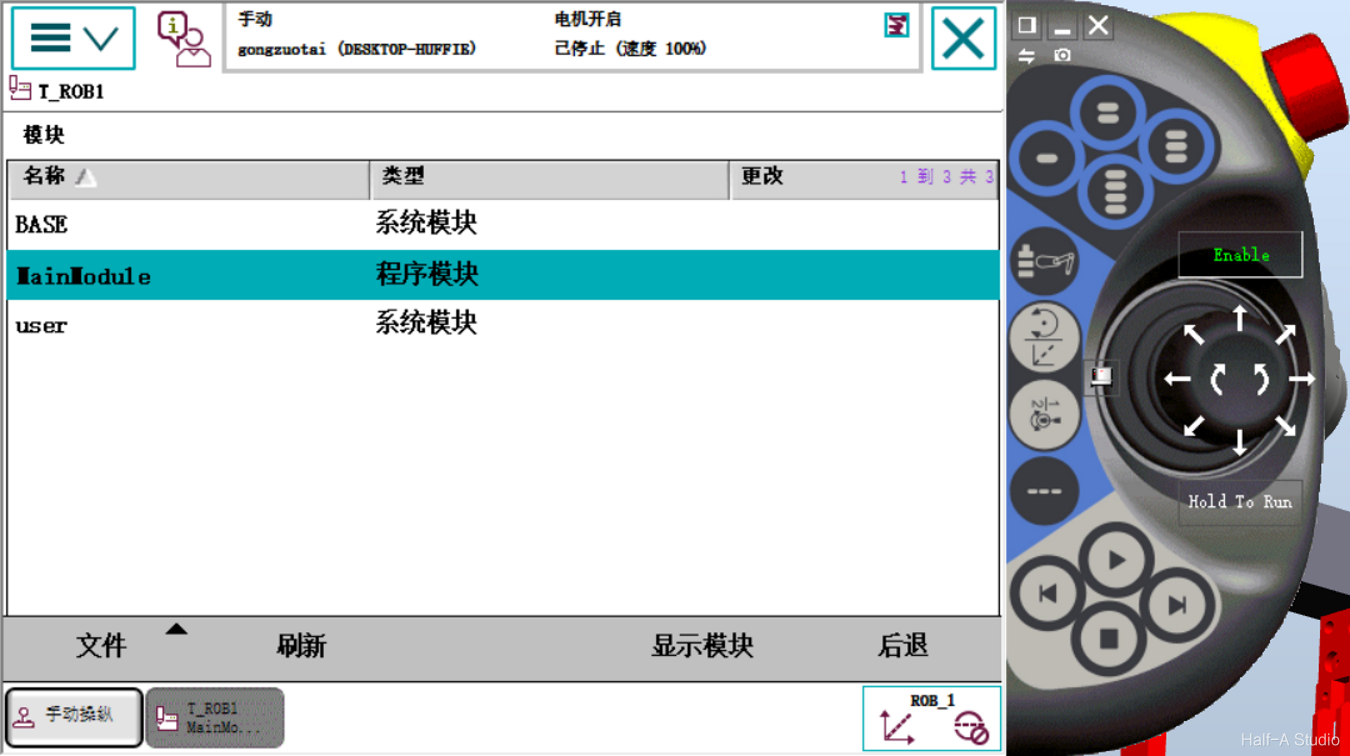
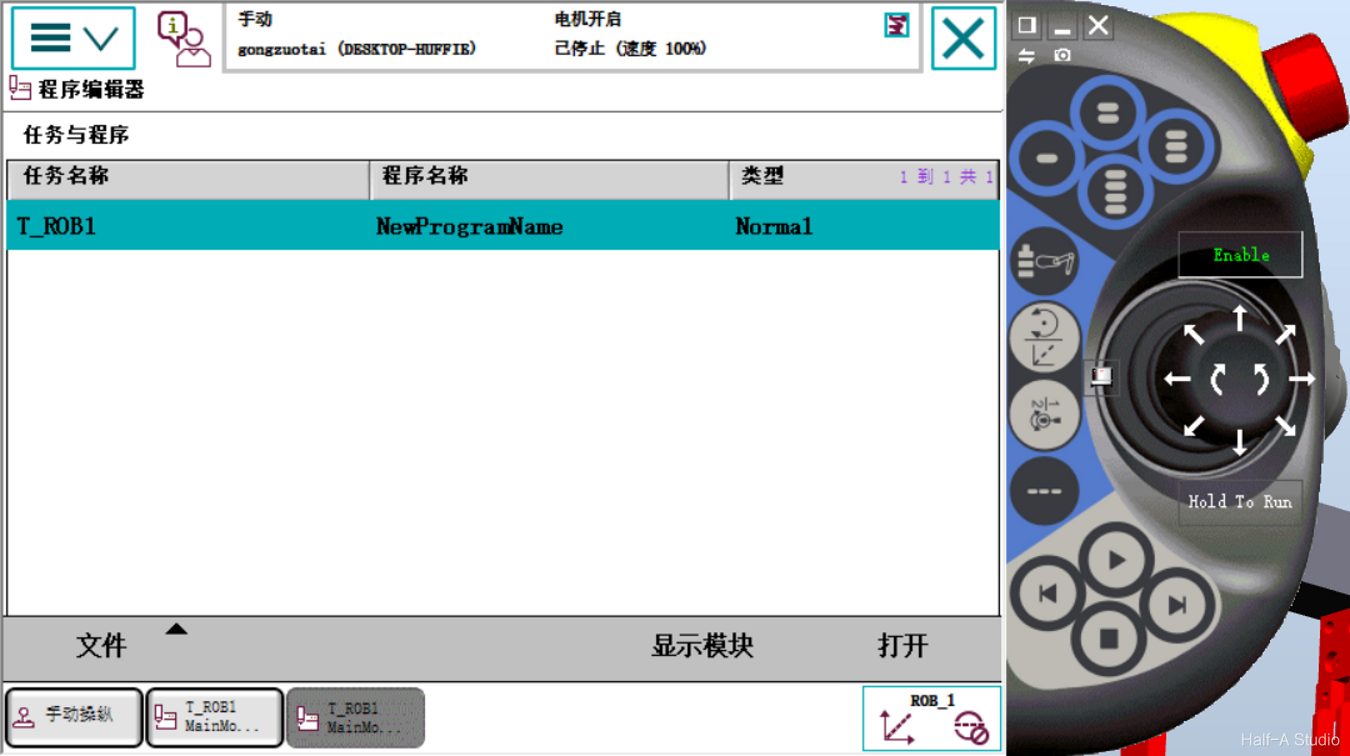 The second level is modules, divided into system modules and program modules. Modules split the robot’s required functions into separate modules. You can think of them as folders.
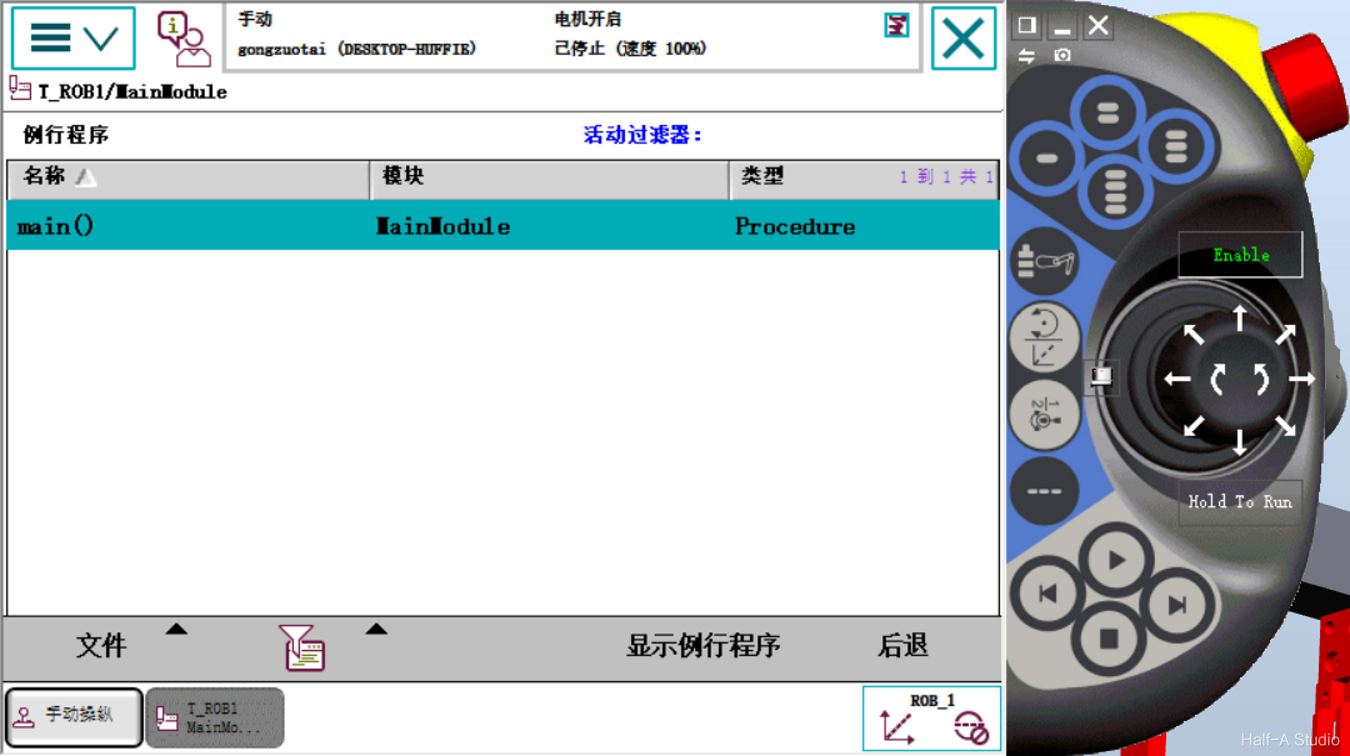
 The third level is routines—the programs the robot system actually executes.
 2. Creating a Program
Create a new module: click File > New Module.
2. Creating a Program
Create a new module: click File > New Module.
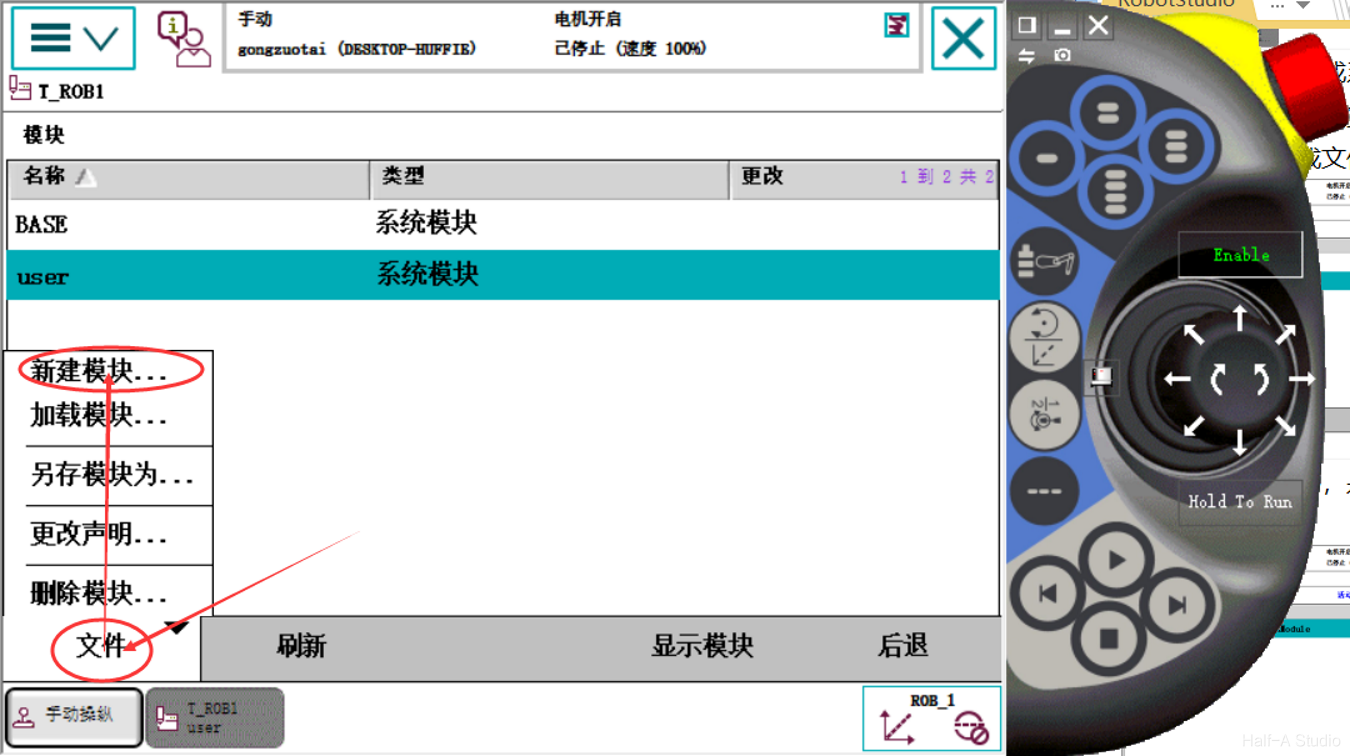
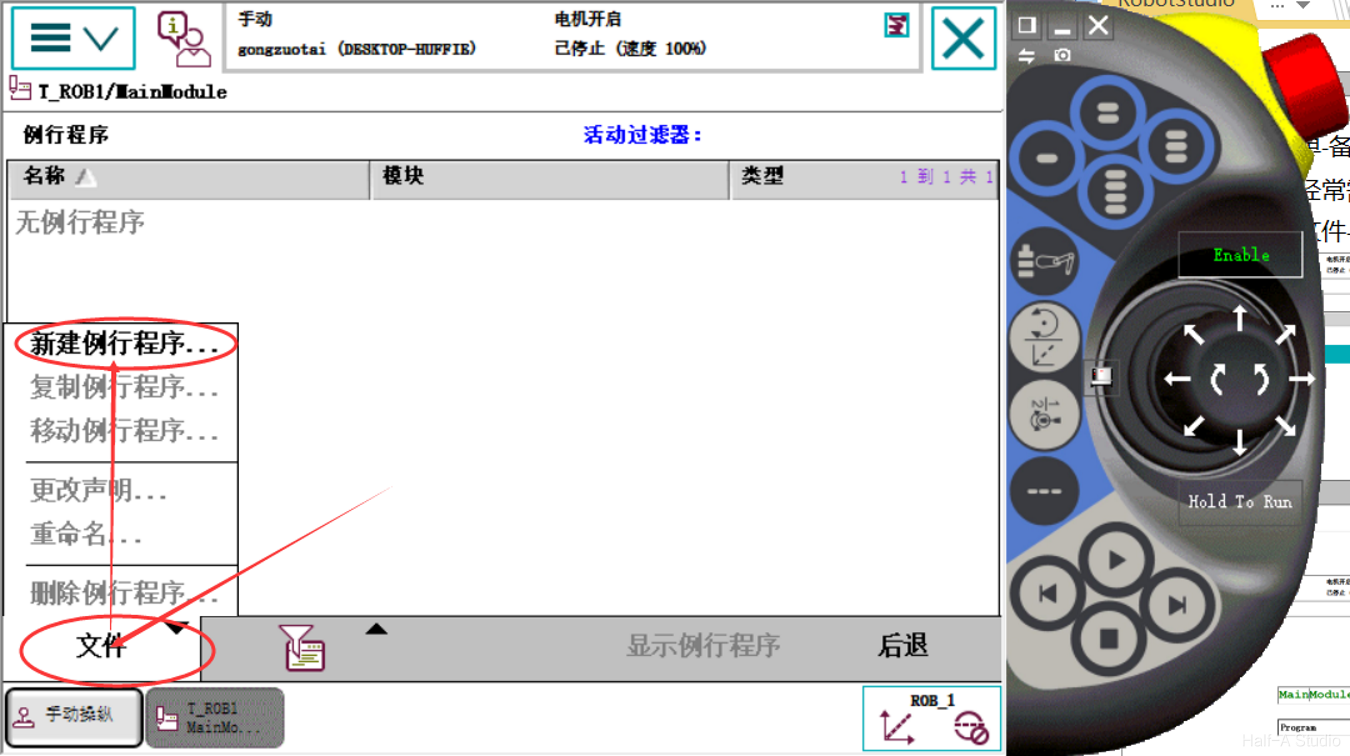
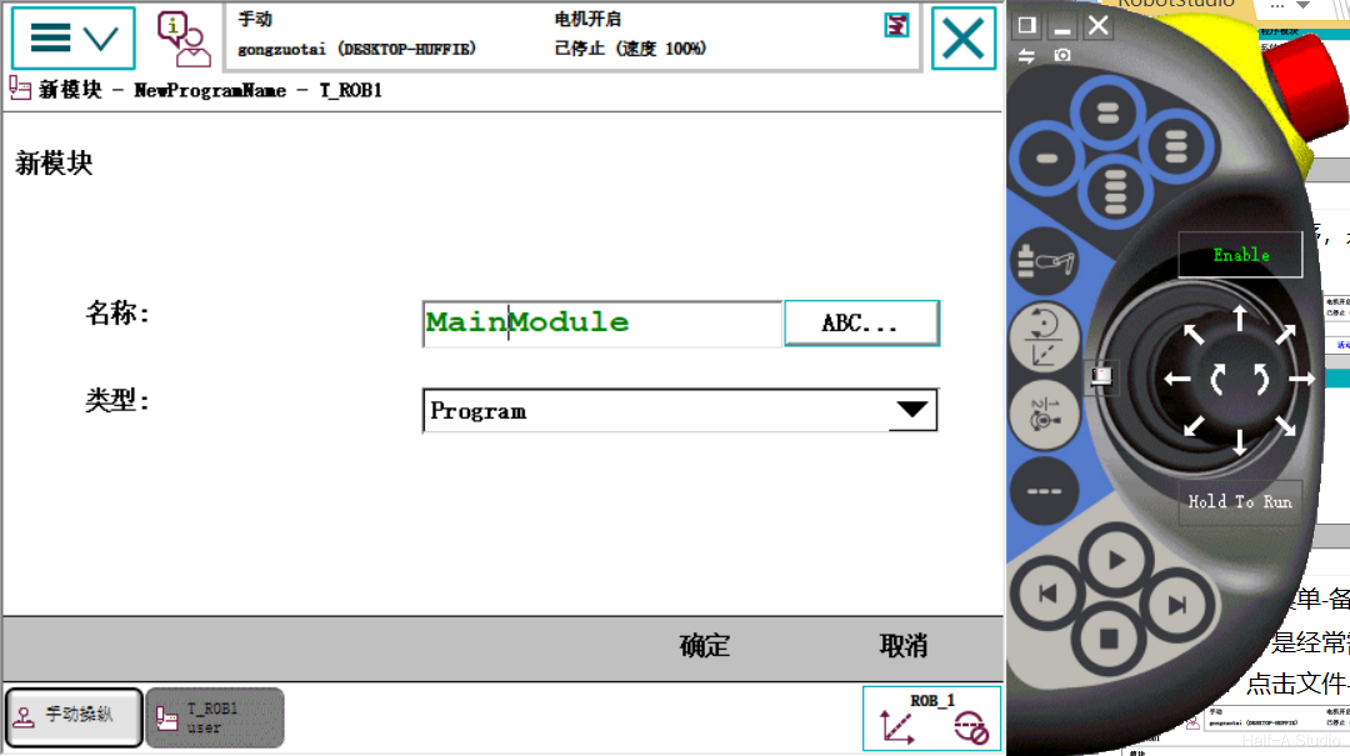 After opening the new module, you will see that it is only like a folder—there is no place to create a program yet. So we need to create a routine first. Click Routine in the upper-right corner, then File > New Routine.
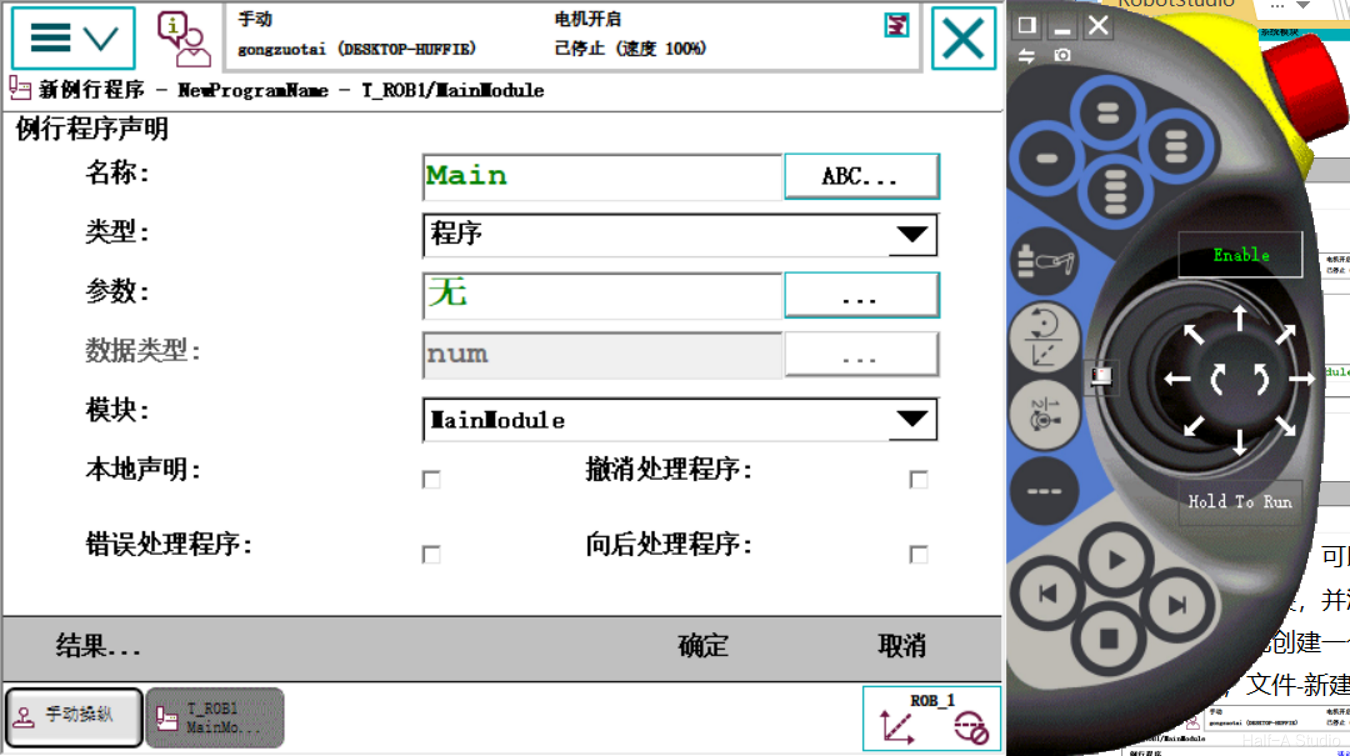 Click Show Routine to enter the program editor.
Record the current position by adding an instruction: Add Instruction > MoveJ.
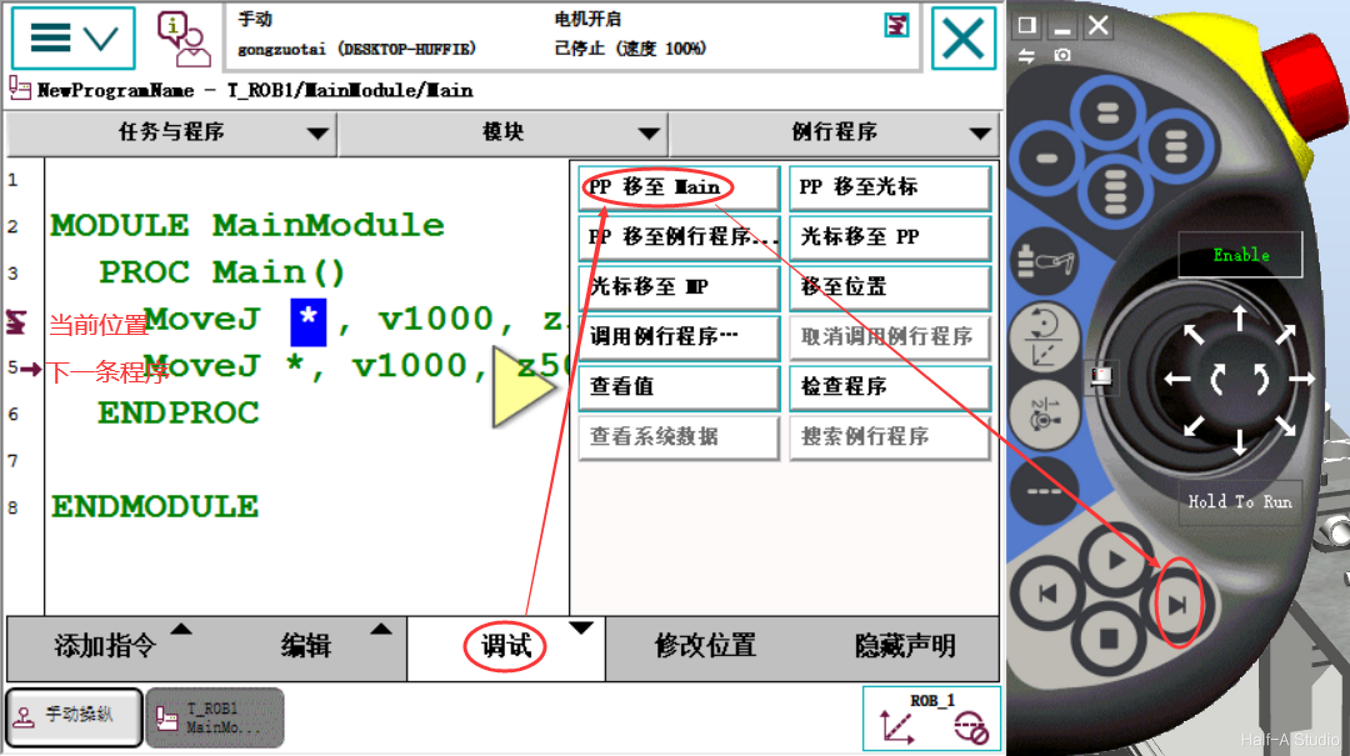
Move the robot to another position and add another MoveJ instruction. Click Debug > PP To Main, then click Step Forward on the right to see the robot move one step.
Click Show Routine to enter the program editor.
Record the current position by adding an instruction: Add Instruction > MoveJ.
Move the robot to another position and add another MoveJ instruction. Click Debug > PP To Main, then click Step Forward on the right to see the robot move one step.
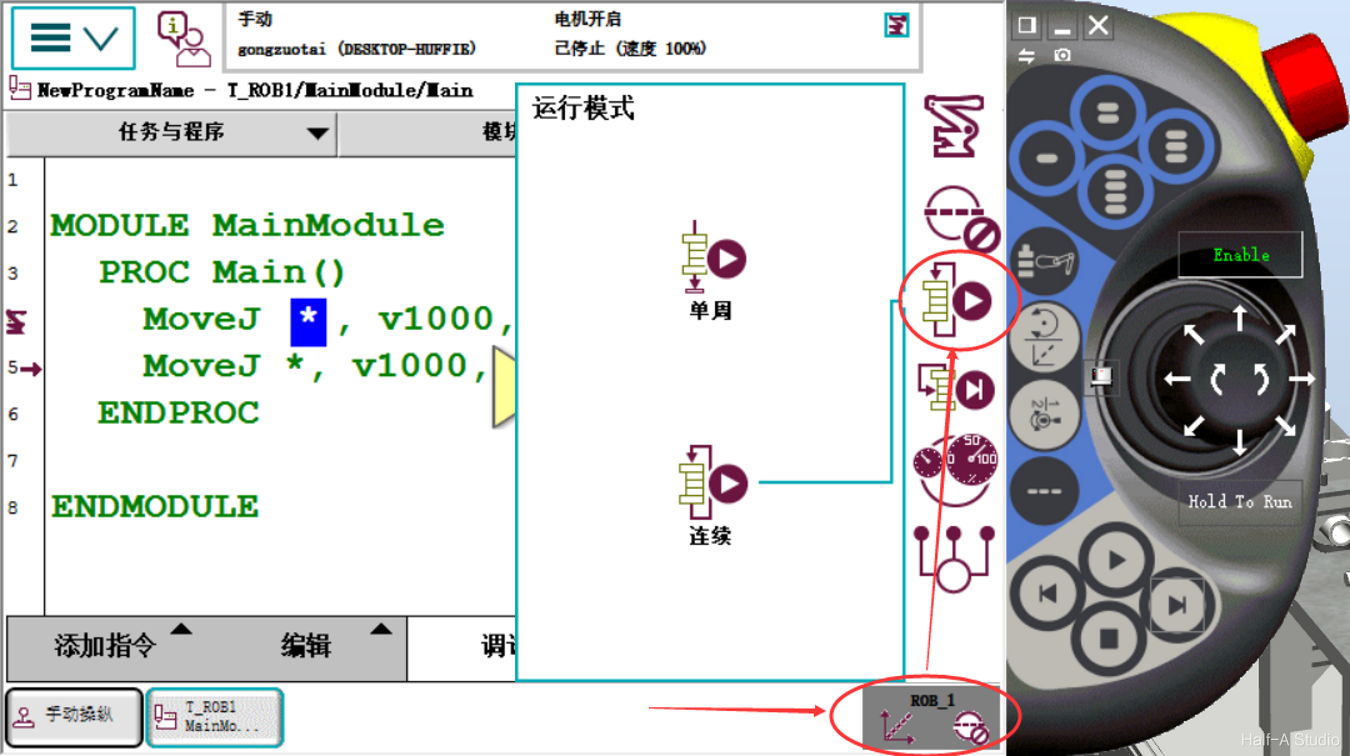
 You can also switch the program between single-cycle execution and continuous execution.
[RobotStudio Learning Notes] (III) Creating Programs
Comments