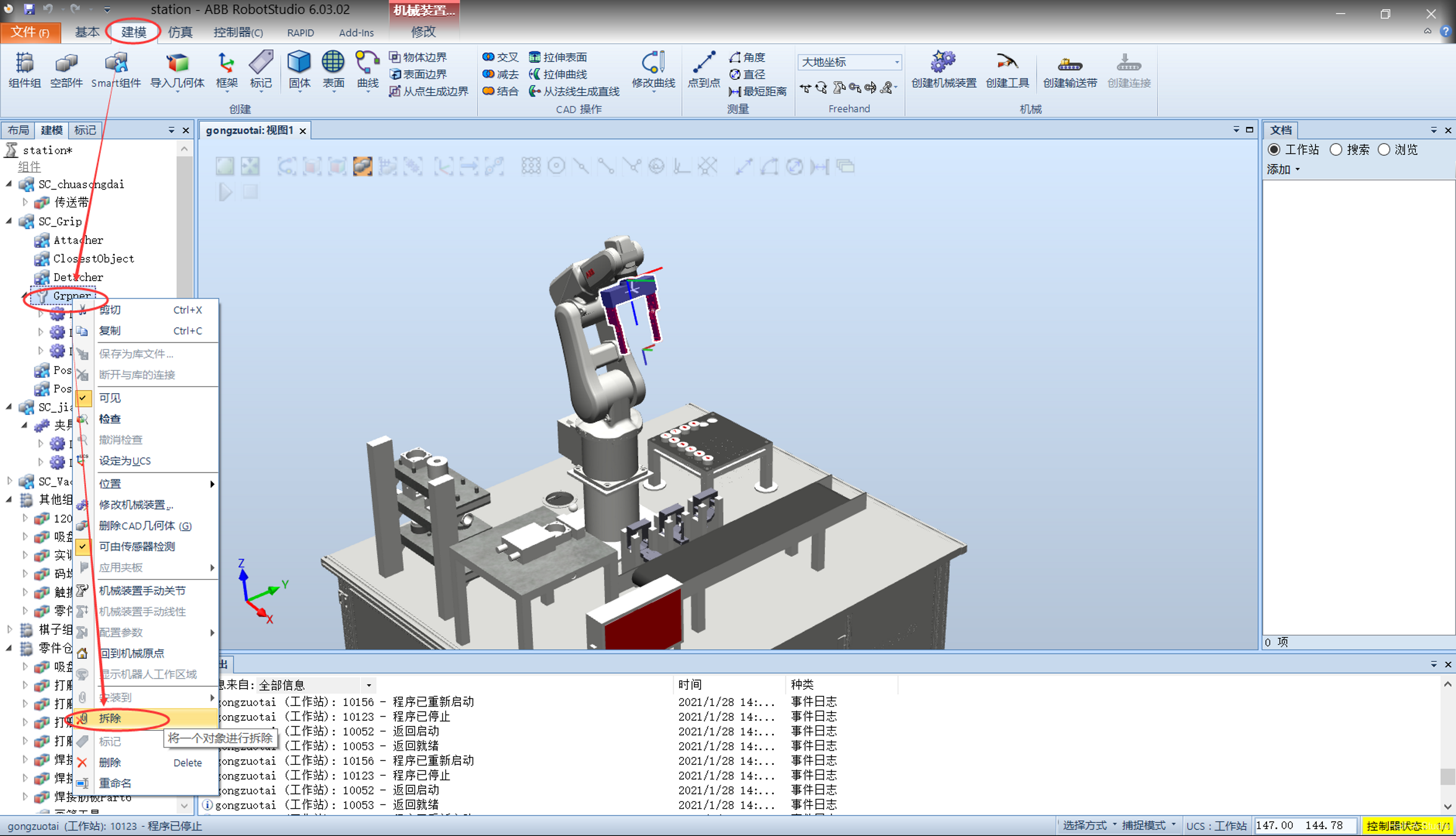
Remove the gripper and measure the coordinates at the gripper tip
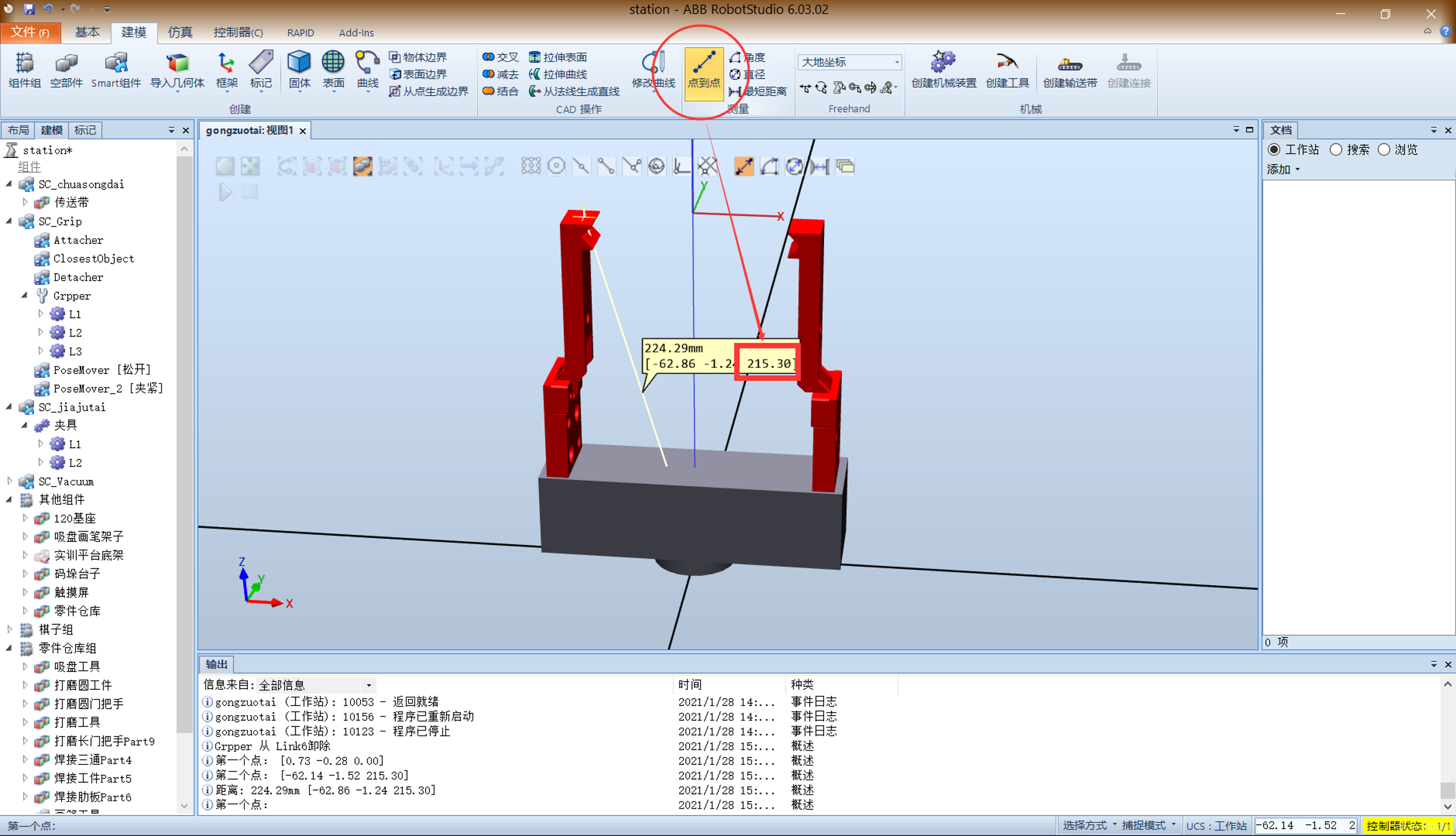
Click Modeling - Measure - Point to Point, select the gripper’s base and end faces, and record the resulting z-coordinate value
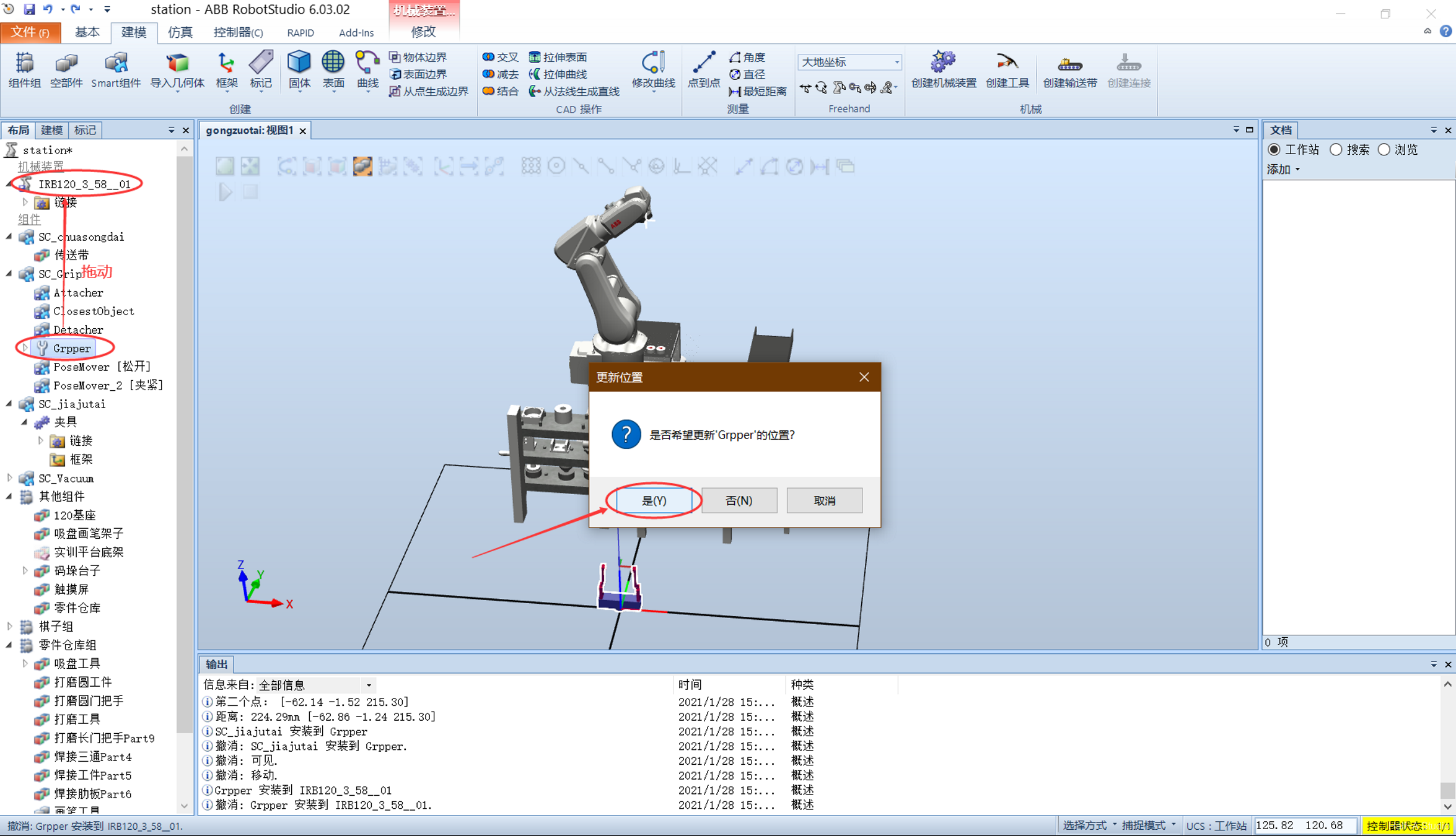
Reinstall the gripper on the end of the robot
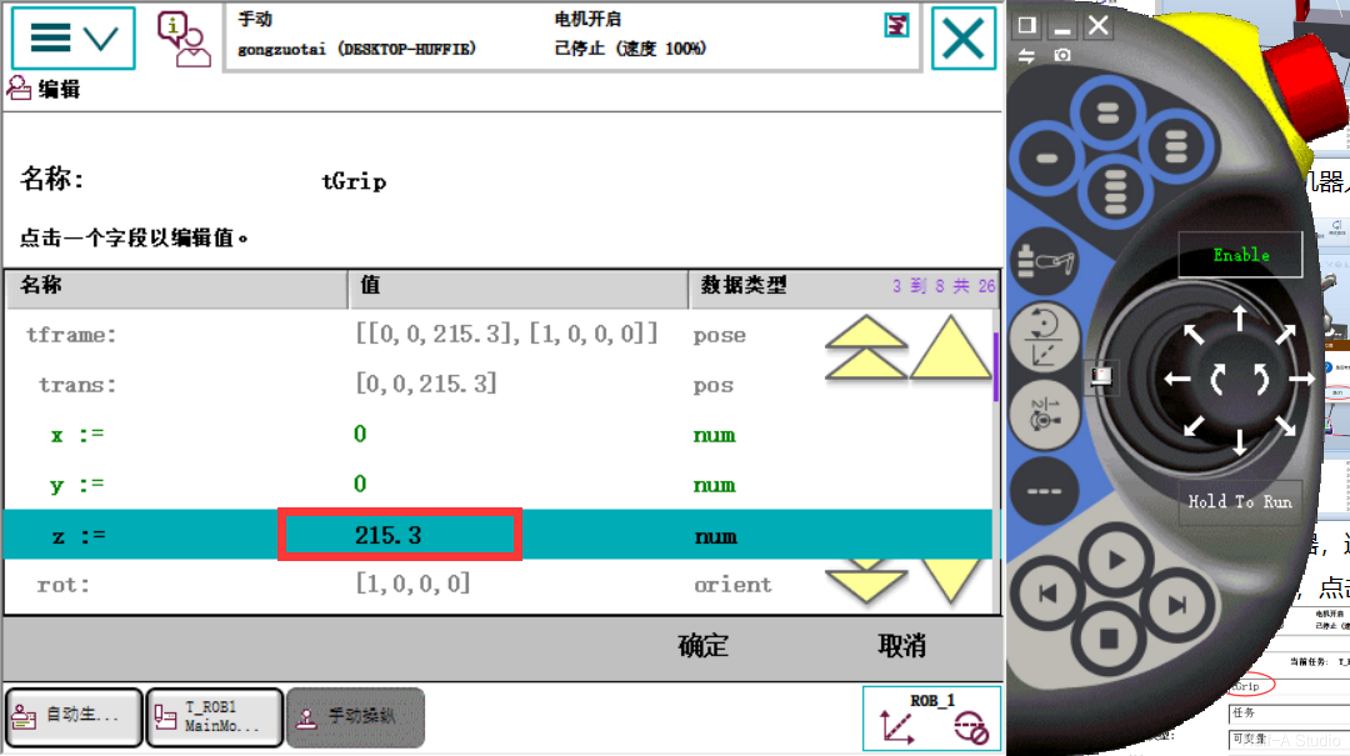
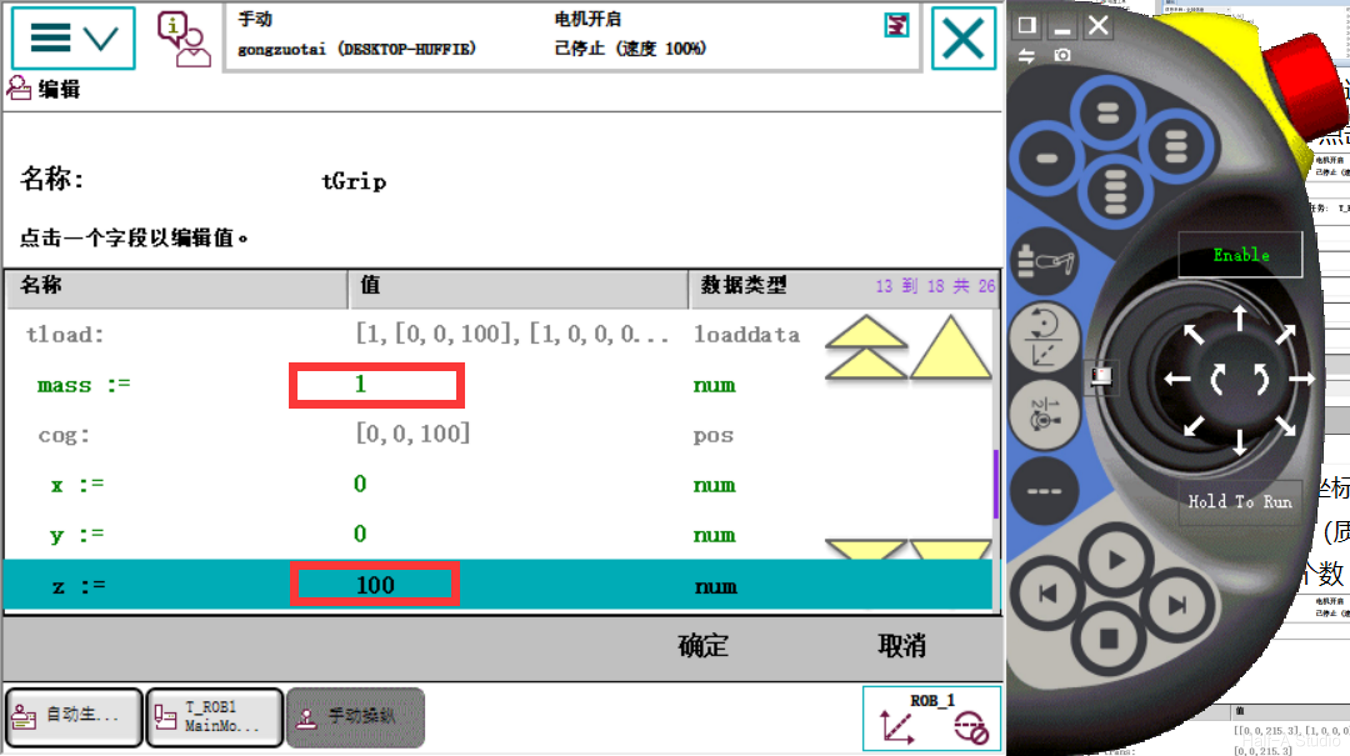
Open the Virtual FlexPendant, go to Manual Operation - Tool Coordinates - New, change the name, and click Initial Value in the lower-left corner
Set the first z (coordinate position) to the measured value, 215.30; set the mass parameter mass to 1; and enter an initial estimate for the second z (center-of-gravity position)
Verify the coordinates, set Motion Mode to Reorient, and set Tool Coordinates to the coordinates created above. Moving the joystick shows the robot rotating about the center point between the two gripper tips.

Comments