
Baidu Netdisk Link: https://pan.baidu.com/s/1kuIhOzStosHBI9BwOiSFgg?pwd=ww7z Extraction code: ww7z
- Extract the installation package and run as administrator【MDK528.exe】
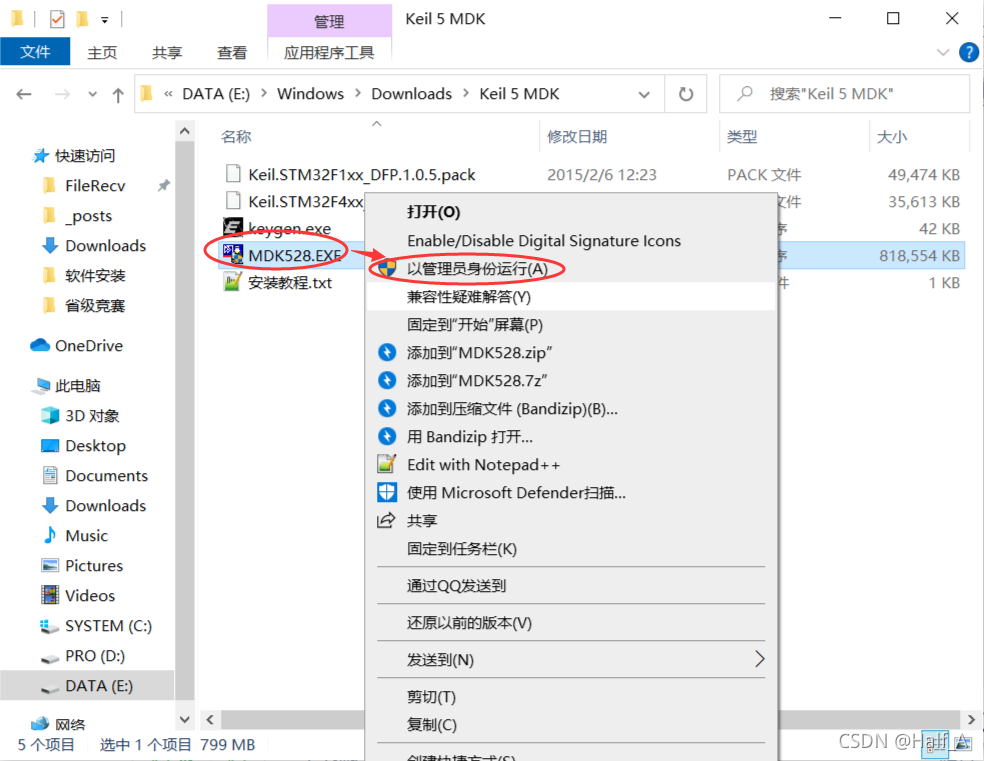
- Follow the steps to install it. I have included screenshots of every step below for reference.

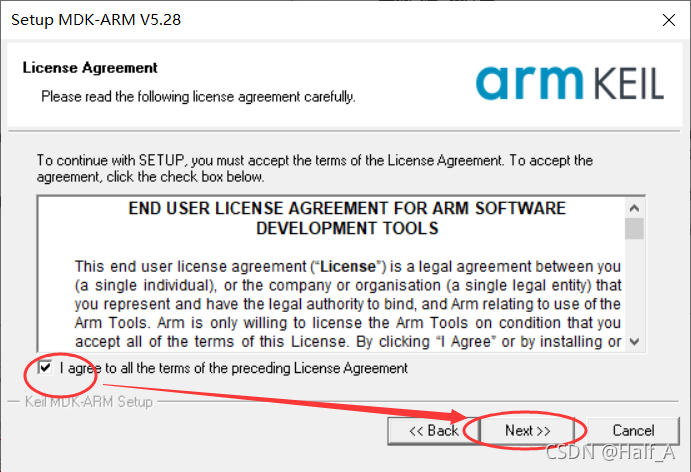
- Select the option to accept the user agreement, then click Next
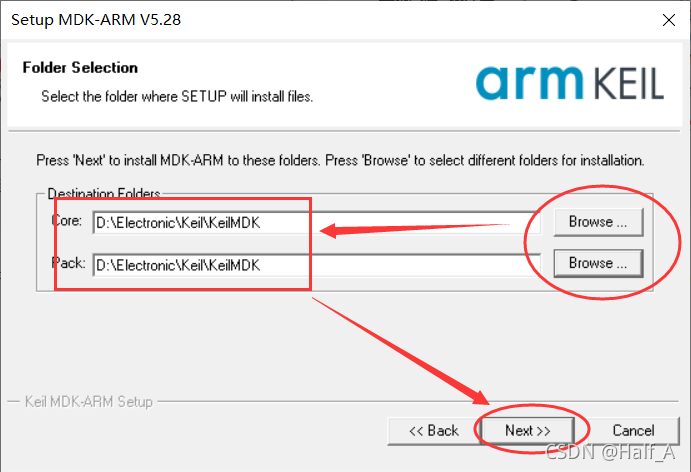
- Choose the installation location. Make sure it is in a different folder from the Keil C51 version
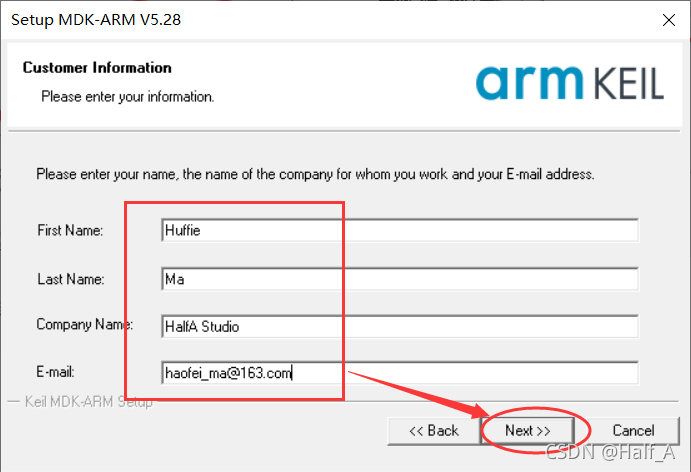
- Enter any information you like
- Wait for the installation to finish. It takes about 1 minute
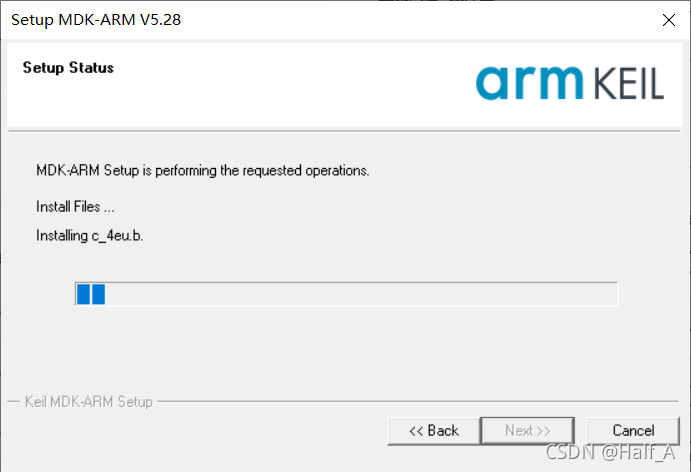
- If you are prompted to install a driver during the installation, be sure to install it

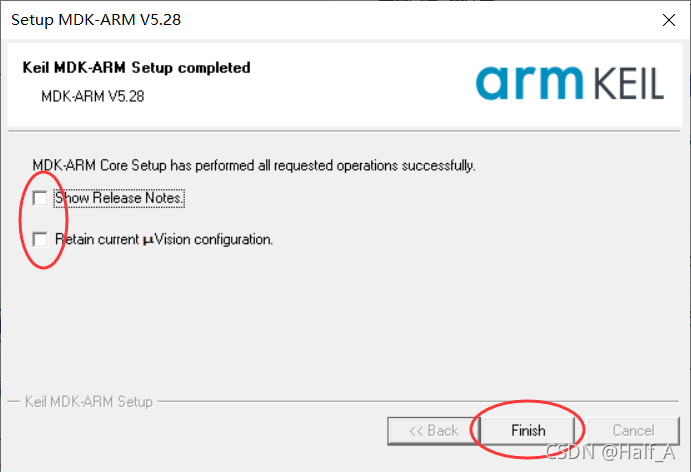
- There is no need to view the new features. Just proceed and click Finish to complete the installation.
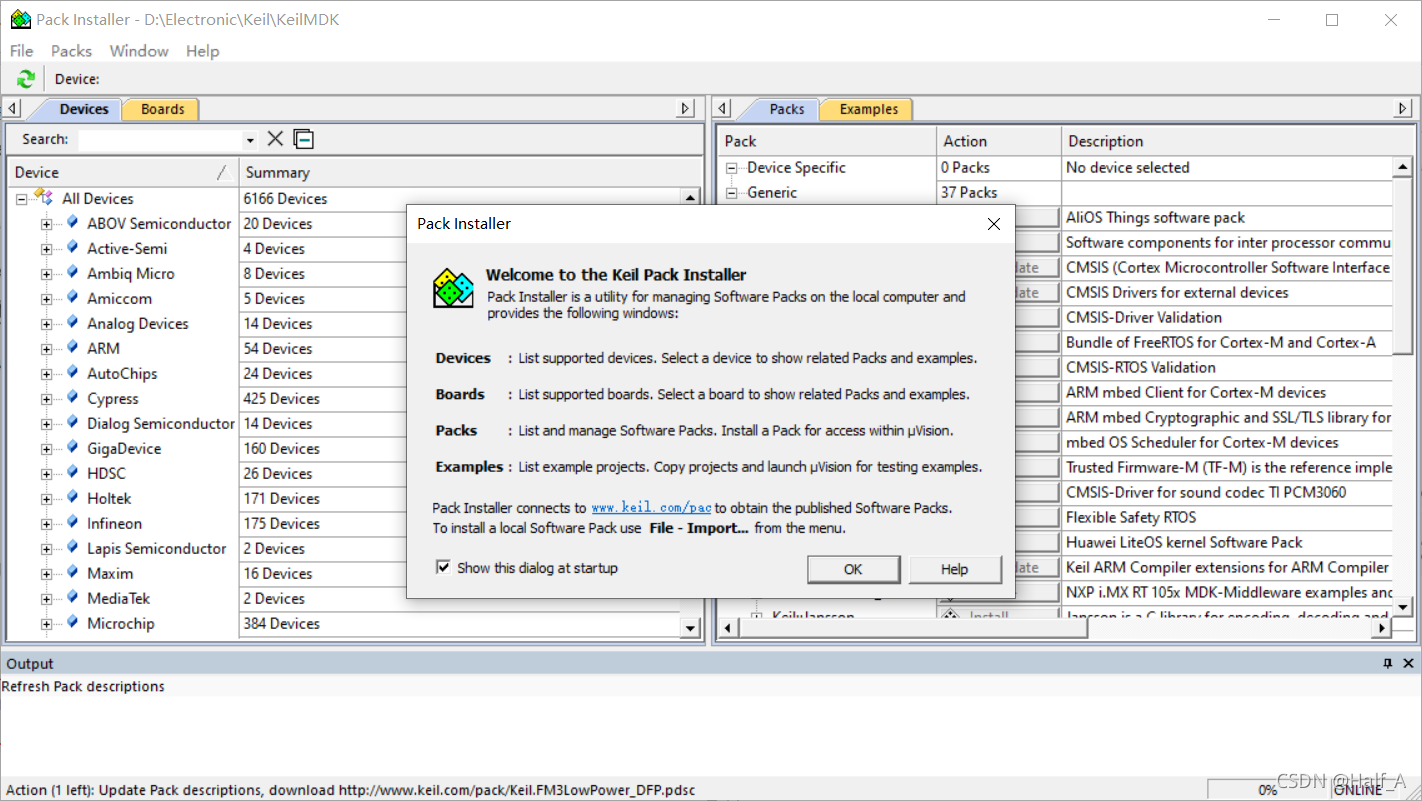
- When the package installation screen below appears, simply close it. We will install the packages manually later, which is much faster
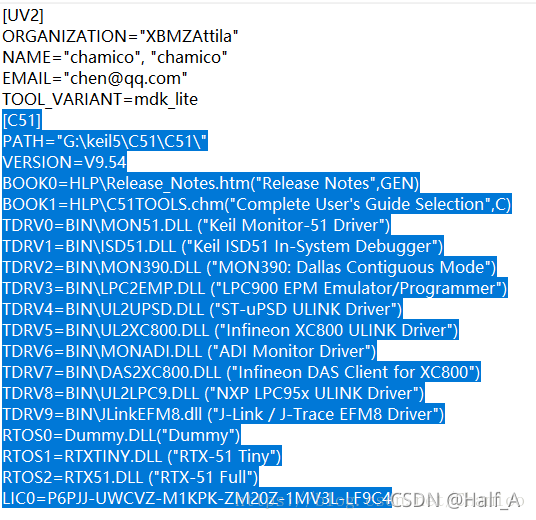
If you previously installed the Keil51 version and want both versions to coexist, add the following steps. If you are installing only the Keil MDK edition, skip this section.
Open the C51 installation path and locate the TOOLS.INI file
Open【TOOLS.INI】in Notepad and copy [C51] and all the content below it
Paste it at the end of the TOOLS.INI file in the MDK-ARM installation directory, then save and close the file.
-
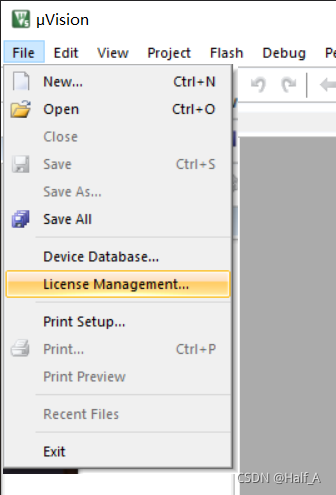
Find the【Keil 5】shortcut on the desktop, right-click it, and run it as administrator. Then open the【File -> License Management】tab.
-
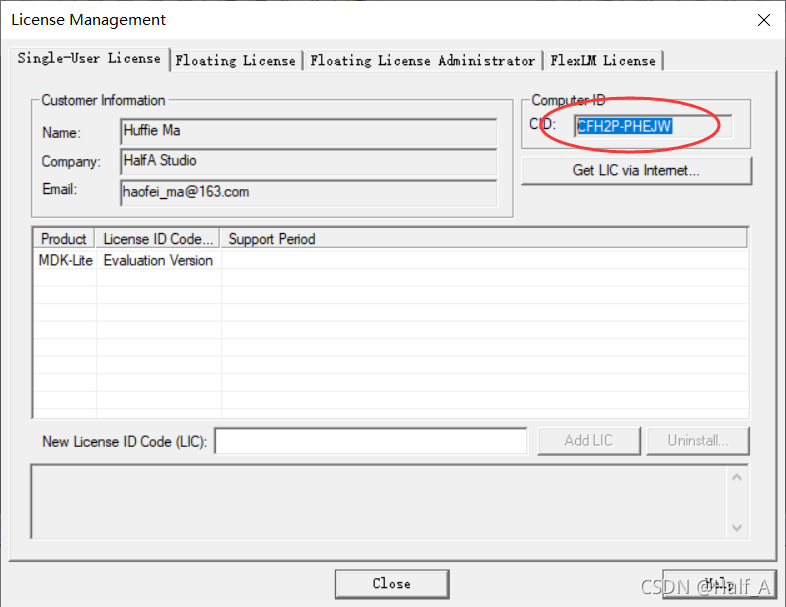
Copy the CID in the upper-right corner
-
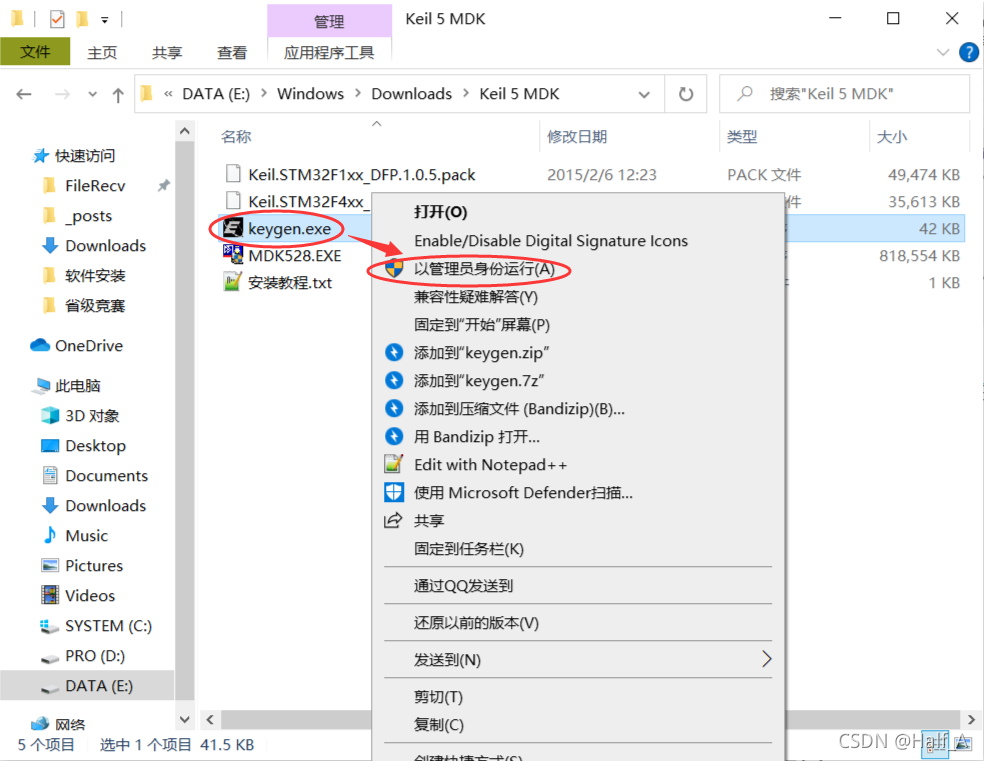
Open the extracted installation package, locate【keygen.exe】, right-click it, and run it as administrator
-
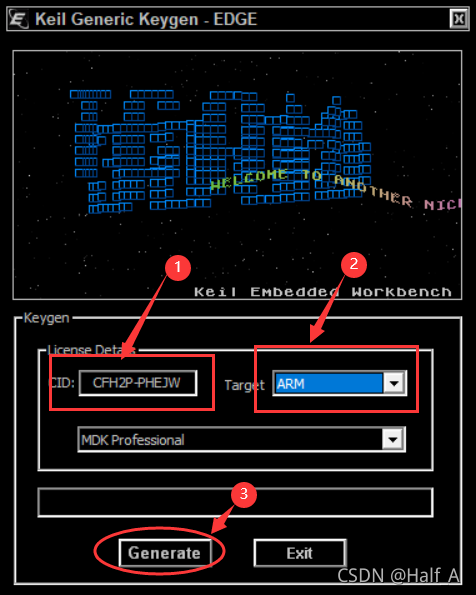
Paste CID into the corresponding input field, select ARM for target, then click Generate to create an activation code.
-
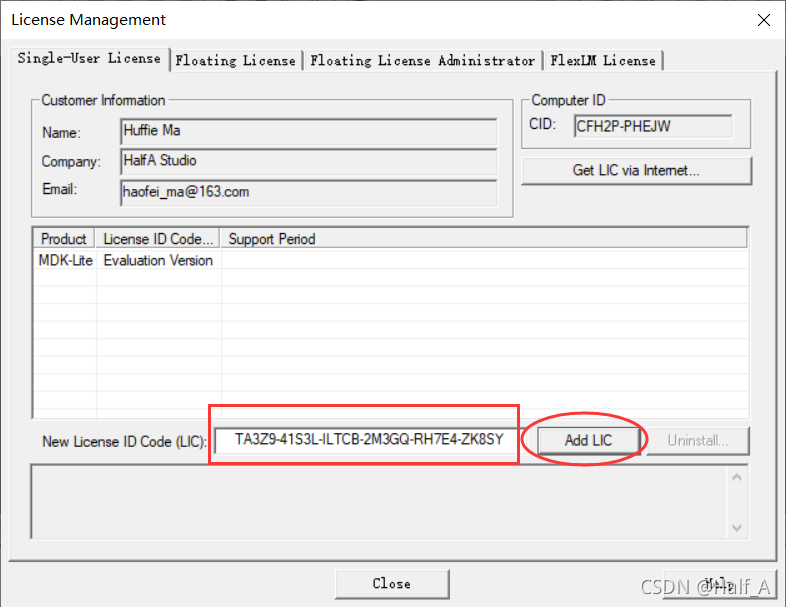
Copy the generated activation code and return to the【License Management】dialog box in Keil. Paste the activation code into LIC at the bottom, then click Add LIC to activate it successfully. (The software will still work after the activation date has passed.)
-
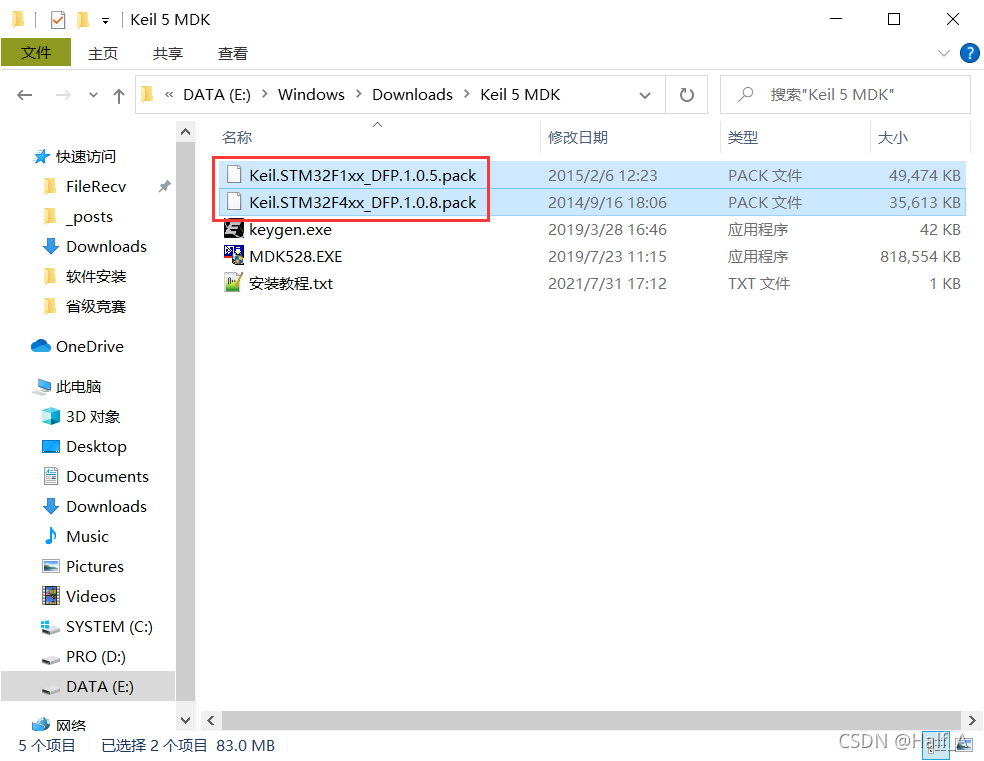
Install the remaining two library files by double-clicking them. (The two library files correspond to STM32F1 and F4 chips, respectively.)
-
The installation is now complete, and the software is ready to use.

Comments