LabVIEW Study Notes: LabVIEW Study Notes (I): Basic Introduction LabVIEW Study Notes (II): Filter Experiment LabVIEW Study Notes (III): Basic Controls LabVIEW Study Notes (IV): Dynamic Data Types LabVIEW Study Notes (V): Comprehensive Data Type Experiment LabVIEW Study Notes (VI): While Loops and For Loops LabVIEW Study Notes (VII): Variables and Shift Registers LabVIEW Study Notes (VIII): Property Nodes LabVIEW Study Notes (IX): Arrays and Clusters LabVIEW Study Notes (X): Case Structures Other Experiment Records
Introduction to the Dynamic Data Type
- In LabVIEW, the dynamic data type is shown in dark blue
- Only Express VI can produce and receive ExpressVI (to process the dynamic data type with a built-in VI or function, first convert the data type; when wiring, dynamic data is generally converted automatically)
- Converting the dynamic data type
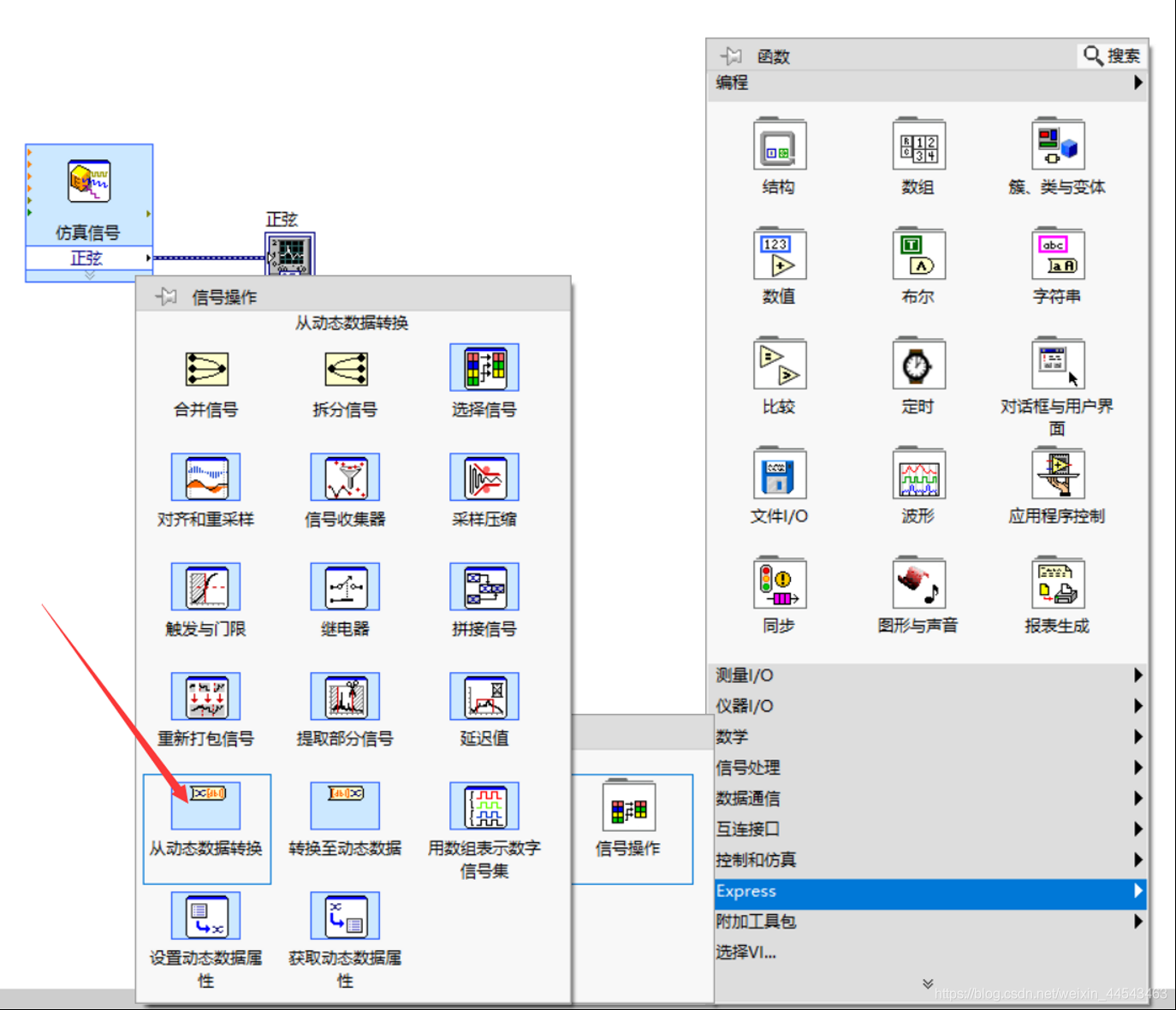
- Convert from the dynamic data type: Place the “Convert from Dynamic Data” Express VI on the block diagram and configure the data type to convert to
- Convert to the dynamic data type: Place the “Convert to Dynamic Data” ExpressVI on the block diagram
- Getting and setting dynamic data
- Use the Get Dynamic Data ExpressVI to retrieve the properties of dynamic data
- Use the Set Dynamic Data Attributes ExpressVI to set the properties of dynamic data, such as the signal name, timestamp, and time mode
Experiment: Waveform Display and Data Acquisition
- Main objective: Simulate a signal input, display the waveform on a waveform graph, and obtain the sampled data, sampling time, and signal name
- Procedure
(1) Add and configure a simulated signal
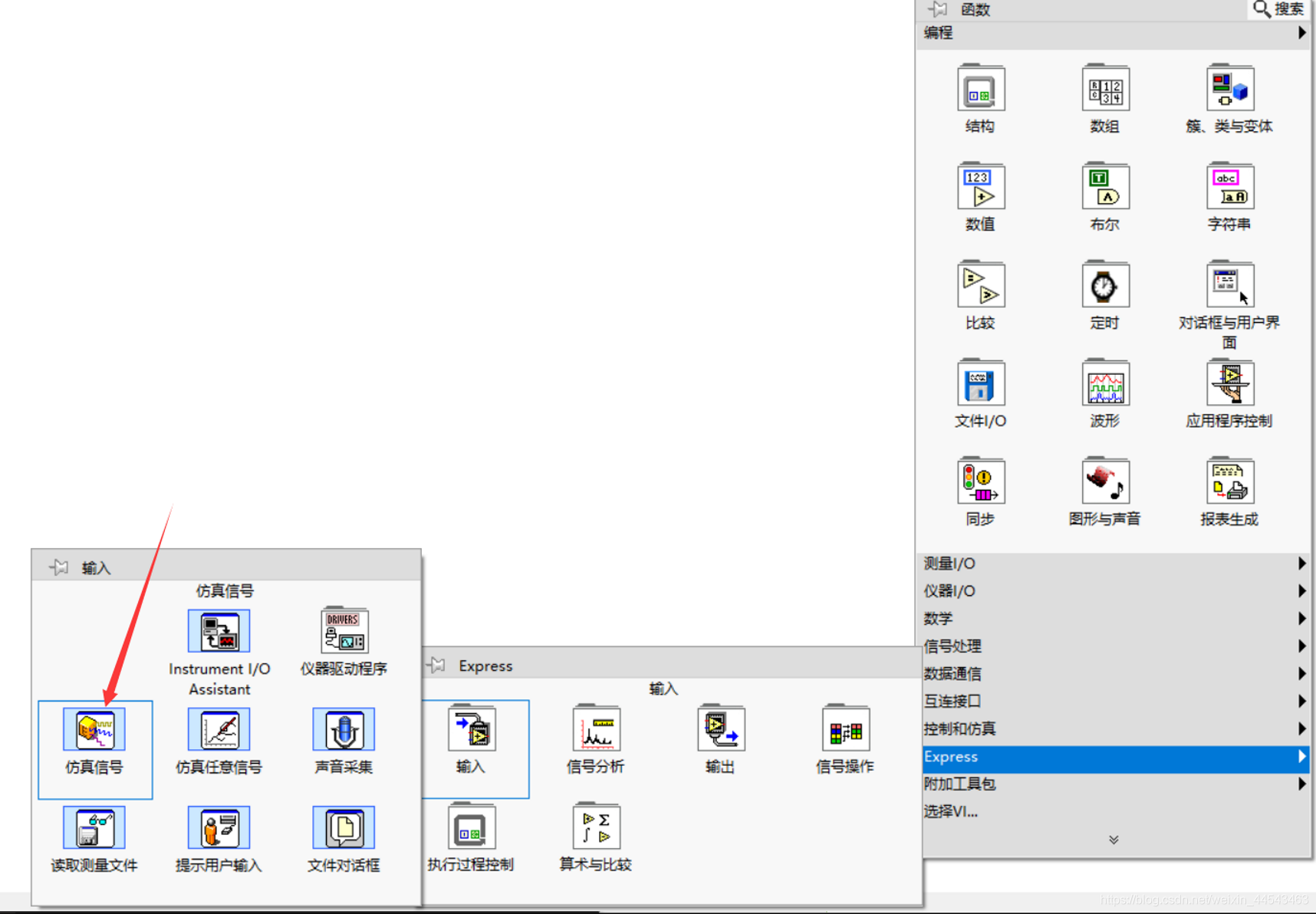
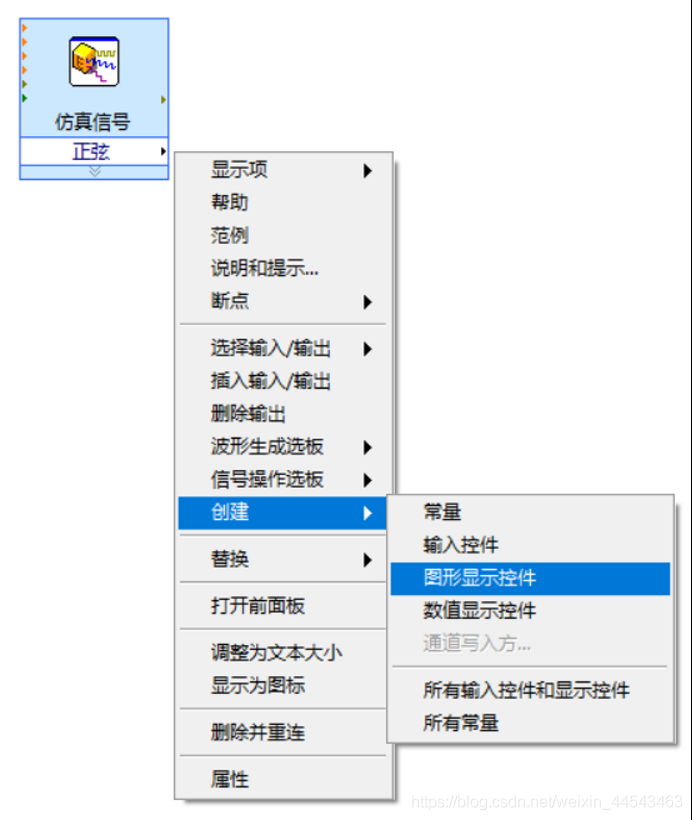
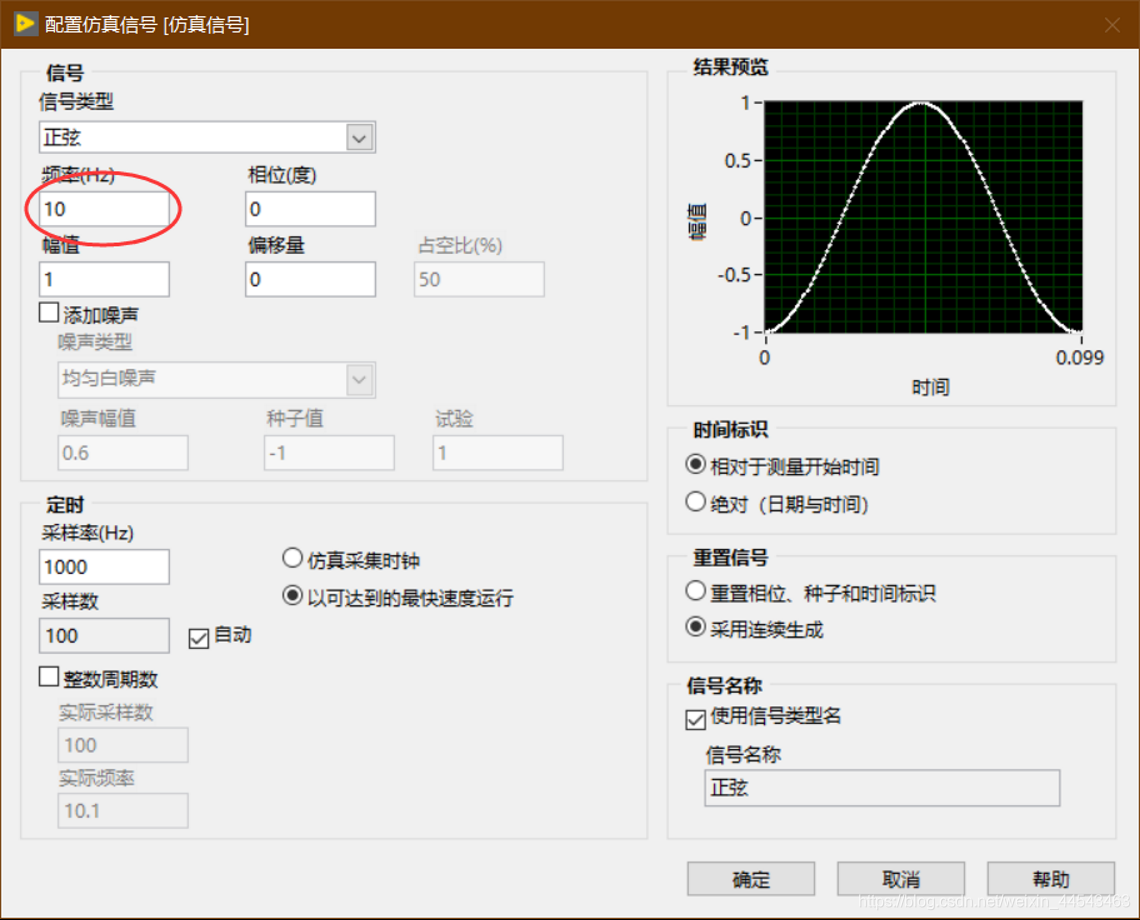 (2) Create a graphical display control (oscilloscope) to display the output waveform
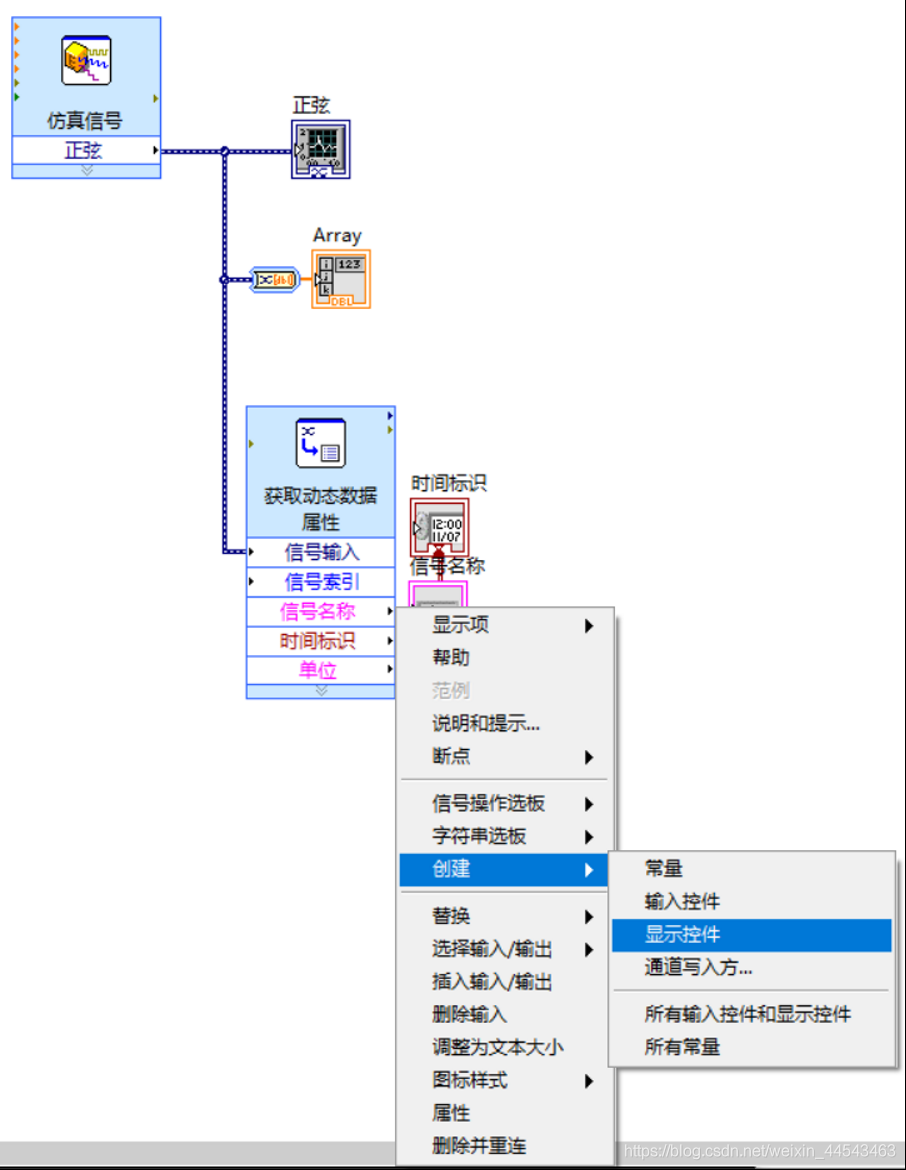
 (3) Obtain and display the signal data
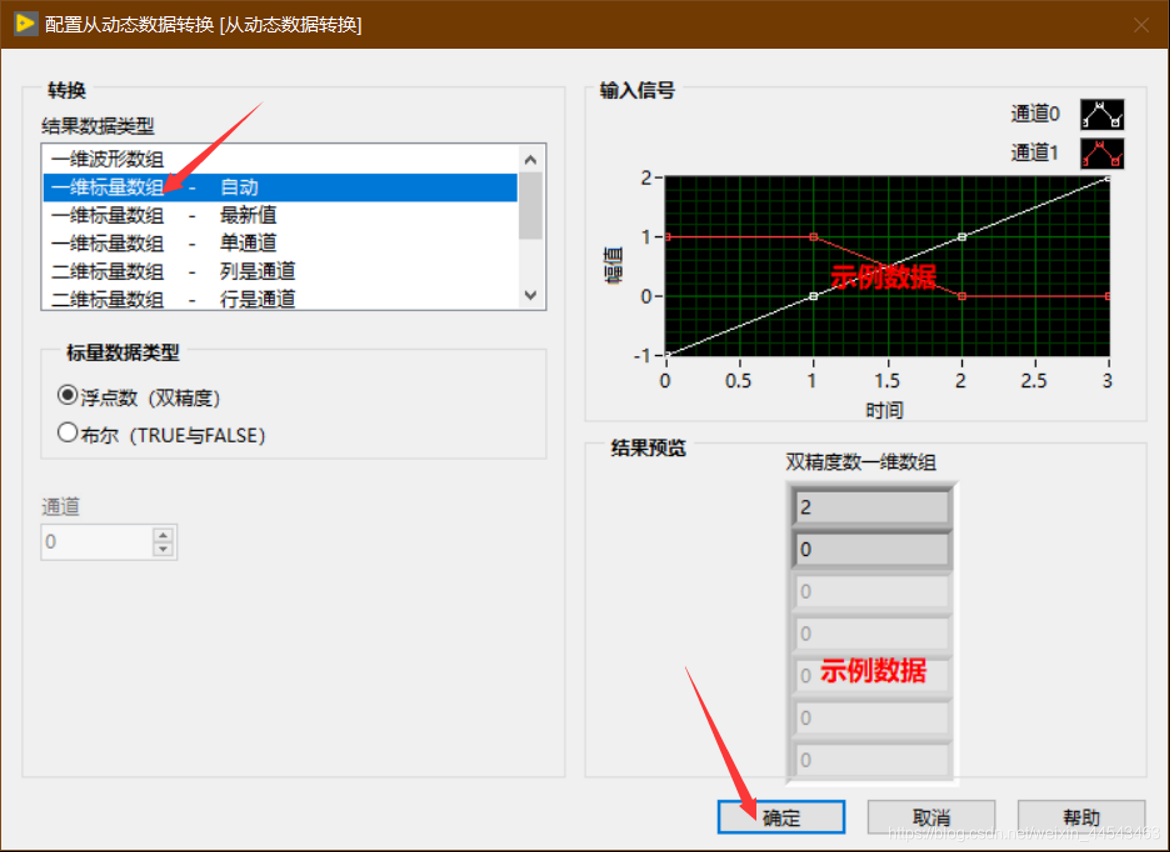
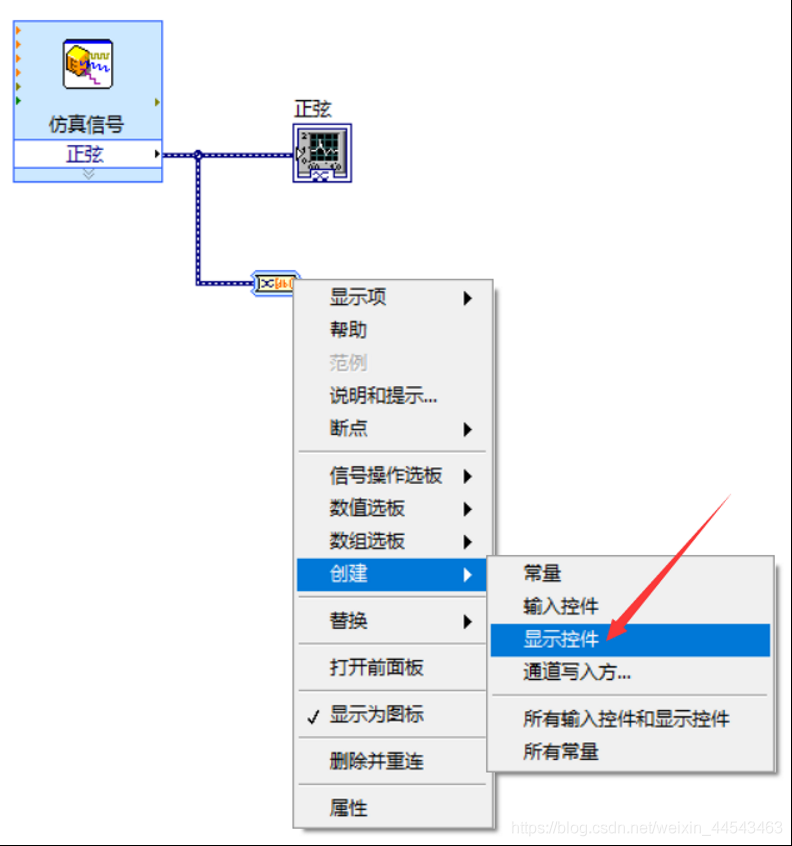 (4) Obtain and display the signal properties
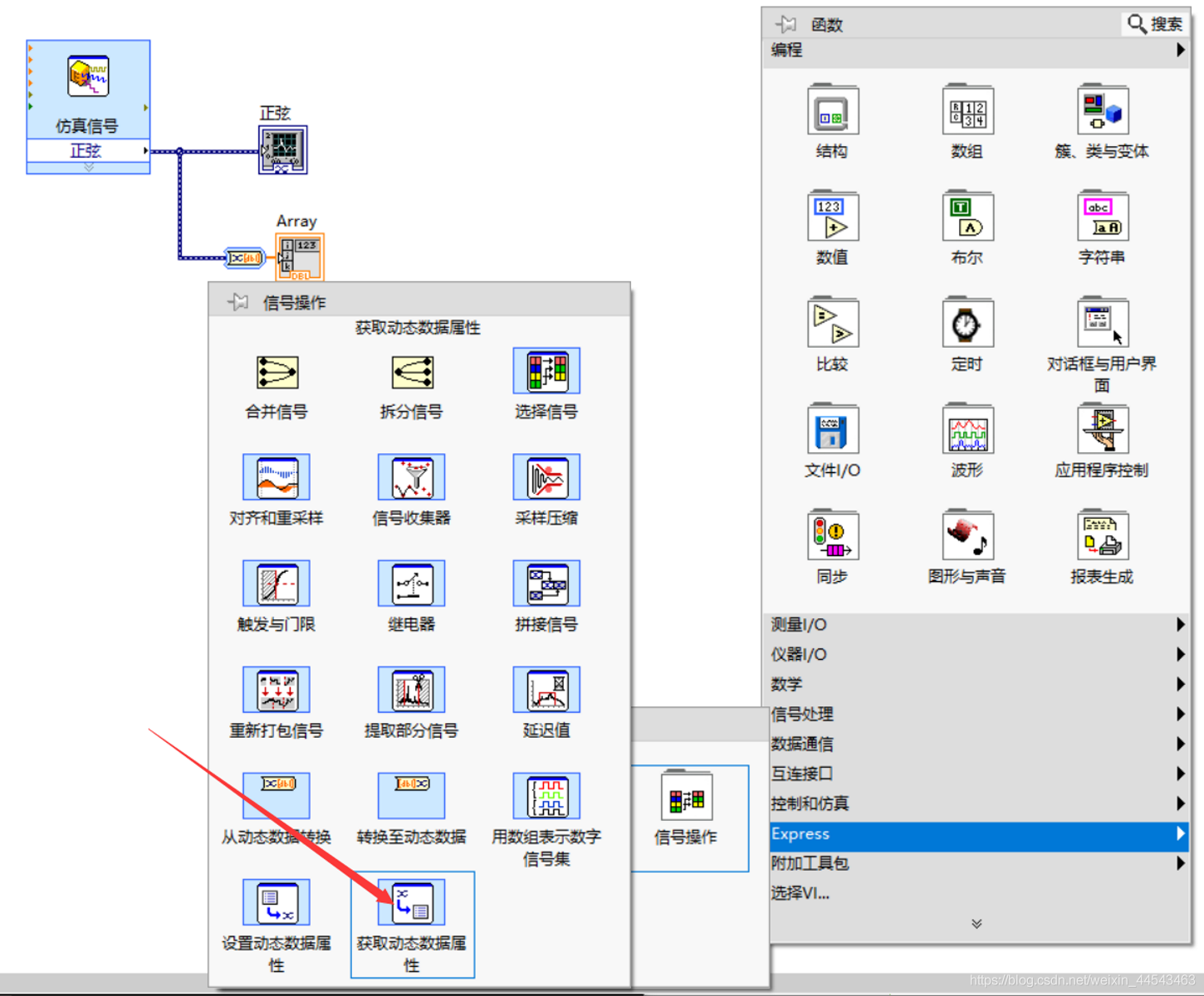
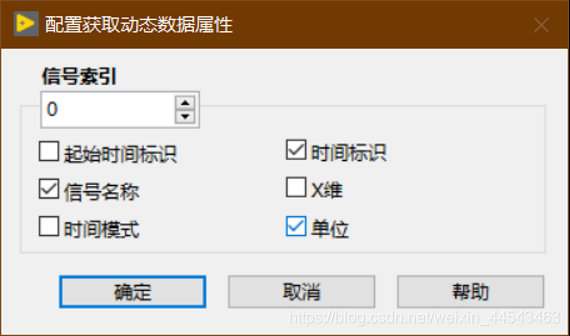
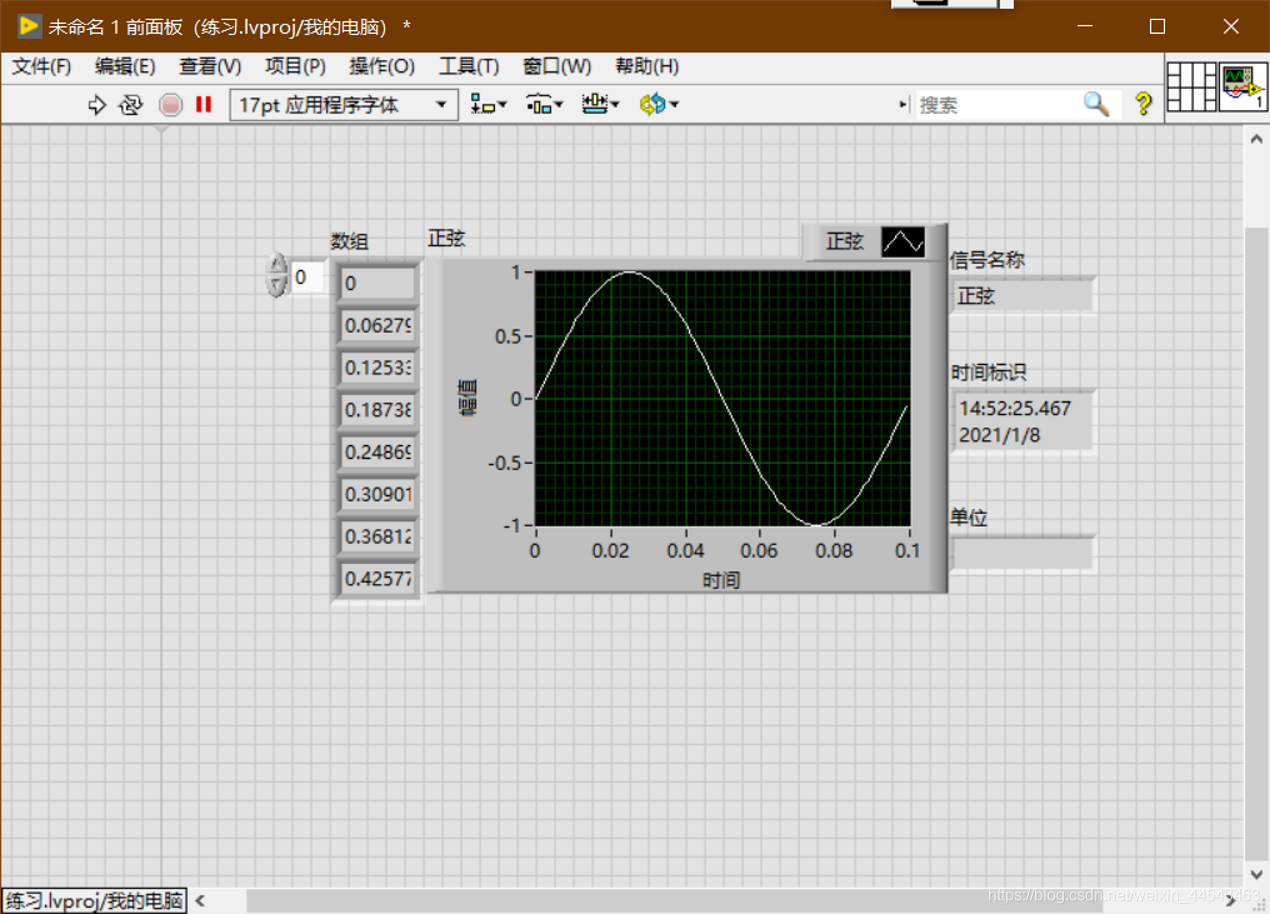
 (5) Run the program and view the results
Comments