LabVIEW Study Notes: LabVIEW Study Notes (I): Basic Introduction LabVIEW Study Notes (II): Filter Experiment LabVIEW Study Notes (III): Basic Controls LabVIEW Study Notes (IV): Dynamic Data Type LabVIEW Study Notes (V): Comprehensive Data Type Experiment LabVIEW Study Notes (VI): While Loops and For Loops LabVIEW Study Notes (VII): Variables and Shift Registers LabVIEW Study Notes (VIII): Property Nodes LabVIEW Study Notes (IX): Arrays and Clusters LabVIEW Study Notes (X): Case Structures Other Experiment Notes
While Loop (Image Slideshow Program)
Experiment: Create a slideshow that cycles through three images.
- Insert a picture ring and import n images.

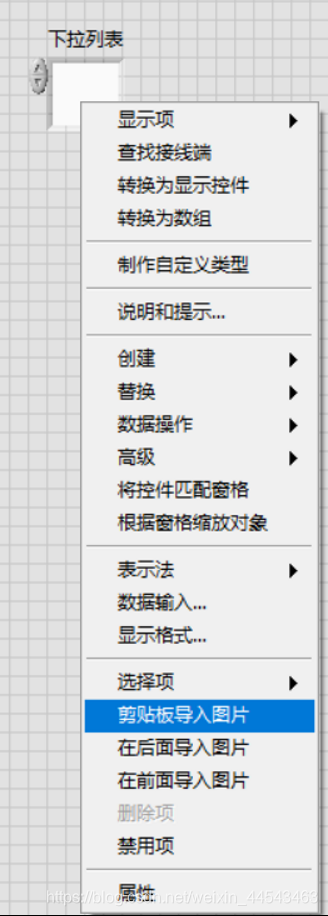
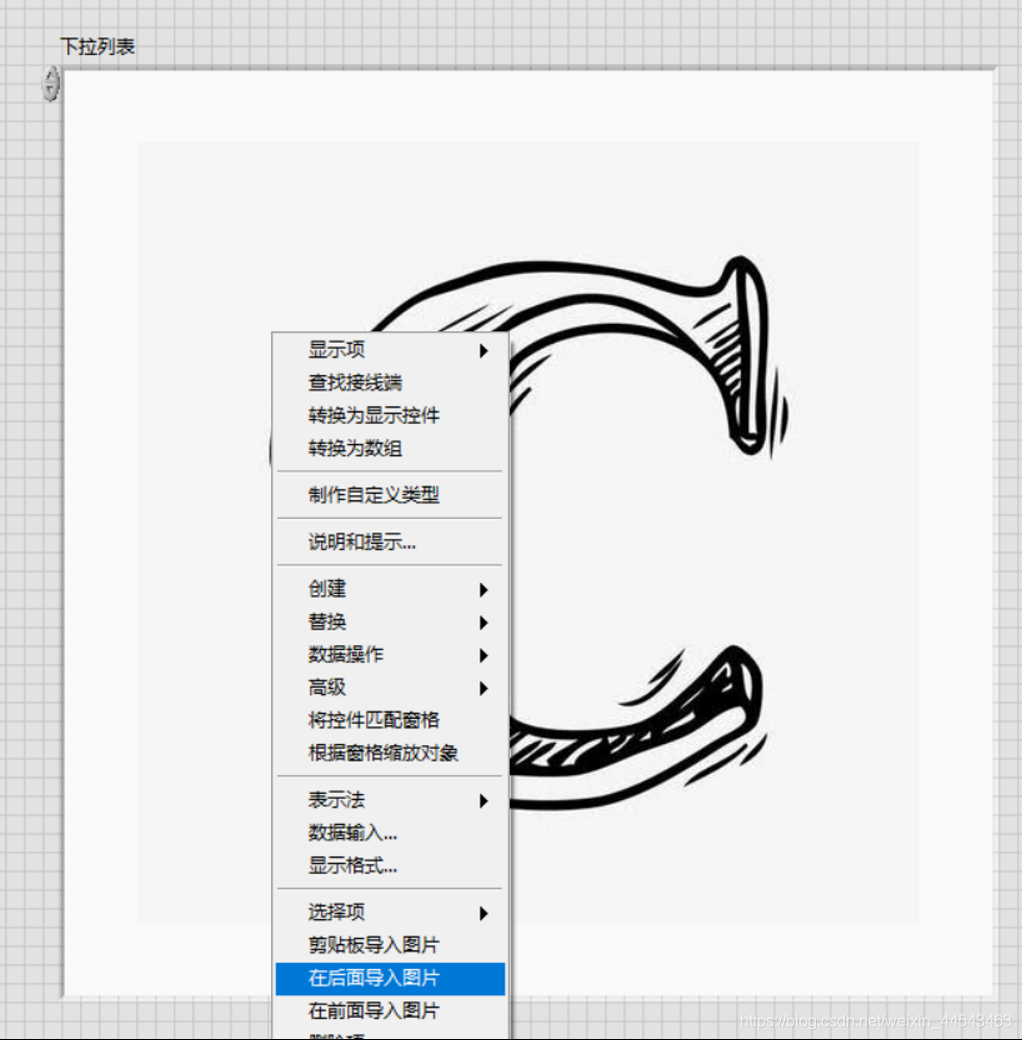
- Open the block diagram and use a While Loop to cycle through the images. First, convert the picture ring to an indicator.

- Create a While Loop.
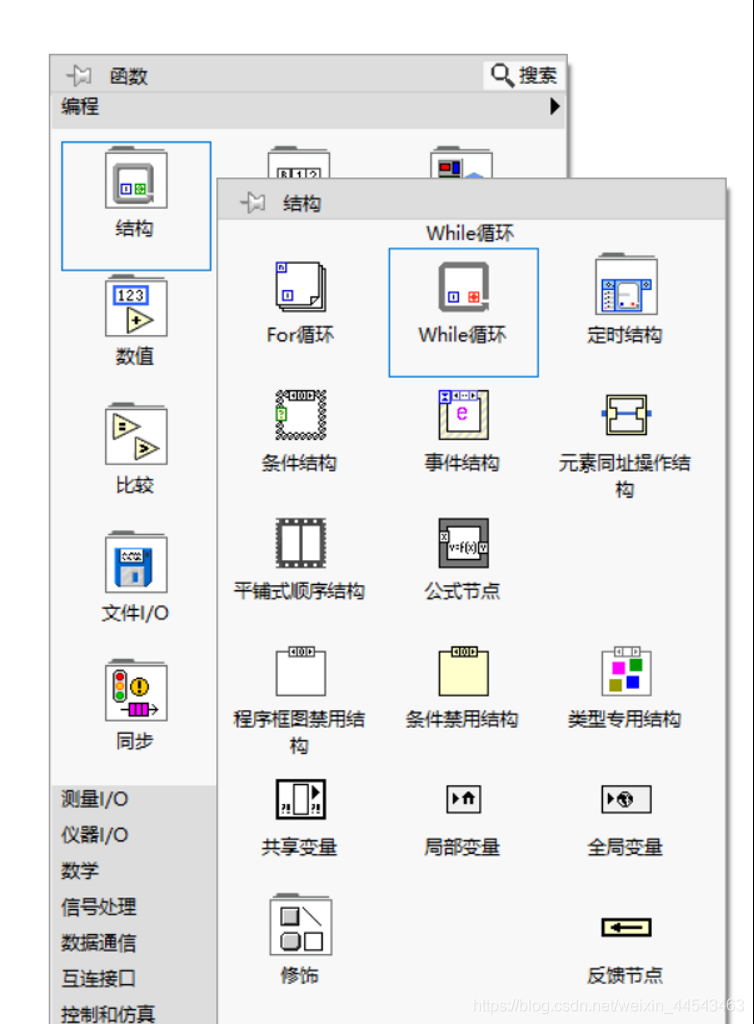
- The values of the images in the picture ring are 0, 1, 2, …, n. Use the remainder of the iteration count divided by n to select the image (n is the number of images). Insert the Quotient & Remainder function from the Numeric palette and wire it.
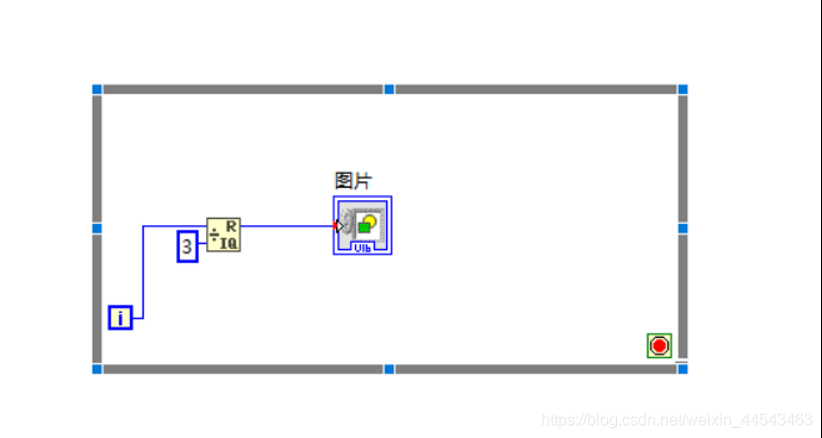 My program uses 3 images, so the divisor is 3.
 - Create a stop condition.

- Return to the front panel and add a knob to adjust the image switching speed.

- Insert a wait inside the While Loop. The wait-time input is in milliseconds. Also, because a larger knob value should make the images switch faster, take the reciprocal of the knob value and multiply it by 1000 to obtain the wait time for the While Loop.
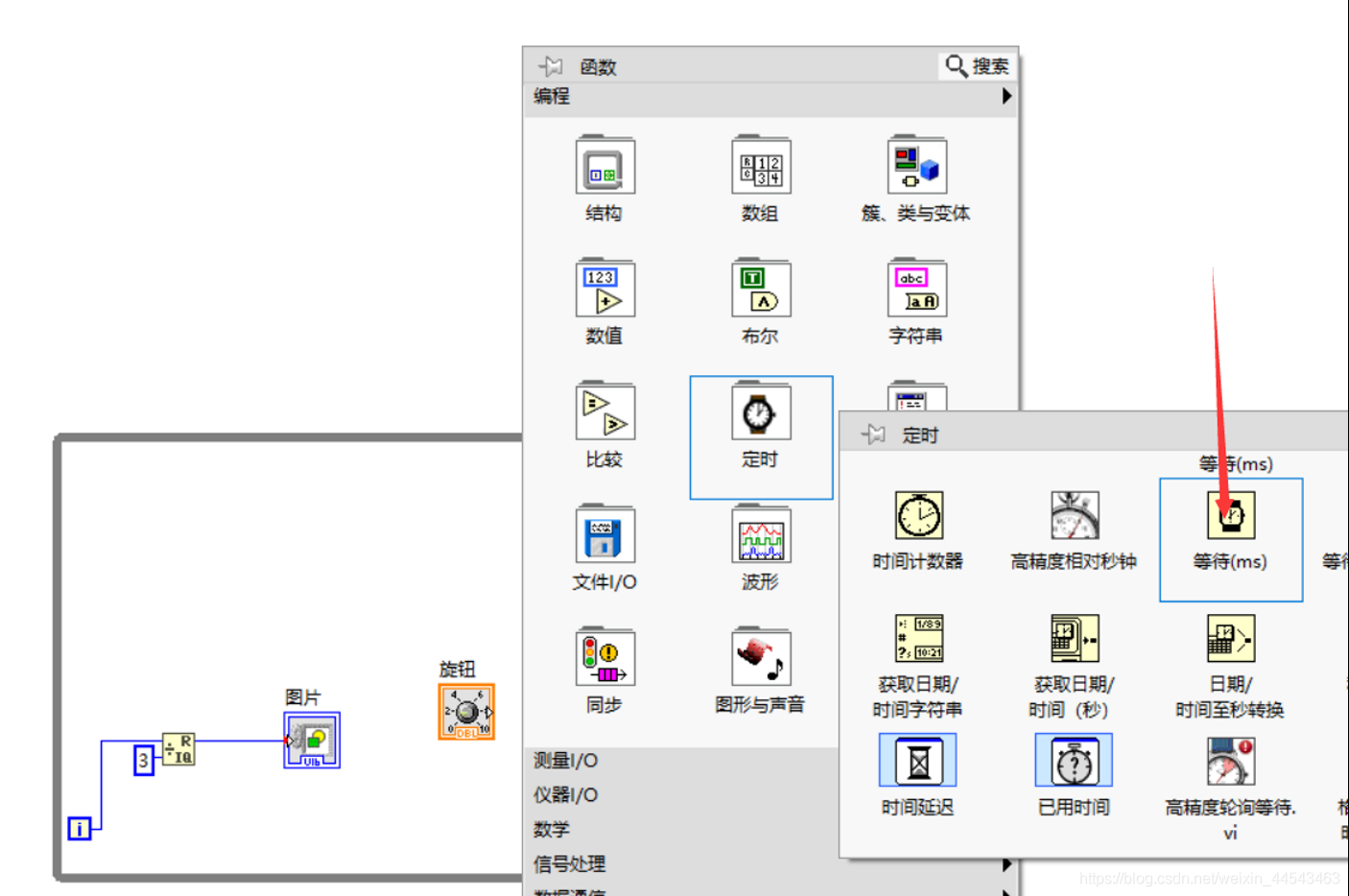
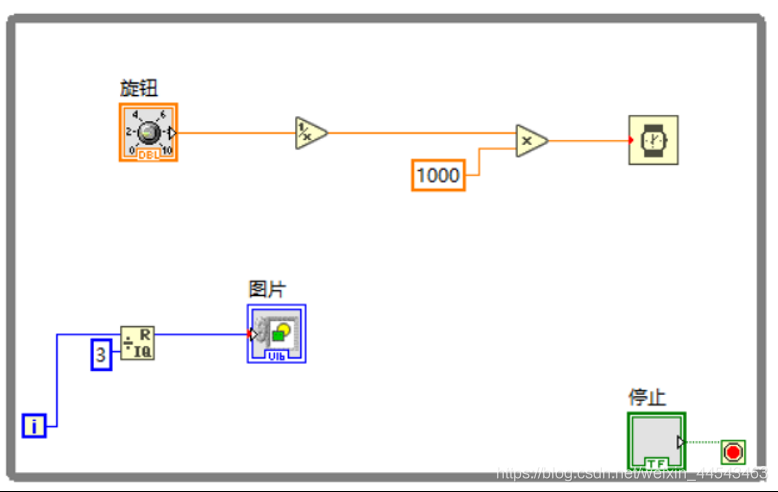
- Run the program to observe the images cycling. Drag the knob to see the image switching speed change accordingly.
For Loop
- Creating a For Loop
- The method for creating a For Loop is similar to that for a While Loop.
- You can right-click the border of a While Loop and convert it to a For Loop from the shortcut menu.
- For Loop terminals
- N is the number of iterations. The number of iterations must be specified as a nonnegative integer. (If a double-precision floating-point value is wired to the N count terminal, LabVIEW coerces it to a 32-bit signed integer.)
- To avoid coercion and improve program performance, select a matching data type or convert the data type programmatically.
- Differences from a While Loop
- A While Loop executes at least once, while a For Loop can execute 0 times.
- A While Loop automatically outputs the value from the last iteration, while a For Loop automatically outputs an array.
Comments