I. Download WordPress
Download the installation package from the official WordPress website, extract it, and place the contents of the worpress folder in the html folder.
sudo wget https://cn.wordpress.org/latest-zh_CN.tar.gz
tar -xzvf latest-zh_CN.tar.gz
mv wordpress/* /var/www/html/
II. Create a New Database in phpMyAdmin
- Enter localhost/phpmyadmin in your browser to open phpMyAdmin, then enter your phpMyAdmin username and password.
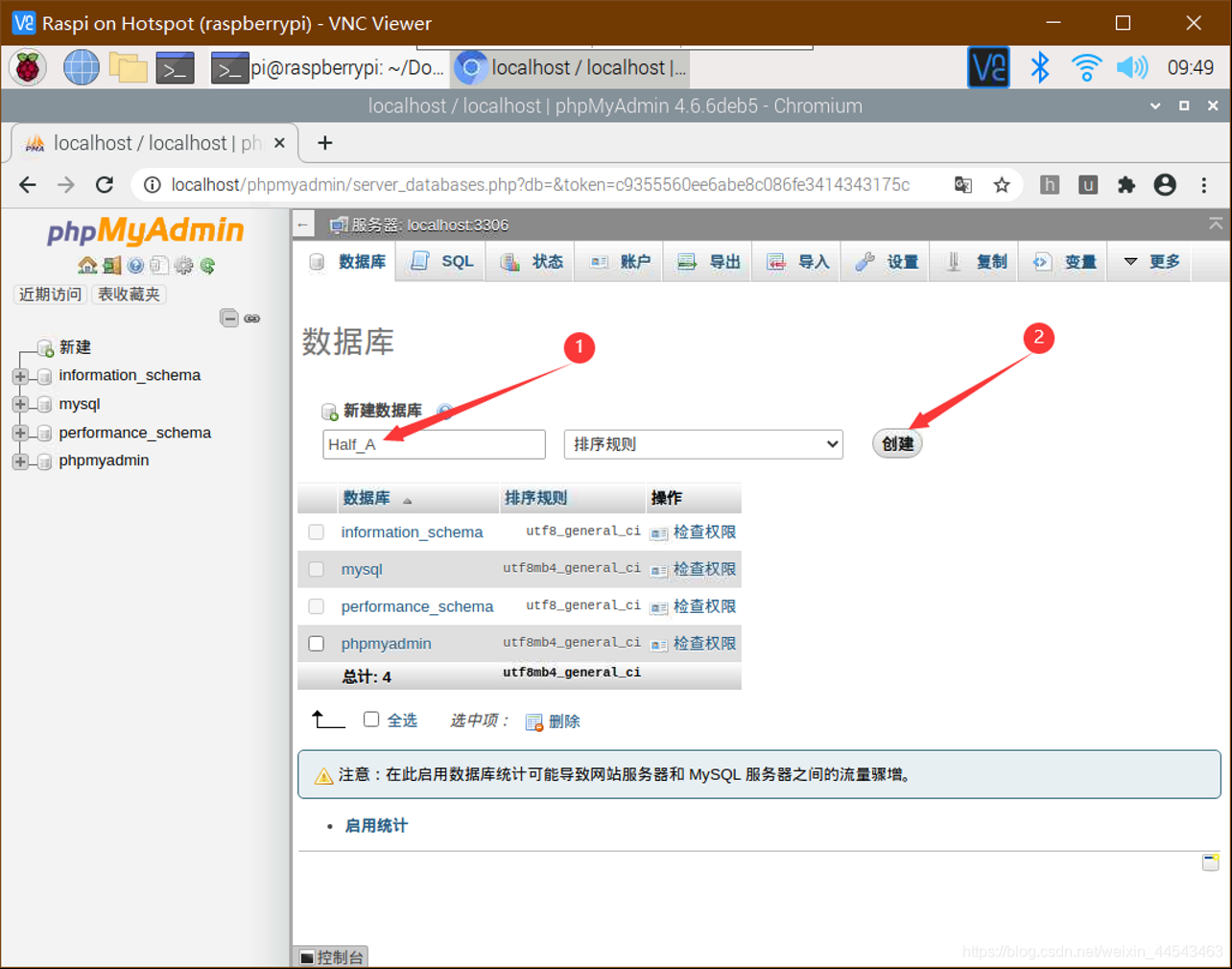
- Click the Databases tab, create a new database, enter a name for the database, and click Create. No database tables are needed for now.
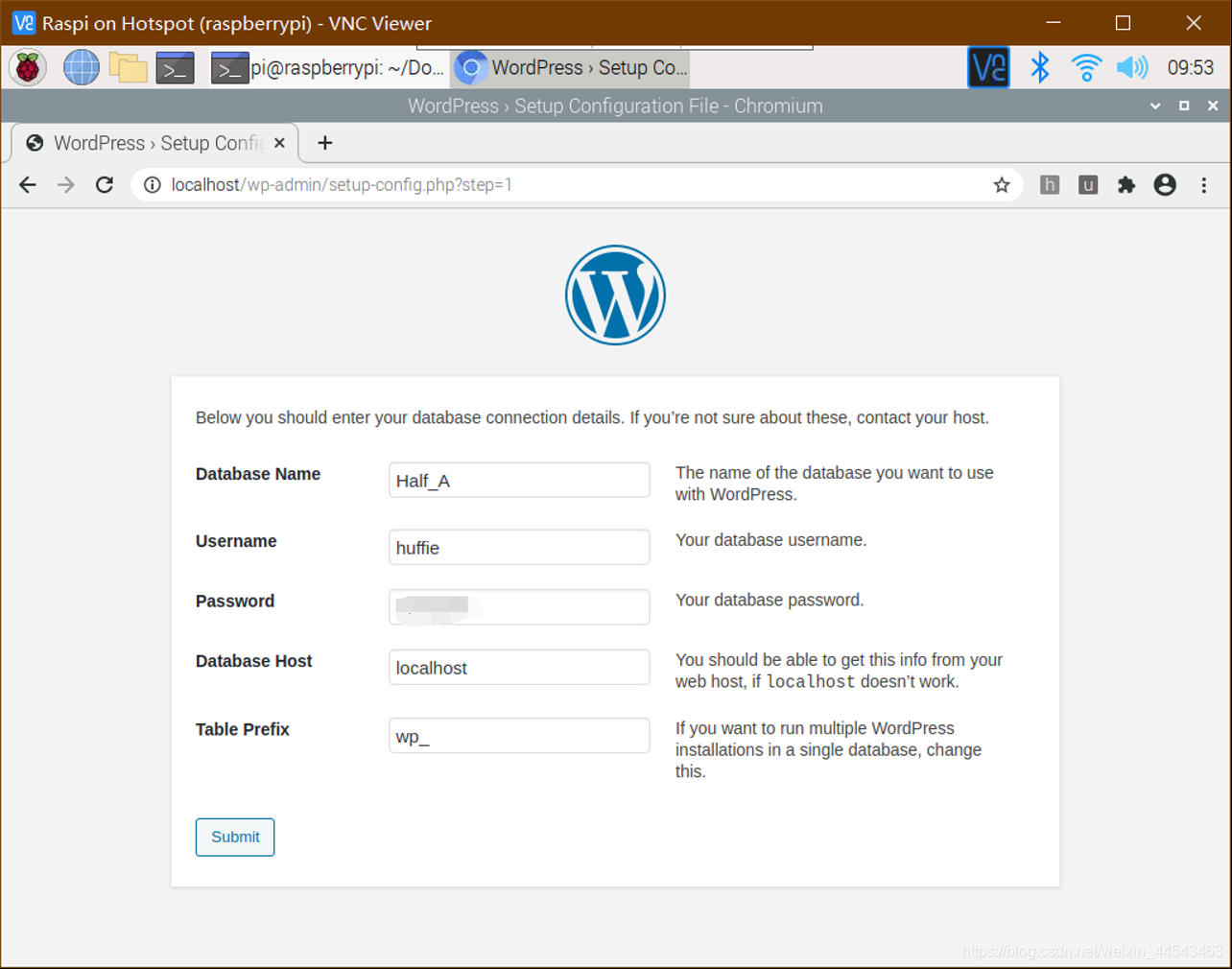
- Enter localhost in the address bar to open WordPress, then configure WordPress as shown below.
(I downloaded the installation package from the official WordPress website rather than the Chinese official website, so it was displayed in English. The content is the same, though; just fill in the website information as prompted on the page).

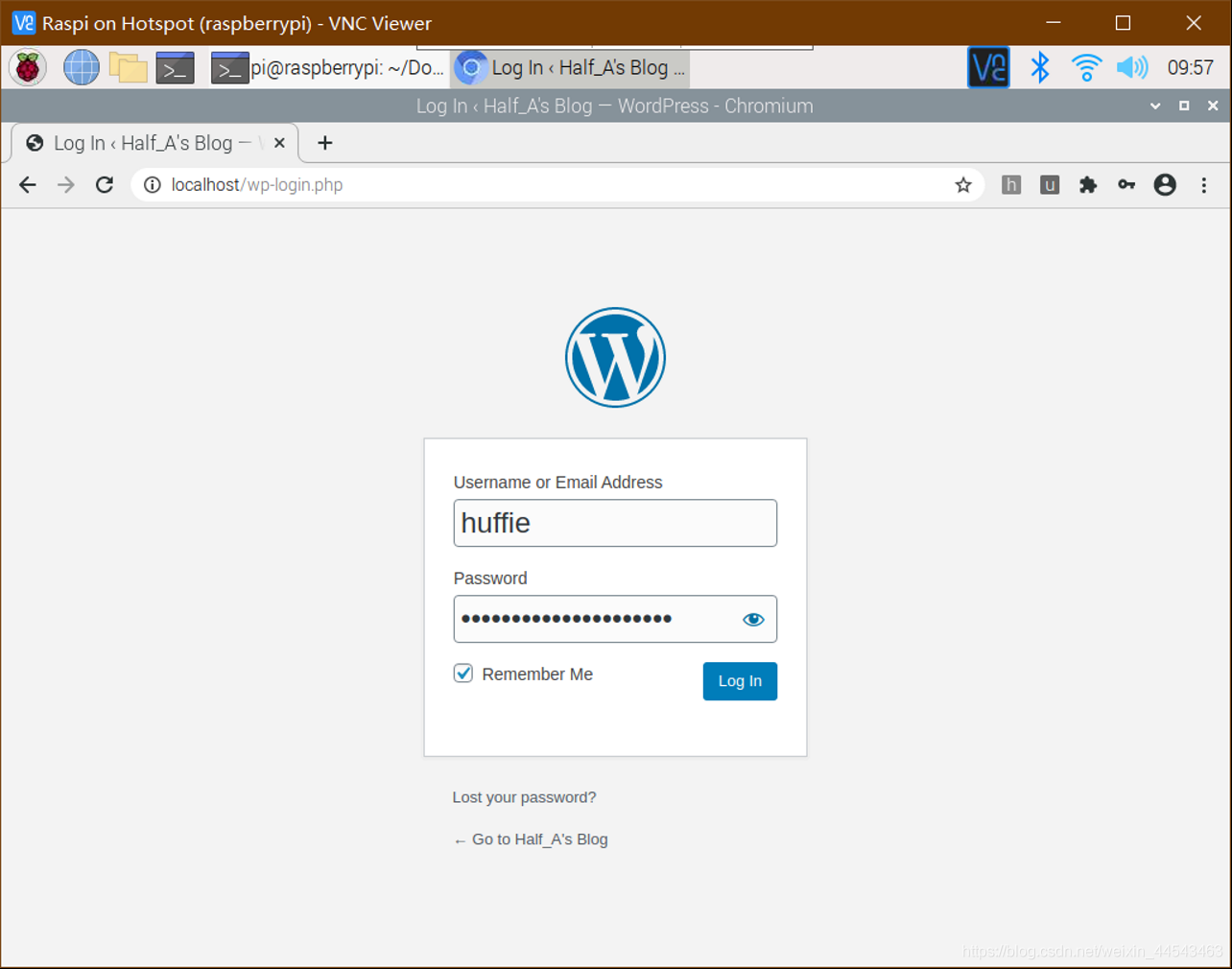
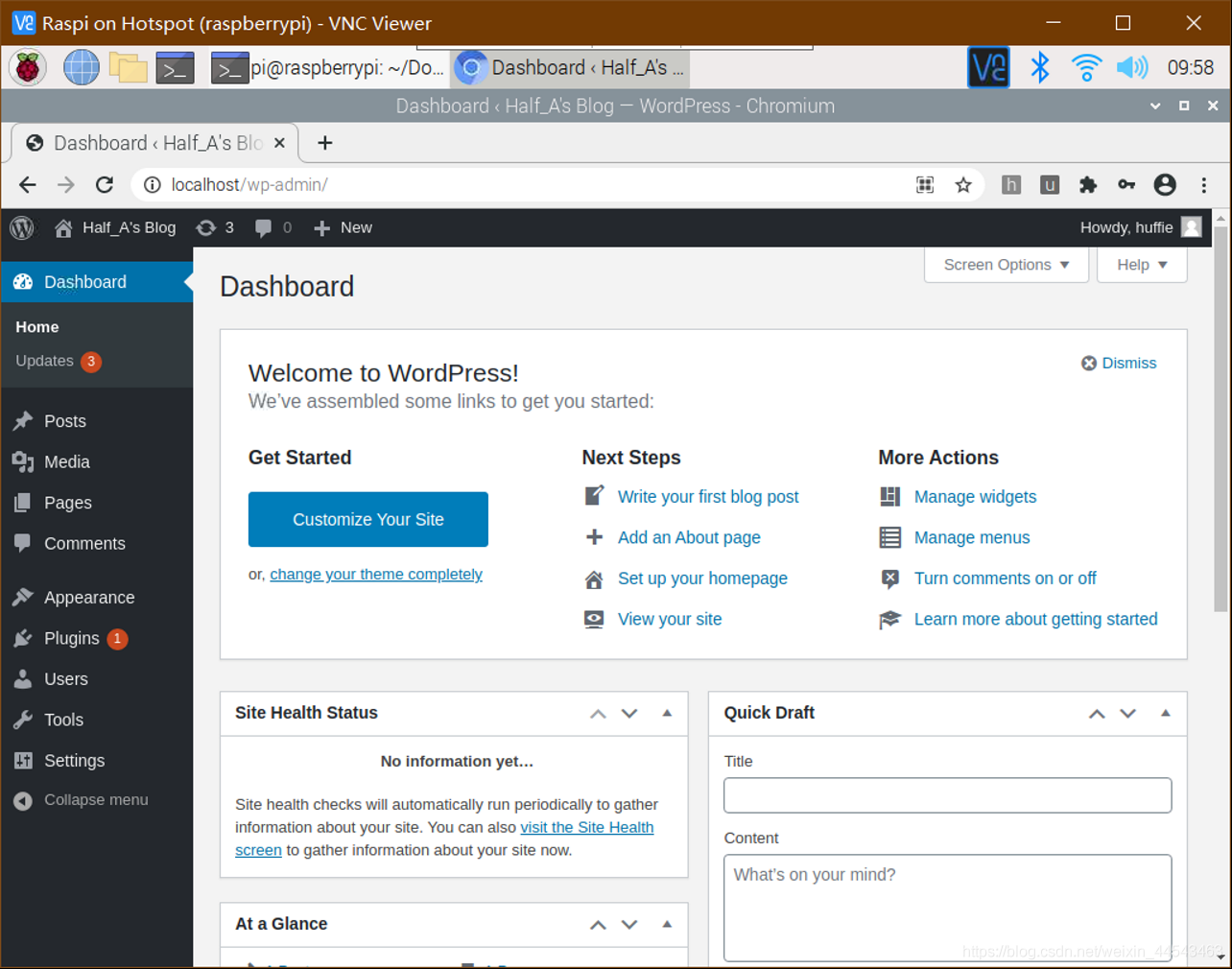
- Once setup is complete, you can use the username and password you just set to log in to WordPress.
- P.S. If you want to switch from English to Chinese, then if you need to change the language to Chinese, download the installation package from the https://cn.wordpress.org/download/ Chinese official website, extract it, and copy the language folder from
wordpress/wp_contentto/var/www/html/wpcontent.
III. Change the WordPress Theme
Click the website title in the upper-left corner to view the current website.
 If you want to change the theme, click the W logo on the left, open the Appearance - Themes menu, and select a theme to install.
Enter the Raspberry Pi’s IP address as the hostname, pi as the username, and raspberry as the password. If the following dialog asking for FTP appears:
If you want to change the theme, click the W logo on the left, open the Appearance - Themes menu, and select a theme to install.
Enter the Raspberry Pi’s IP address as the hostname, pi as the username, and raspberry as the password. If the following dialog asking for FTP appears:
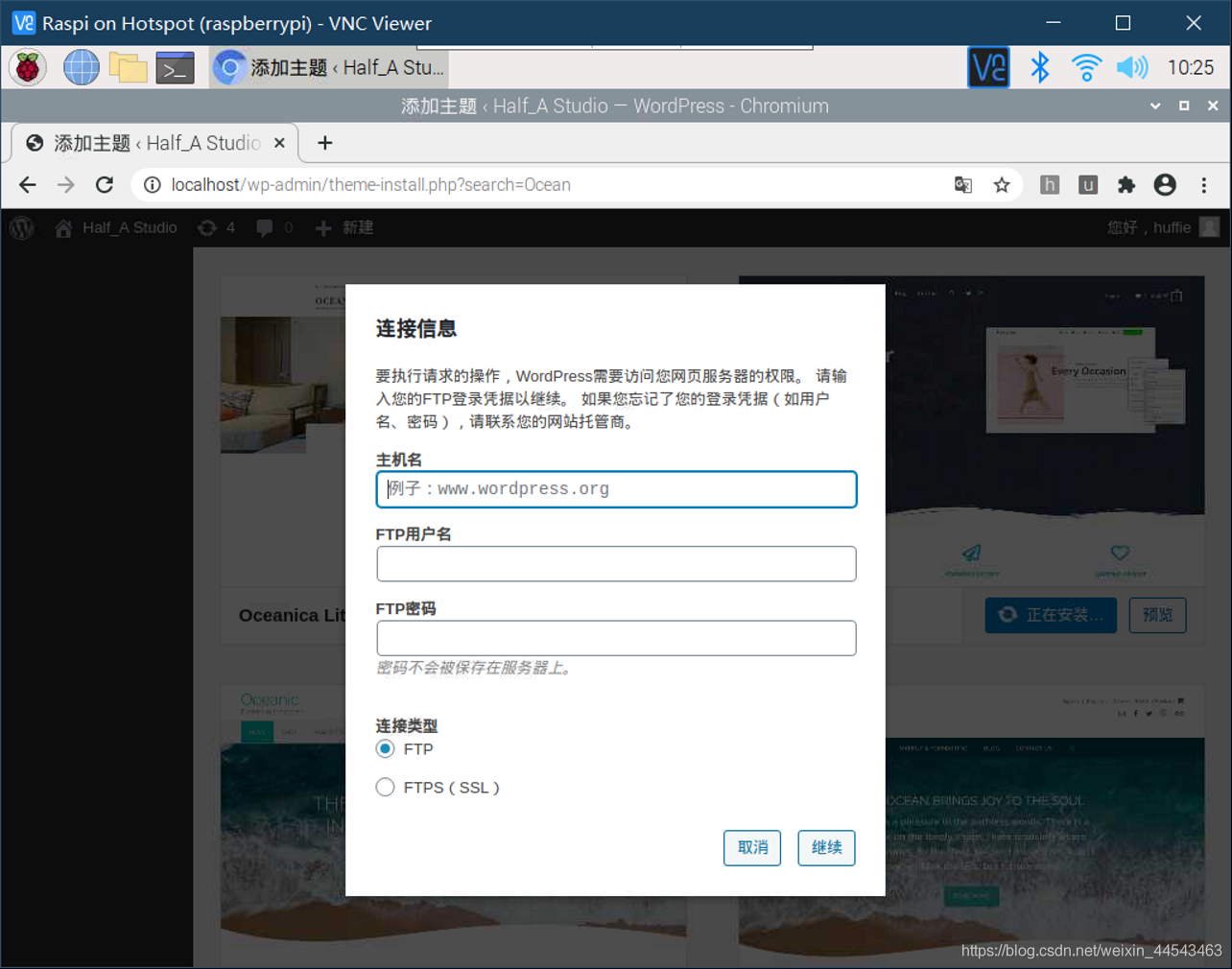 enter the following commands on the command line:
sudo apt-get install vsftpd
sudo passwd root	#自己设置一个root账户密码
sudo passwd --unlock root
su	#这里会提示输入刚才设置的密码
vi /etc/vsftpd.conf
#去掉write_enable=YES前面的#
service vsftpd restart
Now reinstall the theme, and it should install successfully.
Comments