Contents
  1. Building the Mechanical Structure
  2. Creating the Robot System

Building the Mechanical Structure

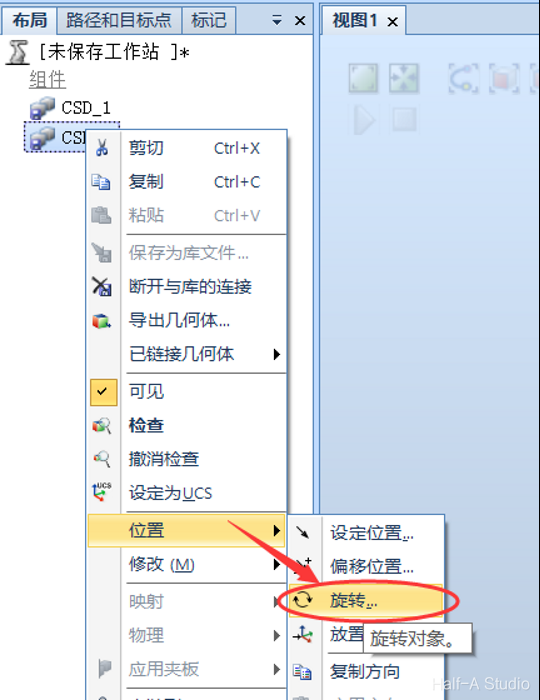
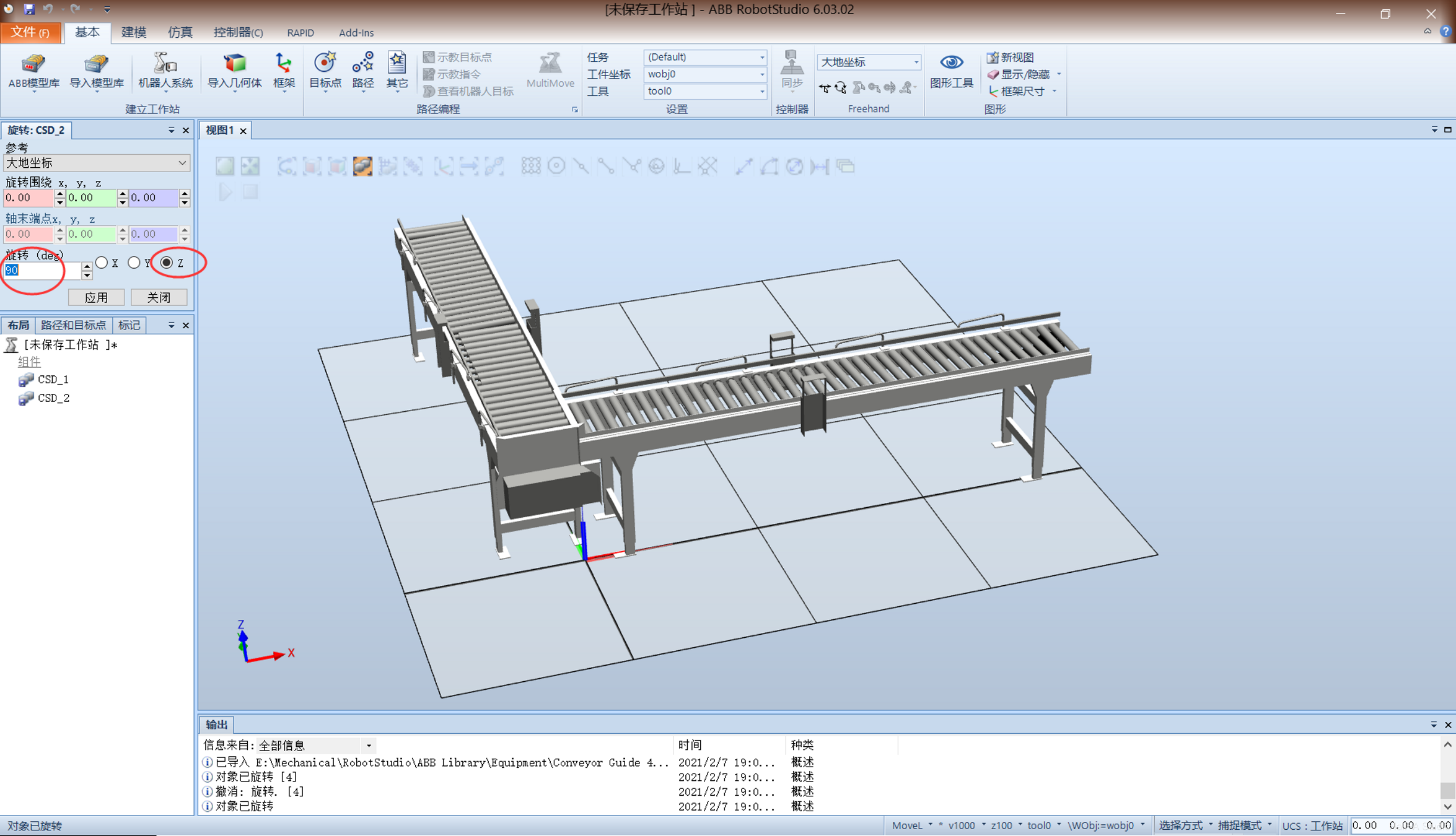
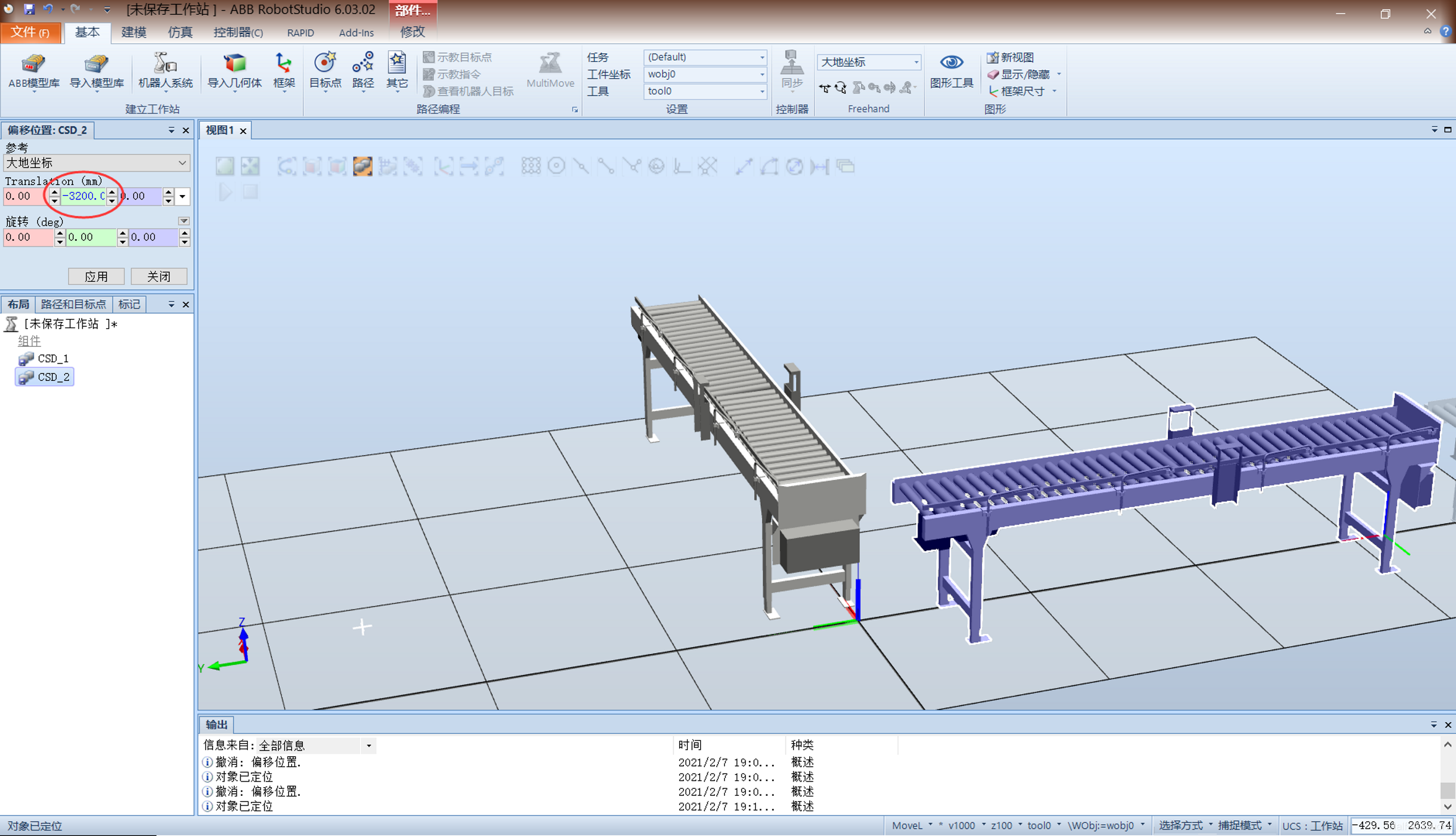
  1. Import two conveyors, rotate the second conveyor 90° about the z-axis, then offset it -3200mm along the y-axis. Building the Mechanical Structure Building the Mechanical Structure (2) Building the Mechanical Structure (3) Building the Mechanical Structure (4) Building the Mechanical Structure (5)
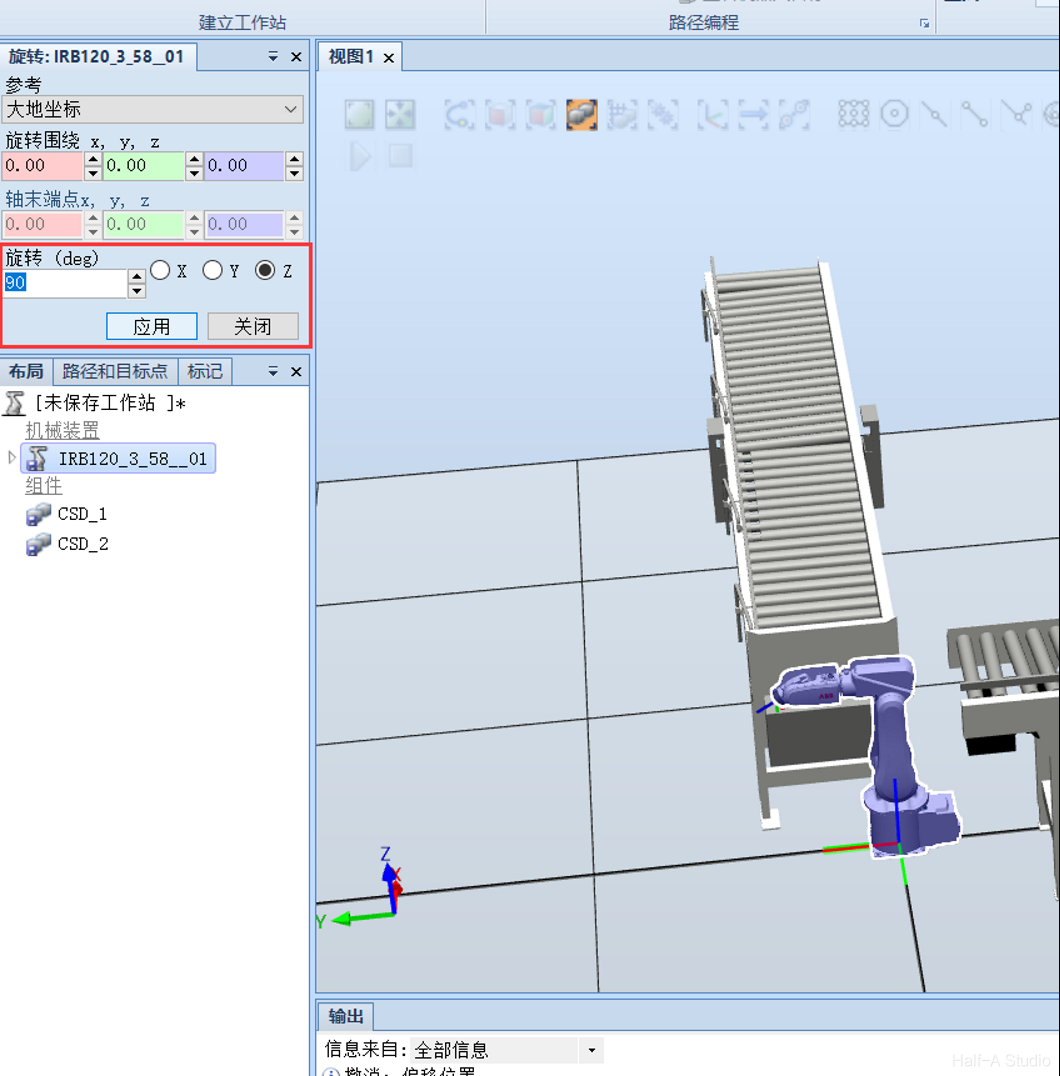
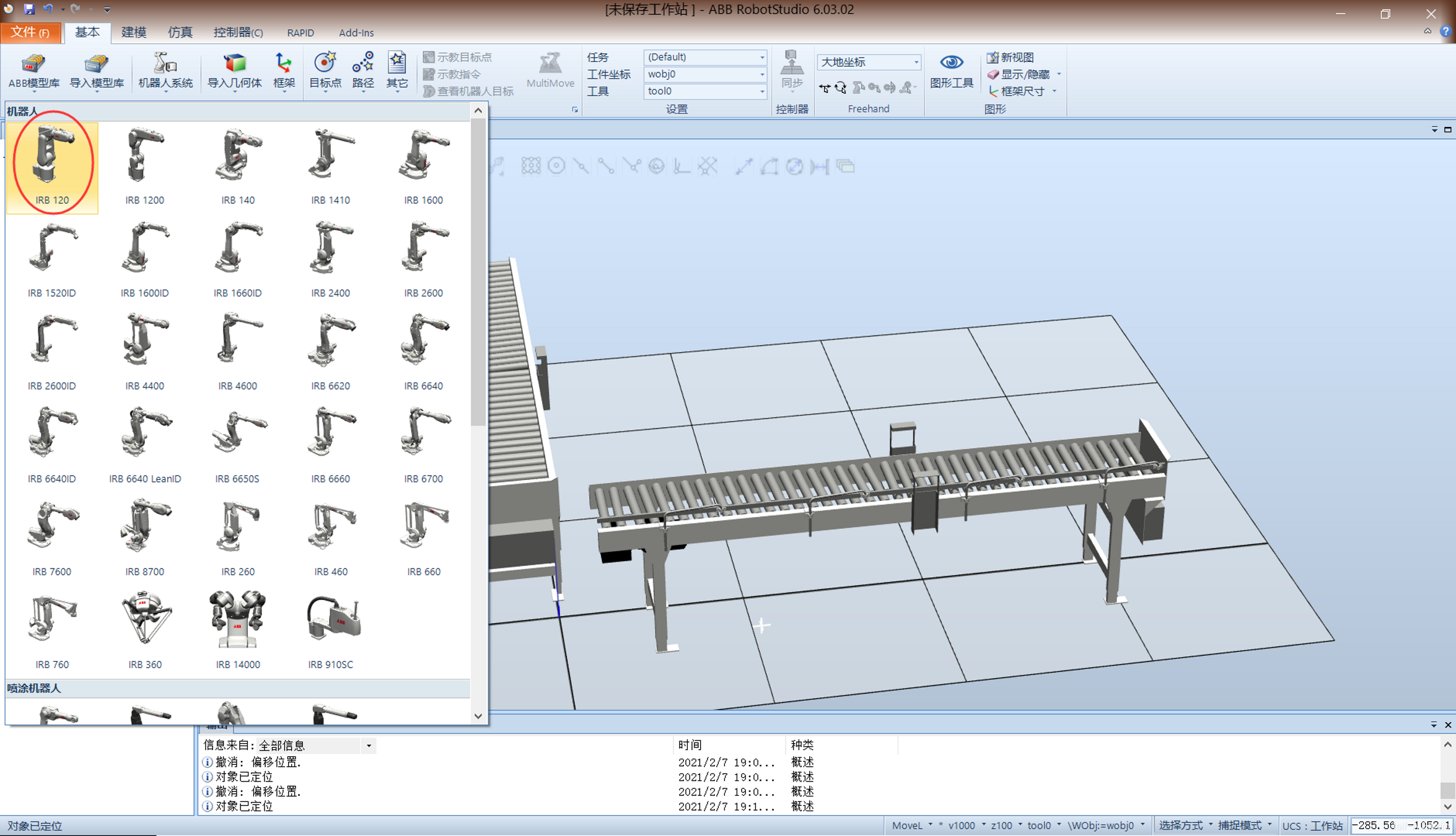
  2. Import the IRB120 robot and move it to a suitable position. Building the Mechanical Structure (6) Building the Mechanical Structure (7)
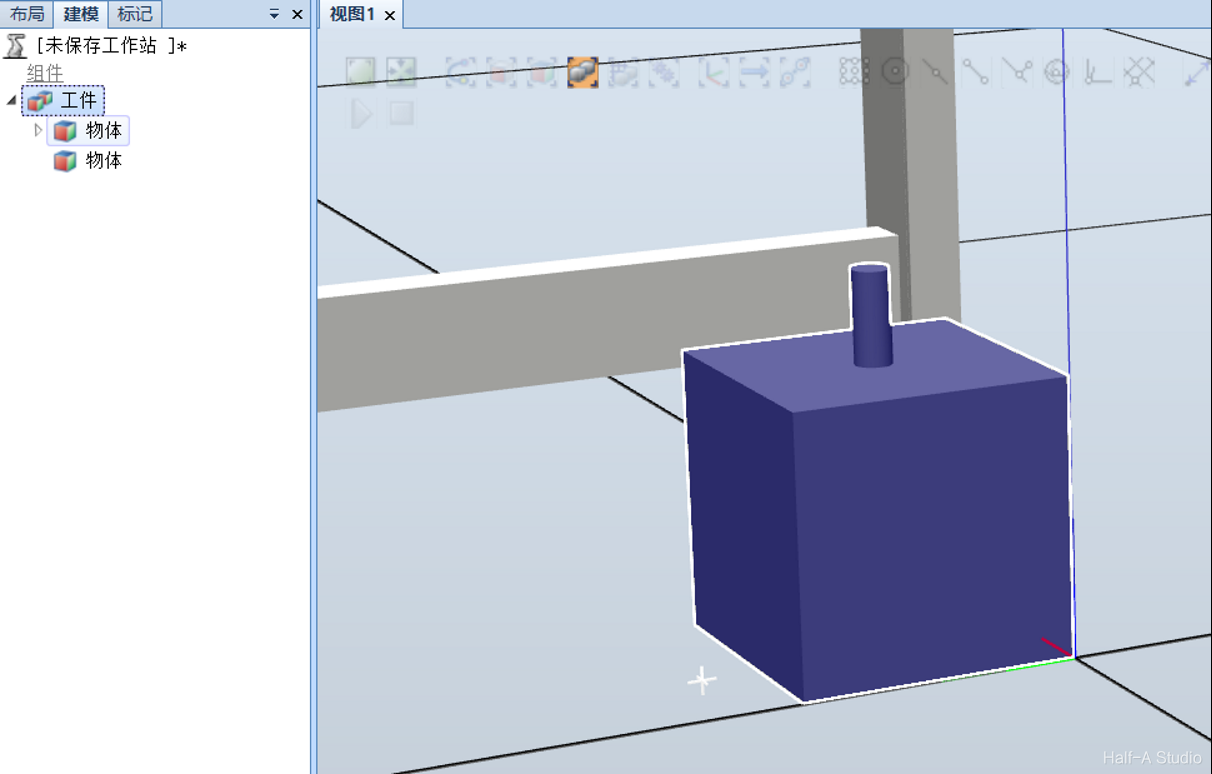
  3. Create a workpiece model, drag the objects in the second part of the workpiece into the first part to form a single component Building the Mechanical Structure (8) Building the Mechanical Structure (9)
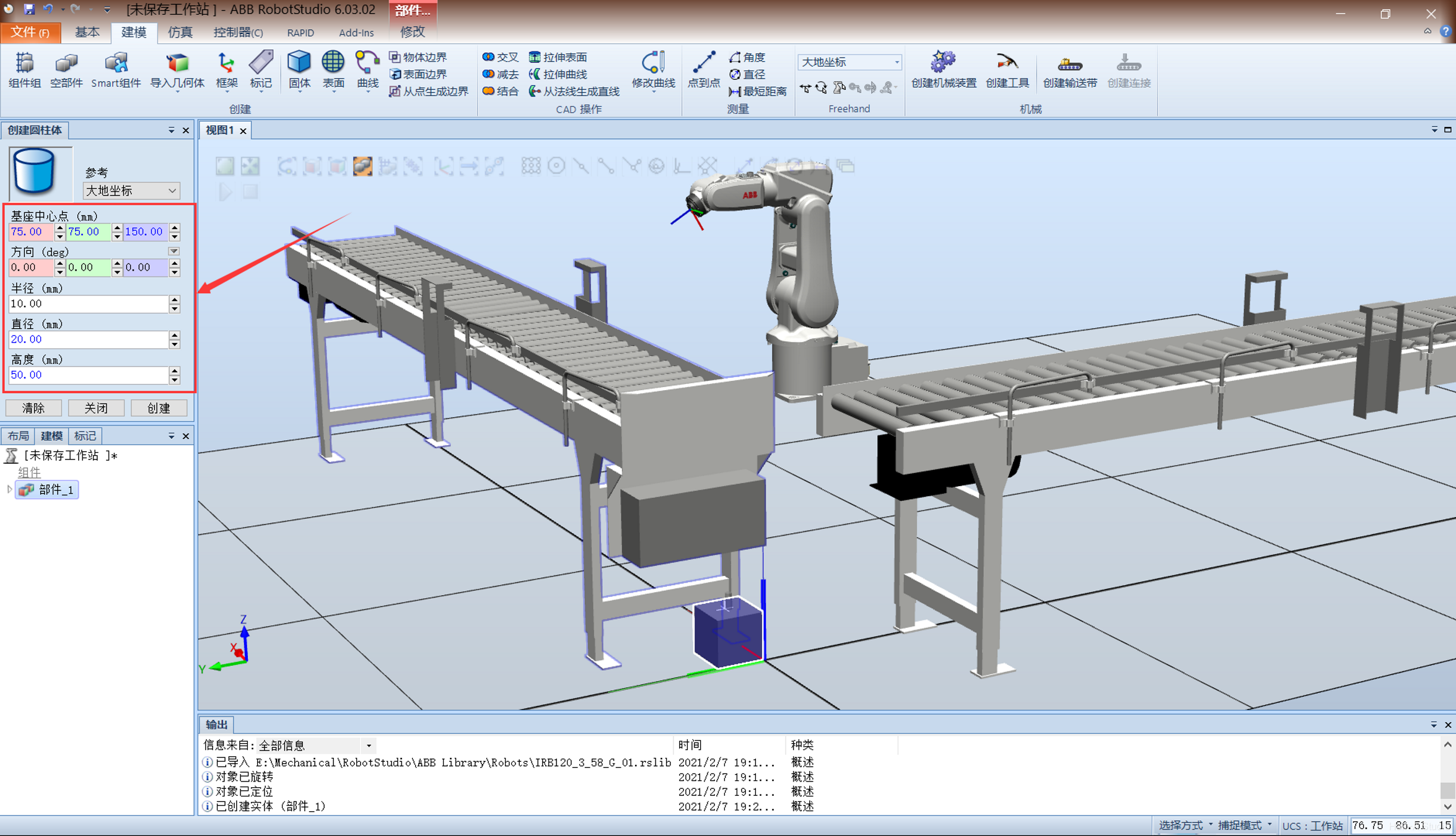
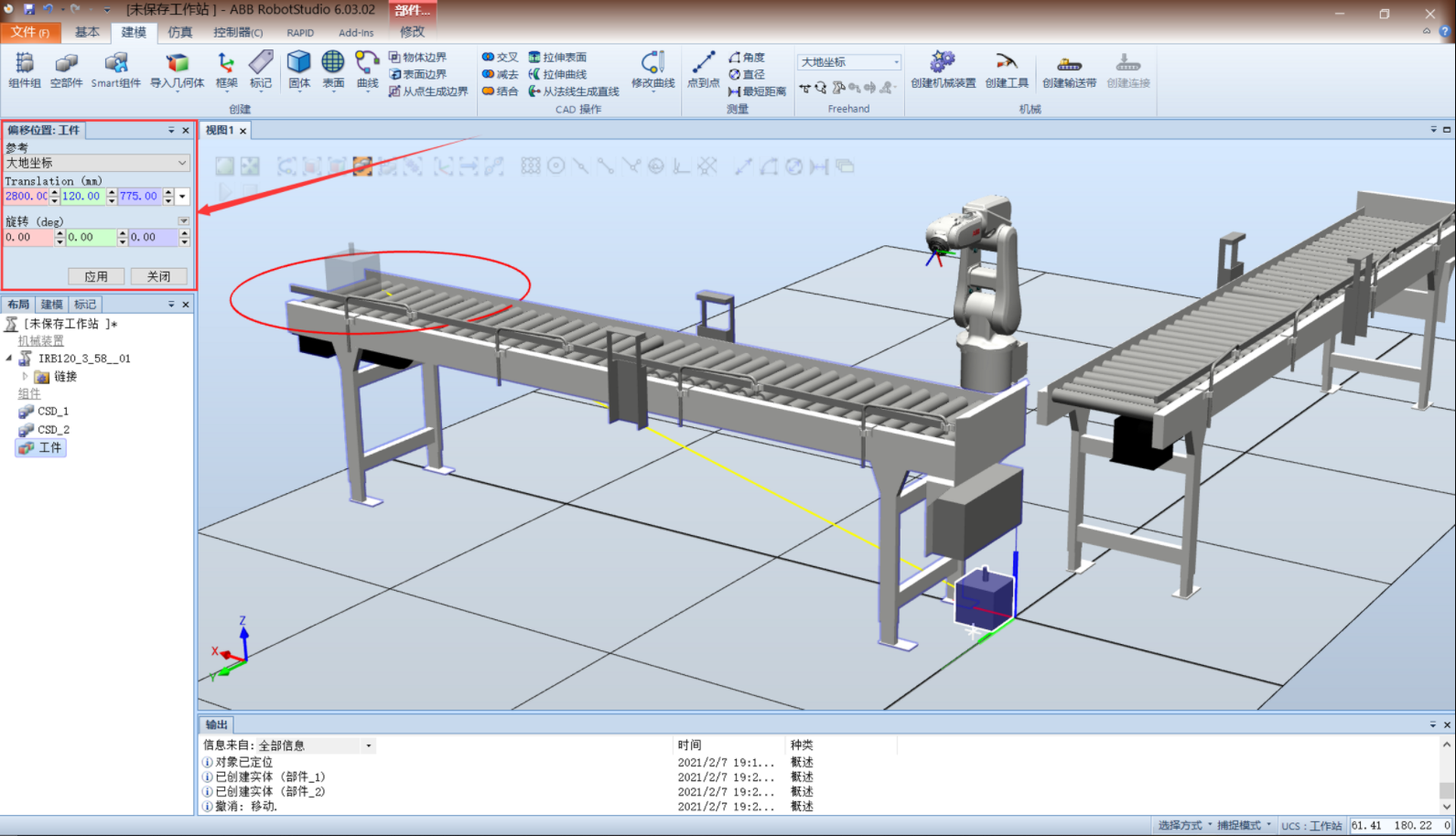
  4. Move the workpiece to a suitable position Building the Mechanical Structure (10)
  5. Import the gripper and rotate it until it is parallel to the world coordinate system Building the Mechanical Structure (11)
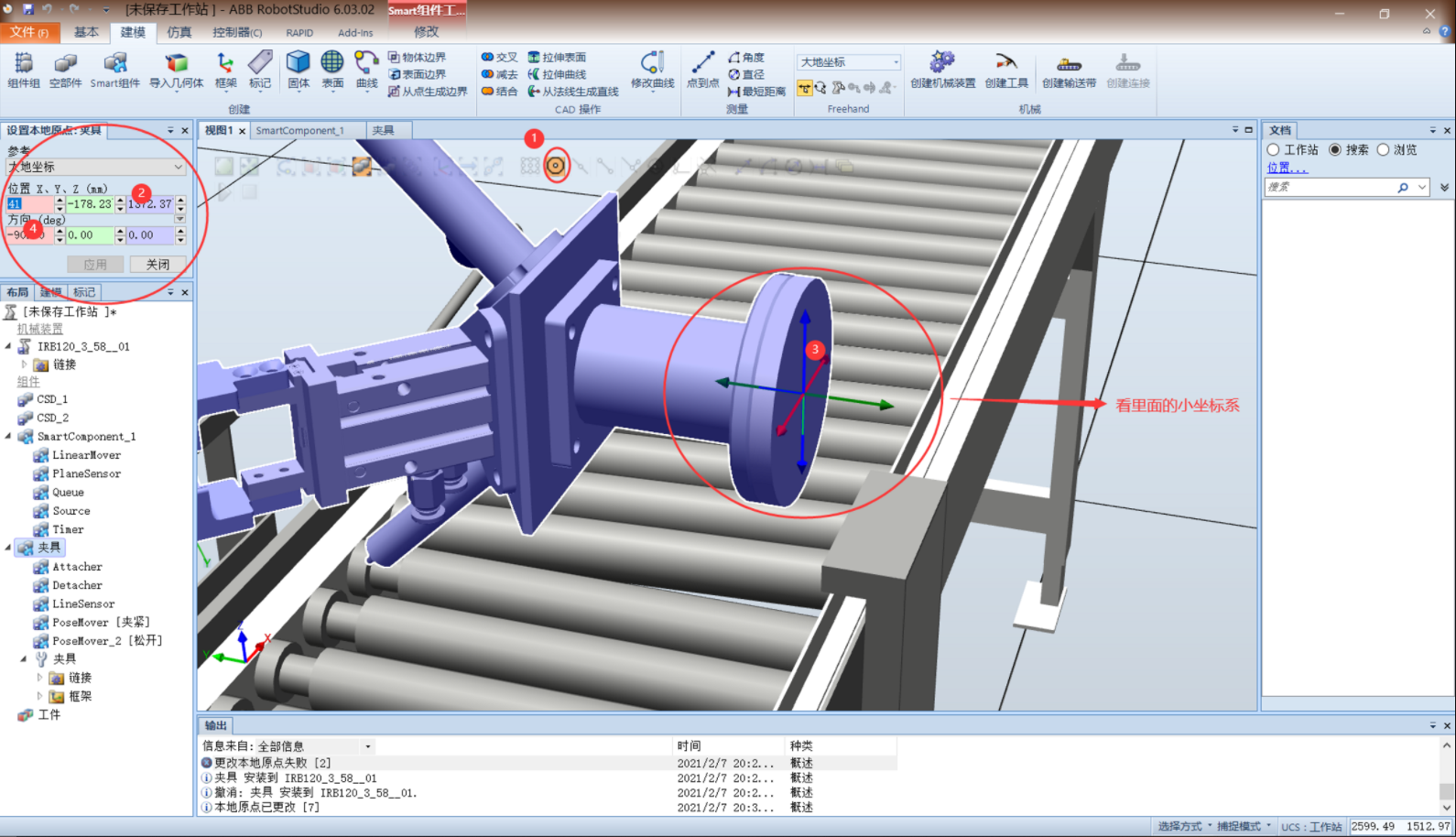
  6. Set the gripper’s local frame Building the Mechanical Structure (12)
  7. In the left layout tree, drag the gripper onto the robot and update its position Building the Mechanical Structure (13)

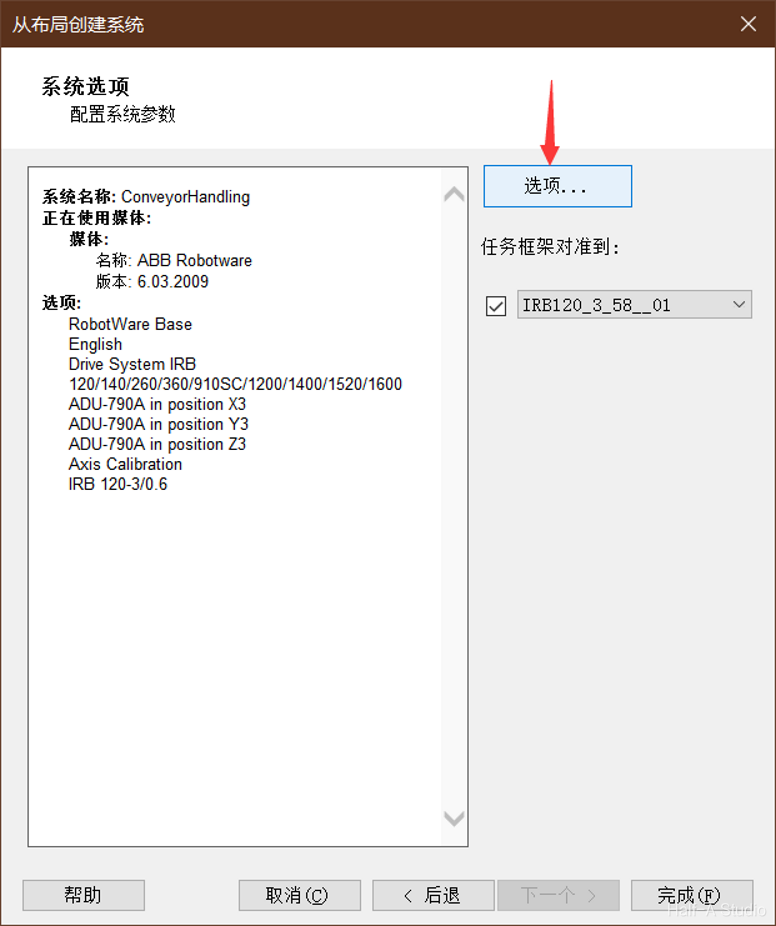
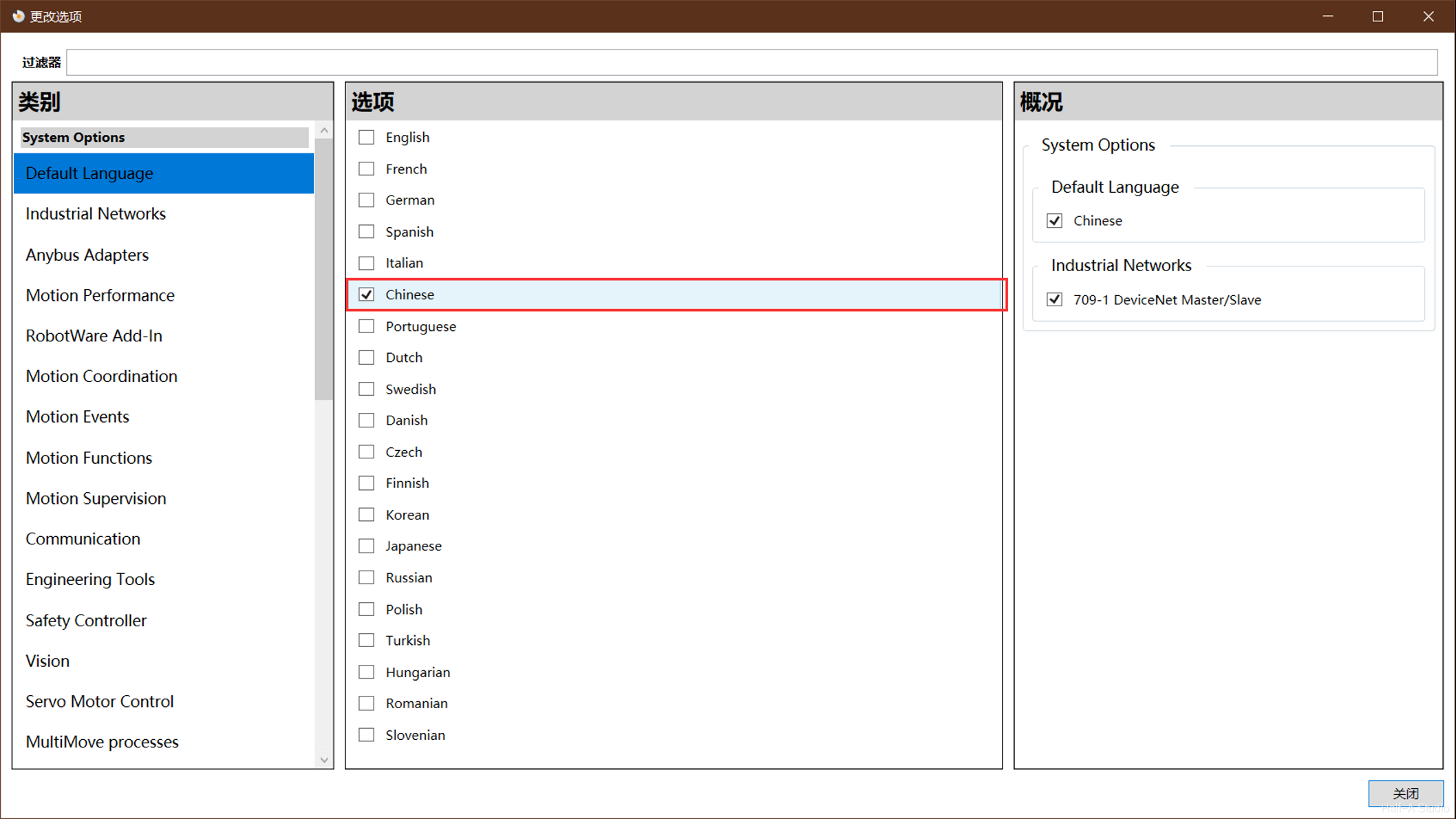
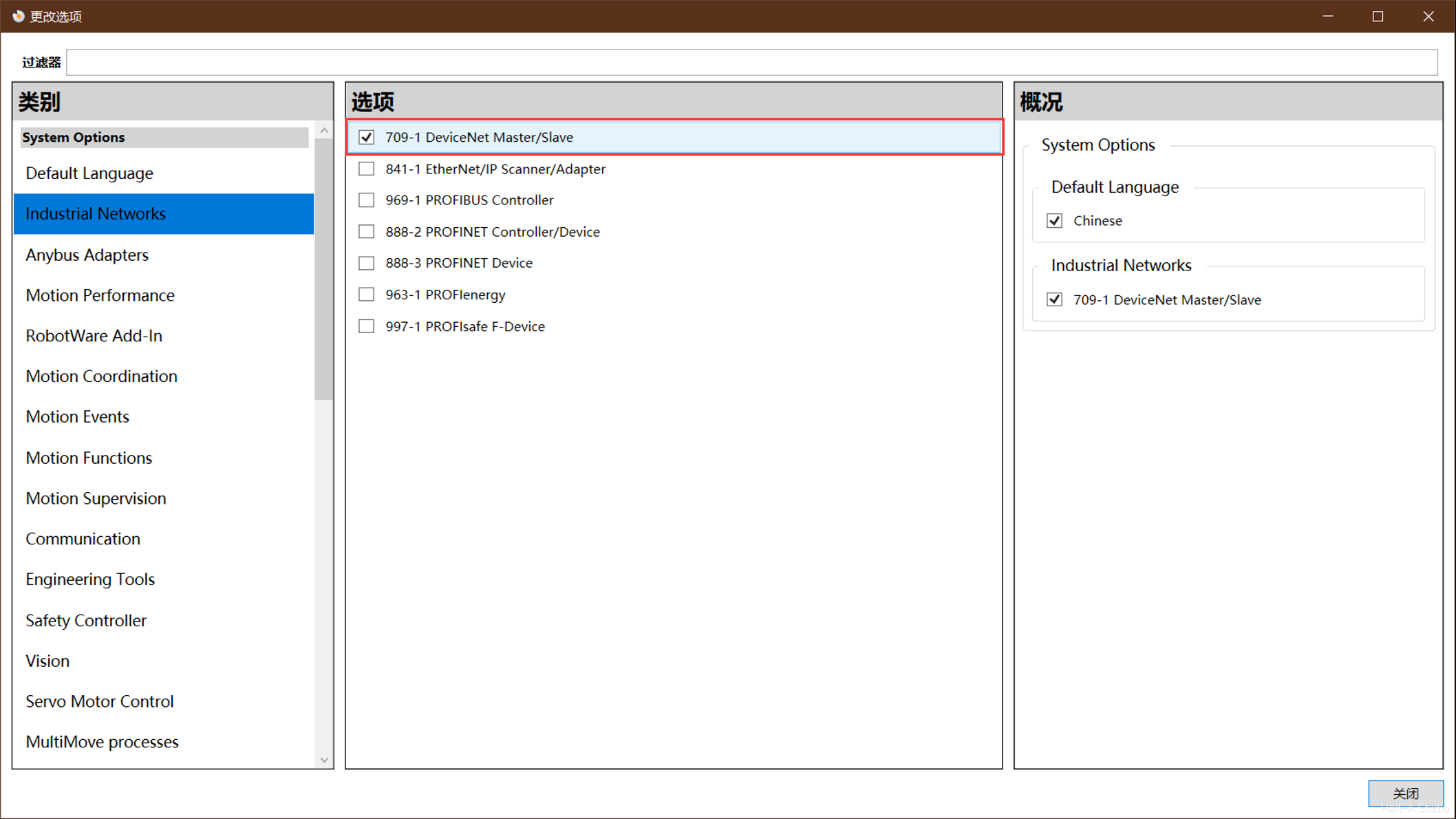
Creating the Robot System

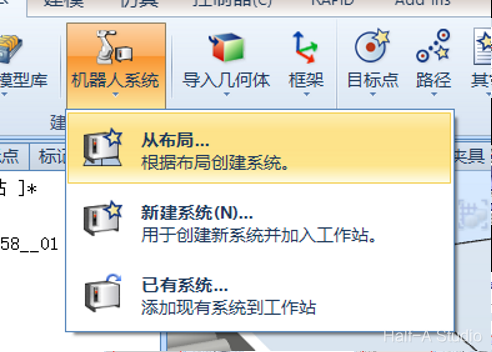
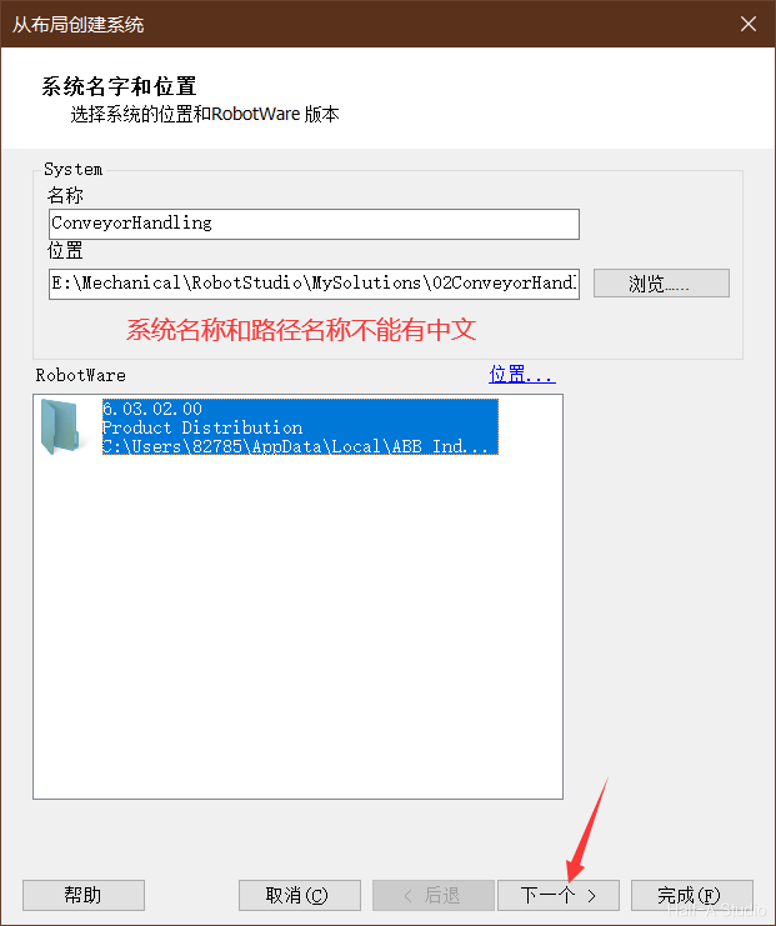
Creating the Robot System Creating the Robot System (2) Creating the Robot System (3) Creating the Robot System (4) Creating the Robot System (5) Creating the Robot System (6) Creating the Robot System (7)

Wait for the system creation to finish, then you can test the conveyors.