![[ROS Study Notes] (Part One): Explanations and Examples of Common Commands](https://img.mahaofei.com/img/202112231646907-ros-notes1-10.png)
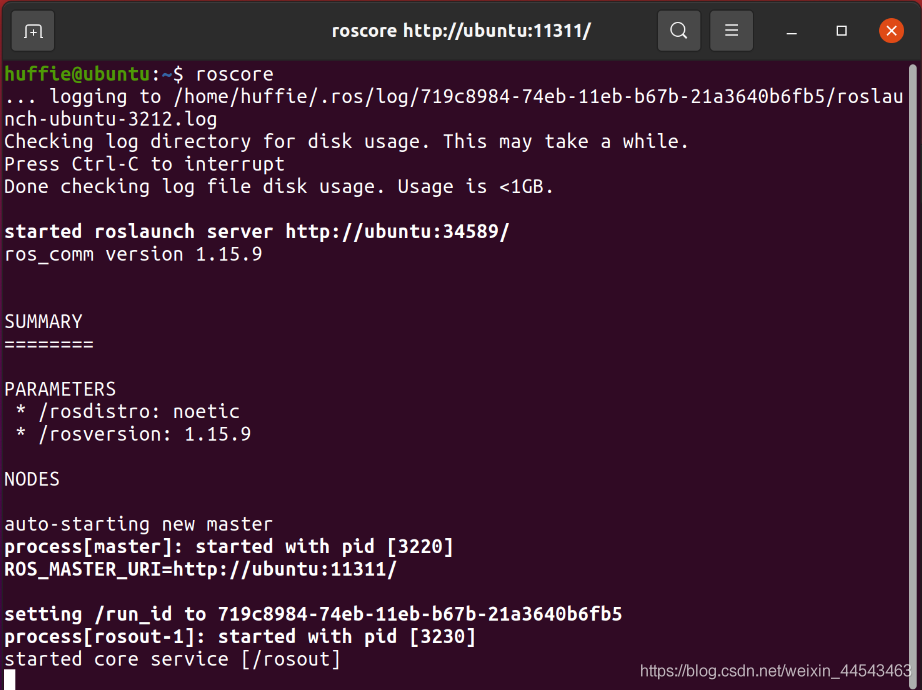
1. roscore
roscore is used to start ROS Master and is the first command to run before running a ROS system.
2. rosrun
rosrun is used to run a node in a package. It takes two arguments: the package name first and the node name second.
Example: Simulating the Turtle In one terminal, enter
rosrun turtlesim turtlesim_nodeIn another terminal, enterrosrun turtlesim turtle_teleop_key

3. rosnode
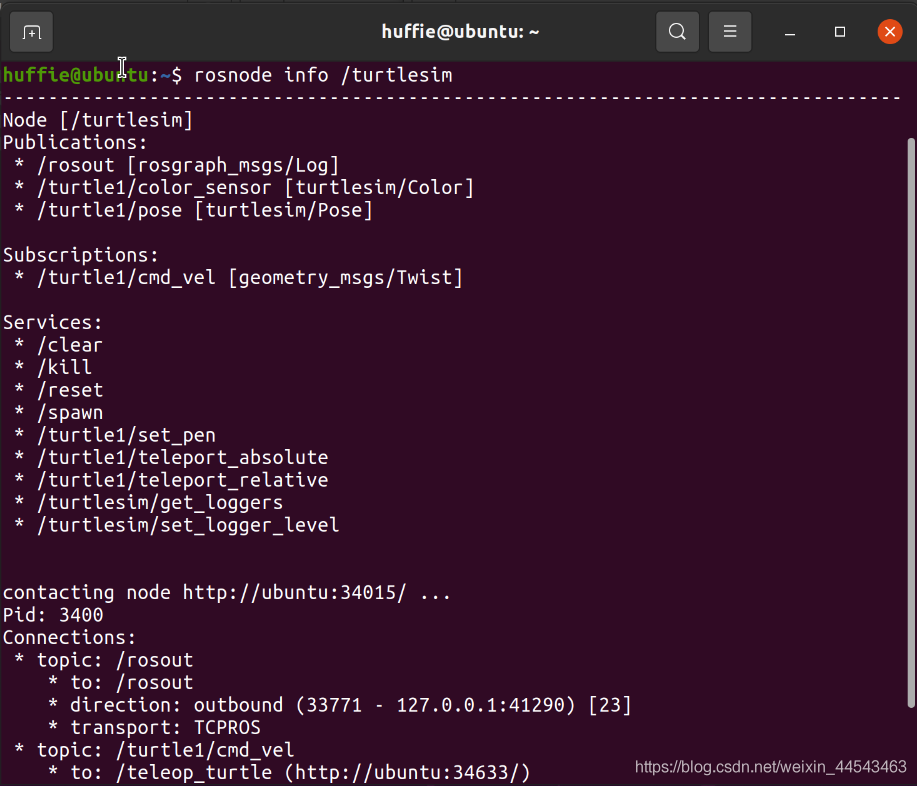
rosnode is a command used to display node-related information.
- rosnode list lists all nodes in the system.

- rosnode info * displays detailed information about a node, such as the topics it is publishing, the services it provides, and other information.
4. rostopic
- rostopic list outputs a list of all topics in the current system.

- rostopic pub [topic name + Tab completion] displays the published content.
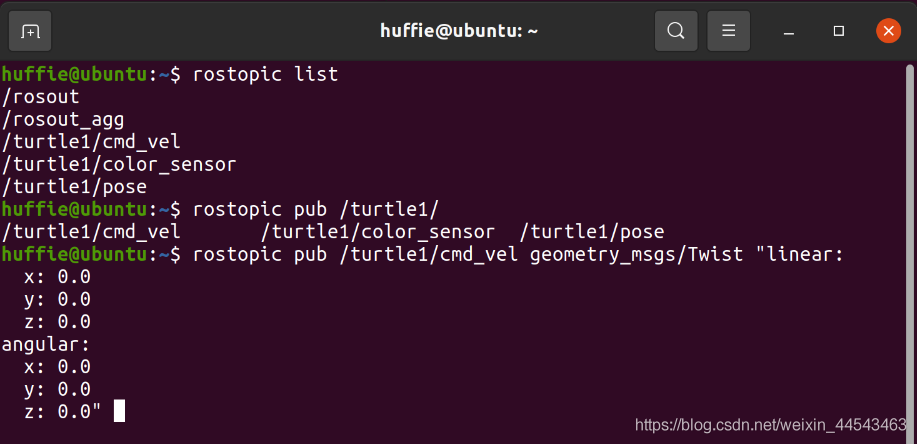
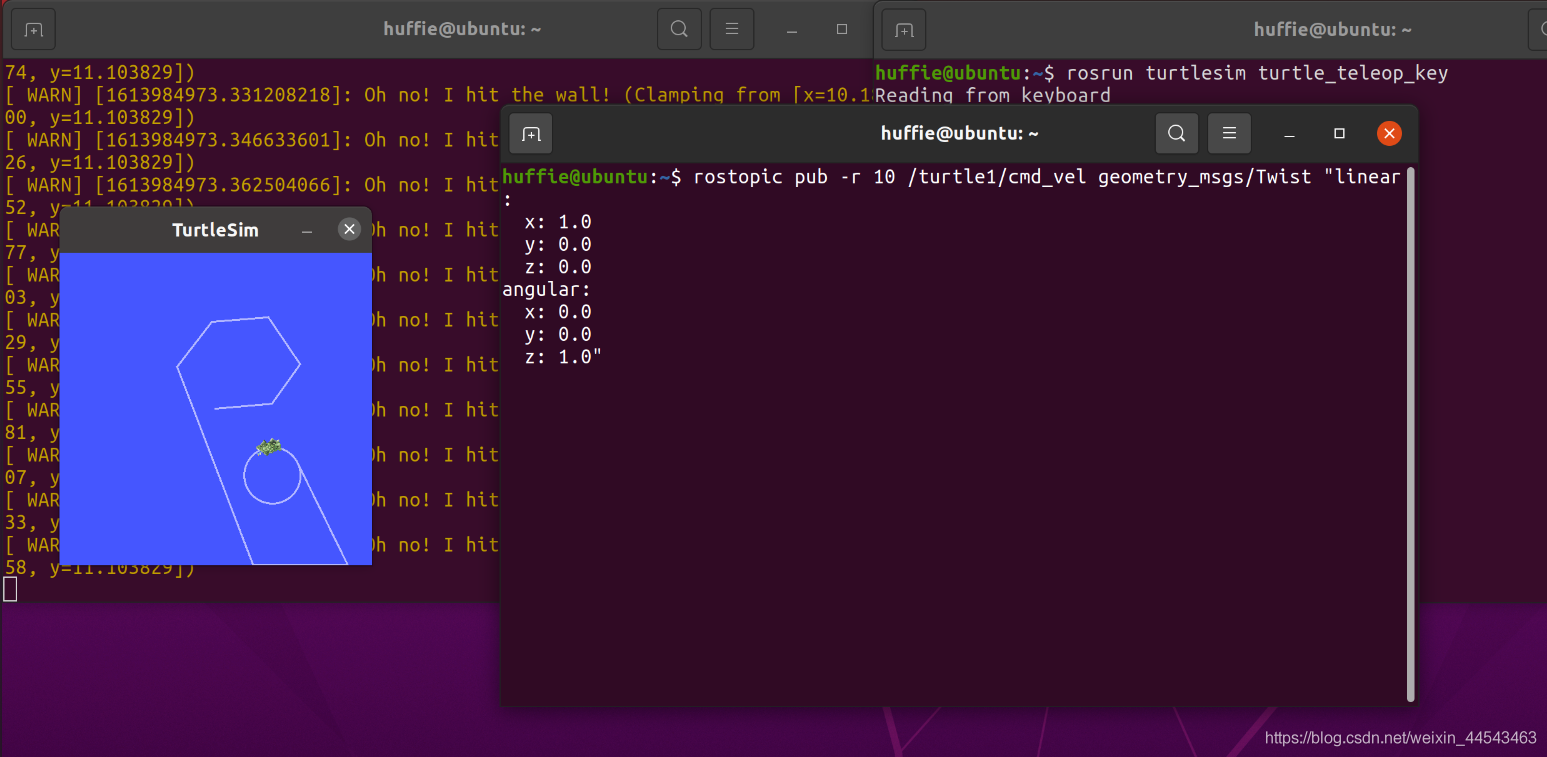
Example: Controlling the Turtle by Publishing to a Topic (rostopic pub) Enter the command, using Tab completion twice as indicated:
rostopic pub -r 10 /turtle1/cmd_vel+两次tab补全You can control the turtle’s movement by changing the linear velocity and angular angle. Here, -r 10 is the topic publication frequency, which publishes ten times per second.
5. rosservice
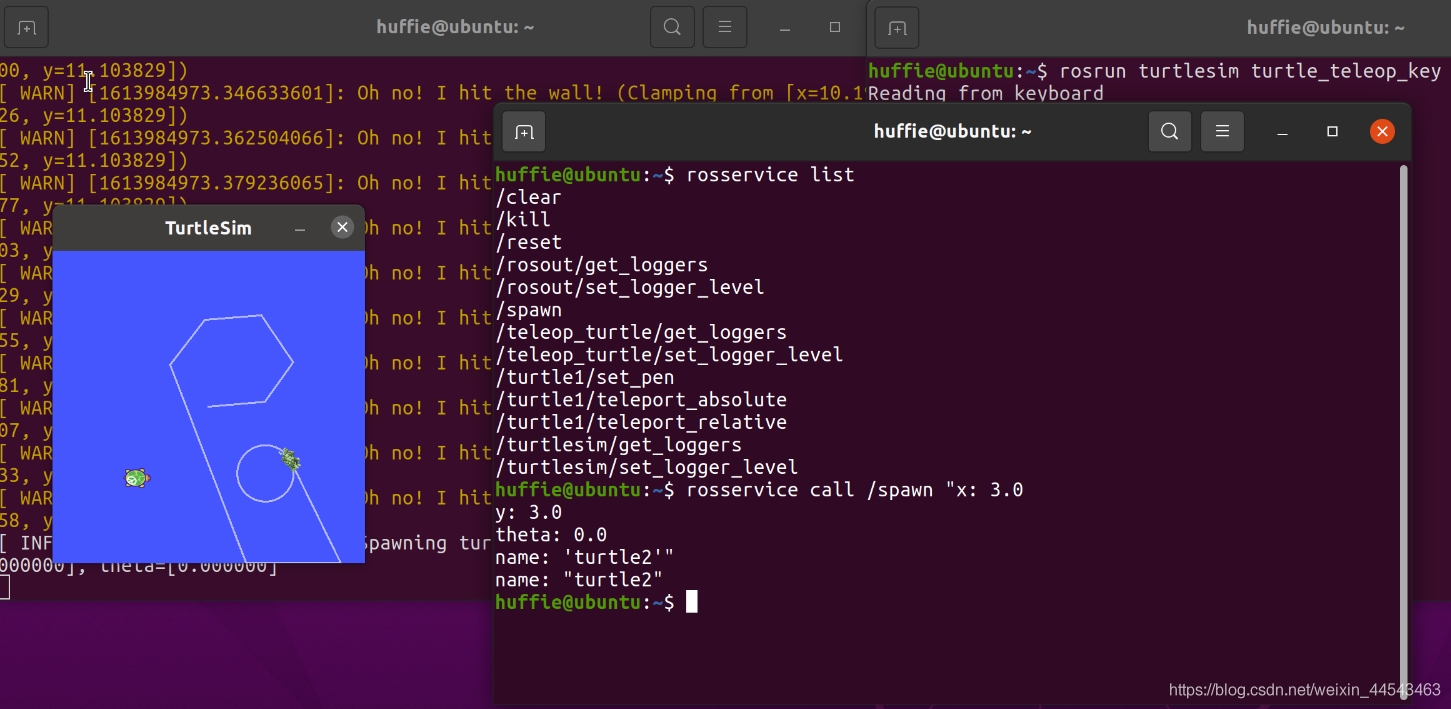
- roservice list can display a list of all services in the ROS system (all service servers belong to the turtle simulator above).
- rosservice call [service name + Tab completion] sends a request.
Example: Spawn two turtles (/spawn in the service list is the request for spawning a turtle) Enter the command, using Tab completion twice as indicated:
rosservice call /spawn+两次tab补全Here, x and y are the coordinates of the new turtle (the lower-left corner of the simulator is the origin).
6. rosbag
Records all topic data in the current system so that it can be replayed later.
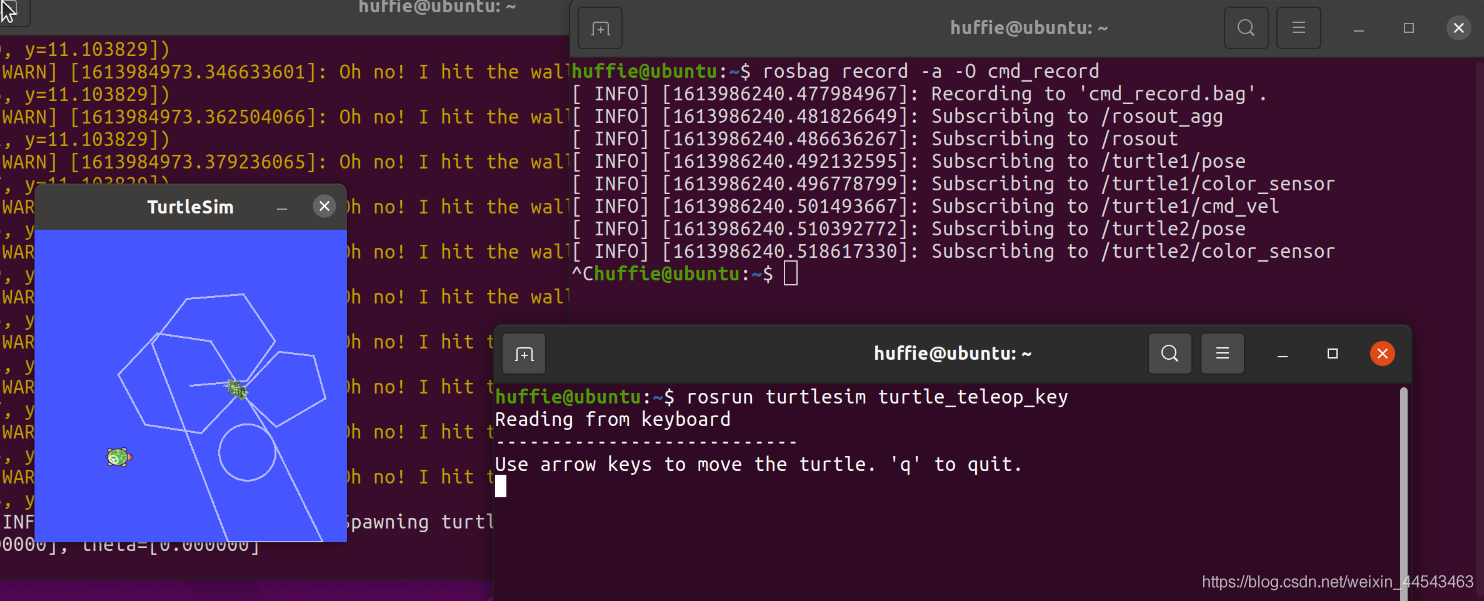
Example: Recording the Turtle’s Movement
- Enter the command:
rosbag record -a -O cmd_recordHere, record means to record data, -a means to record all data, -o means to save the data as a compressed archive, and the final part is the name of the saved file.- Return to the key terminal and use the keyboard arrow keys to control the turtle’s movement.
- When the movement is complete, use
ctrl+Cto stop rosbag record.
Example: Replaying the Turtle’s Movement
- Close the terminals opened earlier, open a new terminal, and run
roscore- Open another terminal and start the turtle simulation:
rosrun turtlesim turtlesim_node(keyboard input does not need to be started here)- Open another terminal and replay the turtle’s movement:
rosbag play cmd_record.bag
The material in this article comes from Guyuehome Official forum: https://www.guyuehome.com/ Tutorial video: https://www.bilibili.com/video/BV1zt411G7Vn
Comments