Contents
- I. Objective
- II. Custom Service Data
- 1. Define the srv File
- 2. Add Package Dependencies in package.xml
- 3. Add Compilation Options in CMakeLists.txt
- 4. Compile to Generate Related Files
- III. Create the Server Code
- IV. Create the Client Code
- V. Configure Compilation Rules for the Server/Client Code
- VI. Compile and Run the Publisher and Subscriber
I. Objective
Each time the Client makes one Request, the Server sends data once. The data format is personal information such as name, gender, and so on.
II. Custom Service Data
This step is similar to the process in Defining and Using Topic Messages
1. Define the srv File
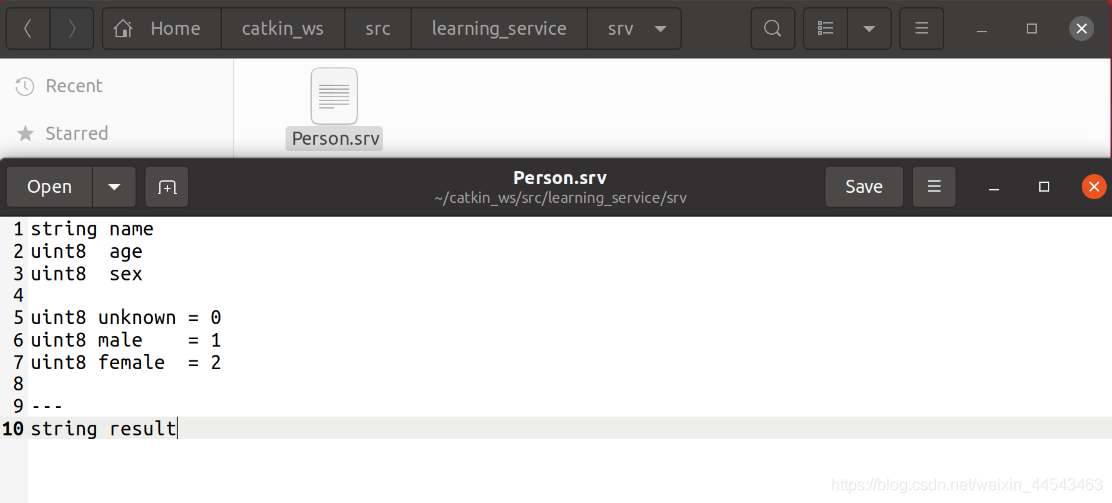
Under the learning_service folder, create a new folder srv, then inside the srv folder create a Person.srv file with the following contents
string name
uint8  age
uint8  sex

uint8 unknown = 0
uint8 male    = 1
uint8 female  = 2

---
string result
Above --- is the Request data; below --- is the Response data
2. Add Package Dependencies in package.xml
Open learning_service/package.xml and add the following code near the end of the file
  <build_depend>message_generation</build_depend>
  <exec_depend>message_runtime</exec_depend>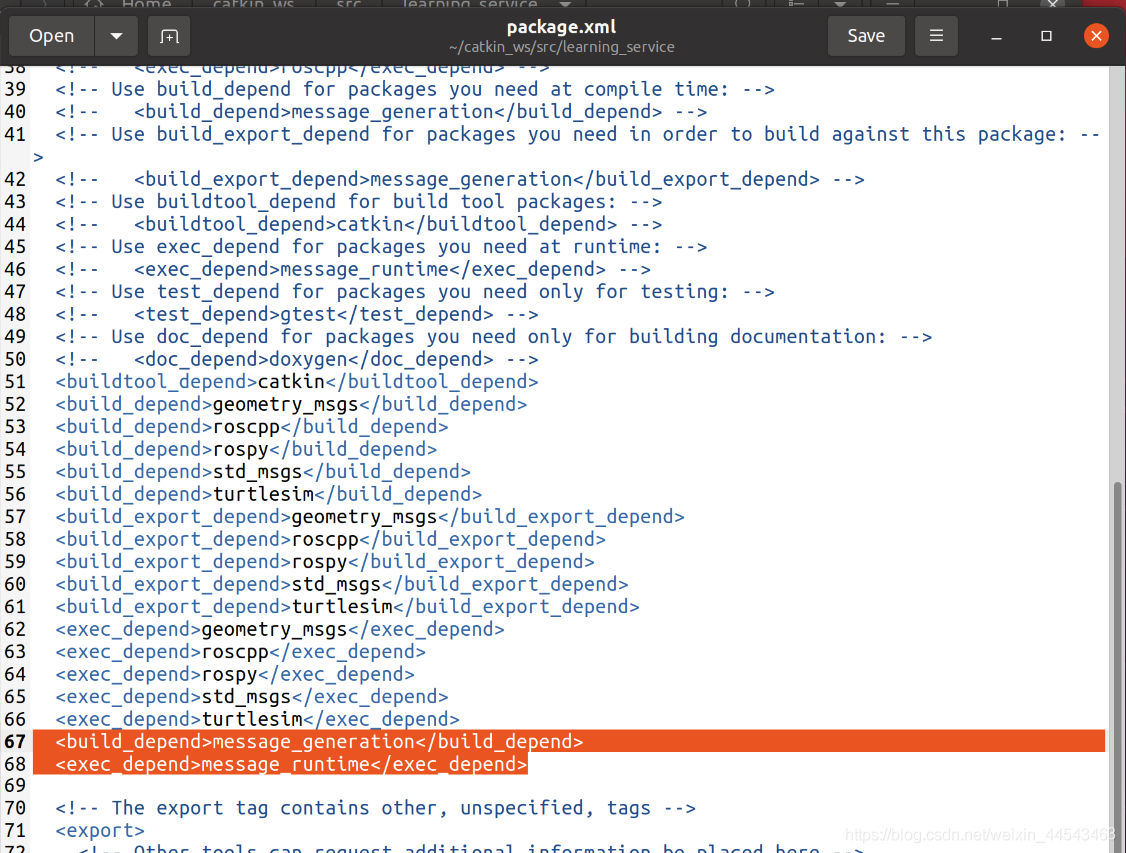
3. Add Compilation Options in CMakeLists.txt
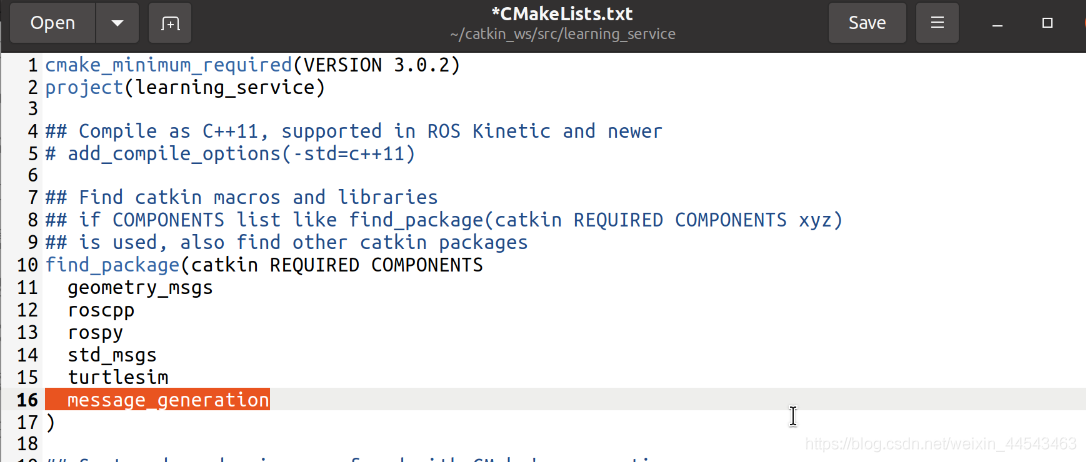
First, at the last line of find_package, add message_generation to include the dependent package
find_package(catkin REQUIRED COMPONENTS
  geometry_msgs
  roscpp
  rospy
  std_msgs
  turtlesim
  message_generation
)
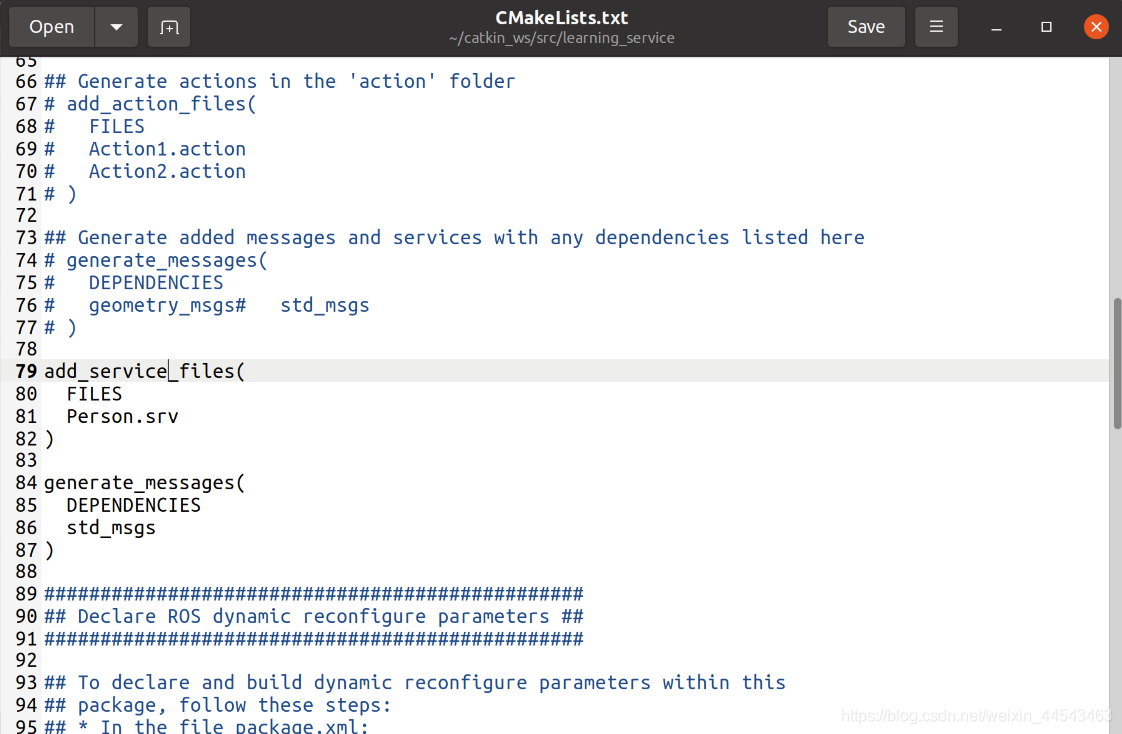
Below this function, also add
add_service_files(
  FILES
  Person.srv
)

generate_messages(
  DEPENDENCIES
  std_msgs
)
add_message_files: treat Person.srv as the defined interface
generate_messages: the packages required as dependencies when compiling the Person.srv file
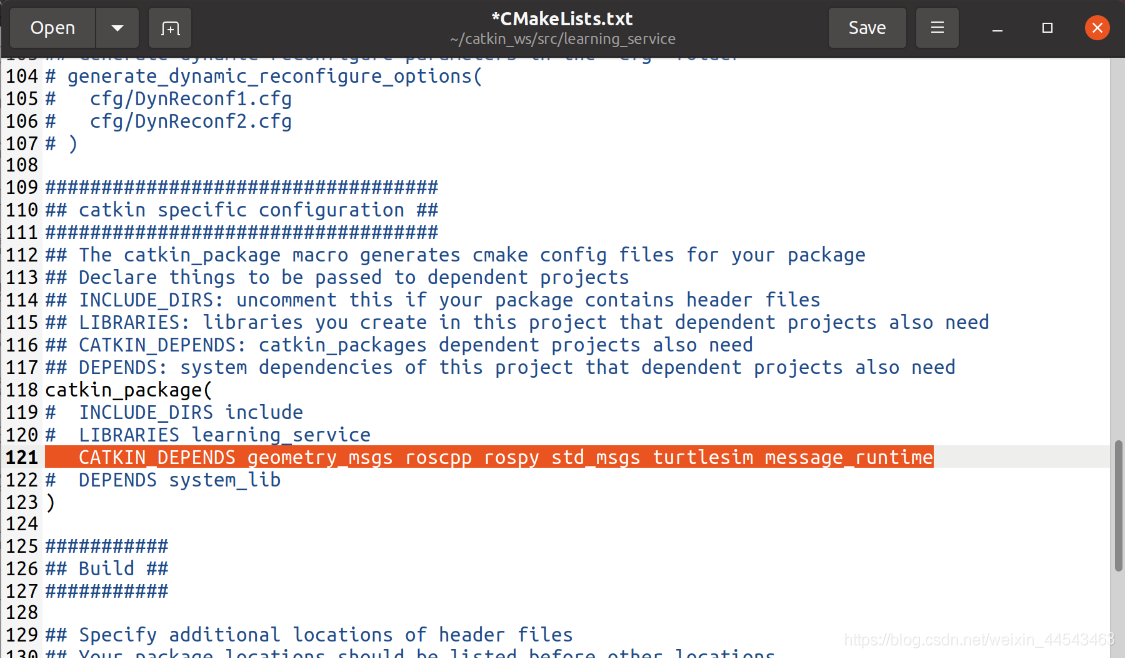
Then, under catkin specific configuration below, in catkin_packages, add the message_runtime dependency. The modified code is as follows:
catkin_package(
#  INCLUDE_DIRS include
#  LIBRARIES learning_topic
   CATKIN_DEPENDS geometry_msgs roscpp rospy std_msgs turtlesim message_runtime
#  DEPENDS system_lib
)
4. Compile to Generate Related Files
cd ~/catkin_ws
catkin_make
III. Create the Server Code
In the ~/catkin_ws/src/learning_service/src directory, create a person_server.cpp` file
/**
 * 该例程将执行/show_person服务,服务数据类型learning_service::Person
REFERENCE:www.guyuehome.com
 */

#include <ros/ros.h>
#include "learning_service/Person.h"

// service回调函数,输入参数req,输出参数res
bool personCallback(learning_service::Person::Request  &req,
         			learning_service::Person::Response &res)
{
    // 显示请求数据
    ROS_INFO("Person: name:%s  age:%d  sex:%d", req.name.c_str(), req.age, req.sex);

	// 设置反馈数据
	res.result = "OK";

    return true;
}

int main(int argc, char **argv)
{
    // ROS节点初始化
    ros::init(argc, argv, "person_server");

    // 创建节点句柄
    ros::NodeHandle n;

    // 创建一个名为/show_person的server,注册回调函数personCallback
    ros::ServiceServer person_service = n.advertiseService("/show_person", personCallback);

    // 循环等待回调函数
    ROS_INFO("Ready to show person informtion.");
    ros::spin();

    return 0;
}
IV. Create the Client Code
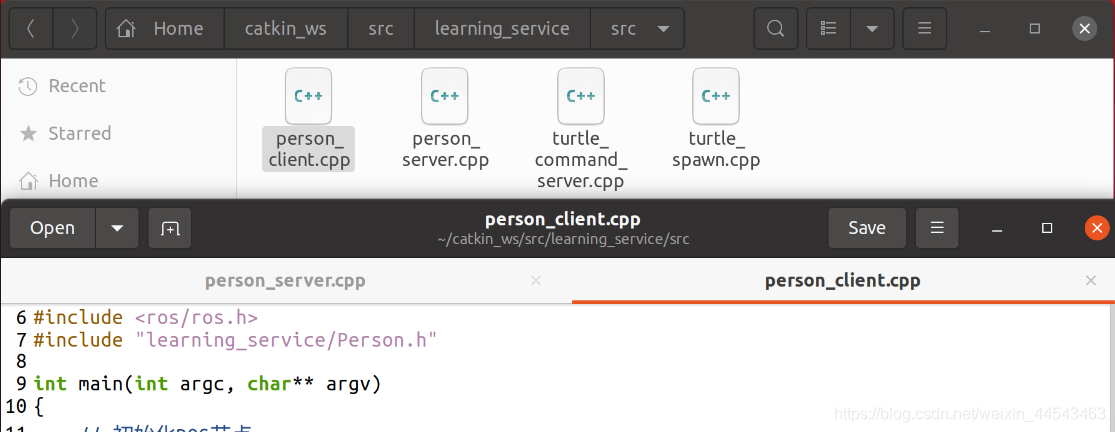
Likewise, in the ~/catkin_ws/src/learning_service/src directory, create a person_client.cpp file with the following contents:
/**
 * 该例程将请求/show_person服务,服务数据类型learning_service::Person
REFERENCE:www.guyuehome.com
 */

#include <ros/ros.h>
#include "learning_service/Person.h"

int main(int argc, char** argv)
{
    // 初始化ROS节点
	ros::init(argc, argv, "person_client");

    // 创建节点句柄
	ros::NodeHandle node;

    // 发现/spawn服务后,创建一个服务客户端,连接名为/spawn的service
	ros::service::waitForService("/show_person");
	ros::ServiceClient person_client = node.serviceClient<learning_service::Person>("/show_person");

    // 初始化learning_service::Person的请求数据
	learning_service::Person srv;
	srv.request.name = "Huffie";
	srv.request.age  = 21;
	srv.request.sex  = learning_service::Person::Request::male;

    // 请求服务调用
	ROS_INFO("Call service to show person[name:%s, age:%d, sex:%d]",
			 srv.request.name.c_str(), srv.request.age, srv.request.sex);

	person_client.call(srv);

	// 显示服务调用结果
	ROS_INFO("Show person result : %s", srv.response.result.c_str());

	return 0;
};
V. Configure Compilation Rules for the Server/Client Code
Open learning_service’s CMakeLists.txt and add the following code in the area shown
add_executable(person_server src/person_server.cpp)
target_link_libraries(person_server ${catkin_LIBRARIES})
add_dependencies(person_server ${PROJECT_NAME}_gencpp)

add_executable(person_client src/person_client.cpp)
target_link_libraries(person_client ${catkin_LIBRARIES})
add_dependencies(person_client ${PROJECT_NAME}_gencpp)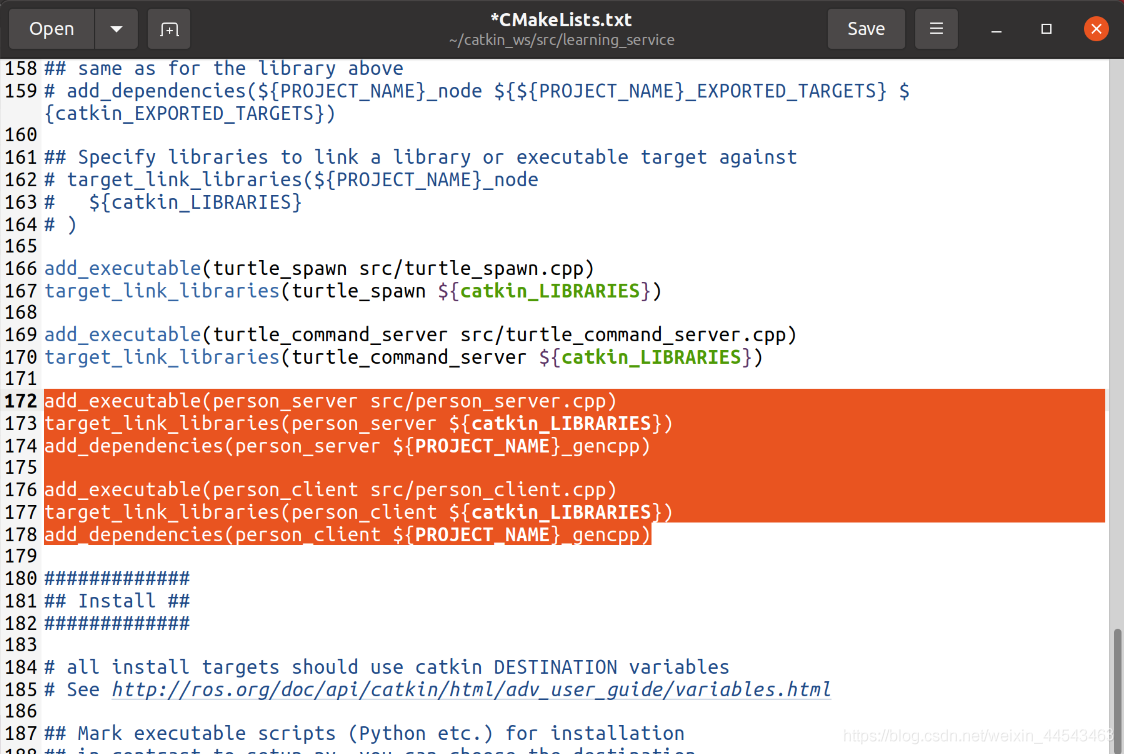
VI. Compile and Run the Publisher and Subscriber
First, compile
cd catkin_ws
catkin_make
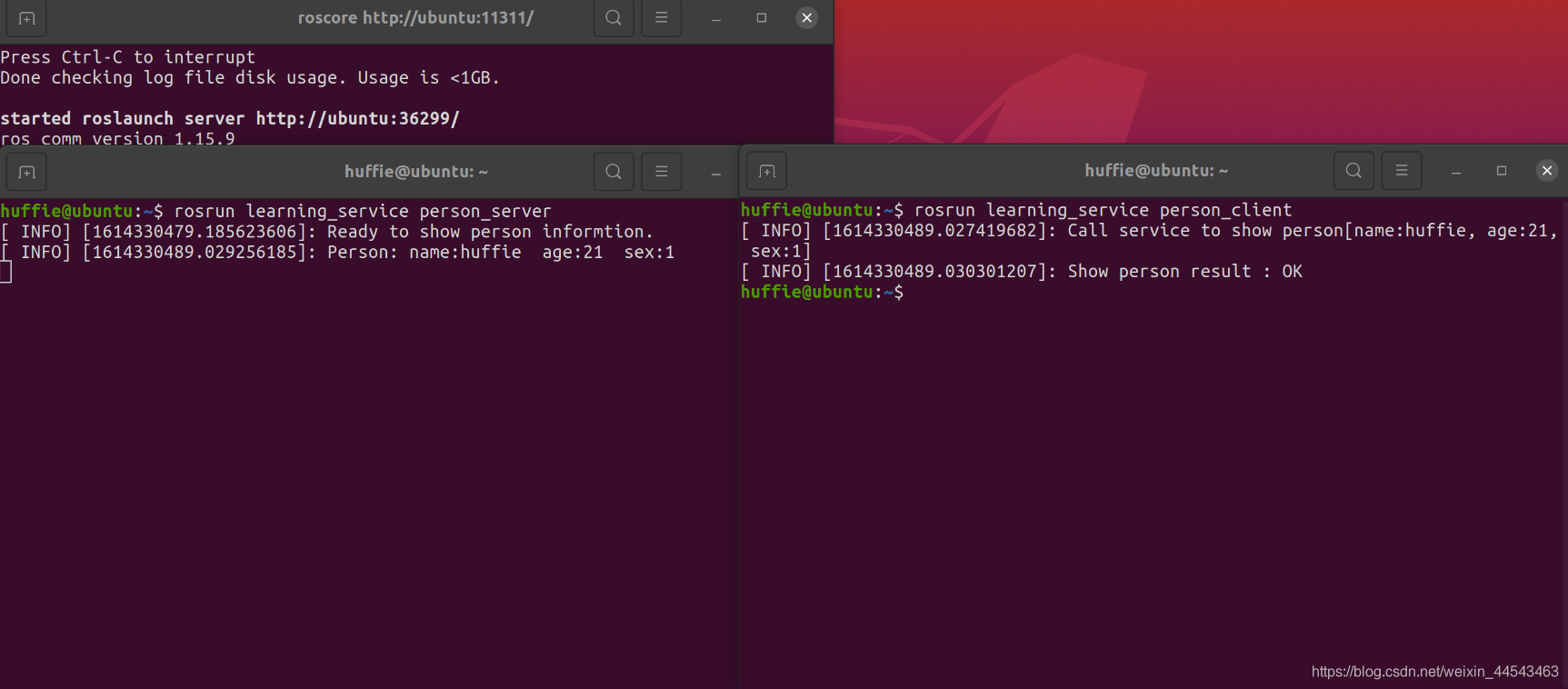
Run the publisher and subscriber
roscore
rosrun learning_service person_server
rosrun learning_service person_client
Each time the client makes a request, it receives data once
Comments