Contents
I. Objective
The subscriber subscribes to the turtle’s pose information.
II. Create the Package
First create a workspace. See ROS Study Notes (II) Creating the Workspace and Package.
Then create a package:
cd ~/catkin_ws/src
catkin_creat_pkg learning_topic roscpp rospy std_msgs geometry_msgs turtlesim
III. Create the Subscriber Code
In the package’s src folder, create a cpp file (you can also create it directly in the graphical interface):
cd ~/catkin_ws/src/learning_topic/src
touch pose_subscriber.cpp
sudo gedit pose_subscriber.cpp
Enter the following code:
/***********************************************************************
Copyright 2020 GuYueHome (www.guyuehome.com).
***********************************************************************/

/**
 * 该例程将订阅/turtle1/pose话题,消息类型turtlesim::Pose
 */

#include <ros/ros.h>
#include "turtlesim/Pose.h"

// 接收到订阅的消息后,会进入消息回调函数
void poseCallback(const turtlesim::Pose::ConstPtr& msg)
{
    // 将接收到的消息打印出来
    ROS_INFO("Turtle pose: x:%0.6f, y:%0.6f", msg->x, msg->y);
}

int main(int argc, char **argv)
{
    // 初始化ROS节点
    ros::init(argc, argv, "pose_subscriber");

    // 创建节点句柄
    ros::NodeHandle n;

    // 创建一个Subscriber,订阅名为/turtle1/pose的topic,注册回调函数poseCallback
    ros::Subscriber pose_sub = n.subscribe("/turtle1/pose", 10, poseCallback);

    // 循环等待回调函数
    ros::spin();

    return 0;
}
Code outline:
- Initialize the ROS node
- Subscribe to the required topic
- Spin and wait for topic messages; when a message arrives, the callback function is invoked
- Process the message in the callback function

IV. Configure the Subscriber Code Build Rules
-
Specify the source code to compile and the executable to generate
-
Set up the link libraries
In Learning_topic/CMakeList.txt, below Build (above Install), add the following code:
add_executable(pose_subscriber src/pose_subscriber.cpp)		#描述要把哪个程序文件编译成哪个可执行文件
target_link_libraries(pose_subscriber ${catkin_LIBRARIES})	#把可执行文件和库做链接
V. Compile and Run the Subscriber SubScriber
1. Compile
cd ~/catkin_ws
catkin_make
source devel/setup.bash
You can add a source statement at the end of the [.bash] file so you do not have to type the source command in the terminal every time.
sudo vim ~/catkin_ws source /home/huffie/catkin_ws/devel/setup.bash
2. Run
Open the turtlesim simulation program, run the subscriber, and move the turtle at the same time. You can see the pose coordinates updating in real time.
roscore
rosrun turtlesim turtlesim_node
rosrun learning_topic pose_subscriber
rosrun turtlesim turtle_teleop_key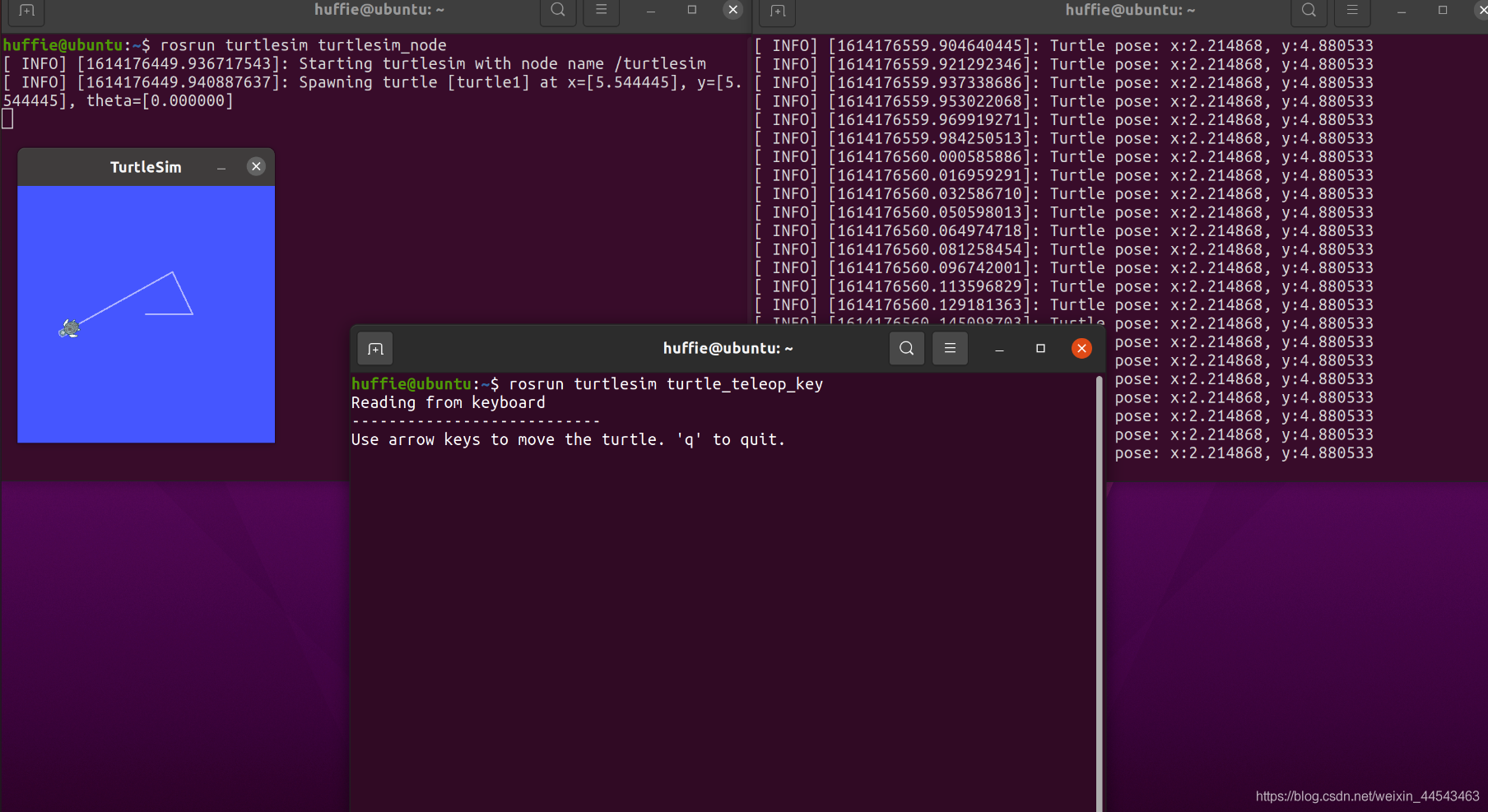
Comments