Contents
LabVIEW series:https://blog.csdn.net/weixin_44543463/category_10714833.html
I. Program Approach
Generating a surface of revolution such as a vase essentially involves sweeping a profile along a guide curve.
 For a vase, the method is to sweep a circle along a curve.
1.1 Generating the Base Circle Profile
The circle is generated as follows:
The total number of loop iterations is 360, corresponding to 360 degrees, while i represents each angle from 0~360. Convert i to radians to obtain the x- and y-coordinates of each point on the circle. Bundle the two coordinates to obtain the circular curve.


1.2 Generating the Guide Curve
To generate the vase, add a z-axis curve to the planar circular curve as the guide curve along which the circle is swept. Here, a sine curve is used as the guide curve for sweeping the circle.
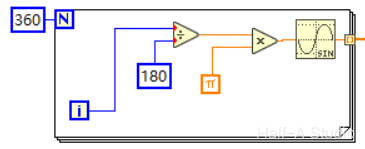
1.3 Sweeping the Circle Along the Guide Curve
The basic idea is as follows:
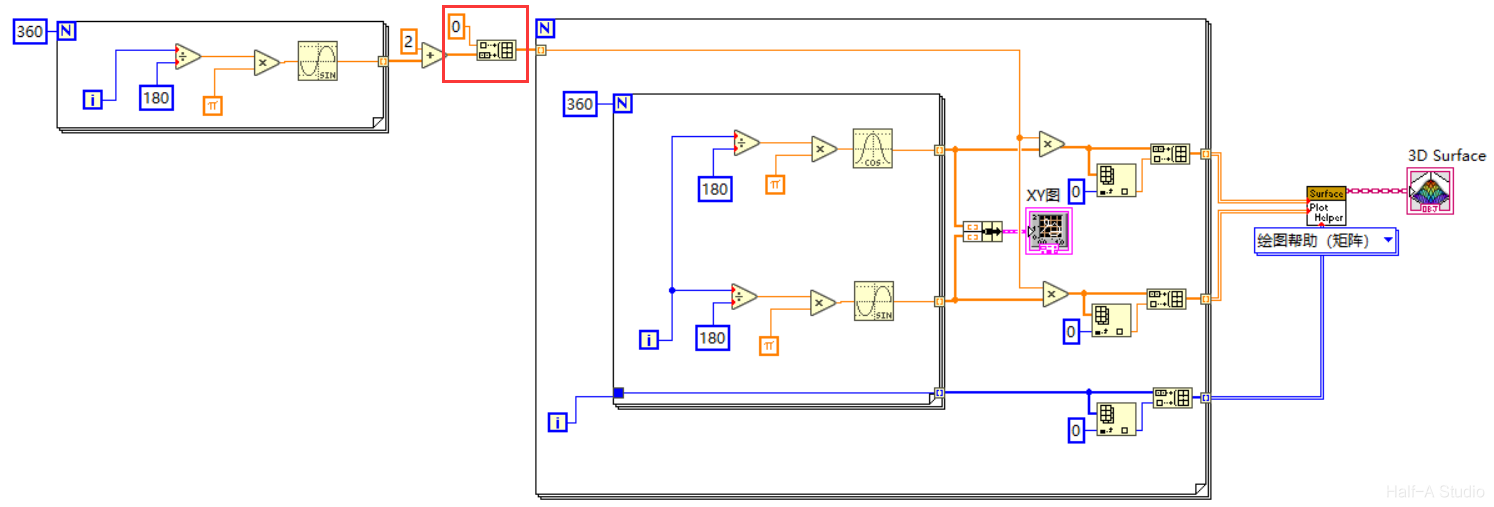
Wrap another loop around the loop that generated the circle. The loop input is the array output by the guide curve.
Each time the data for a point on the guide curve enters the outer loop, the inner loop draws a circle whose radius is that data value.
Once all the data from the guide curve has entered the loop and a circle has been generated with each value as its radius, the side surface of the vase is complete.
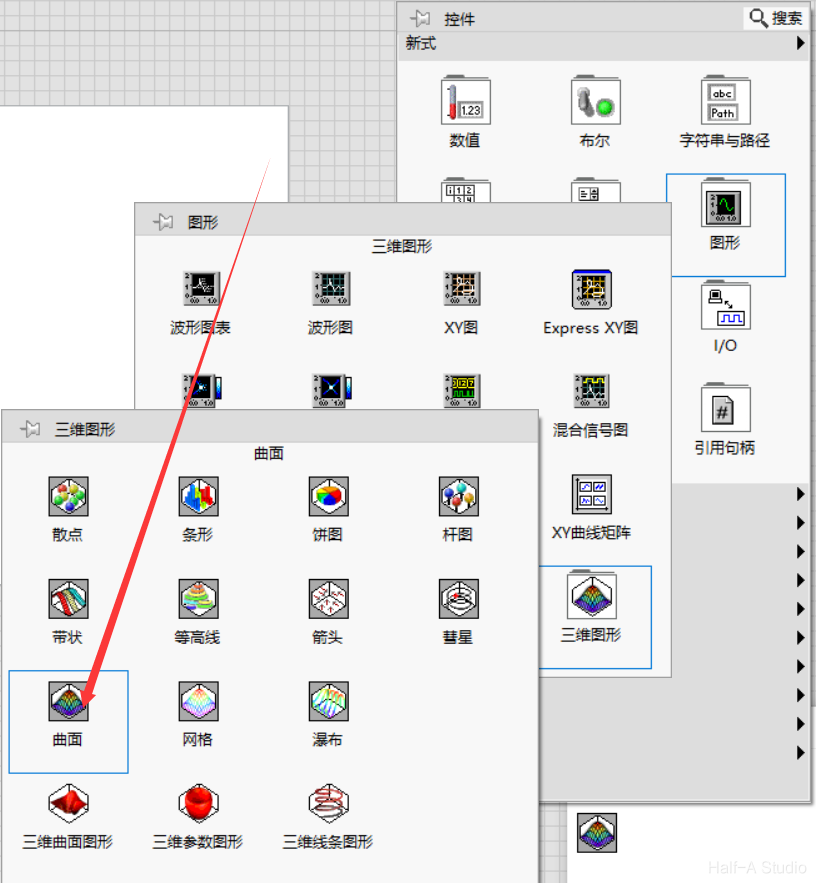
Insert the Surface control from Three-Dimensional Graphs on the front panel to see the generated side surface.
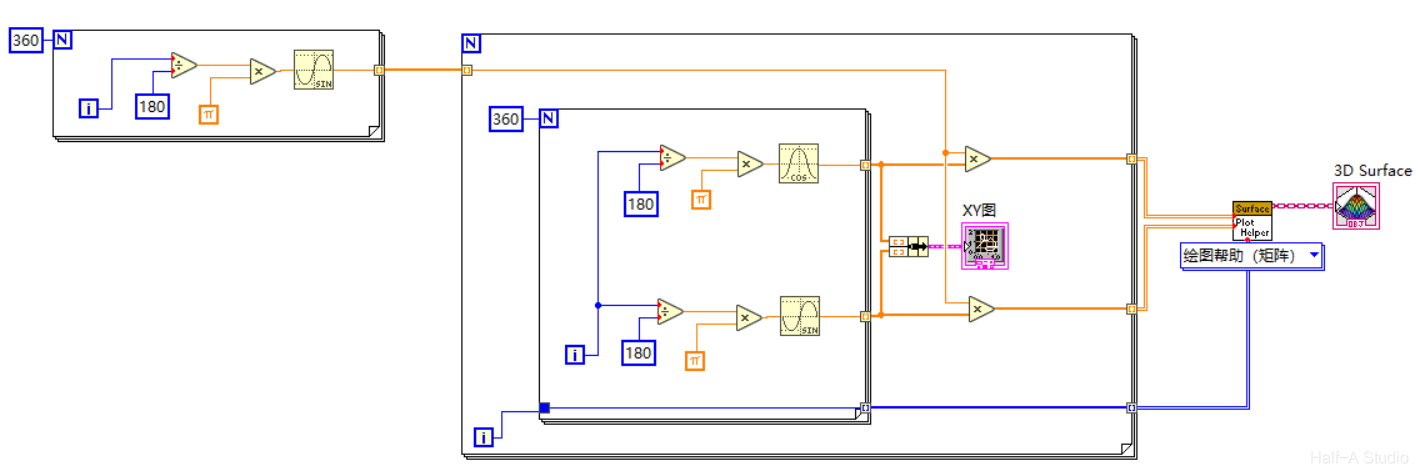
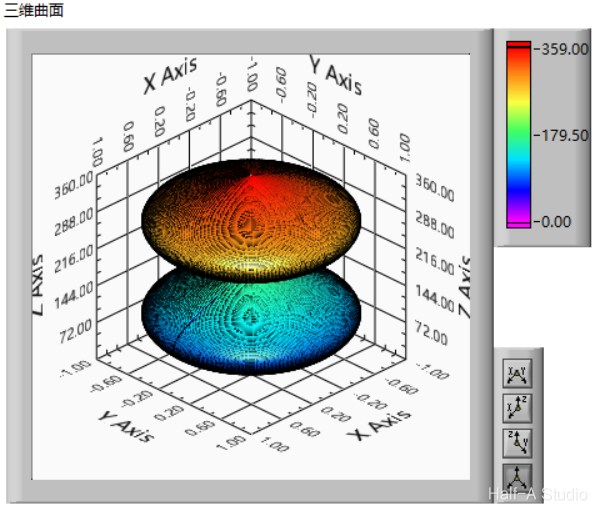 The dumbbell-shaped image appears because each data value from the z-axis sine curve was used as the radius for drawing a circle. From the sine wave, we can see that the radius is zero at the beginning, end, and middle, producing the dumbbell shape shown here.
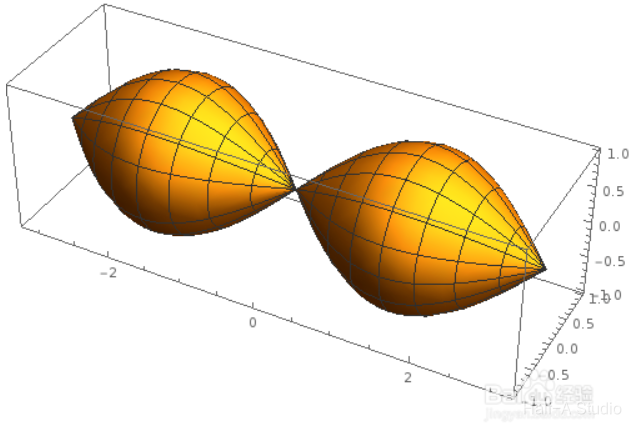 To solve this problem, simply shift the entire sine curve upward.

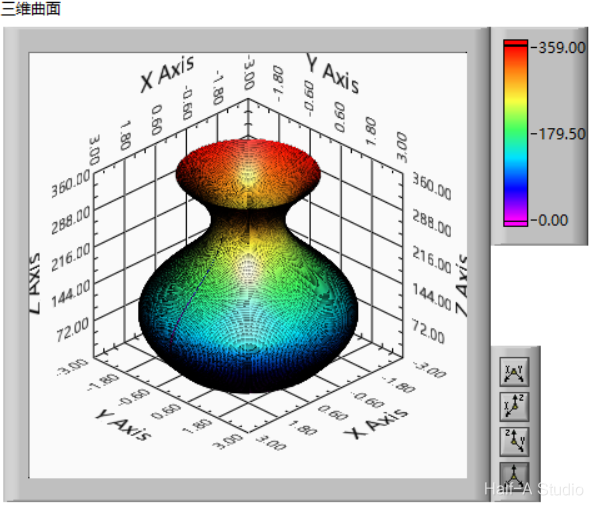
II. Improvements
2.1 Fixing the Gap
As shown, there is a gap in the generated surface because the starting and ending points do not coincide.
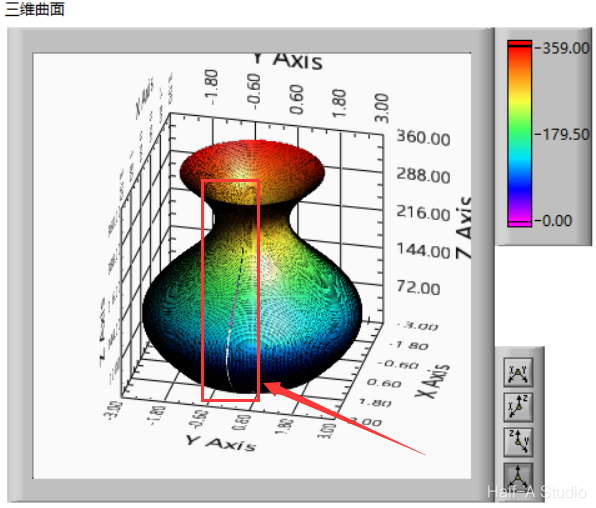 Solution: Append the starting point after the ending point to close the surface manually. Take the first element from the indexed array and append it to the end of the original array.
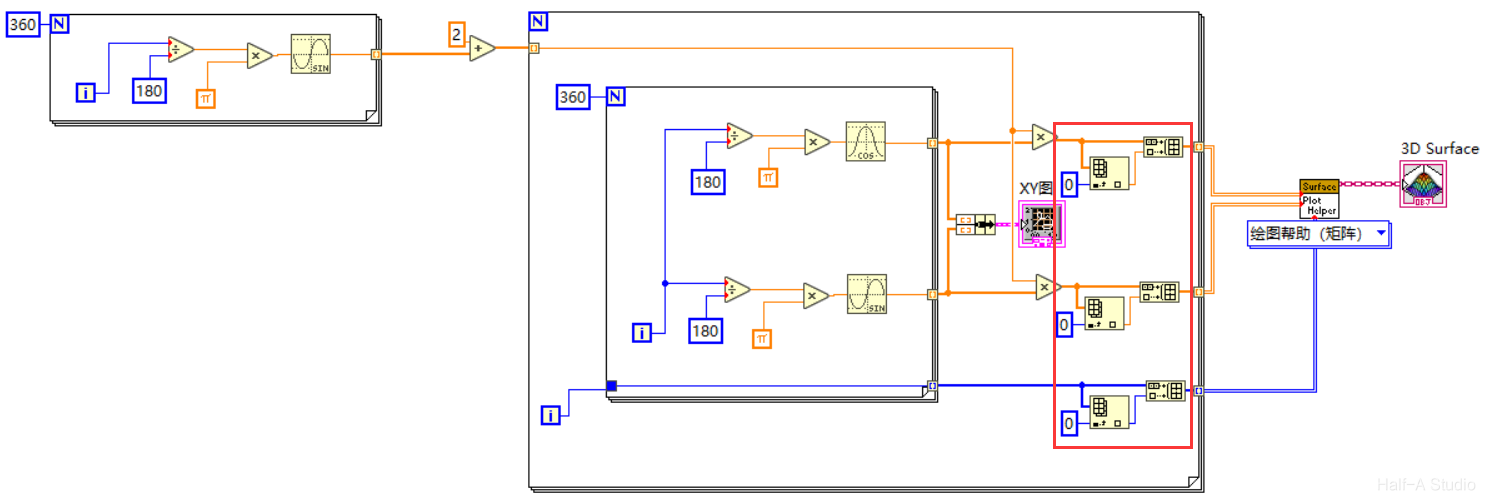
2.2 Adding the Base
Adding the base is very simple. Because LabVIEW generates a three-dimensional surface by connecting adjacent points, you only need to add a point at the exact center of the base.
Comments